
Introduction

Image: E-Greetshopping B39 Bluetooth Over-Ear Headphones in yellow.
Thank you for choosing the E-Greetshopping B39 Bluetooth Over-Ear Headphones. This manual provides essential information for setting up, operating, and maintaining your headphones. Please read it carefully to ensure optimal performance and longevity of your device.
Product Features
- Colorful LED Light Design: LED lights on both sides of the headphones change with the rhythm of music, enhancing your listening experience.
- Superb Sound Quality: Built-in premium speakers deliver clear audio with superior bass depth and high-definition clarity.
- Dual Connectivity Modes: Supports both wireless Bluetooth 5.0 and wired 3.5mm audio cable connections.
- Hands-Free Calling: Integrated high-quality microphone for clear hands-free phone calls.
- Foldable & Ergonomic Design: Space-saving foldable structure and adjustable headband with ultra-soft ear cups for comfortable, long-lasting wear.
- TF Card Support: Play music directly from a TF card (up to 32GB) for standalone playback.

Image: Details of the ergonomic and scalable design with comfortable earcups.
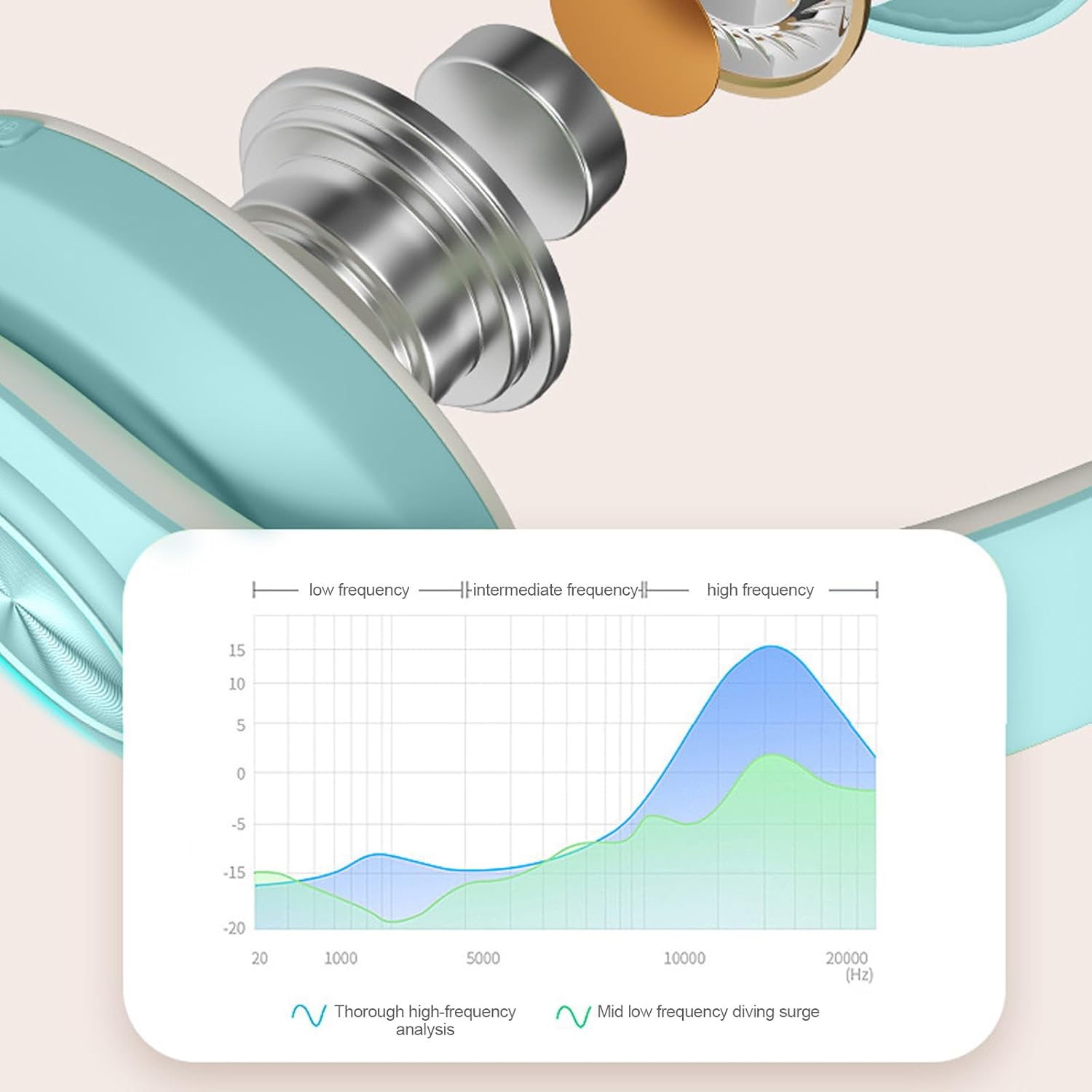
Image: The foldable design of the headphones for easy portability and storage.
Package Contents
The package includes the following items:
- 1 x E-Greetshopping B39 Bluetooth Over-Ear Headphones
- 1 x Audio Cable (3.5mm)
- 1 x USB Charging Cable (Micro USB)
Controls and Functions

Image: Close-up view of the right earcup showing control buttons and ports.
| Button/Port | Function |
|---|---|
| Power Button (On/Off) / Mode Switching | Long press to turn headphones on/off. Short press to switch between Bluetooth, TF Card, and FM Radio modes (if applicable). |
| Play/Pause / Answer/Hang Up Call | Short press to play/pause music. Short press to answer an incoming call or hang up an active call. |
| Previous Song / Volume Up | Short press for previous song. Long press to increase volume. |
| Next Song / Volume Down | Short press for next song. Long press to decrease volume. |
| Micro USB Port | For charging the headphones. |
| 3.5mm Audio Jack | For wired connection using the included audio cable. |
| TF Card Slot | Insert a TF card (MicroSD) for direct music playback. |
Setup
1. Bluetooth Pairing
- Ensure the headphones are charged.
- Long press the Power button to turn on the headphones. The LED indicator will flash, indicating pairing mode.
- On your device (smartphone, tablet, PC), enable Bluetooth and search for available devices.
- Select "B39" from the list of devices.
- Once connected, the LED indicator will stop flashing or change to a steady light (refer to LED light behavior for specifics).
2. Wired Connection
To use the headphones in wired mode:
- Connect one end of the included 3.5mm audio cable to the 3.5mm audio jack on the headphones.
- Connect the other end of the audio cable to the audio output port of your device.
- The headphones will automatically switch to wired mode. Note that some functions like LED lights or built-in microphone might be limited in wired mode depending on the device.
3. TF Card Playback
To play music directly from a TF card:
- Insert a TF (MicroSD) card with music files into the TF card slot on the headphones.
- Turn on the headphones. If not already in TF card mode, short press the Power button to cycle through modes until TF card playback begins.
Operating Instructions
Music Playback
- Play/Pause: Short press the Play/Pause button.
- Next Song: Short press the "Next Song" button.
- Previous Song: Short press the "Previous Song" button.
- Volume Up: Long press the "Volume Up" button.
- Volume Down: Long press the "Volume Down" button.
Call Management
- Answer/End Call: Short press the Play/Pause button when a call comes in or during a call.
- Reject Call: Long press the Play/Pause button when a call comes in.
LED Lights

Image: E-Greetshopping B39 headphones featuring dynamic LED lighting.
The LED lights on the earcups are designed to sync with the rhythm of your music. Specific controls for changing LED patterns or turning them off are not detailed in the product information. They are generally activated automatically when the headphones are powered on and playing music.
Charging
To charge your E-Greetshopping B39 headphones:
- Connect the Micro USB charging cable to the Micro USB port on the headphones.
- Connect the other end of the USB cable to a 5V/1A USB power adapter or a computer's USB port.
- The LED indicator will typically show a red light during charging and turn off or change color when fully charged.
Maintenance and Care
- Keep the headphones dry. Do not expose them to water or moisture.
- Clean the earcups and headband with a soft, dry cloth. Avoid using harsh chemicals or abrasive materials.
- Store the headphones in a cool, dry place when not in use. The foldable design allows for compact storage.
- Avoid extreme temperatures.
- Do not attempt to disassemble or modify the headphones, as this will void any potential warranty.
Troubleshooting
| Problem | Solution |
|---|---|
| Headphones do not turn on. | Ensure the headphones are fully charged. Connect them to a power source using the USB cable. |
| Cannot pair via Bluetooth. |
|
| No sound in Bluetooth mode. |
|
| No sound in wired mode. |
|
| LED lights are not working or not syncing. |
|
Specifications
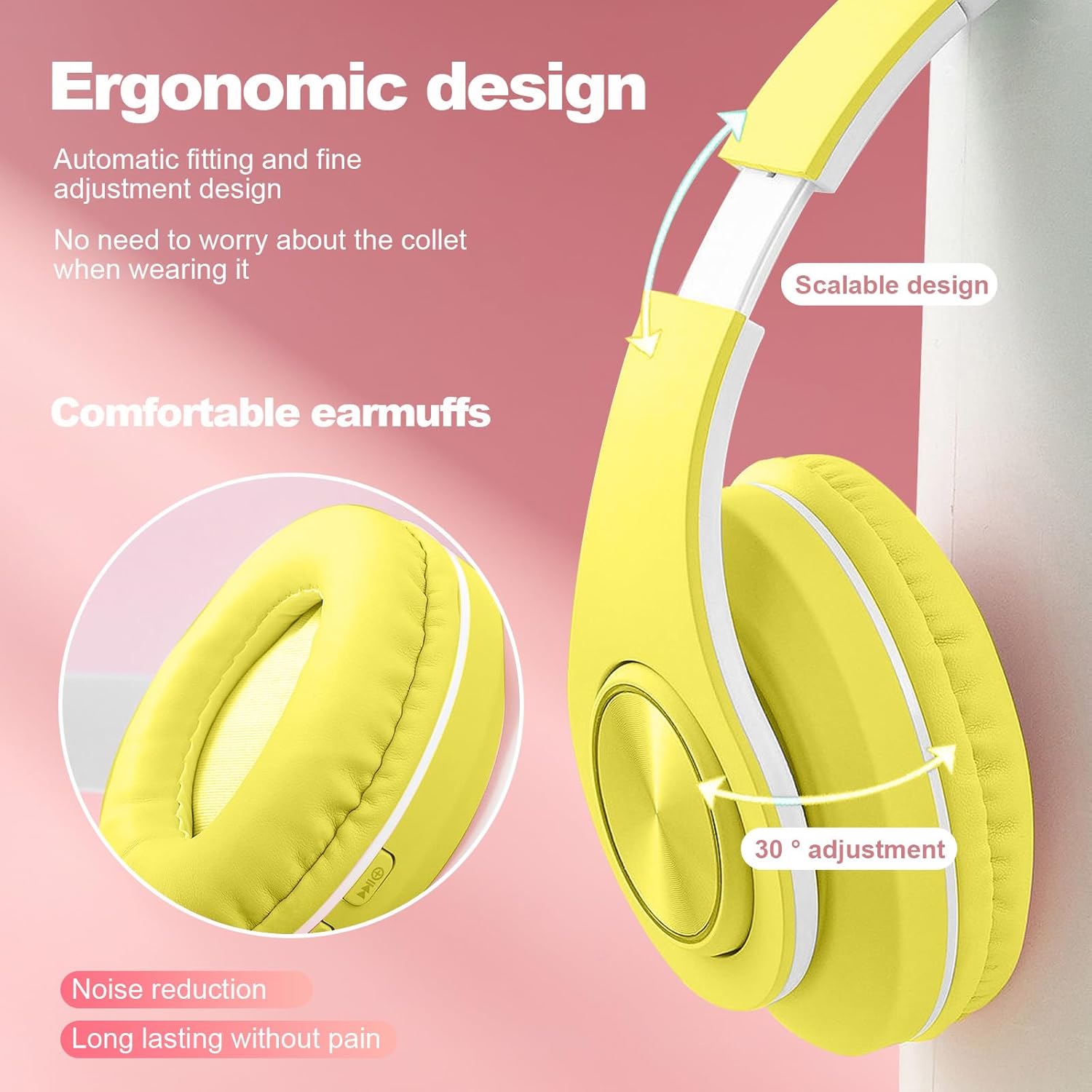
Image: Audio frequency response curve illustrating sound performance.
| Feature | Detail |
|---|---|
| Model | B39 |
| Color Options | Yellow, Green, Blue, Pink |
| Dimensions (L x W x H) | 175 x 165 x 68 mm (6.89 x 6.50 x 2.68 inches) |
| Material | ABS plastic |
| Bluetooth Version | 5.0 |
| Wireless Range | Up to 10 meters (33 feet) |
| Impedance | 32 Ohm |
| Sensitivity | 96 dB +/- 3 dB |
| TF Card Support | Up to 32 GB |
| Charging Port | Micro USB |
| Charging Voltage/Current | 5V/1A |
| Connectivity Technology | Wireless (Bluetooth), Wired (3.5mm) |
| Control Type | Media Control, Touch |
| Noise Control | Sound Isolation |
Safety Information
- Do not use the headphones at high volume for extended periods to prevent hearing damage.
- Do not use the headphones while driving, cycling, or in situations where you need to hear ambient sounds.
- Keep out of reach of children.
- Dispose of the product responsibly according to local regulations.
Warranty and Support
E-Greetshopping is committed to providing a worry-free shopping experience. If you encounter any issues or have questions about your B39 Bluetooth Over-Ear Headphones, please contact our customer service team. You can typically find contact information through your order details or by reaching out to the seller directly. We aim to respond to inquiries within 24 hours.