
podofo SWM151C
Podofo Single Din Car Stereo User Manual
Model: SWM151C | Brand: Podofo
1. Introduction
The Podofo Single Din Car Stereo is a versatile audio receiver designed to enhance your in-car entertainment and connectivity. Featuring a 5-inch HD IPS touch screen, it supports Apple CarPlay and Android Auto for seamless smartphone integration, Bluetooth 5.1 for hands-free calls and music streaming, and includes a 12-LED backup camera for safer parking. This manual provides detailed instructions for installation, operation, maintenance, and troubleshooting.

Image: Podofo Single Din Car Stereo with its main components, including the head unit, backup camera, and connecting cables.
What's in the Box
- 1 x Car Multimedia Player
- 1 x Power Cable
- 1 x Horn Cable
- 2 x Mounting Bracket
- 1 x User Manual
- 1 x Backup Camera
2. Setup and Installation
Proper installation is crucial for optimal performance. It is recommended to have this unit installed by a professional if you are unfamiliar with car audio wiring.
Wiring Diagram
Refer to the detailed wiring diagram below for correct connections. Ensure all connections are secure and insulated to prevent short circuits.

Image: Comprehensive wiring diagram illustrating connections for power, speakers, audio outputs, video inputs, and the backup camera.
Physical Installation
- Preparation: Disconnect the vehicle's negative battery terminal before starting any electrical work.
- Remove Old Unit: Carefully remove your existing car stereo from the dashboard.
- Connect Wiring: Connect the provided power cable, horn cable, and other necessary wires according to the wiring diagram. Pay close attention to the constant power (yellow), accessory power (red), ground (black), and speaker wires.
- Mounting: Use the included mounting brackets to secure the new stereo into the single DIN slot. Ensure the unit is firmly in place.
- Backup Camera Installation: Install the 12-LED waterproof backup camera at the rear of your vehicle. Connect its video output to the stereo's reversing video input and its power to the vehicle's reverse light circuit for automatic activation.
- Final Check: Reconnect the battery terminal and test all functions of the stereo before fully reassembling the dashboard.
3. Operating Instructions
3.1 CarPlay and Android Auto
Connect your smartphone via a USB cable to enable CarPlay (for iPhone) or Android Auto (for Android phones). This allows you to access navigation, make calls, send messages, and play music directly from the stereo's touch screen.
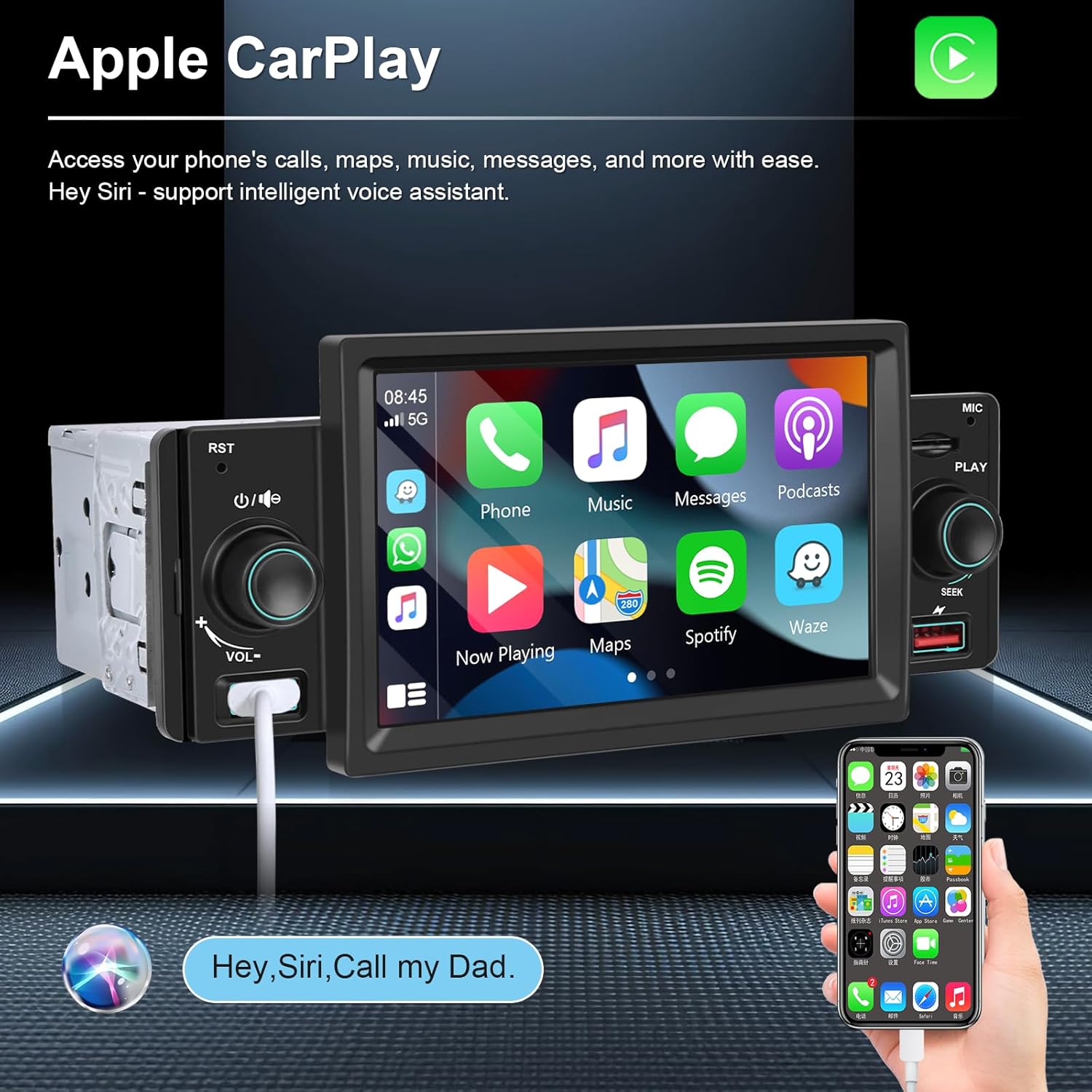
Image: The Apple CarPlay interface displayed on the stereo's 5-inch screen, showing various app icons.

Image: The Android Auto interface displayed on the stereo's 5-inch screen, providing access to navigation, communication, and media apps.
Video: An official demonstration of the Podofo Single Din Car Stereo's Apple CarPlay and Android Auto features, showcasing music playback, phone calls, and navigation.
3.2 Bluetooth 5.1
Pair your smartphone with the stereo via Bluetooth 5.1 for stable hands-free calling and wireless audio streaming. The unit features a built-in noise-canceling microphone and supports an external 3.5mm microphone for clear communication.

Image: The Bluetooth 5.1 interface on the stereo, showing options for hands-free calling and music playback.
3.3 FM Radio
The built-in high-performance radio chip provides strong FM signals for smooth and stable channel reception. You can listen to real-time traffic, news, and weather broadcasts. The unit allows for presetting up to 18 stations.
3.4 Mirror Link
Utilize the Mirror Link function to synchronize your phone's screen content directly onto the car stereo's display. This feature supports both iOS and Android devices via USB connection, allowing for superior video playback and app mirroring.

Image: The Mirror Link feature in action, showing a smartphone's video content mirrored onto the car stereo screen.
3.5 HD Backup Camera
The included 12-LED waterproof backup camera provides clear night vision and a wide-angle view. When you shift into reverse, the 5-inch touch screen automatically displays the reverse image, making parking safer and more convenient.

Image: The HD reversing image from the backup camera displayed on the car stereo screen, showing parking guidelines.
3.6 Multiple Function Interface
The stereo supports various input methods including USB flash drives and TF cards for media playback. It also offers USB phone charging and is compatible with your car's original steering wheel control functions for added convenience.
4. Maintenance
To ensure the longevity and optimal performance of your Podofo car stereo, follow these maintenance guidelines:
- Cleaning the Screen: Use a soft, lint-free cloth to gently wipe the touch screen. For stubborn smudges, slightly dampen the cloth with water or a screen-safe cleaner. Avoid harsh chemicals or abrasive materials.
- General Cleaning: Keep the unit free from dust and debris. Use a soft brush or compressed air to clean around buttons and ports.
- Avoid Liquids: Do not expose the unit to excessive moisture or liquids.
- Temperature: Avoid exposing the unit to extreme temperatures, as this can affect its electronic components.
5. Troubleshooting
If you encounter issues with your car stereo, refer to the following common problems and solutions:
| Problem | Possible Cause | Solution |
|---|---|---|
| Unit does not power on. | Incorrect wiring, blown fuse, insufficient power. | Check power and ground connections. Verify vehicle's fuse and the stereo's fuse (15A). Ensure constant 12V and accessory 12V are connected correctly. |
| No sound from speakers. | Speaker wires incorrectly connected, volume too low, mute activated. | Check speaker wiring for correct polarity and secure connections. Increase volume. Deactivate mute function. |
| CarPlay/Android Auto not connecting. | Faulty USB cable, phone not compatible, software issue. | Use a high-quality, original USB cable. Ensure your phone's operating system is updated. Restart both phone and stereo. |
| Bluetooth pairing issues. | Device not in pairing mode, interference, previous connection. | Ensure Bluetooth is enabled on both devices and the stereo is in pairing mode. Delete previous pairings and try again. Move away from other Bluetooth devices. |
| Settings not saving after power off. | Constant power (yellow wire) not connected or faulty. | Verify the yellow wire is connected to a constant 12V power source in your vehicle. This wire maintains memory settings. |
| Backup camera not displaying. | Camera not powered, video cable loose, reverse trigger wire not connected. | Check power supply to the camera. Ensure the video RCA cable is securely connected. Verify the reverse trigger wire is connected to the vehicle's reverse light. |
If the problem persists after attempting these solutions, please contact Podofo technical support for assistance.
6. Technical Specifications
| Feature | Specification |
|---|---|
| Product Dimensions | 1.97 x 6.69 x 1.97 inches |
| Item Weight | 1.32 pounds |
| Item Model Number | SWM151C |
| Connectivity Technology | Bluetooth, USB |
| Controller Type | Android |
| Special Features | Touchscreen, Android Auto, Apple CarPlay |
| Compatible Devices | Smartphone |
| Connector Type | USB 2.0 |
| Audio Output Mode | Stereo |
| Surround Sound Channel Configuration | 4.0 |
| Video Encoding | MKV, AVI, MP4, M4V, TS, TP |
| Color | Black |
7. Warranty and Support
Podofo is committed to providing high-quality products and excellent customer service.
Warranty Information
This product comes with a 2-Year Warranty from the date of purchase, covering manufacturing defects. Please retain your proof of purchase for warranty claims.
Technical Support
Podofo specializes in car electronics and offers professional technical support. If you have any questions, require assistance with installation, or encounter issues not covered in the troubleshooting section, please contact our expert customer support team. We provide 24/7 support to ensure your satisfaction.
For support, please visit the Podofo store on Amazon or use the 'Ask a question' feature on the product page to reach out to Podofo US directly.

Image: Podofo's commitment to customer satisfaction, highlighting global availability, a 2-year warranty, and 24/7 expert customer support.