
Introduction
This manual provides instructions for the Mxfdegf Universal Tablet Case, designed to protect and enhance the functionality of your 10.5 to 11.5-inch tablet. This case features a 360-degree rotating adjustable stand and a magnetic closure, offering versatile viewing options and secure protection.
Compatibility
The Mxfdegf Universal Tablet Case is compatible with a wide range of 10.5 to 11.5-inch tablets. This includes, but is not limited to, the TECLAST T50 TAL002 11-inch Tablet, iPad Air 3/10.5 (2019), iPad Air 4/Pro 11 (2020/2021), iPad 10.9, iPad 10 (2022), Samsung Galaxy Tab S8/S7/S9 (X710/X716B/718U), and Amazon Fire Max 11 tablet.
Note: This case does not support auto sleep/wake functions for any tablet and does not have a back camera opening. Please verify your tablet's dimensions before purchase.

Image: The case is designed to fit tablets with dimensions between 10.5 and 11.5 inches. Always check your tablet's exact measurements.
Setup: Installing Your Tablet
Open the Case: Lay the tablet case flat on a clean, stable surface.
Position Your Tablet: Carefully place your tablet onto the interior surface of the case, ensuring it is centered.
Secure with Clasps: The case is equipped with four adjustable elastic clasps. Gently stretch each clasp over the corners of your tablet to secure it firmly in place. Ensure all four clasps are holding the tablet securely without obstructing the screen or ports.

Image: The adjustable snap clasps make installation straightforward, holding the tablet securely at each corner.

Image: A hand demonstrates stretching one of the elastic bands to fit around a tablet corner, ensuring a snug fit.
Close the Case: Once the tablet is secured, close the case. The magnetic closure will keep it shut, protecting your device.
Operating Instructions
Using the 360-Degree Rotating Stand
The case features a built-in 360-degree rotating swivel stand, allowing for both landscape and portrait viewing orientations.
Rotate Your Tablet: To change orientation, gently rotate the tablet within the case. The central swivel mechanism allows for smooth rotation.
Adjust Viewing Angle: The case provides multiple grooves on the cover to set your tablet at various stable viewing angles. Simply fold the front cover back and place the edge of your tablet into one of the anti-slip grooves.
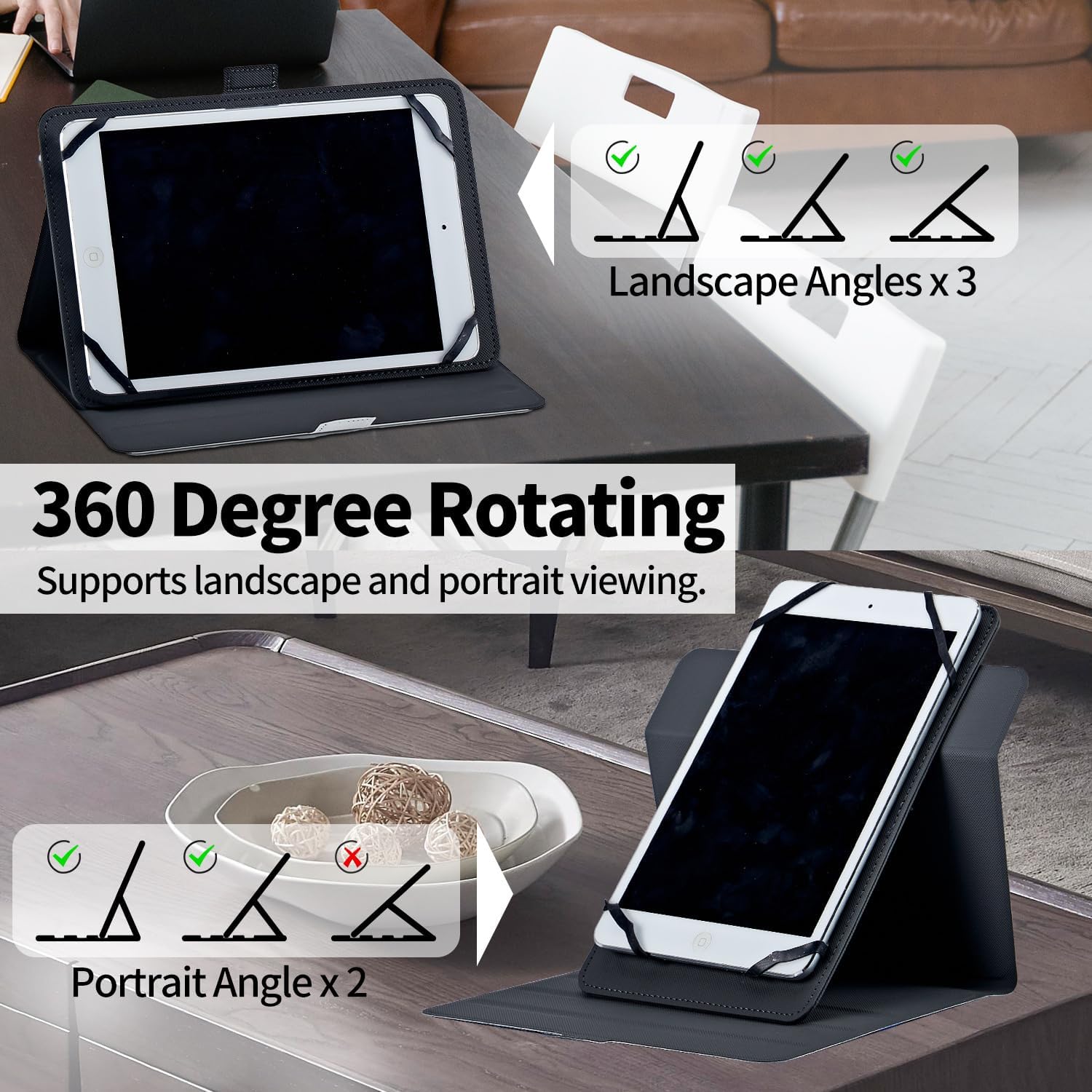
Image: This diagram illustrates the 360-degree rotation capability, offering three landscape angles and two portrait angles for versatile viewing.

Image: A detailed view highlighting the built-in elastic band for security, the 360-degree rotation feature, and the adjustable stand angle for comfortable use.

Image: The tablet is shown in a stable viewing position, utilizing the two anti-slip grooves on the case cover to maintain the desired angle.
Magnetic Closure
The case features a magnetic button closure to ensure the cover remains securely closed when not in use, protecting your tablet from accidental openings and potential damage.
Maintenance
To keep your Mxfdegf tablet case in optimal condition, follow these simple maintenance guidelines:
- Cleaning: Wipe the exterior of the case with a soft, damp cloth. For tougher stains, a mild soap solution can be used, followed by wiping with a clean, damp cloth. Avoid harsh chemicals or abrasive cleaners.
- Drying: Allow the case to air dry completely before reinserting your tablet. Do not expose to direct sunlight or high heat.
- Storage: When not in use, store the case in a cool, dry place away from direct sunlight.
Troubleshooting
- Tablet Does Not Fit: Ensure your tablet's dimensions are within the 10.5 to 11.5-inch range. The case is universal for this size range, but specific models may have slight variations. Double-check that the elastic clasps are stretched correctly over the corners.
- Stand is Not Stable: Make sure the tablet's edge is firmly seated in one of the anti-slip grooves on the case cover. Adjust the angle if necessary to find a stable position.
- Magnetic Closure Not Holding: Ensure no debris is caught between the magnetic flap and the case body. If the issue persists, inspect the magnetic components for damage.
Specifications
| Brand | Mxfdegf |
| Color | Deep-Sea Octopus |
| Form Factor | Flip |
| Material | Faux Leather |
| Special Feature | Heavy Duty Protection, Kickstand |
| Compatible Tablet Sizes | 10.5 - 11.5 inches |
| Water Resistance Level | Not Water Resistant |
| Item Dimensions | 7 x 5 x 0.6 inches |
| Item Weight | 6.8 Ounces |
Warranty and Support
For information regarding warranty coverage or customer support, please refer to the product packaging or contact the retailer where the product was purchased. Specific warranty details are not provided in this manual.