
Zedamsan BP970W
Zedamsan Portable Charger for MagSafe Instruction Manual
Model: BP970W
Brand: Zedamsan
Introduction
Thank you for choosing the Zedamsan Portable Charger for MagSafe. This 5000mAh wireless magnetic power bank is designed to provide convenient and fast charging for your compatible iPhone models and other devices. Please read this manual carefully to ensure proper use and maintenance of your device.
Package Contents
- 1x 5000mAh Magnetic Wireless Power Bank
- 1x USB-C to USB-C Charging Cable
- 1x Travel Pouch
- 1x Instruction Manual
Product Overview
The Zedamsan BP970W power bank features a compact design with multiple charging options.

Image: The Zedamsan Portable Charger (blue) magnetically attached to the back of a white iPhone, showcasing its slim profile and seamless integration.
It supports both wireless magnetic charging and wired charging via USB-C and USB-A ports, allowing you to charge up to three devices simultaneously.

Image: A detailed diagram highlighting the power bank's features, including the magnetic charging area, battery indicator lights, USB-A output, Lightning input, and Type-C input/output ports.
- Magnetic Wireless Charging: Directly snaps onto MagSafe-compatible iPhones (iPhone 12/13/14/15/16 series) for convenient wireless charging up to 15W.
- Wired Fast Charging: USB-C port supports up to 20W input/output, and USB-A port delivers up to 22.5W output for fast charging of various devices.
- Compact and Lightweight: Measuring only 10.2 x 6.6 x 1.3 cm (4.0 x 2.6 x 0.5 inches) and weighing 125g (4.4 oz), it easily fits into pockets or handbags.
- Simultaneous Charging: Capable of charging up to three devices at once (one wirelessly, two wired).

Image: A hand placing the compact Zedamsan Portable Charger into the pocket of a pair of jeans, illustrating its small size and portability.
Setup
Charging the Power Bank
Before first use, fully charge your Zedamsan power bank. Use the provided USB-C to USB-C cable or a compatible Lightning cable to connect the power bank to a power adapter (not included).
- Connect the USB-C end of the cable to the power bank's USB-C port.
- Connect the other end of the cable to a compatible USB-C power adapter.
- The LED indicator lights on the side of the power bank will illuminate to show the charging status. All lights will be solid when fully charged.

Image: The Zedamsan Portable Charger connected to a wall adapter for charging, demonstrating its pass-through charging capability where it can charge itself and an iPhone simultaneously.
Operating Instructions
Wireless Magnetic Charging (for iPhone 12/13/14/15/16 series)
- Ensure your iPhone is MagSafe compatible (iPhone 12 series or newer) and either has no case or a MagSafe-compatible case.
- Align the power bank with the back of your iPhone. The magnets will automatically snap it into place.
- The power bank will automatically begin wireless charging.

Image: An illustration showing the strong magnetic connection between the Zedamsan power bank and an iPhone, with a green charging icon indicating active charging.
Wired Charging (USB-C and USB-A)
- Connect your device's charging cable to the appropriate port on the power bank (USB-C or USB-A).
- Connect the other end of the cable to your device.
- The power bank will automatically begin charging your device.
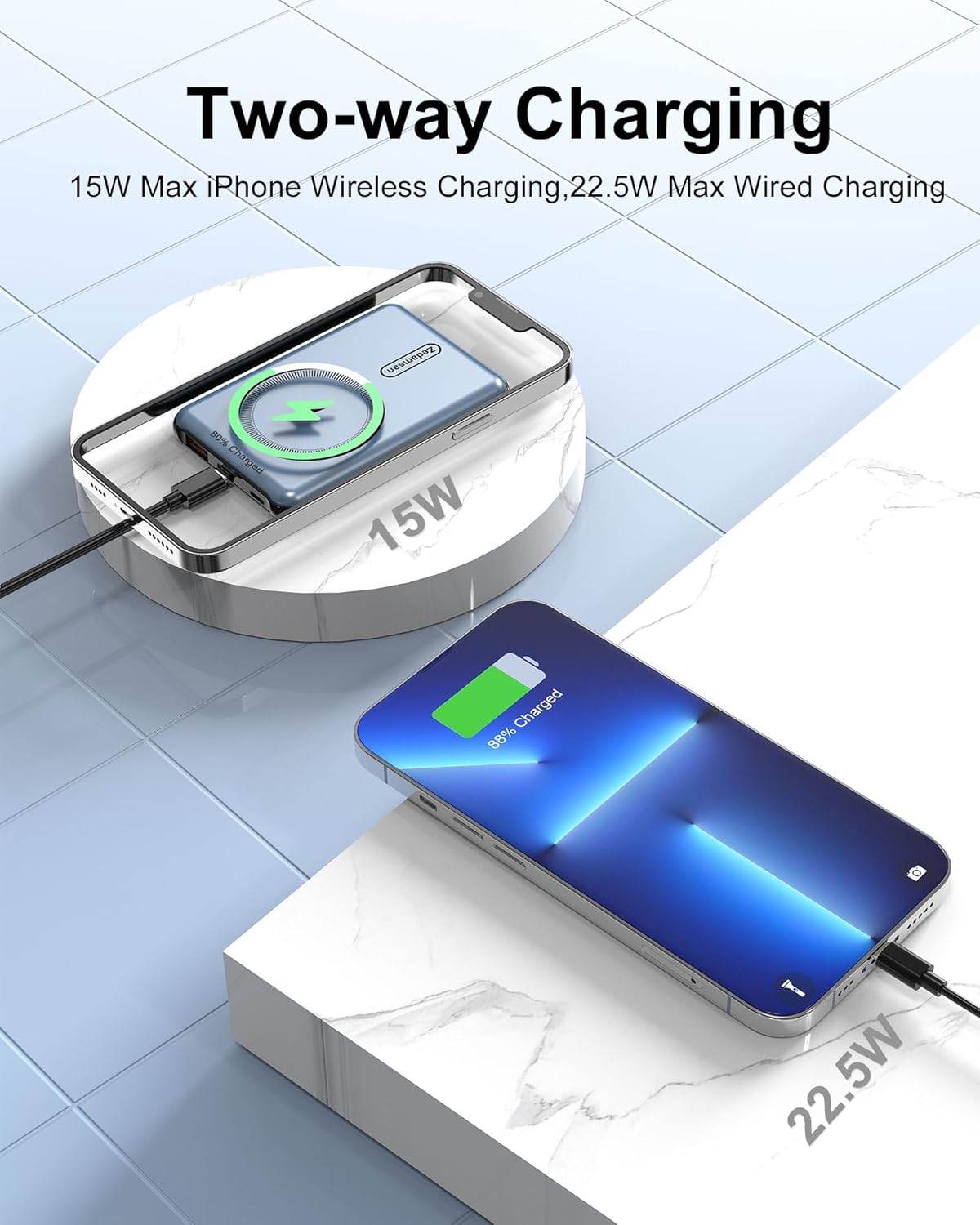
Image: A visual representation of the power bank's two-way charging capability, showing both wireless charging of an iPhone and wired charging of another device simultaneously.
Checking Battery Level
Press the power button once to activate the LED indicator lights, which show the remaining battery capacity of the power bank.
Compatibility
This magnetic power bank is primarily designed for MagSafe-compatible iPhones, including:
- iPhone 16, iPhone 16 Plus, iPhone 16 Pro, iPhone 16 Pro Max
- iPhone 15, iPhone 15 Plus, iPhone 15 Pro, iPhone 15 Pro Max
- iPhone 14, iPhone 14 Plus, iPhone 14 Pro, iPhone 14 Pro Max
- iPhone 13, iPhone 13 Pro, iPhone 13 Pro Max
- iPhone 12, iPhone 12 Pro, iPhone 12 Pro Max
The USB-C and USB-A ports offer broad compatibility with other devices that charge via these standards, such as Android phones, tablets, earbuds, smartwatches, and more.

Image: A chart illustrating the universal compatibility of the power bank's USB-C and USB-A ports with various devices, including iPad Pro, Rog Ally, iPhone 15 Pro, Nintendo Switch, Steam Deck, S23/S22/Note 20, AirPods Pro, Apple Watch, and Galaxy Buds.
Safety Information
Your Zedamsan power bank is equipped with a Smart Protect Safety System to ensure comprehensive protection for you and your devices. This includes:

Image: Icons representing the safety features of the power bank: Short-circuit protection, Over-current protection, Over-voltage protection, Temperature protection, and Overcharge protection.
- Short-circuit Protection: Prevents damage from short circuits.
- Over-current Protection: Safeguards against excessive current flow.
- Over-voltage Protection: Protects against voltage surges.
- Temperature Protection: Monitors and regulates internal temperature to prevent overheating.
- Overcharge Protection: Prevents battery damage from overcharging.
Important Safety Precautions:
- Do not expose the power bank to extreme temperatures (hot or cold), direct sunlight, or high humidity.
- Do not disassemble, modify, or repair the device yourself.
- Keep out of reach of children.
- Avoid dropping or subjecting the power bank to strong impacts.
- If the power bank becomes excessively hot during use or charging, disconnect it immediately.
Maintenance
- Clean the power bank with a soft, dry cloth. Do not use harsh chemicals or abrasive materials.
- Store the power bank in a cool, dry place when not in use.
- For optimal battery life, fully charge the power bank at least once every three months if it's not used regularly.
Troubleshooting
- Power bank not charging:
- - Ensure the charging cable is securely connected to both the power bank and the power adapter.
- - Try a different charging cable or power adapter.
- - Verify the power adapter is functioning correctly and plugged into a live outlet.
- Device not charging from power bank:
- - For wireless charging, ensure your iPhone is MagSafe compatible and properly aligned with the power bank's magnetic area. Remove any non-MagSafe cases.
- - For wired charging, ensure the cable is securely connected to both the power bank and your device.
- - Check if the power bank has sufficient charge by pressing the power button.
- - Try a different charging cable.
- Power bank or device getting hot during charging:
- - It is normal for charging devices to generate some heat. However, if it becomes excessively hot, disconnect immediately.
- - Ensure there is adequate ventilation around the power bank and device during charging.
- - Avoid charging in direct sunlight or enclosed spaces.
Specifications
| Model Number | BP970W |
| Battery Capacity | 5000 mAh |
| Wireless Charging Output | 5W, 7.5W, 10W, 15W (Max) |
| USB-C Input/Output | Up to 20W |
| USB-A Output | Up to 22.5W |
| Dimensions (L x W x H) | 3.97 x 2.64 x 0.52 inches (10.2 x 6.6 x 1.3 cm) |
| Weight | 4.6 ounces (125g) |
| Connector Type | USB-C, USB-A, Lightning (input) |
| Special Features | Lightweight, Pocket Size, Wireless Charging, Magnetic Attachment |
Warranty and Support
Your Zedamsan Portable Charger comes with a 24-month technical support and a 30-day money-back service. For any questions, issues, or warranty claims, please contact Zedamsan customer support through the retailer's platform or the official Zedamsan website.
Please retain your proof of purchase for warranty purposes.
Ask a question about this manual
Ask about setup, troubleshooting, compatibility, parts, safety, or missing instructions. Manuals+ will review the question and use this page’s manual context to help answer it.