
1. Introduction
This manual provides essential information for the installation, operation, and maintenance of your Toiumops PDC (Park Distance Control) Parking Sensor, model 89341-02040. This sensor is designed to assist drivers by accurately detecting obstacles and measuring distances, thereby enhancing parking safety and preventing vehicle damage.
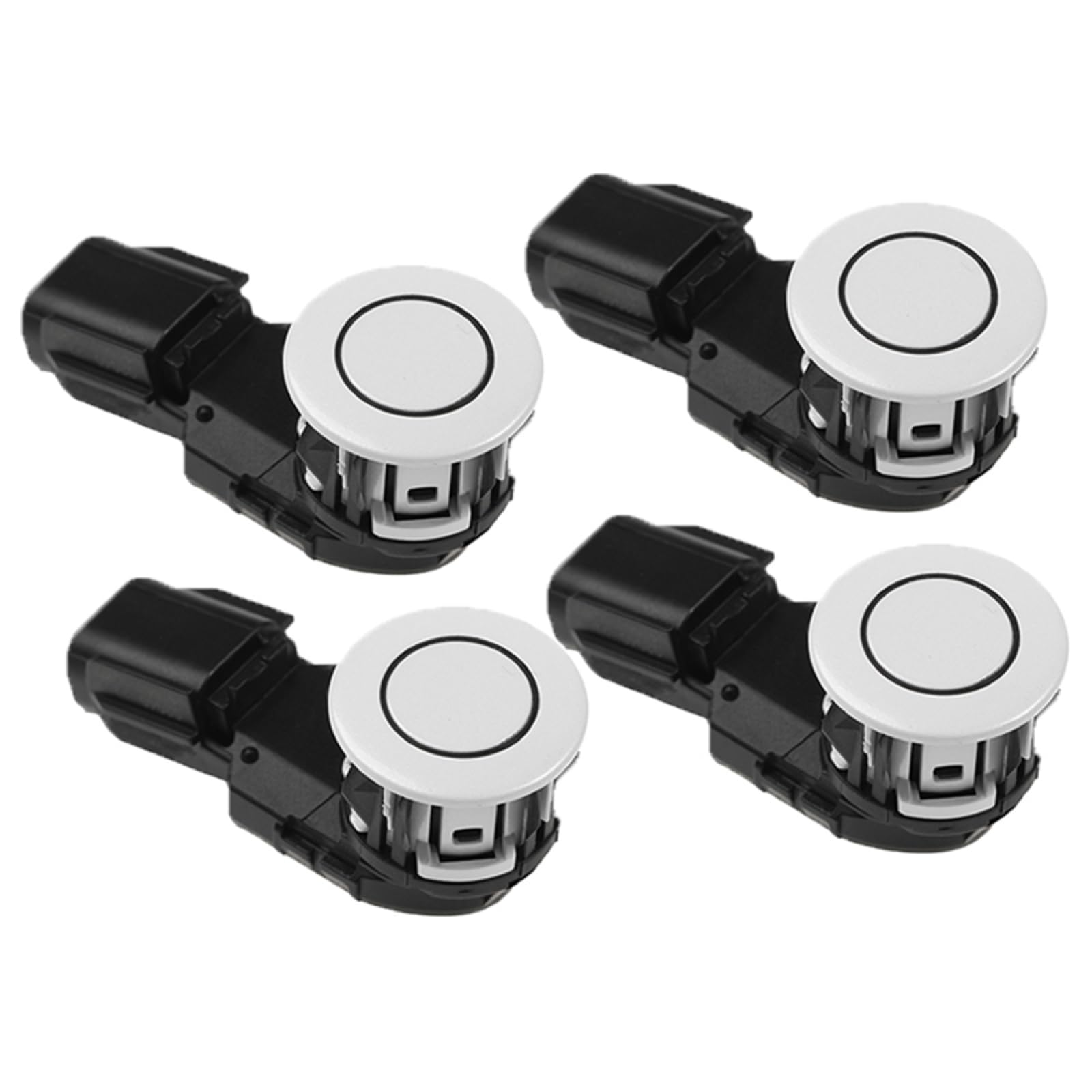
Figure 1: Toiumops PDC Parking Sensor (Model 89341-02040)
This image displays four Toiumops PDC Parking Sensors, model 89341-02040, in a set. The main part of the sensor is white and circular, with a black housing and connector. A smaller inset image shows a detailed view of the electrical connector pins.
2. Product Overview and Features
The Toiumops PDC Parking Sensor is a high-quality replacement component engineered to meet OEM standards. Its primary function is to provide reliable and precise parking assistance by detecting obstacles in the vehicle's path.
- Reference OE Number: 89341-02040, 8934102040. Please verify this number matches your original part before purchase.
- Premium Quality Construction: Manufactured from durable metal and plastic materials, ensuring sturdiness, resistance to aging, and high sensitivity for long-lasting performance.
- Enhanced Parking Assistance: Assists the driver in detecting unseen obstacles and measuring distances to other vehicles or objects, thereby facilitating convenient parking and preventing scratches to the car body.
- Direct Replacement Design: Engineered for a perfect match to the original vehicle component, requiring no modification, cutting, or drilling for installation.
3. Specifications
| Attribute | Detail |
|---|---|
| Model Number | 89341-02040 |
| Manufacturer | Toiumops |
| Material | Metal + Plastic |
| Compatibility | Toyota Corolla (Specific year, displacement, and engine model verification required) |
4. Important Notes and Compatibility
Before purchasing and installing this PDC parking sensor, it is crucial to ensure compatibility with your vehicle.
- Always verify the OE (Original Equipment) number (89341-02040) on your existing part to confirm it matches this product.
- When purchasing, carefully check the displacement, year, and engine model of your Toyota Corolla to ensure consistency with the product's compatibility specifications.
- The actual color of the item may vary slightly from images due to monitor settings and lighting conditions.
5. Installation (Setup)
The Toiumops PDC Parking Sensor is designed as a direct replacement part. While no modification, cutting, or drilling is required, professional installation is highly recommended to ensure correct functionality and avoid potential damage.
General Installation Steps (Consult a professional or vehicle service manual for detailed instructions):
- Safety First: Ensure the vehicle is turned off, the parking brake is engaged, and the battery is disconnected before beginning any work.
- Locate Existing Sensor: Identify the location of the faulty PDC sensor on your vehicle's bumper.
- Remove Old Sensor: Carefully disconnect the electrical connector and unclip or unmount the old sensor from its housing.
- Install New Sensor: Connect the electrical connector to the new Toiumops sensor (89341-02040). Securely mount the new sensor into the bumper housing. Ensure it clicks into place firmly.
- Reconnect Battery: Once the new sensor is installed, reconnect the vehicle's battery.
- Test Functionality: Turn on the vehicle and test the parking assistance system to confirm the new sensor is operating correctly.

Figure 2: Side view of the PDC Parking Sensor
This image provides a side view of the Toiumops PDC Parking Sensor, model 89341-02040. It highlights the black plastic housing, the white circular sensor face, and the angle of the connector, which is important for proper fitment.
6. Operation
Once installed, the PDC parking sensor operates automatically as part of your vehicle's parking assistance system. When the vehicle is in reverse gear, or when the parking assistance system is activated, the sensors emit ultrasonic waves.
- The sensors detect obstacles by measuring the time it takes for the ultrasonic waves to reflect back.
- This information is then processed by the vehicle's control unit, which provides audible warnings (beeps) and/or visual displays (on the dashboard or infotainment screen) to indicate the distance to obstacles.
- The frequency of the beeps typically increases as the vehicle gets closer to an obstacle, becoming a continuous tone at very close distances.

Figure 3: Front view of the PDC Parking Sensor
This image shows a direct front view of the Toiumops PDC Parking Sensor, model 89341-02040. The white circular sensing surface is clearly visible, surrounded by the black mounting clips and housing.
7. Maintenance
To ensure optimal performance and longevity of your PDC parking sensor, follow these simple maintenance guidelines:
- Keep Sensors Clean: Regularly inspect and clean the sensor surfaces on your bumper. Dirt, mud, ice, or snow can obstruct the sensors and impair their functionality. Use a soft cloth and mild soap and water to gently clean them.
- Avoid Harsh Chemicals: Do not use abrasive cleaners or strong chemicals on the sensor surfaces, as these can damage the material.
- Check for Damage: Periodically check the sensors for any visible physical damage, such as cracks or loose fittings, which could affect performance.
8. Troubleshooting
If you experience issues with your PDC parking sensor system after replacement, consider the following:
- Warning Light Remains On: If the warning light on the dashboard persists after replacing the sensor, it may indicate:
- An issue with another sensor in the system.
- Improper installation or a loose connection.
- A fault in the vehicle's wiring or control unit.
- The system may require a diagnostic scan and reset by a qualified technician.
- Inaccurate Readings: Ensure the sensor surface is clean and free from obstructions. Verify the sensor is securely mounted and correctly oriented.
- No Beeping Sound: Check your vehicle's infotainment or dashboard settings to ensure parking assistance audio alerts are enabled and the volume is not muted.
For persistent issues, it is recommended to consult a certified automotive technician for diagnosis and repair.
9. Warranty and Support
Toiumops is committed to providing quality products and customer satisfaction. If you have any questions about this product, its installation, or functionality, please do not hesitate to contact us.
Please refer to your purchase documentation or the retailer's website for specific warranty terms and contact information.
We aim to provide a pleasant shopping experience and assist you in resolving any concerns you may have.