
Samsung LS34C650VANXGO
SAMSUNG ViewFinity S65VC Series 34-Inch Ultra-WQHD Curved Monitor Instruction Manual
1. Introduction
This manual provides essential information for the safe and efficient use of your SAMSUNG ViewFinity S65VC Series 34-Inch Ultra-WQHD Curved Monitor. Please read these instructions thoroughly before operating the device and retain them for future reference.
The SAMSUNG ViewFinity S65VC monitor features a 34-inch 1000R curved display with a 21:9 aspect ratio, designed to enhance productivity and viewing comfort. It supports Ultra-WQHD resolution, a 100Hz refresh rate, AMD FreeSync, and HDR10 for vibrant, true-to-life colors. Integrated features include a USB-C port, built-in speakers, a pop-up camera, and a KVM switch for streamlined connectivity and workspace management.

Front view of the SAMSUNG ViewFinity S65VC 34-inch curved monitor, showcasing its ultra-wide display, 100Hz refresh rate, AMD FreeSync, and HDR10 capabilities.
2. Setup
2.1 Unpacking and Assembly
Carefully remove all components from the packaging. Ensure all items listed in the 'What's in the Box' section are present. Assemble the stand according to the included quick setup guide, then securely attach the monitor panel to the stand.
2.2 What's in the Box
- SAMSUNG ViewFinity S65VC Monitor
- Power Cable
- HDMI Cable
- USB Type-C Cable
- USB 3.0 Cable
- Stand Base and Neck
2.3 Physical Dimensions

Diagram illustrating the physical dimensions of the SAMSUNG ViewFinity S65VC monitor, including screen width, height with and without stand, and depth with and without stand.
2.4 Connecting Your Monitor
The monitor offers various connectivity options. Identify the appropriate ports on the rear of the monitor and your computer.
Detailed diagram of the rear panel of the monitor, labeling all input and output ports including HDMI, DisplayPort, USB-C, PC IN, LAN IN, USB/SERVICE, USB 3.0, and Headphone IN.
- USB-C Connection: Use the provided USB Type-C cable to connect your computer. This single cable can transmit video, data, and power (up to 90W) simultaneously.
- HDMI/DisplayPort: Connect an HDMI or DisplayPort cable from your computer to the corresponding port on the monitor for video input.
- LAN Port: For laptops without an Ethernet port, connect an Ethernet cable to the monitor's LAN port to provide network access.
- USB 3.0 Ports: Connect peripherals such as a keyboard, mouse, or external storage devices to the USB 3.0 ports.
- Headphone Jack: Connect headphones or external speakers for audio output.
After connecting, plug the power cable into the monitor and a wall outlet. Press the power button to turn on the monitor.
3. Operating Instructions
3.1 Display Features
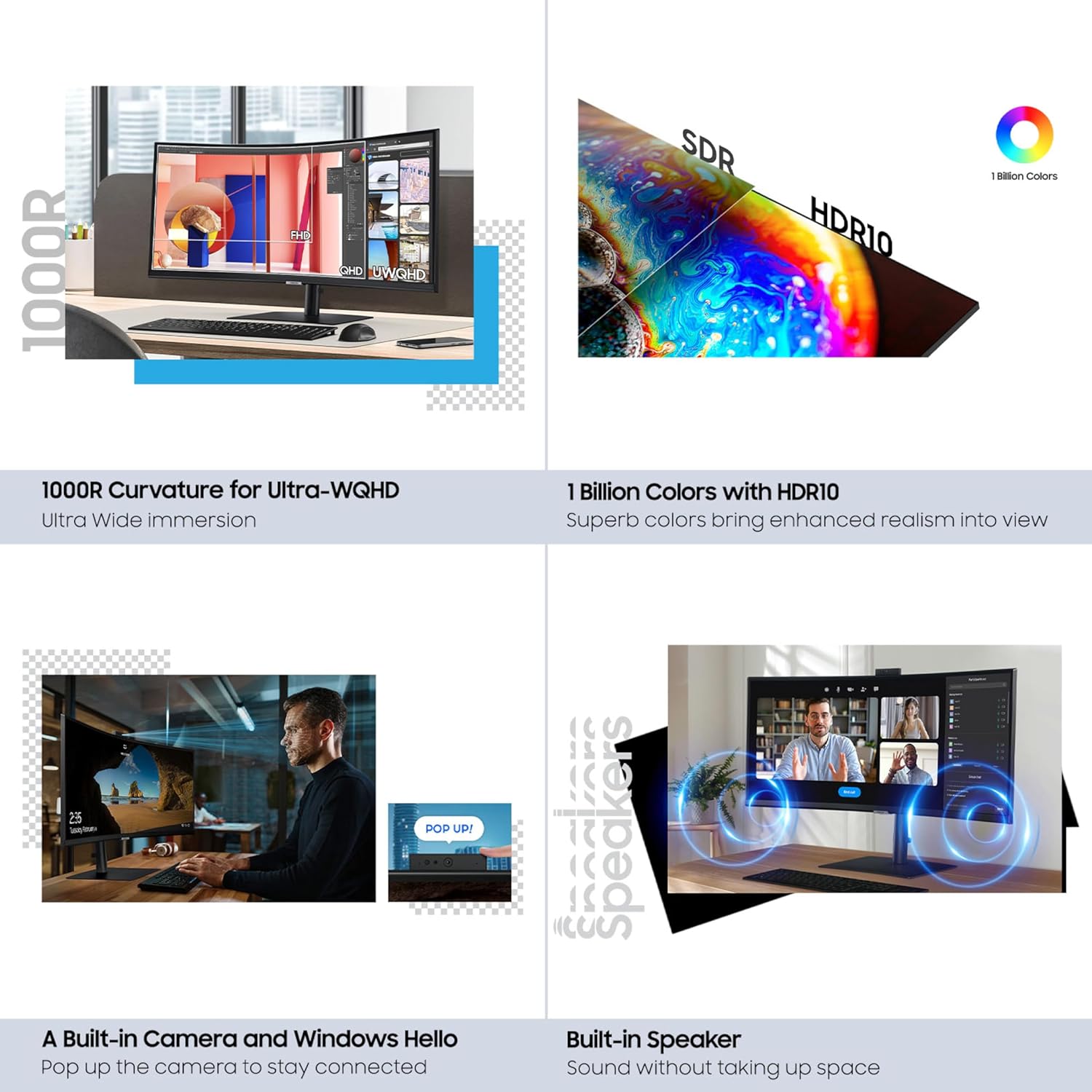
The 34-inch 1000R curved display provides an immersive viewing experience, ideal for multitasking and creative work. The 21:9 aspect ratio allows for ample screen real estate.

An image demonstrating the ultra-wide immersion provided by the 34-inch 1000R curved display, showing multiple applications open side-by-side for enhanced productivity.
3.2 HDR10 and Color Accuracy
Experience enhanced realism with HDR10 support, offering 1 billion colors, deeper blacks, and brighter whites. This ensures content is displayed as intended by its creators.

Visual comparison of SDR (Standard Dynamic Range) and HDR10 (High Dynamic Range) on the monitor, highlighting the richer colors and contrast with 1 billion colors.
3.3 Built-in Camera and Windows Hello
The integrated camera slides down into the monitor when not in use, maintaining a sleek profile. It supports Windows Hello for secure, password-free sign-in using biometric recognition.

A close-up view of the monitor's built-in camera, shown in its extended position, ready for use in video calls or Windows Hello authentication.
3.4 Built-in Speakers
The monitor includes built-in speakers, eliminating the need for external audio devices and reducing desk clutter. Audio output can be managed through your connected device's sound settings.

The monitor displaying a video conference, with visual cues indicating sound emanating from the built-in speakers, illustrating a clutter-free audio solution.
3.5 KVM Switch Functionality
The built-in KVM switch allows you to connect and control two different source devices with a single keyboard and mouse. This feature supports split-screen, Picture-in-Picture (PIP), or Picture-by-Picture (PBP) modes for efficient multitasking.
3.6 Ergonomic Design and Eye Care
The monitor features a height-adjustable stand that allows for tilt and swivel adjustments, promoting comfortable viewing angles. TUV-certified intelligent eye care automatically optimizes brightness and color temperature based on your environment, reducing screen flickering and blue light emissions to minimize eye strain.

An image depicting a user working at the monitor, with a light bar above the screen, symbolizing the intelligent eye care features that optimize brightness and color temperature.
3.7 Smooth Performance
With a 100Hz refresh rate and AMD FreeSync technology, the monitor delivers smooth visuals, reducing screen stuttering and image tearing during fast-paced content or gaming.
4. Maintenance
4.1 Cleaning the Monitor
- Screen: Gently wipe the screen with a soft, lint-free cloth. For stubborn marks, lightly dampen the cloth with water or a screen-cleaning solution specifically designed for monitors. Do not spray liquid directly onto the screen.
- Body: Wipe the monitor's casing with a soft, dry cloth. Avoid using abrasive cleaners or solvents.
4.2 Environmental Considerations
The monitor's rear cover is made with 5% recycled ocean-bound plastic (OBP), contributing to a more sustainable product. The eco-friendly packaging is designed to reduce waste and can be repurposed or recycled.
5. Troubleshooting
If you encounter issues with your monitor, refer to the following common solutions:
- No Power: Ensure the power cable is securely connected to both the monitor and a working power outlet. Check if the power indicator light is on.
- No Signal/Blank Screen: Verify that all video cables (USB-C, HDMI, DisplayPort) are correctly connected to both the monitor and your computer. Ensure the correct input source is selected on the monitor's OSD (On-Screen Display) menu. Try restarting your computer.
- Incorrect Resolution/Display Issues: Update your graphics card drivers to the latest version. Ensure your computer's display settings are configured to the monitor's native resolution (3440 x 1440 pixels) and desired refresh rate (100Hz). If using USB-C, ensure the cable supports video output.
- No Audio from Built-in Speakers: Check your computer's sound settings to ensure the monitor is selected as the default audio output device. Adjust the volume on both your computer and the monitor.
- Camera Not Working: Ensure the camera is extended from the monitor. Check privacy settings in your operating system and application settings to ensure camera access is granted.
- KVM Switch Issues: Verify that both source devices are properly connected to the monitor's input ports. Ensure your keyboard and mouse are connected to the monitor's USB ports.
If the problem persists after attempting these solutions, please contact Samsung customer support for further assistance.
6. Specifications
| Feature | Specification |
|---|---|
| Brand | Samsung |
| Series | S65VC |
| Model Number | LS34C650VANXGO |
| Screen Size | 34 Inches |
| Screen Resolution | 3440 x 1440 Pixels (Ultra-WQHD) |
| Aspect Ratio | 21:9 |
| Curvature | 1000R |
| Refresh Rate | 100Hz |
| Adaptive Sync Technology | AMD FreeSync |
| HDR Support | HDR10 |
| Color Support | 1 Billion Colors |
| Connectivity | 1x HDMI, 1x DisplayPort, 1x USB-C (with 90W PD), 1x LAN, 1x USB 3.0 Upstream, 3x USB 3.0 Downstream, 1x Headphone In |
| Built-in Features | Camera (Windows Hello compatible), Speakers, KVM Switch, Eye Care |
| Ergonomics | Height Adjustable, Tilt, Swivel |
| Item Weight | 17.9 pounds |
| Product Dimensions (LxWxH) | 9.5 x 31.76 x 22.1 inches |
| Color | Black |
7. Warranty and Support
For warranty information, technical support, or service inquiries regarding your SAMSUNG ViewFinity S65VC Series monitor, please visit the official Samsung support website or contact their customer service directly. Details regarding warranty coverage and terms are typically provided with your product documentation or available online.
Ensure you have your model number (LS34C650VANXGO) and serial number ready when contacting support.
Ask a question about this manual
Ask about setup, troubleshooting, compatibility, parts, safety, or missing instructions. Manuals+ will review the question and use this page’s manual context to help answer it.