
Introduction
Thank you for choosing the Sector No Limits 450 Series Quartz Watch, model R3253276011. This manual provides essential information for the proper setup, operation, and maintenance of your timepiece. Please read it carefully to ensure optimal performance and longevity of your watch.
Product Overview
The Sector No Limits 450 Series watch (R3253276011) is a men's analog watch featuring a quartz movement, time, and date functions. It is crafted from stainless steel with a metal bracelet and a secure deployant clasp. The watch case measures 41.00 mm and features a black dial protected by a durable mineral glass. It offers water resistance up to 10 ATM (100 meters).

Image: Front view of the Sector No Limits 450 Series watch, showcasing the black dial and stainless steel bracelet.
Setup
1. Unboxing and Initial Inspection
- Carefully remove the watch from its original packaging.
- Inspect the watch for any visible damage or defects.
- Confirm all components are present: watch, original packaging, and 3-year warranty certificate.

Image: The Sector No Limits watch presented in its original black and red branded box.
2. Adjusting the Bracelet
The stainless steel bracelet may require adjustment to fit your wrist comfortably. This typically involves removing or adding links. It is recommended to have this procedure performed by a qualified jeweler or watch technician to prevent damage to the bracelet or clasp.

Image: Side profile of the watch, highlighting the crown and the construction of the metal bracelet.
Operating Instructions
Setting the Time
- Pull out the crown: Gently pull the crown (the knob on the side of the watch) to the second click position. The watch hands will stop.
- Adjust the time: Rotate the crown to set the hour and minute hands to the desired time.
- Push in the crown: Once the time is set, push the crown back into its normal position. The watch will resume operation.
Setting the Date
- Pull out the crown: Gently pull the crown to the first click position. The watch hands will continue to move.
- Adjust the date: Rotate the crown to set the date. Avoid setting the date between 9 PM and 3 AM, as this can interfere with the date change mechanism. If the date needs to be set during this period, first set the time outside this range, adjust the date, then reset the time.
- Push in the crown: Once the date is set, push the crown back into its normal position.
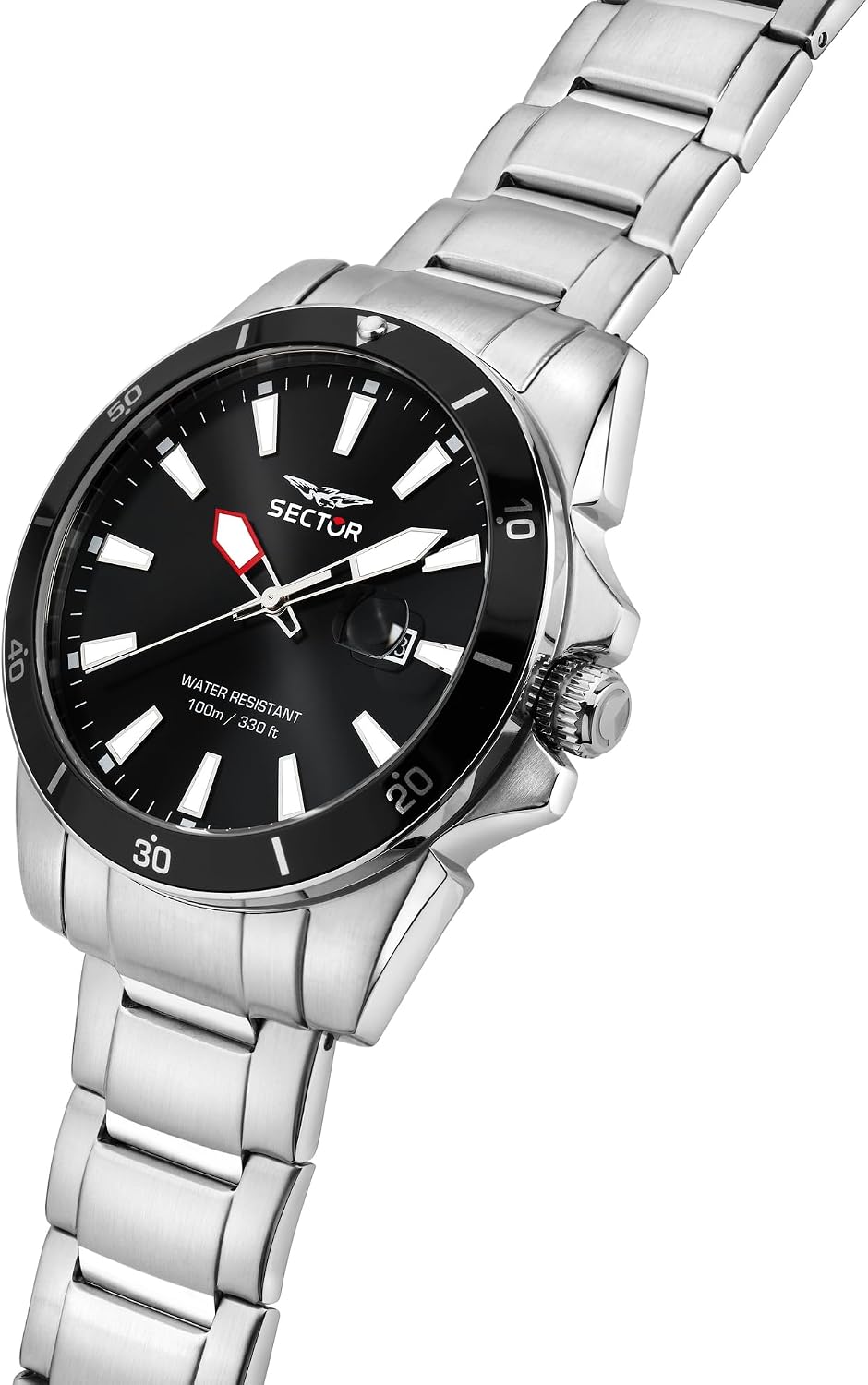
Image: Detailed view of the watch dial, showing the date window and the crown for adjustments.
Maintenance
General Care
- Cleaning: Wipe the watch regularly with a soft, dry cloth to remove dust and dirt. For the stainless steel bracelet, a slightly damp cloth can be used, followed by immediate drying.
- Avoid Chemicals: Do not expose the watch to harsh chemicals, solvents, or detergents, as these can damage the case, bracelet, or seals.
- Temperature Extremes: Avoid exposing the watch to extreme temperatures (hot or cold) or sudden temperature changes, which can affect the movement and water resistance.
- Magnetic Fields: Keep the watch away from strong magnetic fields (e.g., speakers, refrigerators, mobile phones) as they can affect the accuracy of the quartz movement.
Water Resistance (10 ATM / 100 Meters)
Your Sector No Limits watch is water resistant up to 10 ATM (100 meters), making it suitable for swimming, snorkeling, and recreational diving.
- Ensure Crown is Pushed In: Always ensure the crown is fully pushed in before exposing the watch to water.
- Avoid Hot Water: Do not operate the crown or pushers while the watch is wet or submerged. Avoid exposing the watch to hot water, steam, or saunas, as this can compromise the water-resistant seals.
- Rinse After Saltwater: After exposure to saltwater, rinse the watch with fresh water and dry it thoroughly.
Battery Replacement
As a quartz watch, it is powered by a battery. When the battery runs low, the watch may stop or the second hand may jump in irregular intervals (End-of-Life indicator). Battery replacement should be performed by a qualified watch technician to ensure proper sealing and maintain water resistance.
Troubleshooting
| Problem | Possible Cause | Solution |
|---|---|---|
| Watch has stopped or is running intermittently. | Low battery. | Replace the battery by a qualified technician. |
| Time is incorrect. | Time not set correctly; exposure to strong magnetic fields. | Reset the time according to "Setting the Time" instructions. Keep watch away from magnetic sources. |
| Date is incorrect. | Date not set correctly; date changed during restricted hours. | Reset the date according to "Setting the Date" instructions. Avoid setting date between 9 PM and 3 AM. |
| Condensation under the crystal. | Loss of water resistance due to damaged seals or improper crown closure. | Immediately take the watch to a qualified service center for inspection and repair. |
Specifications
- Model Number: R3253276011
- Brand: Sector No Limits
- Collection: 450 Series
- Movement: Quartz
- Display Type: Analog
- Functions: Time, Date
- Case Material: Stainless Steel
- Case Diameter: 41 mm
- Case Thickness: 11 mm
- Dial Color: Black
- Crystal: Mineral Glass
- Bracelet Material: Stainless Steel
- Clasp Type: Deployant clasp with safety catch
- Water Resistance: 10 ATM (100 Meters / 330 Feet)
- Weight: 160 grams (approx.)
Warranty
Your Sector No Limits watch, model R3253276011, comes with a 3-year manufacturer's warranty from the date of purchase. This warranty covers manufacturing defects under normal use. It does not cover damage resulting from improper handling, accidents, unauthorized repairs, normal wear and tear, or battery replacement. Please retain your original purchase receipt and the warranty certificate provided in the packaging for any warranty claims.
Support
For technical assistance, service, or warranty claims, please contact your authorized Sector No Limits dealer or visit the official Sector No Limits website for service center locations.
Official Brand Store: Sector No Limits Store on Amazon