
1. Introduction
Thank you for choosing the AULCMEET Replacement Remote Control. This remote is designed to be fully compatible with specific QBell 4K OLED Smart TV models, offering a seamless replacement experience without the need for complex setup or programming. Simply insert batteries, and it's ready for use.
Compatible TV Models: QBell 4K OLED Smart TV QT43J03, QT40K02, QT40J03.
2. Setup: Battery Installation
To begin using your remote control, you must first install the batteries. This remote requires two AAA alkaline batteries (not included).
- Locate the battery compartment on the back of the remote control.
- Press down on the tab and slide the battery cover downwards to open it.
- Insert two AAA alkaline batteries, ensuring the positive (+) and negative (-) terminals align correctly with the markings inside the compartment.
- Slide the battery cover back into place until it clicks securely.
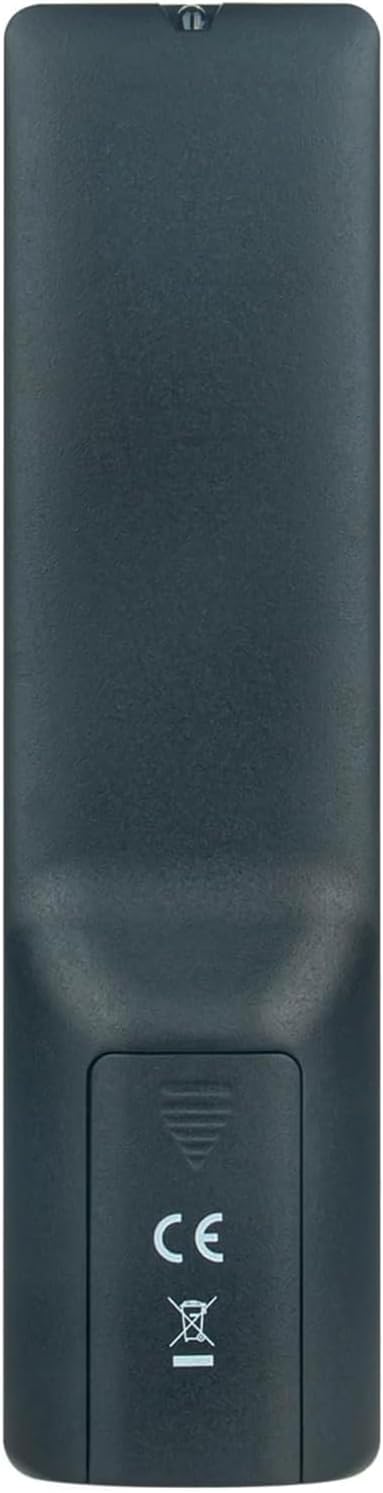
Image 2.1: Rear view of the remote control with the battery cover open, illustrating the correct orientation for AAA battery insertion.
Once batteries are installed, the remote is ready for immediate use with your compatible QBell Smart TV. No additional programming or pairing is required.
3. Operating Instructions
This remote control provides full functionality for your compatible QBell 4K OLED Smart TV. Below is a general overview of common buttons and their functions.

Image 3.1: Front view of the AULCMEET remote control, displaying the layout of all control buttons.
- Power Button (●): Turns the TV on or off.
- Number Buttons (0-9): Directly select channels.
- CH +/-: Changes channels up or down.
- VOL +/-: Adjusts the volume level.
- Mute: Mutes or unmutes the TV sound.
- SOURCE: Selects input sources (HDMI, AV, etc.).
- MENU: Accesses the TV's main menu.
- Navigation Buttons (Up, Down, Left, Right, OK): Navigate through menus and confirm selections.
- EXIT: Exits the current menu or function.
- INFO: Displays information about the current program.
- Colored Buttons (Red, Green, Yellow, Blue): Access specific functions depending on the TV menu or application.
- TEXT: Activates or deactivates Teletext.
- SUBTITLE: Toggles subtitles on or off.
- MEDIA: Accesses media playback functions.
- SLEEP: Sets the TV sleep timer.
For detailed functions of specific buttons, please refer to your QBell Smart TV's original user manual.
4. Maintenance
- Battery Replacement: Replace batteries when the remote's response becomes sluggish or stops working. Always replace both batteries simultaneously with new AAA alkaline batteries. Do not mix old and new batteries, or different types of batteries.
- Cleaning: To clean the remote control, gently wipe it with a soft, dry cloth. Do not use liquid cleaners, sprays, or abrasive materials, as these can damage the remote's surface or internal components.
- Storage: If the remote will not be used for an extended period, remove the batteries to prevent leakage and potential damage. Store the remote in a cool, dry place away from direct sunlight and extreme temperatures.
5. Troubleshooting
| Problem | Possible Cause | Solution |
|---|---|---|
| Remote is not working. |
|
|
| Buttons are unresponsive or delayed. |
|
|
6. Specifications
| Brand | AULCMEET |
| Model Name | BJKJ-MB1807-JKJBEU |
| Compatible Devices | QBell 4K OLED Smart TV QT43J03, QT40K02, QT40J03 |
| Connectivity Technology | Infrared (IR) |
| Maximum Range | 10 Meters |
| Number of Buttons | 20 |
| Controller Type | Button Control |
| Battery Type | AAA Alkaline (x2) |
| Special Feature | No programming required |
| Country of Origin | China |
7. Support
For any questions, concerns, or further assistance regarding your AULCMEET Replacement Remote Control, please do not hesitate to contact the manufacturer or your retailer. We are committed to ensuring your satisfaction.
Please retain this manual for future reference.