
1. Introduction and Overview
Thank you for choosing the LAKIQ L-Shaped Gaming Desk. This manual provides essential information for the safe assembly, operation, and maintenance of your new desk. This L-shaped desk is designed to optimize space, offering a generous work surface for gaming, office tasks, or studying. It features a durable manufactured wood top with a metal base, a convenient L-shape for corner placement, a safe round corner design, and integrated wire management holes and a headphone hook.
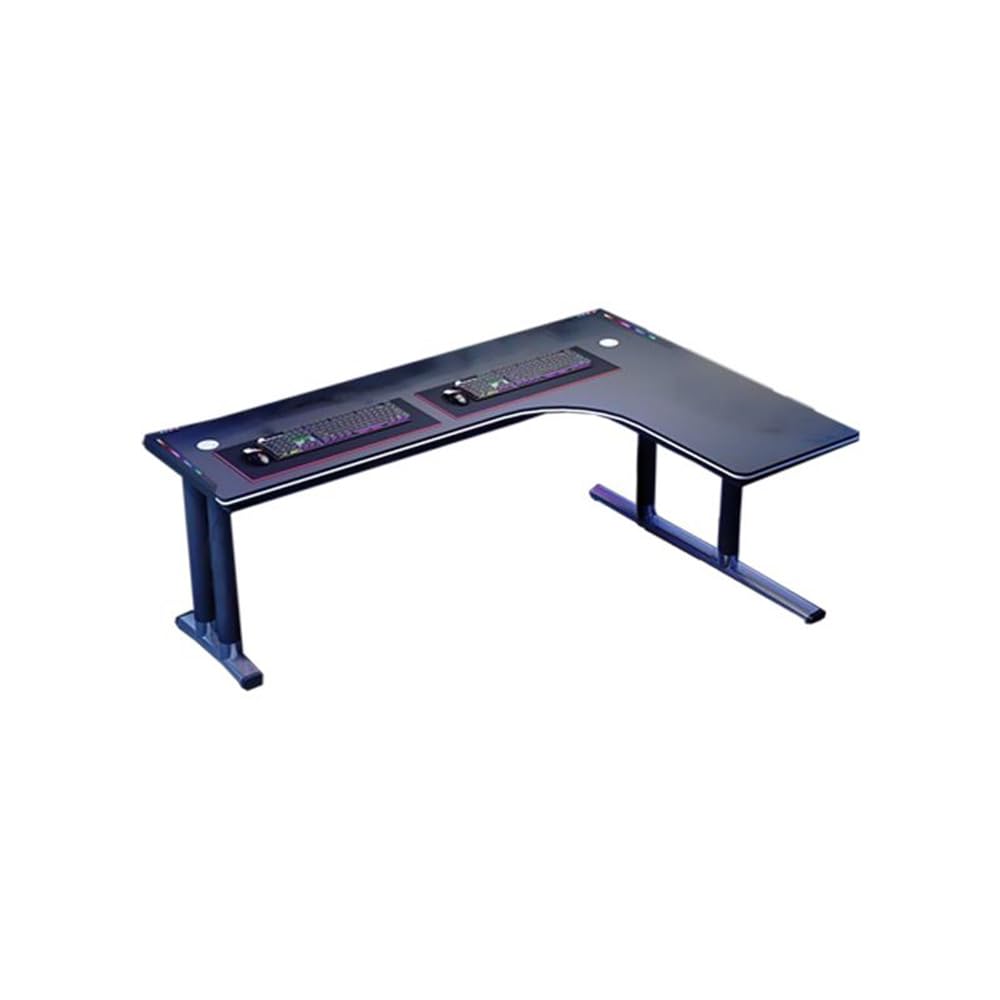
Image 1: LAKIQ L-Shaped Gaming Desk (Right Hand Return) setup with gaming equipment.
2. Safety Information
- Read all instructions carefully before assembly and use.
- Keep all small parts and packaging materials away from children and pets to prevent choking hazards.
- Assemble the desk on a soft, clean surface (e.g., carpet or cardboard) to prevent scratches.
- Ensure all screws and fasteners are securely tightened before use. Periodically check and re-tighten as necessary.
- Do not overload the desk. Distribute weight evenly across the surface.
- Avoid placing hot items directly on the desk surface without protection.
- Do not stand or sit on the desk.
3. Package Contents
Before beginning assembly, verify that all components are present and undamaged. If any parts are missing or damaged, please contact customer support.
Expected Components:
- Desk Top Panels (Main, Side)
- Desk Legs (T-Shape Metal Base)
- Connecting Brackets and Hardware (Screws, Bolts, Washers, Allen Wrench)
- Headphone Hook
- Instruction Manual
Note: Specific quantities and types of hardware may vary slightly. Refer to the included parts list in your package for exact details.
4. Setup and Assembly Instructions
Follow these steps carefully to assemble your LAKIQ L-Shaped Gaming Desk. It is recommended to have two people for assembly.
- Unpack and Identify Parts: Carefully remove all components from the packaging. Lay them out on a soft, clean surface. Compare all parts against the included parts list to ensure everything is present.
- Attach Leg Frames to Main Desk Panel: Secure the T-shaped metal leg frames to the underside of the main desk panel using the provided screws and an Allen wrench. Ensure the legs are oriented correctly for stability.
- Attach Side Desk Panel: Connect the side desk panel to the main desk panel using the connecting brackets and screws. Ensure the L-shape is formed correctly (Right Hand Return for this model).
- Secure All Connections: Once the desk panels and leg frames are loosely assembled, gradually tighten all screws and bolts. Do not overtighten, but ensure all connections are firm and stable.
- Install Headphone Hook: Attach the headphone hook to the designated location on the desk, typically on the side or front edge, using the provided hardware.
- Final Check: Gently lift and move the desk to its desired location. Ensure it is level and stable. Adjust any leveling feet if necessary.

Image 2: Example of the L-shaped desk structure during assembly.
5. Operating Instructions (Usage)
- Placement: Position the L-shaped desk in a corner to maximize space utilization. Ensure there is adequate clearance for your chair and movement.
- Wire Management: Utilize the integrated wire holes on the desk surface to route cables for monitors, computers, and other peripherals. This helps maintain a tidy and organized workspace.
- Headphone Storage: Use the attached headphone hook to conveniently store your headphones when not in use, keeping them within reach and off the desk surface.
- Ergonomics: Adjust your chair height and monitor position to maintain an ergonomic posture while working or gaming.
6. Maintenance
- Cleaning: Wipe the desk surface with a soft, damp cloth. For stubborn marks, use a mild soap solution and immediately dry with a clean cloth. Avoid abrasive cleaners or harsh chemicals, as they can damage the finish.
- Hardware Check: Periodically inspect all screws and bolts to ensure they remain tight. Re-tighten any loose fasteners to maintain the desk's stability.
- Avoid Direct Sunlight: Prolonged exposure to direct sunlight can cause fading or damage to the desk surface.
- Protect Surface: Use coasters for drinks and mouse pads for mice to protect the desk surface from spills and wear.
7. Troubleshooting
- Desk is Wobbly:
- Ensure all screws and bolts are securely tightened.
- Check if the desk is on an uneven surface. Adjust leveling feet if present, or place shims under the legs.
- Missing Parts:
- Carefully re-check all packaging materials. Small parts can sometimes be overlooked.
- Contact LAKIQ customer support or your retailer for assistance.
- Difficulty Assembling:
- Review the assembly instructions step-by-step. Ensure parts are oriented correctly.
- Do not force parts together. If a part does not fit, re-check the instructions and part identification.
8. Specifications

Image 3: Dimensions of the L-Shaped Gaming Desk.
| Feature | Detail |
|---|---|
| Model Number | LA954288 |
| Shape | L-Shape (Right Hand Return) |
| Overall Dimensions (L x W x H) | 47.2"L x 31.5"W x 29.5"H (120cm L x 80cm W x 75cm H) |
| Material | Manufactured Wood (Table Top), Metal (Base) |
| Color | Black |
| Style | Modern |
| Special Features | Round Table Corner, Wire Management Holes, Headphone Hook |
| Assembly Required | Yes |
9. Warranty Information
LAKIQ products are manufactured to high-quality standards. For specific warranty details regarding your L-Shaped Gaming Desk, please refer to the warranty card included in your product packaging or contact LAKIQ customer support directly. Keep your purchase receipt as proof of purchase for any warranty claims.
10. Customer Support
If you have any questions, require assistance with assembly, or encounter any issues with your LAKIQ L-Shaped Gaming Desk, please do not hesitate to contact our customer support team. You can typically find contact information on the LAKIQ official website or through the retailer where you purchased the product.
Please have your model number (LA954288) and purchase details ready when contacting support to ensure a quicker resolution.