
1. Introduction
This manual provides detailed instructions for the Wantek 602-FUSB Binaural Computer Headset. This headset is designed for clear communication and audio playback across various devices, featuring multiple connectivity options and a noise-cancelling microphone. Please read this manual thoroughly before using the product to ensure proper operation and longevity.
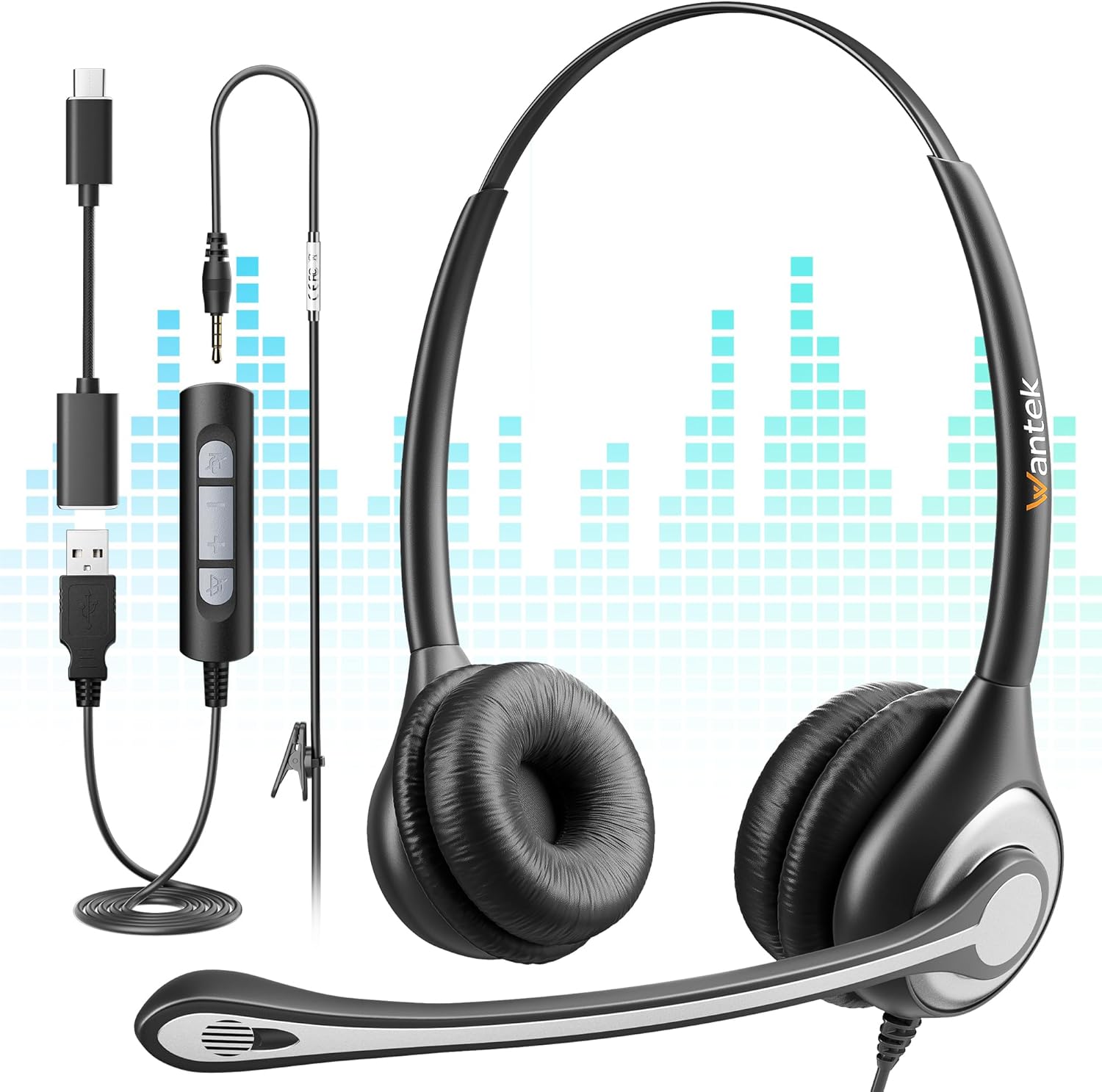
Image 1.1: The Wantek 602-FUSB Binaural Computer Headset, showcasing its dual earcups, adjustable microphone, and the included 3.5mm, USB, and Type-C connection options.
2. Package Contents
Verify that all items are present in the package:
- 1 x Wantek 3.5mm Headset
- 1 x Detachable USB Control
- 1 x Type-C Conversion Cable
- User Manual (this document)

Image 2.1: The Wantek 602-FUSB Headset, its detachable USB control, Type-C adapter, and user manual, displayed alongside its packaging.
3. Product Overview
3.1 Key Features
- 3-in-1 Connectivity: Supports 3.5mm, USB, and Type-C connections for broad compatibility.
- In-line Audio Controls: Features volume adjustment and microphone/speaker mute functions.
- Noise-Cancelling Microphone: Reduces background noise for clear voice transmission.
- Lightweight Design: Engineered for extended wear comfort with plush, padded earcups and headband.
- Flexible Microphone: Rotates 330 degrees for optimal positioning.
- Rotatable Earcups: 180-degree rotation for flat storage and comfortable fit.
3.2 Headset Components
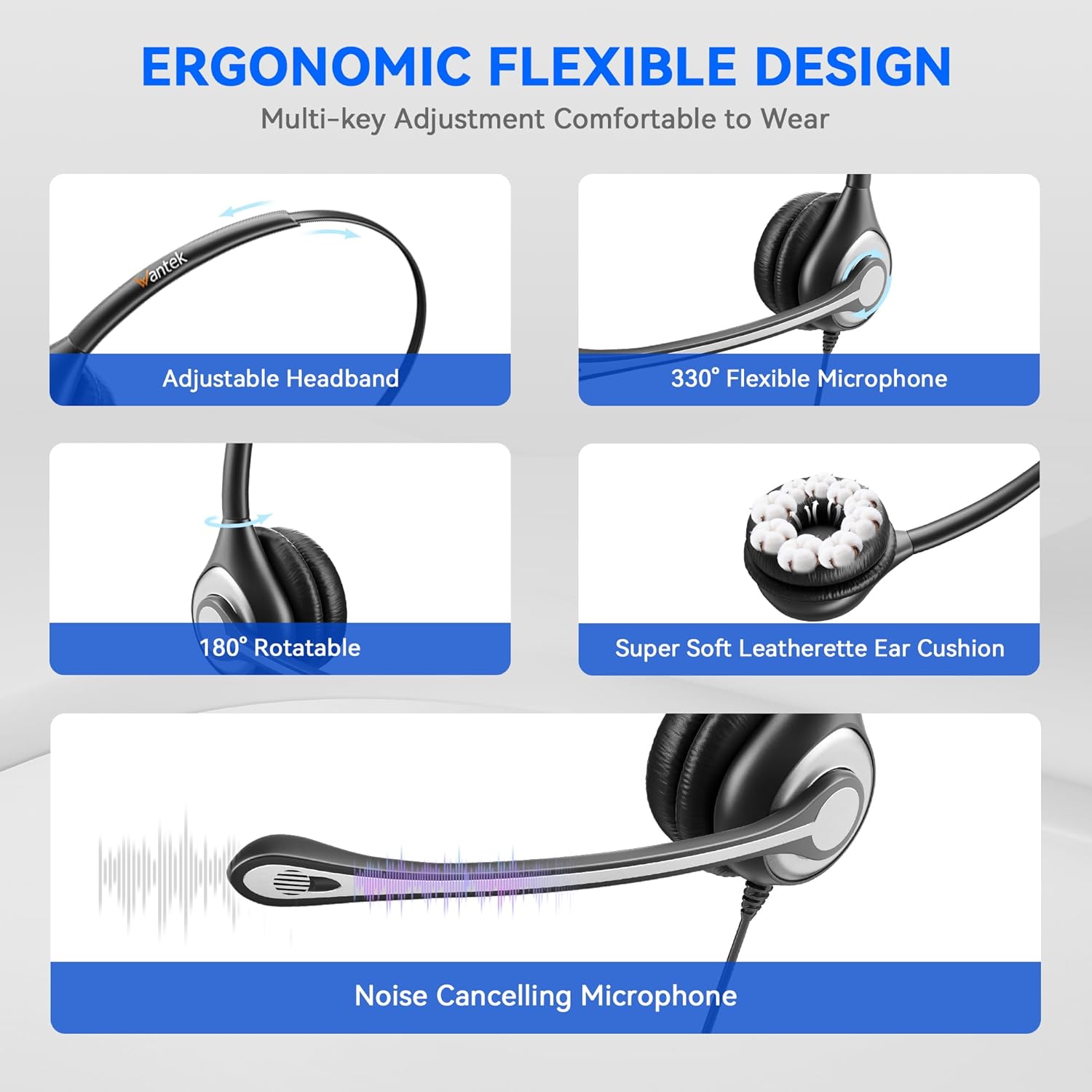
Image 3.1: Visual representation of the headset's ergonomic features, including the adjustable headband, 330° flexible microphone, 180° rotatable earcups, super soft leatherette ear cushions, and the noise-cancelling microphone.
3.3 In-line Controls

Image 3.2: Detailed view of the in-line control unit, highlighting buttons for Microphone Mute, Volume "-", Volume "+", and Speaker Mute. It also shows the 3.5mm jack, USB adapter, and Type-C adapter.
- Microphone Mute Button: Press to mute or unmute the microphone.
- Volume "+" Button: Press to increase speaker volume.
- Volume "-" Button: Press to decrease speaker volume.
- Speaker Mute Button: Press to mute or unmute the headset speakers.
4. Setup
The Wantek 602-FUSB headset offers versatile connectivity. Follow these steps to connect your headset to your device:

Image 4.1: This diagram illustrates how to connect the headset using its 3.5mm jack, USB adapter, and Type-C adapter to various devices like laptops, smartphones, and desktop computers.
- 3.5mm Jack Connection:
- Plug the 3.5mm jack directly into the audio port of your smartphone, tablet, or laptop.
- Ensure the jack is fully inserted for proper audio and microphone function.
- USB Connection:
- Connect the 3.5mm jack of the headset into the detachable USB control unit.
- Plug the USB connector of the control unit into an available USB-A port on your PC or laptop.
- The operating system should automatically detect and install the necessary drivers.
- Type-C Connection:
- Connect the 3.5mm jack of the headset into the detachable USB control unit.
- Attach the Type-C conversion cable to the USB connector of the control unit.
- Plug the Type-C connector into an available Type-C port on your compatible device (e.g., certain laptops, tablets, or smartphones).
After connecting, you may need to select the headset as the default audio input and output device in your computer's sound settings or communication software (e.g., Zoom, Microsoft Teams, Skype).
5. Operating Instructions
5.1 Wearing the Headset
- Adjust the headband to fit comfortably over your head.
- Position the earcups over your ears. The earcups are rotatable 180 degrees for a better fit and flat storage.
- Adjust the microphone boom. The microphone is flexible and can be rotated 330 degrees to position it approximately 1-2 inches from your mouth for optimal voice pickup.
5.2 Using In-line Controls (USB/Type-C Connection)
When connected via USB or Type-C, the in-line control unit provides convenient access to audio functions:
- Volume Up/Down: Press the "+" or "-" buttons to adjust the listening volume.
- Microphone Mute: Press the microphone mute button to toggle the microphone on or off. An indicator light (if present) may show the mute status.
- Speaker Mute: Press the speaker mute button to toggle audio output from the headset on or off.
Note: When using the 3.5mm jack directly, volume and mute functions are typically controlled by your connected device.
6. Maintenance
To ensure the longevity and optimal performance of your Wantek headset, follow these maintenance guidelines:
- Cleaning: Use a soft, dry cloth to clean the headset. Avoid using harsh chemicals or abrasive materials. For ear cushions, gently wipe with a slightly damp cloth if necessary, and allow to air dry completely.
- Storage: When not in use, store the headset in a clean, dry place away from extreme temperatures and direct sunlight. The earcups can be rotated flat for easier storage.
- Cable Care: Avoid sharp bends or excessive pulling on the cables. Do not wrap the cable tightly around the headset.
- Moisture: The headset is not water-resistant. Avoid exposure to liquids.
7. Troubleshooting
If you encounter issues with your Wantek headset, refer to the following common solutions:
| Problem | Possible Cause | Solution |
|---|---|---|
| No sound from headset speakers |
|
|
| Microphone not working |
|
|
| Static or unclear audio |
|
|
| Headset not recognized by computer |
|
|
8. Specifications
| Feature | Detail |
|---|---|
| Model Name | 602-FUSB |
| Brand | Wantek |
| Connectivity Technology | Wired (3.5mm, USB, Type-C) |
| Noise Control | Sound Isolation, Noise Cancelling Microphone |
| Ear Placement | Over Ear |
| Form Factor | On Ear |
| Impedance | 32 Ohm |
| Frequency Range | 20 Hz - 20,000 Hz |
| Material | Metal, Plastic, Memory Foam/Fabric |
| Item Weight | 6.7 ounces |
| Compatible Devices | Computers (PC and Laptop), Devices with 3.5mm, USB, or Type-C Ports |
9. Warranty and Support
Wantek is committed to providing high-quality products and customer satisfaction.
- Warranty: This product comes with a 1-year warranty from the date of purchase.
- Refund Policy: Enjoy a 30-day no-reason refund period.
- Technical Support: Wantek offers lifetime professional technical team support.
- Customer Service: Expect a reply to inquiries within 24 hours.
For warranty claims, technical assistance, or any product-related questions, please contact Wantek customer support through the retailer's platform or the official Wantek website.