
AKAI AKBT2000
AKAI AKBT2000 30W Bluetooth Speaker
User Manual
Introduction
Thank you for purchasing the AKAI AKBT2000 30W Bluetooth Speaker. This portable PA system is designed to deliver powerful and clear audio, featuring Bluetooth connectivity, a wired microphone for karaoke, and various input options. Please read this manual carefully before using the product to ensure proper operation and to maximize its lifespan.
What's in the Box
Please check the package contents to ensure all items are present:
- AKAI AKBT2000 Bluetooth Speaker
- Wired Microphone
- Rechargeable Battery (pre-installed or separate)
- Charging Cable
Product Overview

Figure 1: Front view of the AKAI AKBT2000 speaker with the wired microphone.

Figure 2: Angled view showcasing the speaker's design and side panels.

Figure 3: Detail of the integrated wheels for easy portability.
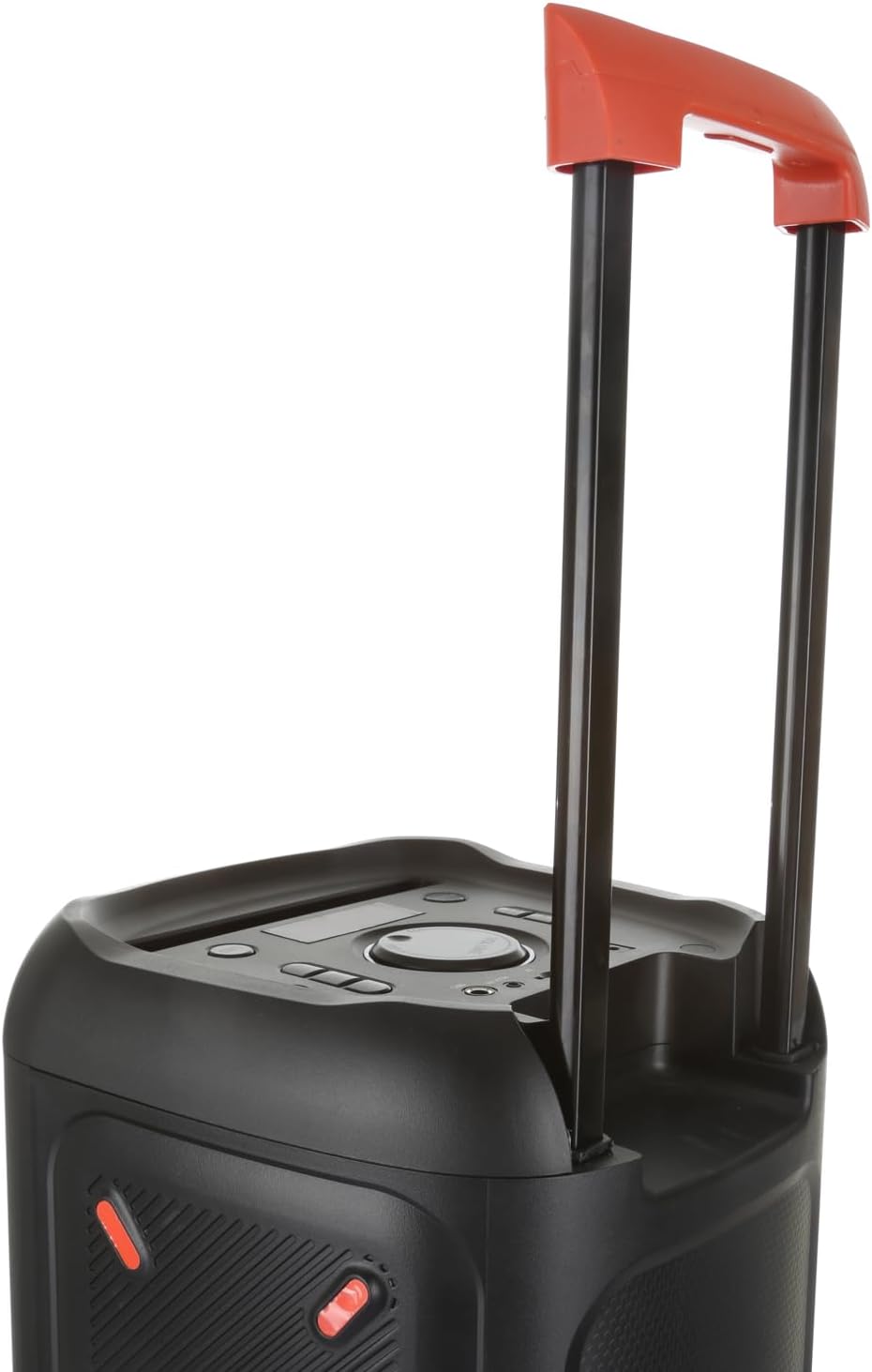
Figure 4: The speaker with its telescopic handle extended for convenient transport.

Figure 5: Top control panel with various ports and buttons including DC 9V, USB, TF, AUX IN, MIC, MENU, REC, MODE, MIC PRI, POWER, VOLUME knob, BLUE display, LED, CH-, TWS, CH+.

Figure 6: Close-up view of the wired microphone with ON/OFF/DYNAMIC switch.
Setup
1. Charging the Speaker
Before first use, fully charge the speaker's internal rechargeable battery. Connect the provided charging cable to the DC 9V input port on the top panel (refer to Figure 5) and plug the other end into a suitable power outlet. The charging indicator will illuminate. Once fully charged, the indicator may change color or turn off.
2. Connecting the Microphone
Insert the plug of the wired microphone into the MIC input port on the top panel (refer to Figure 5). Ensure it is securely connected.
3. Powering On/Off
Press and hold the POWER button on the top panel to turn the speaker on or off.
Operating Instructions
1. Bluetooth Pairing
- Turn on the speaker. The display will show "BLUE" or a similar Bluetooth indicator.
- Enable Bluetooth on your mobile device (smartphone, tablet, etc.).
- Search for available Bluetooth devices. You should find "AKAI AKBT2000" or a similar name.
- Select the speaker to pair. Once connected, you will hear a confirmation sound, and the Bluetooth indicator on the speaker's display will stabilize.
2. Using AUX Input
Connect an external audio device (e.g., MP3 player, computer) to the AUX IN port on the top panel using a 3.5mm audio cable (not included). The speaker will automatically switch to AUX mode or you may need to press the MODE button to select AUX.
3. Using USB/TF Card
Insert a USB flash drive or a TF (microSD) card into the respective USB or TF slot on the top panel. The speaker will automatically detect and play audio files from the storage device. Use the CH- and CH+ buttons to navigate tracks.
4. Microphone Usage (Karaoke)
After connecting the microphone, switch the microphone's ON/OFF switch to the "ON" position (refer to Figure 6). Speak into the microphone. Adjust the main VOLUME knob on the speaker to control the overall sound level. The MIC PRI button may prioritize microphone audio over music.
5. Volume Control
Rotate the large VOLUME knob on the top panel clockwise to increase volume and counter-clockwise to decrease it.
6. LED Light Control
Press the LED button on the top panel to cycle through different LED light modes or to turn the lights off.
7. TWS Function (True Wireless Stereo)
If you have two AKAI AKBT2000 speakers, you can pair them together for a true wireless stereo experience. Turn on both speakers and ensure they are not connected to any Bluetooth device. Press the TWS button on one speaker. It will search for and connect to the other speaker. Once connected, they will play audio in stereo.
Maintenance
- Cleaning: Use a soft, dry cloth to clean the speaker's surface. Do not use abrasive cleaners or solvents.
- Storage: Store the speaker in a cool, dry place away from direct sunlight and extreme temperatures when not in use for extended periods.
- Battery Care: To prolong battery life, avoid fully discharging the battery frequently. Charge the speaker regularly, even if not in use, to maintain battery health.
- Water Resistance: This product is not waterproof. Avoid exposure to water or high humidity.
Troubleshooting
| Problem | Possible Solution |
|---|---|
| Speaker does not turn on. | Ensure the battery is charged. Connect the charging cable and try again. |
| No sound from speaker. | Check volume level on both speaker and connected device. Ensure correct input mode (Bluetooth, AUX, USB/TF) is selected. |
| Bluetooth pairing fails. | Ensure speaker is in Bluetooth mode and not connected to another device. Turn off and on Bluetooth on your device. Move speaker closer to your device. |
| Microphone not working. | Ensure microphone is securely plugged in and its ON/OFF switch is in the "ON" position. Check microphone volume settings if available. |
| Sound distortion. | Reduce the volume level. Ensure audio source is not distorted. |
Specifications
| Feature | Detail |
|---|---|
| Model Name | AKBT2000 |
| Brand | AKAI |
| Max Speaker Output Power | 30 Watt |
| Connectivity Technology | Bluetooth |
| Audio Output Mode | Stereo |
| Mounting Type | Floor |
| Speaker Type | Outdoor (Portable PA System) |
| Compatible Devices | Bluetooth devices |
| Surround Sound Channel Configuration | 2.0 |
| Waterproof | No |
Warranty and Support
This product comes with a Limited Warranty. For specific details regarding warranty coverage, duration, and terms, please refer to the warranty card included with your purchase or contact AKAI customer support directly. Software updates are currently unknown.
For technical support, service, or inquiries about your AKAI AKBT2000 speaker, please visit the official AKAI website or contact their customer service department. Keep your purchase receipt as proof of purchase for warranty claims.
Ask a question about this manual
Ask about setup, troubleshooting, compatibility, parts, safety, or missing instructions. Manuals+ will review the question and use this page’s manual context to help answer it.