
Introduction
Thank you for purchasing the Diliplain LED Nightstand. This manual provides essential information for the safe assembly, operation, and maintenance of your new nightstand. Please read these instructions thoroughly before beginning assembly or use, and retain this manual for future reference.

Image: The Diliplain LED Nightstand in a bedroom setting, showcasing its design, LED lighting, and charging capabilities.
Safety Information
General Safety Warnings:
- Always follow proper assembly instructions to ensure stability and prevent injury.
- Do not overload drawers or shelves.
- Ensure all electrical connections are secure and comply with local electrical codes.
- Keep liquids away from electrical components and charging ports.
- Do not attempt to modify the product or its electrical system.
- Keep small parts away from children during assembly.
Package Contents
Before assembly, please verify that all components are present and undamaged. The package should include:
- All necessary furniture panels and hardware
- Assembly Guide
- Installation Tool (screwdriver)
- LED light strip and controller
- Integrated charging station with power cord
Assembly Instructions
Assembly is designed to be straightforward. Detailed instructions and all labeled parts accessories are included in your package. A screwdriver is recommended for assembly, and all necessary tools are provided.
- Unpack and Identify Parts: Carefully remove all components from the packaging. Lay them out and compare them against the parts list in the included Assembly Guide to ensure everything is present.
- Assemble the Frame: Follow the step-by-step diagrams in the Assembly Guide to construct the main frame of the nightstand. Ensure all screws and fasteners are tightened securely.
- Install Drawers: Assemble the two drawers according to the instructions. Install the metal slides onto both the drawers and the nightstand frame, ensuring smooth operation.
- Integrate Electrical Components: Install the charging station into its designated slot. Connect the LED light strip as indicated in the guide. Ensure all cables are routed neatly and securely.
- Final Checks: Once assembled, gently test the stability of the nightstand and the smooth operation of the drawers.

Image: A detailed diagram illustrating the dimensions of the nightstand, including the 28.7" height, 17.7" width, 15.7" depth, and drawer measurements.
Features
RGB LED Lights with APP Control
The nightstand features multi-color RGB LED lights. You can adjust colors and brightness via a mobile application. The app offers millions of color choices, timing functions, various style modes, music modes, and microphone modes to customize your lighting experience.

Image: The nightstand with its LED lights activated, providing ambient blue illumination to the top storage area.
Integrated Charging Station
Equipped with 2 standard AC plug outlets and 2 USB ports, this nightstand allows convenient charging of phones, lamps, and other electronic devices simultaneously. A 4.9-foot power supply cord provides flexibility in placement.

Image: A detailed view of the integrated charging station, highlighting the AC outlets and USB ports for device charging.
Ample Storage Space
The nightstand offers 5 distinct storage areas: a top shelf for display, a tabletop surface, an open storage compartment, and two closed drawers. This design maximizes vertical space for organization.
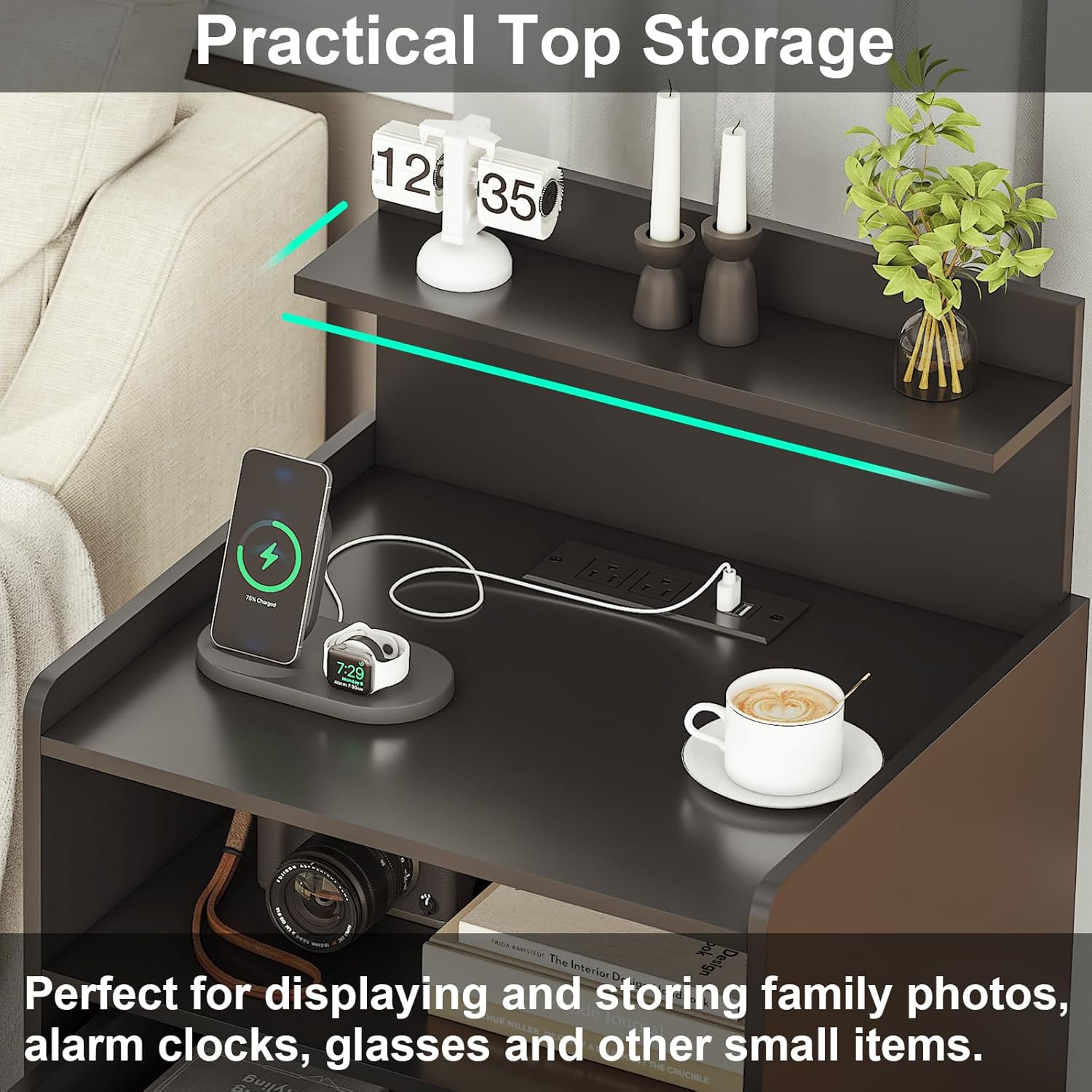
Image: The nightstand displaying its diverse storage options, including open and closed compartments for various items.
Sturdy and Durable Construction
Constructed from high-quality, thick particle board, the nightstand is designed for durability. It features metal slides for smooth drawer operation and a waterproof surface for easy cleaning and maintenance.
Setup
- Power Connection: After assembly, plug the nightstand's power cord into a standard wall outlet.
- LED Light App Installation: Download the designated mobile application for the LED lights (refer to the Assembly Guide for app name/QR code).
- Pairing LED Lights: Follow the in-app instructions to pair your mobile device with the nightstand's LED lights.
Operating Instructions
Using the LED Lights:
Once paired, use the mobile application to control the LED lights. You can:
- Select from millions of colors.
- Adjust brightness levels.
- Choose various dynamic style modes (e.g., jump, flash, fade, static).
- Set timing functions for automatic on/off.
- Activate music or microphone modes for light synchronization.
Using the Charging Station:
Plug your electronic devices directly into the 2 AC outlets or 2 USB ports located on the top surface of the nightstand. Ensure devices are compatible with the provided power output (125V/12A for AC, 5V/2A for USB).
Maintenance
To maintain the appearance and longevity of your Diliplain LED Nightstand:
- Cleaning: Wipe surfaces with a damp cloth. Avoid harsh chemicals or abrasive cleaners.
- Spills: Promptly clean any spills, especially near electrical components, to prevent damage.
- Drawer Slides: Periodically check and clean drawer slides to ensure smooth operation.
Troubleshooting
- LED Lights Not Working: Check if the power cord is securely plugged in. Ensure the LED light strip is properly connected. Verify the mobile app is correctly paired and functioning.
- Charging Station Not Functioning: Confirm the nightstand is plugged into a live power outlet. Test with different devices and cables to rule out device-specific issues.
- Drawers Sticking: Ensure drawers are correctly aligned on their slides. Check for any obstructions within the drawer or on the slides.
Specifications
| Feature | Detail |
|---|---|
| Brand | Diliplain |
| Model Name | Nightstand |
| Product Dimensions (D x W x H) | 15.7"D x 17.7"W x 28.7"H |
| Color | Black |
| Item Weight | 32.8 Pounds |
| Frame Material Type | Engineered Wood |
| Handle Material | Metal |
| Number of Drawers | 2 |
| Charging Ports | 2 AC Outlets (125V/12A), 2 USB Ports (5V/2A) |
| Power Cord Length | 4.9 Feet |
| LED Lights | RGB, Multi-color, APP Controlled |
| Product Care Instructions | Wipe with Damp Cloth |
| Assembly Tools Included | Yes |
Warranty and Support
Diliplain is committed to customer satisfaction. If you encounter any problems with your nightstand, including missing parts or defects, please contact our customer service team. We are available to provide free replacement parts or a new item for replacement as needed.
For support, please refer to the contact information provided in your purchase documentation or on the official Diliplain website.