
Zecamin ZG-205W
Zecamin ZG-205W Intelligent Human Presence Sensor User Manual
Model: ZG-205W
1. Introduction
This manual provides essential information for the installation, operation, and maintenance of your Zecamin ZG-205W Intelligent Human Presence Sensor. Please read this manual thoroughly before using the device to ensure proper function and safety.
2. Safety Information
- Ensure the power supply is 5V USB. Using an incorrect power supply may damage the device.
- Do not expose the device to extreme temperatures, humidity, or direct sunlight.
- Avoid placing the device near strong electromagnetic fields.
- Do not attempt to disassemble or repair the device yourself. Contact qualified personnel for service.
- Keep the device out of reach of children.
3. Package Contents
Verify that all items are present in your package:
- Zecamin ZG-205W Human Presence Sensor
- USB Power Cable (if included)
- Mounting Accessories (e.g., screws, adhesive pad)
- User Manual (this document)

Image: Front view of the Zecamin Human Presence Sensor product box, showing the device illustration and "Human presence detector" text.
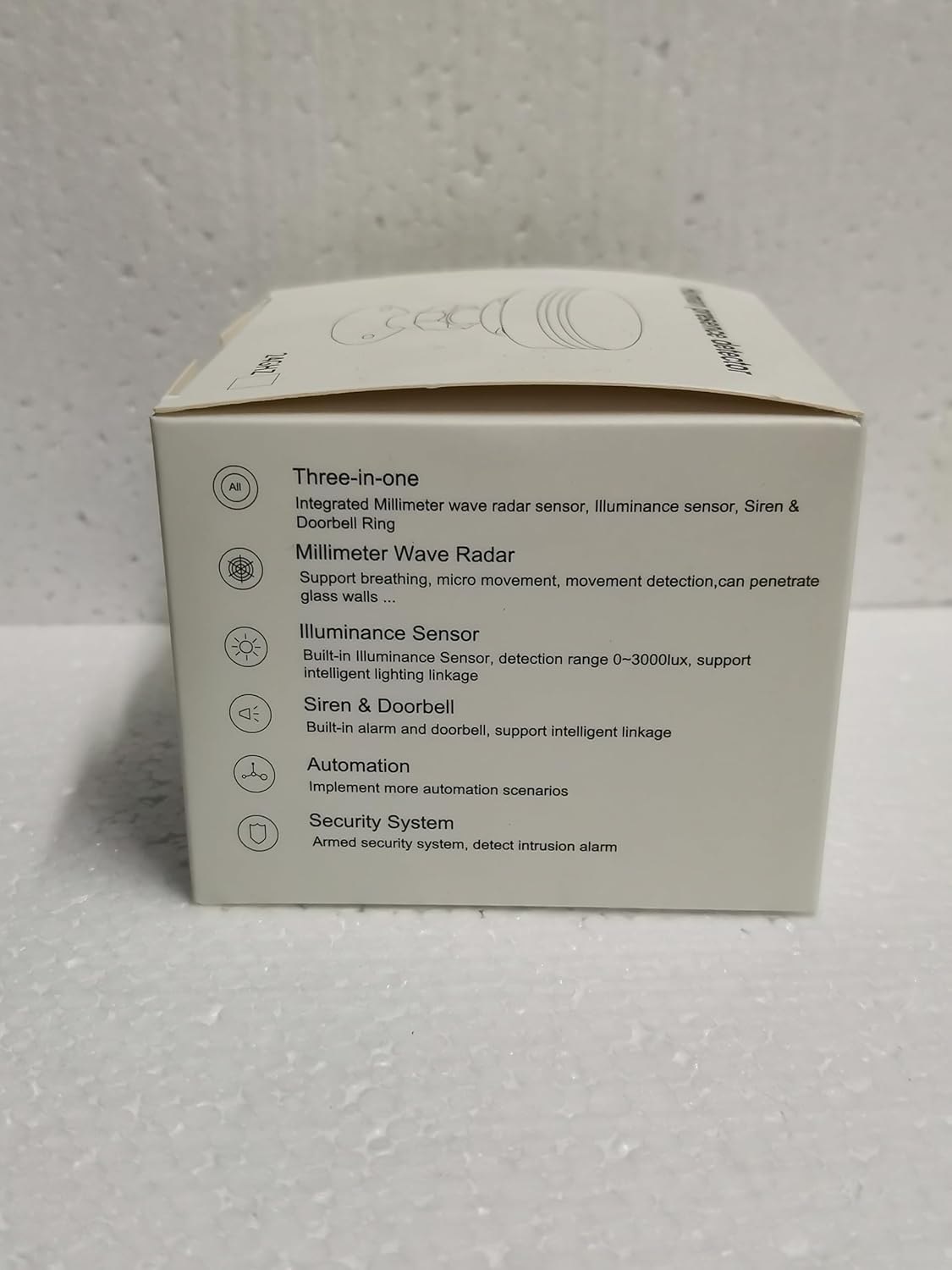
Image: Side view of the product box, highlighting key features such as integrated Millimeter Wave Radar, Illuminance Sensor, Siren & Doorbell, Automation capabilities, and Security System integration.
4. Product Overview
The Zecamin ZG-205W is an intelligent human presence sensor designed for advanced monitoring and smart home integration. It combines multiple detection technologies to provide comprehensive environmental awareness.
4.1 Key Features
- Millimeter Wave Radar: Detects human presence, static presence, micro-movements (like breathing), and larger movements.
- Brightness Sensor: Built-in sensor with a detection range of 0-3000 lux, enabling intelligent lighting linkage.
- Integrated Siren & Doorbell: Features an adjustable alarm volume (low, medium, high) and doorbell functionality.
- 2.4GHz WiFi Connectivity: For remote monitoring and smart scene linking via a compatible app.
- Adjustable Parameters: Customizable settings for detection distance, sensitivity, alarm volume, and duration.

Image: An illustrative diagram showcasing the core functionalities of the Zecamin Human Presence Sensor, including radar detection, human movement detection, remote monitoring via app, illuminance detection, intelligent linkage capabilities, and an alarm function.

Image: A composite image demonstrating the sensor's versatile detection capabilities across various scenarios, including detecting static presence (people on a couch, sleeping person) and micro-movements (children jumping), alongside security monitoring for intruders.
5. Setup Guide
5.1 Powering the Device
Connect the sensor to a 5V USB power source using the provided USB cable. The indicator light will illuminate to confirm power.
5.2 App Installation
The Zecamin ZG-205W sensor operates with the "Smart Life" application. Download the app from your device's app store or scan the QR code on the product packaging.

Image: The side of the product box displaying a QR code, which can be scanned to download the "Smart Life" application for device control and monitoring.
5.3 Device Pairing
- Open the "Smart Life" app and register/log in.
- Tap "+" to add a new device.
- Follow the in-app instructions to connect the sensor to your 2.4GHz WiFi network. Ensure your phone is connected to the same 2.4GHz network during pairing.
- Once successfully paired, the device will appear in your app.
5.4 Installation Location
Choose a suitable location for the sensor, typically on a wall or ceiling, ensuring it has a clear line of sight to the area you wish to monitor. Use the provided mounting accessories for secure installation.

Image: The Zecamin Human Presence Sensor shown mounted, with a smartphone displaying its corresponding app interface, indicating "Presence" and "Illuminance Value," along with control options for Armed, Disarmed, and Alarm modes.
6. Operating Instructions
6.1 App Interface Overview
The "Smart Life" app provides real-time monitoring and control over your sensor. Key sections include:
- Presence Status: Displays current detection status (e.g., Presence, No One, Small Move, Large Move, Breathe).
- Illuminance Value: Shows the current light level in lux.
- Modes: Armed, Disarmed, Alarm.
- Record: Access detection history.
- Automation: Configure smart scenes.
- Setting: Adjust device parameters.

Image: A smartphone displaying the "Presence sensor" app interface, showing options for "Armed," "Disarmed," and "Alarm" modes, with a background image depicting an intruder, illustrating the sensor's security monitoring function.
6.2 Alarm Functionality
The sensor features a built-in siren. You can adjust the alarm volume (low, medium, high) and duration within the app settings.
- Armed Mode: The sensor will emit an alarm sound upon detecting human presence.
- Disarmed Mode: The sensor detects presence but remains silent.

Image: An illustration depicting the sensor emitting sound waves, indicating a siren alarm volume of 95 dB or higher, with a note that the alarm volume can be adjusted to low, medium, or high settings.
6.3 Adjustable Parameters
Customize the sensor's behavior to suit your specific needs:
- Presence Duration: Set how long presence is registered.
- Indicator Status: Control the device's indicator light.
- Radar Parameters: Adjust sensitivity and detection distance for both stationary and movable detection.
- False Alarm Settings: Configure to minimize false alarms.
- Alarm Sound & Duration: Fine-tune the siren's behavior.

Image: A smartphone screen displaying the "Presence sensor" app's settings, allowing users to adjust various parameters such as motion detection distance, sensitivity, small motion detection distance, and stationary detection distance via sliders.
6.4 Smart Scene Linking
Leverage the built-in brightness sensor and presence detection to create automated smart home scenarios with other compatible devices (e.g., smart lights, switches).
- Example: Automatically turn on lights when presence is detected and the ambient light level is low.

Image: A smartphone screen illustrating the "Smart Linkage Scenes" feature within the app. It shows a rule where detecting a "large move" by the presence sensor at night automatically triggers a floor light to turn on, demonstrating integration with smart switches and lighting.
7. Specifications
| Feature | Specification |
|---|---|
| Product Name | Human Detection Sensor |
| Model Number | ZG-205W |
| Network Connectivity | 2.4GHz WiFi |
| Input Power | USB 5V |
| Alarm Sound Volume | ≥ 90 dB (Adjustable) |
| Working Temperature | -10°C ~ 55°C |
| Indicator Light | Red + Blue |
| Detection Angle | 120° |
| Stationary Detection Range | 0-6 meters |
| Movable Detection Range | 0-10 meters |
| Illumination Value Range | 0-3000 lux |
| Product Dimensions | Φ85mm × 27mm (Φ3.45inch × 1.06inch) |
| Mounting Type | Wall Mount |
| Compatible Devices | Smart Home System, Smart Lighting |
8. Troubleshooting
| Problem | Possible Cause | Solution |
|---|---|---|
| Device not powering on. | No power, faulty cable, or incorrect power adapter. | Ensure USB cable is securely connected to a 5V power source. Try a different USB cable or adapter. |
| Cannot connect to WiFi. | Incorrect WiFi password, 5GHz network, or device too far from router. | Verify WiFi password. Ensure you are connecting to a 2.4GHz network. Move the sensor closer to the router. Reset the sensor and try pairing again. |
| Inaccurate detection. | Obstructions, incorrect sensitivity settings, or improper mounting. | Ensure a clear line of sight. Adjust detection sensitivity and distance parameters in the app. Re-evaluate mounting location. |
| Siren not sounding. | Device in Disarmed mode, alarm volume set to low, or app settings issue. | Check if the device is in Armed mode in the app. Increase alarm volume in settings. Verify alarm duration settings. |
9. Maintenance
- Cleaning: Use a soft, dry cloth to clean the sensor. Do not use liquid cleaners or abrasive materials.
- Firmware Updates: Regularly check the "Smart Life" app for available firmware updates to ensure optimal performance and new features.
- Environmental Conditions: Maintain the device within the specified operating temperature and humidity ranges.
10. Warranty and Support
For warranty information and technical support, please refer to the documentation included with your purchase or contact Zecamin customer service. The manufacturer's information can be found on the product packaging.

Image: The side of the product box displaying manufacturer details, regulatory compliance marks (such as CE and FCC), and a barcode, which may contain product identification information.
Manufacturer: Zecamin
Model: ZG-205W
ASIN: B0CDLT69DF
EU REP: evatmaster Consulting GmbH
Manufacturer Address: Wenzhou Yayuan Trade Co., Ltd.
For further assistance, please visit the official Zecamin website or contact their support channels.
Ask a question about this manual
Ask about setup, troubleshooting, compatibility, parts, safety, or missing instructions. Manuals+ will review the question and use this page’s manual context to help answer it.