
1. Introduction
The Kethvoz KE-DE535G Ammonia Gas Detector is a precision instrument designed for monitoring indoor air quality. It accurately detects ammonia (NH3) gas concentrations, along with ambient temperature and humidity levels. This manual provides essential information for the safe and effective use of your device, ensuring optimal performance and longevity.
2. Product Overview
2.1 Key Features
- High Sensitivity Electrochemical Sensor: Detects NH3 gas from 0 to 100 ppm with 0.1 ppm resolution and ±5% accuracy.
- Adjustable Alarm Thresholds: Supports two customizable NH3 gas alarm limits for enhanced safety.
- Rechargeable Battery: Equipped with a built-in 2000mAh battery, providing approximately 5 hours of standby time after a full charge.
- Versatile Placement: Designed for both desktop use and wall-mounting.
- Environmental Monitoring: Measures temperature (-10°C to 50°C with ±2°C accuracy) and relative humidity (0% to 95%RH).
- User-Friendly Display: Features a 4.3-inch backlit LCD screen for clear readings, with switchable °C/°F temperature units.
- Audible and Visual Alarms: Alerts users with sound and light when NH3 levels exceed set thresholds.
- Power Management: Includes automatic and manual power-off options.
2.2 Device Components
Familiarize yourself with the main parts of your Kethvoz KE-DE535G detector:

Figure 1: Labeled display of the Kethvoz KE-DE535G, showing ammonia gas concentration, relative humidity, temperature, alarm indicators (AL1, AL2), and battery level. The display also indicates °C/°F units.
- LCD Display: Shows NH3 concentration (PPM), relative humidity (%RH), temperature (°C/°F), alarm indicators (AL1, AL2), and battery level.
- Power Button: Used to turn the device on or off.
- Alarm Button: Accesses and adjusts alarm settings.
- Mode Button: Cycles through different display modes or settings.
- °F/°C Button: Toggles between Celsius and Fahrenheit temperature units.
- USB Type-C Charging Port: Located on the side for recharging the internal battery.
- Wall-Mounting Hole: Located on the back for secure wall installation.

Figure 2: Detailed view of the Kethvoz KE-DE535G, highlighting its dimensions (128mm height, 90mm width), the wall-mounting hole on the back, and the USB Type-C charging port with an indicator light.
3. Specifications
| Parameter | Value |
|---|---|
| Detection Gas | Ammonia (NH3) |
| Measurement Range (NH3) | 0-100 ppm |
| Measurement Resolution (NH3) | 0.1 ppm |
| Repeatability | < ±1% |
| Basic Error | < ±5% (F.S) |
| Sensor Principle | Electrochemical |
| Temperature Measurement Range | -10°C to 50°C |
| Temperature Measurement Accuracy | ±2°C |
| Humidity Measurement Range | 0% to 95%RH |
| Power Source | Built-in 2000mAh rechargeable battery |
| Dimensions (L x W x H) | 3.7 x 9 x 12.8 cm |
| Weight | 200 grams |
| Model Number | KE-DE535G |
| Alarm Type | Audible and Visual |
4. Setup
4.1 Unboxing and Initial Charge
- Carefully remove the Kethvoz KE-DE535G detector and all accessories from the packaging.
- Before first use, fully charge the device using the provided USB Type-C cable and a compatible USB power adapter (not included). The battery indicator on the display will show charging status.
4.2 Placement
The detector can be placed on a flat surface or mounted on a wall.
- Desktop Placement: Ensure the device is placed on a stable, flat surface away from direct airflow, heat sources, or areas with high humidity fluctuations.
- Wall Mounting: Use the wall-mounting hole on the back of the device. Select a location that allows for optimal air circulation and is representative of the area you wish to monitor. Avoid placing it directly next to vents or windows.
5. Operating Instructions
5.1 Power On/Off
- Power On: Press and hold the Power button for approximately 3 seconds. The device will perform a self-test and then display current readings.
- Power Off: Press and hold the Power button for approximately 3 seconds. The display will turn off.
5.2 Reading the Display
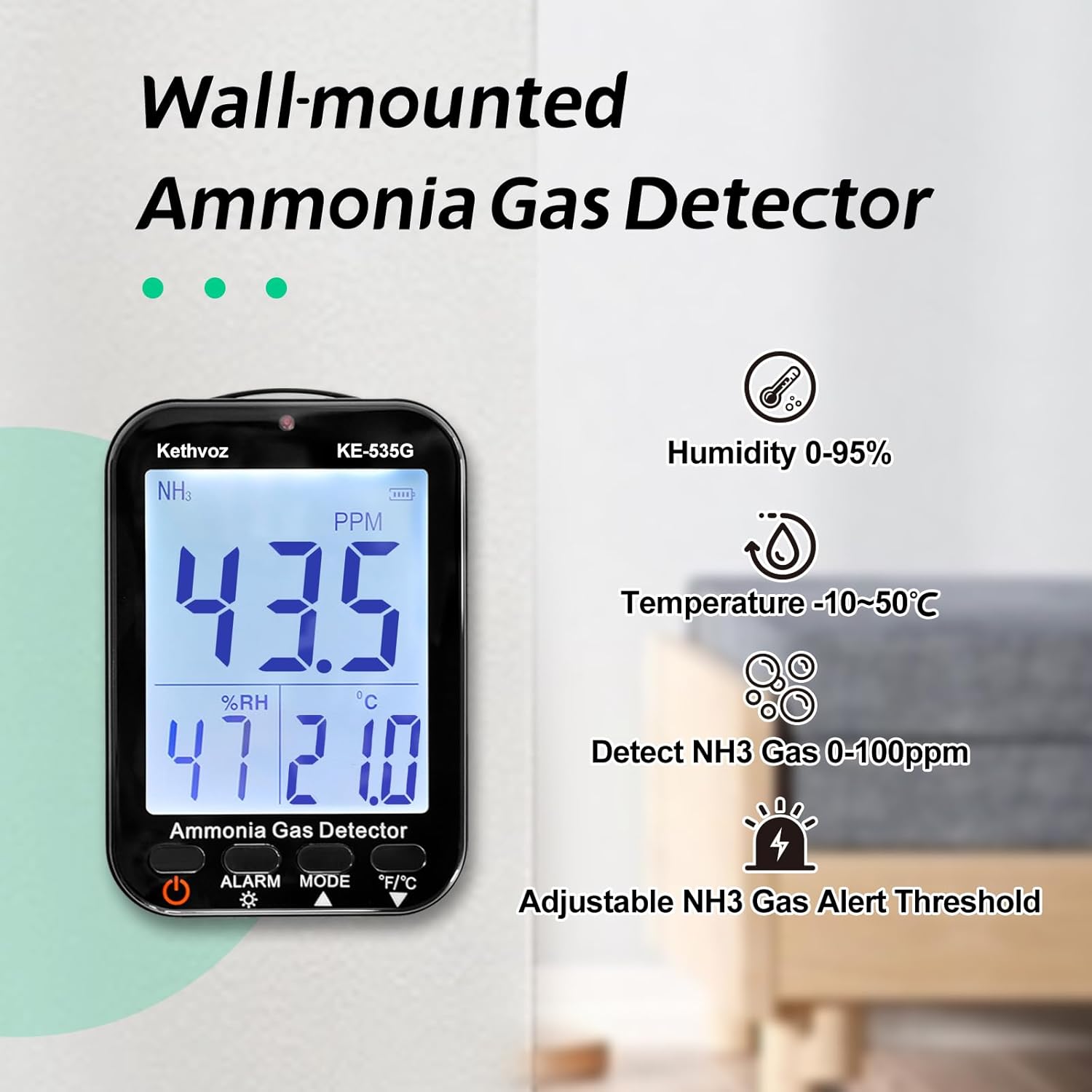
Figure 3: The Kethvoz KE-DE535G display showing a sample NH3 reading of 43.5 PPM, 47% relative humidity, and 21.0°C temperature.
The large LCD screen provides real-time data:
- NH3 (PPM): The primary reading indicates the ammonia gas concentration in parts per million.
- %RH: Displays the current relative humidity percentage.
- °C/°F: Shows the ambient temperature in Celsius or Fahrenheit.
- Battery Indicator: Located at the top right, shows the remaining battery life.
- Alarm Indicators (AL1, AL2): Light up when respective alarm thresholds are met.
5.3 Setting Alarm Thresholds
The device supports two adjustable alarm levels for NH3 gas.
- Press the Alarm button to enter alarm setting mode.
- Use the Mode button to select between AL1 and AL2.
- Use the Power button (or other designated button, refer to on-screen prompts) to adjust the desired PPM value for the selected alarm level.
- Press the Alarm button again to confirm and exit the setting mode.
When the detected NH3 concentration exceeds an alarm threshold, the device will emit an audible beep and the corresponding alarm indicator (AL1 or AL2) will flash.

Figure 4: The Kethvoz KE-DE535G in an alarm state, indicating high ammonia levels with visual and implied audible alerts.
5.4 Switching Temperature Units (°C/°F)
To switch between Celsius and Fahrenheit, simply press the °F/°C button. The display will update accordingly.
6. Maintenance
6.1 Cleaning
- Wipe the device exterior with a soft, dry cloth.
- Do not use abrasive cleaners, solvents, or immerse the device in water.
- Keep the sensor area clear of dust and debris.
6.2 Battery Charging
- Recharge the device when the battery indicator shows low power.
- Use only the provided USB Type-C cable.
- A full charge typically takes a few hours.
6.3 Storage
- Store the device in a cool, dry place when not in use.
- Avoid extreme temperatures and high humidity.
7. Troubleshooting
| Problem | Possible Cause | Solution |
|---|---|---|
| Device does not power on | Low battery; Device not charged | Charge the device fully using the USB Type-C cable. |
| Inaccurate NH3 readings | Sensor obstruction; Device placed in an unsuitable environment; Sensor requires calibration (rarely needed for new devices) | Ensure sensor area is clear. Relocate the device to an area with good air circulation. If issues persist, contact support. |
| Alarm not sounding | Alarm thresholds set too high; Speaker obstructed; Device malfunction | Check and adjust alarm settings. Ensure speaker is not covered. If problem persists, contact support. |
| Display is dim or unreadable | Low battery; Backlight setting (if applicable) | Charge the device. The backlight is automatic; ensure sufficient battery. |
8. Warranty and Support
The Kethvoz KE-DE535G Ammonia Gas Detector comes with a 180-day quality guarantee from the date of purchase. Kethvoz also provides lifetime technical support for this product.
For any technical assistance, warranty claims, or operational questions, please contact Kethvoz customer support through the retailer's platform or the official Kethvoz website. Please have your model number (KE-DE535G) and purchase information ready when contacting support.