
1. Product Overview
The Jadeshay 2.2KW 220V Variable Frequency Drive (VFD) is designed for precise motor speed control. This device converts single-phase 220V input power into three-phase 220V output, enabling variable frequency and voltage control for compatible motors. It features advanced technology for stable and efficient operation, incorporating intelligent protection mechanisms.
Key features include:
- Advanced Technology: Utilizes a dual-layer board design for enhanced stability and quiet operation.
- High Efficiency: IPM and IGBT modules contribute to high efficiency, low heat generation, and automatic protection.
- Unique Control Method: Achieves high torque, precision, and a wide speed range with excellent anti-aging and anti-trip performance.
- Intelligent Protection: Includes safeguards against overcurrent, overvoltage, overheating, low voltage, and short circuits.
- Easy Installation: Compact design with convenient screw terminals for wiring.


2. Safety Information
Before installation, operation, or maintenance, please read this manual thoroughly to ensure correct usage and prevent personal injury or equipment damage. Observe all safety warnings and instructions.
- Electrical Shock Hazard: This device operates with high voltage. Ensure power is disconnected before any wiring or servicing. Wait at least 10 minutes after removing power before touching internal components to allow capacitors to discharge.
- Qualified Personnel: Installation and maintenance should only be performed by qualified electrical personnel.
- Proper Grounding: Always ensure the VFD is properly grounded according to local electrical codes.
- Environmental Conditions: Install the VFD in an environment free from excessive dust, moisture, corrosive gases, and direct sunlight. Ensure adequate ventilation.
3. Installation and Wiring
3.1 Mounting
The VFD supports wall mounting and cabinet mounting. Ensure sufficient space around the unit for proper heat dissipation.
3.2 Wiring Instructions
Connect the single-phase 220V power supply to the input terminals (R, S, T) and the three-phase motor to the output terminals (U, V, W). Ensure the ground wire is securely connected.


3.3 RS485 Communication
The VFD is equipped with an RS485 communication function, allowing for remote control and monitoring. Refer to the detailed wiring diagram for connection points (485+, 485-).

4. Operation
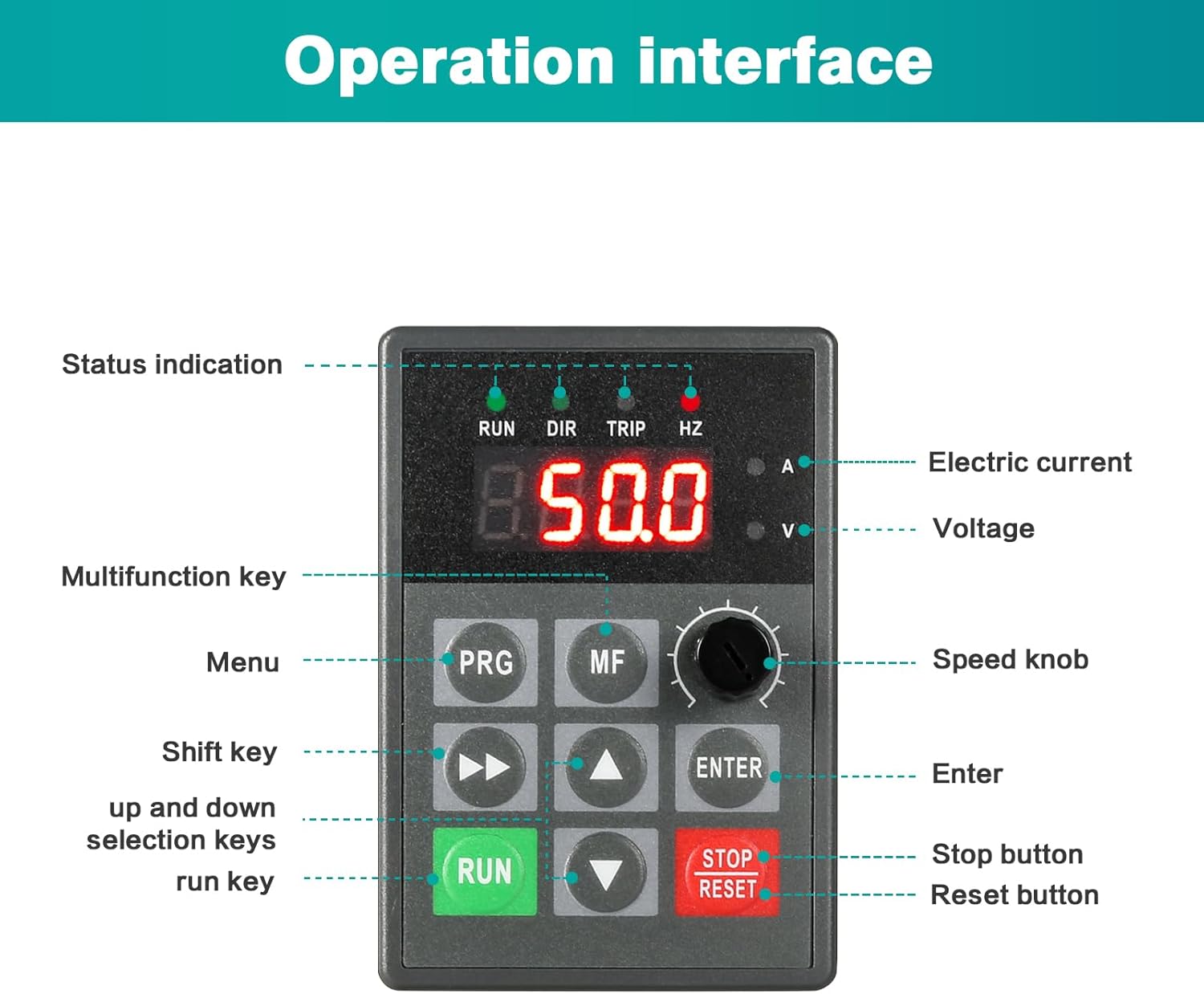
4.1 Control Panel Overview
The VFD features an intuitive control panel for easy operation. It includes a digital display, various function keys, and a speed knob.
4.2 Basic Operation
- Power On: After ensuring all wiring is correct and secure, apply power to the VFD. The digital display will illuminate.
- Adjusting Speed: Use the Speed Knob to adjust the output frequency, which directly controls the motor speed. The display will show the current frequency (Hz). This allows for stepless speed regulation from 0 to 999Hz.
- Start/Run: Press the RUN button to start the motor. The "RUN" indicator will light up.
- Stop/Reset: Press the STOP/RESET button to stop the motor. This button also serves to reset any fault conditions.
- Menu Navigation: Use the PRG (Program) and MF (Multifunction) keys to access and navigate through the VFD's parameter settings. The up/down arrow keys and ENTER key are used for selection and confirmation.

5. Maintenance
Regular maintenance ensures the longevity and reliable operation of your VFD.
- Cleaning: Periodically clean the VFD's exterior and ventilation openings to prevent dust accumulation, which can hinder heat dissipation. Use a soft, dry cloth. Do not use liquid cleaners.
- Inspection: Regularly inspect wiring connections for tightness and signs of wear or damage. Check for any unusual noises or odors during operation.
- Environmental Check: Ensure the operating environment remains within specified temperature and humidity ranges.
- Heat Dissipation: The VFD is equipped with a radiator. Ensure airflow to the radiator is not obstructed to maintain optimal operating temperature.
6. Troubleshooting
The VFD incorporates intelligent protection features to safeguard against various fault conditions. If a fault occurs, the VFD may display an error code or stop operation. Refer to the following general troubleshooting steps:
- No Power/Display Off:
- Check the main power supply and circuit breaker.
- Verify all input power wiring connections are secure.
- Motor Not Running:
- Ensure the VFD is in RUN mode (RUN indicator lit).
- Check motor wiring connections (U, V, W).
- Verify the speed setting is not at zero.
- Check for any fault indicators (e.g., TRIP) on the display. Press STOP/RESET to clear faults.
- Overcurrent/Overvoltage/Overheating:
- These conditions trigger automatic protection. The VFD will stop and display a fault.
- Identify the cause (e.g., motor overload, unstable power supply, insufficient ventilation).
- Address the cause, then press STOP/RESET to clear the fault and restart.
- Unusual Noise/Vibration:
- Stop the motor immediately.
- Inspect the motor and its load for mechanical issues.
- Check VFD parameters for correct motor settings.
For specific error codes and advanced troubleshooting, refer to the complete product manual provided with the device or contact technical support.
7. Specifications
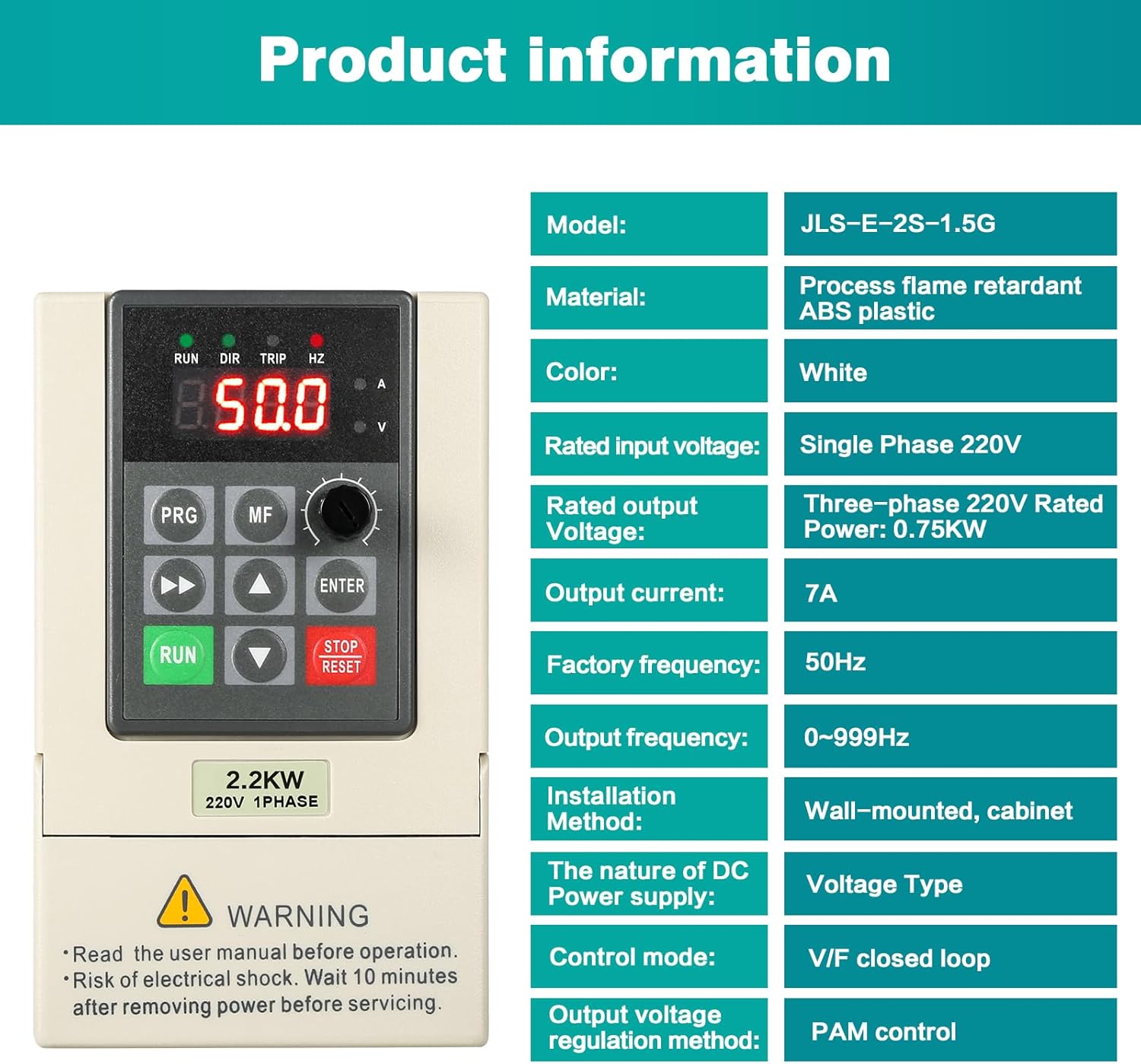
The following table outlines the technical specifications for the Jadeshay 2.2KW 220V Variable Frequency Drive.
| Feature | Specification |
|---|---|
| Model | LOOJUTAYY-2.2KW |
| Material | Fireproof ABS plastic |
| Nominal Input Voltage | 220V Single Phase |
| Rated Output Voltage | 220V Three-Phase |
| Rated Power | 2.2KW |
| Factory Frequency | 50Hz |
| Output Frequency Range | 0-999Hz |
| Installation Method | Wall mounting, Cabinet mounting |
| DC Power Supply Type | Voltage type |
| Control Mode | V/F Closed Loop |
| Output Voltage Control Method | PAM control |
| Communication Function | RS485 |
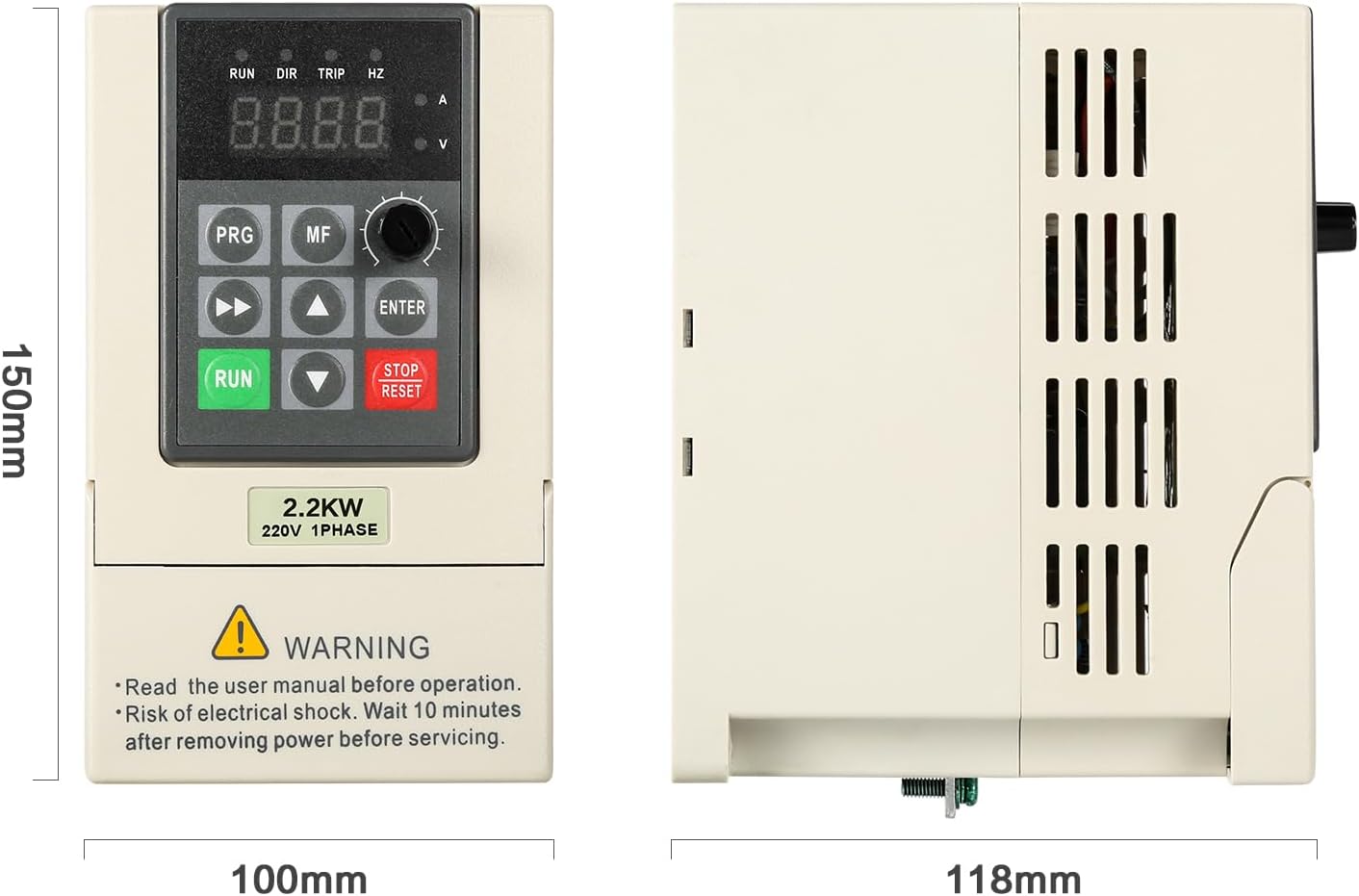
| Dimensions (L x W x H) | Approx. 23 x 17 x 16 cm (Product); 22.8 x 16.6 x 15.5 cm (Package) |
| Weight | Approx. 1.12 kg |
8. Warranty and Support
Information regarding specific warranty terms and customer support contact details is not provided in this manual. Please refer to the product packaging, purchase documentation, or contact your retailer for warranty claims and technical assistance.


