
1. Introduction
This manual provides essential instructions for the safe and effective use, installation, and maintenance of your SPANN CS-NEX300BX Lithium-ion battery. This battery is designed as a replacement for devices such as the NEXGO N3, N5, and N86, corresponding to Part No: GX02. Please read this manual thoroughly before installation and use to ensure optimal performance and safety.
2. Safety Information
Your safety is paramount. Please observe the following warnings and precautions:
- Do not attempt to disassemble, open, or service the battery pack. This can lead to electric shock, fire, or exposure to hazardous materials.
- Replace only with the battery pack designated for this product. Using an incompatible battery may cause damage or injury.
- Do not crush, puncture, short external contacts, or dispose of in fire or water. Such actions can cause the battery to explode or leak.
- Do not store above 60°C (140°F). High temperatures can degrade battery performance and pose a safety risk.
- Keep the battery away from children.
- Dispose of used batteries according to local regulations. Do not dispose of with household waste.

Image: SPANN CS-NEX300BX battery showing safety warnings on its label.
3. What's in the Box
Upon opening the package, you should find the following item:
- 1 x SPANN CS-NEX300BX Lithium-ion Battery Pack
4. Specifications
| Model Number | CS-NEX300BX |
| Compatible Part No. | GX02 |
| Battery Type | Lithium-ion |
| Voltage | 3.7V |
| Capacity | 6700mAh / 24.79Wh |
| Dimensions (L x W x H) | 66.50 x 41.00 x 18.70mm (approx. 2.62 x 1.61 x 0.74 inches) |
| Weight | 125g |
| Protection Features | Over-charge, over-discharge, over-heat, over-current, short-circuit protection |
5. Installation Guide
This battery is intended for replacement in compatible devices such as NEXGO N3, N5, and N86. The installation process typically involves opening the device's battery compartment and carefully replacing the old battery with the new one. Always refer to your device's specific service manual for detailed battery replacement instructions.
- Power Off Device: Ensure the NEXGO device is completely powered off and disconnected from any power source.
- Locate Battery Compartment: Identify and open the battery compartment, usually located on the back or bottom of the device. This may require a small screwdriver.
- Remove Old Battery: Carefully disconnect the old battery's connector from the device's mainboard. Gently lift and remove the old battery.
- Insert New Battery: Align the SPANN CS-NEX300BX battery with the compartment. Ensure the connector is correctly oriented.
- Connect Battery: Firmly but gently push the battery connector into its corresponding port on the device's mainboard until it clicks into place.
- Secure Compartment: Close the battery compartment cover and secure it.
- Initial Charge: It is recommended to fully charge the new battery before its first use.
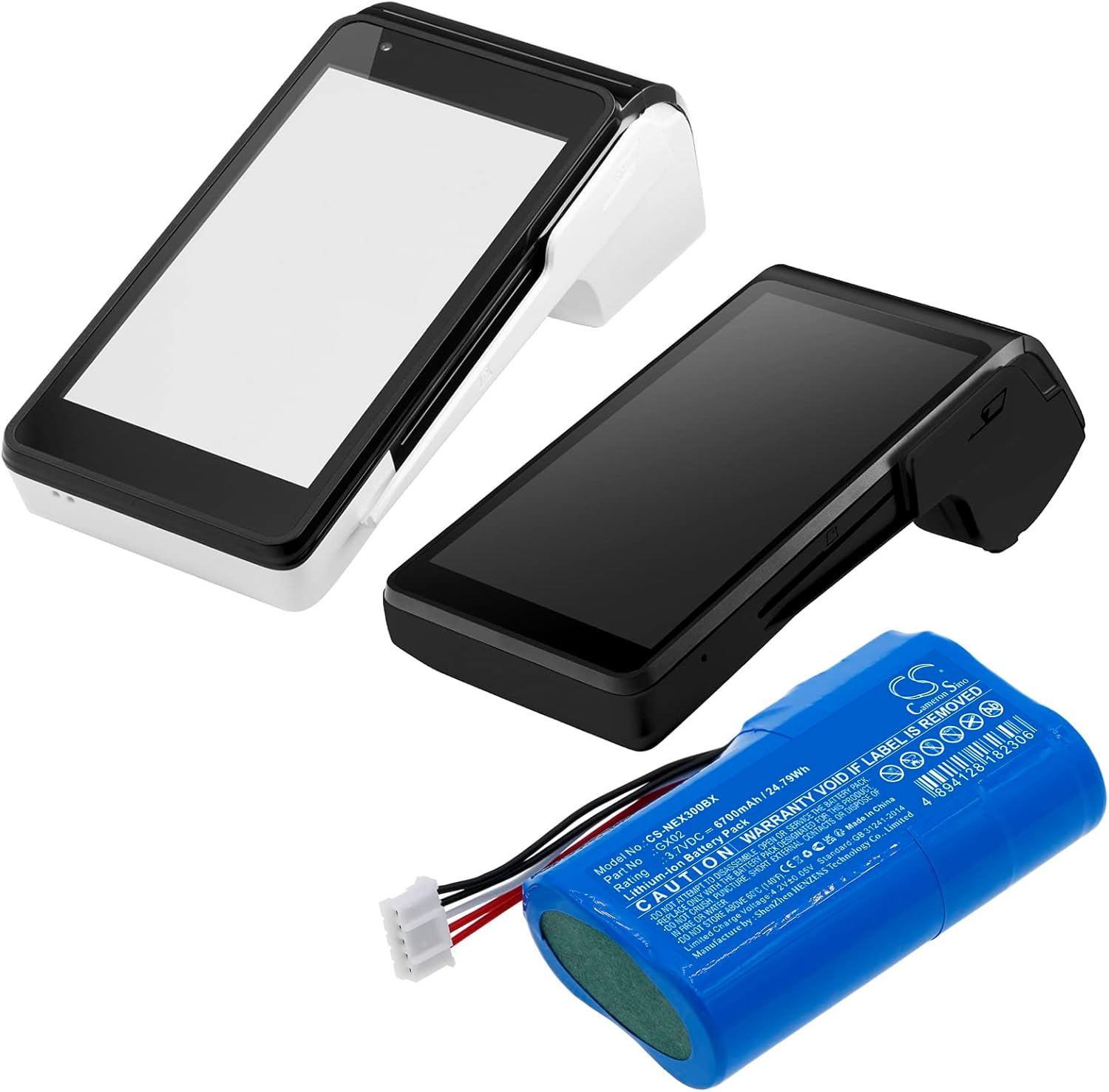
Image: The SPANN CS-NEX300BX battery shown alongside compatible NEXGO payment terminals.

Image: Detailed view of the battery's connector, showing the four-pin configuration.
6. Operation
Once installed, the battery operates as the primary power source for your NEXGO device. It is a rechargeable Lithium-ion battery with no memory effect, meaning it can be charged or discharged at any time without significantly impacting its overall capacity.
Charging
Charge the battery using the original charger and charging cable provided with your NEXGO device. The battery features built-in protection against over-charge, ensuring safe charging. Avoid using third-party chargers that are not certified for your device.
7. Maintenance and Storage
Proper maintenance and storage can extend the life of your battery:
- Regular Charging: For optimal battery health, avoid completely draining the battery frequently. Charge it regularly.
- Temperature: Store and operate the battery within recommended temperature ranges. Extreme heat or cold can reduce battery life and performance. Do not store above 60°C (140°F).
- Cleaning: Keep the battery contacts clean and dry. Use a soft, dry cloth to wipe them if necessary.
- Long-Term Storage: If storing the battery for an extended period, charge it to about 50-60% capacity and store it in a cool, dry place. Recharge it every 3-6 months to prevent deep discharge.
8. Troubleshooting
If you encounter issues with your battery, consider the following:
- Battery Not Charging: Ensure the charger is properly connected to both the device and a power outlet. Verify that the charging cable is not damaged. Try a different compatible charger if available.
- Device Not Powering On: Check if the battery is correctly installed and its connector is securely attached. Ensure the battery has sufficient charge.
- Short Battery Life: Battery life can be affected by usage patterns, device settings, and ambient temperature. If the issue persists after a full charge, the battery may be nearing the end of its lifespan.
- Overheating: If the battery or device becomes excessively hot during charging or use, immediately disconnect it from power and cease use. Contact support if the issue persists.
9. Warranty and Support
The SPANN CS-NEX300BX battery comes with a 365-day warranty from the date of purchase. This warranty covers manufacturing defects and issues arising from normal use. It does not cover damage caused by misuse, accidents, unauthorized modifications, or improper installation.
For warranty claims or technical support, please contact SPANN customer service through your original point of purchase or visit the official SPANN website for contact information. Please have your purchase receipt and battery model number (CS-NEX300BX) available when contacting support.