
RIG RIG 600 PRO HX
RIG 600 PRO HX Dual Wireless Universal Gaming Headset User Manual
Model: RIG 600 PRO HX (10-1509-99)
Introduction
This manual provides comprehensive instructions for the setup, operation, maintenance, and troubleshooting of your RIG 600 PRO HX Dual Wireless Universal Gaming Headset. Please read this manual thoroughly before using the product to ensure optimal performance and longevity.
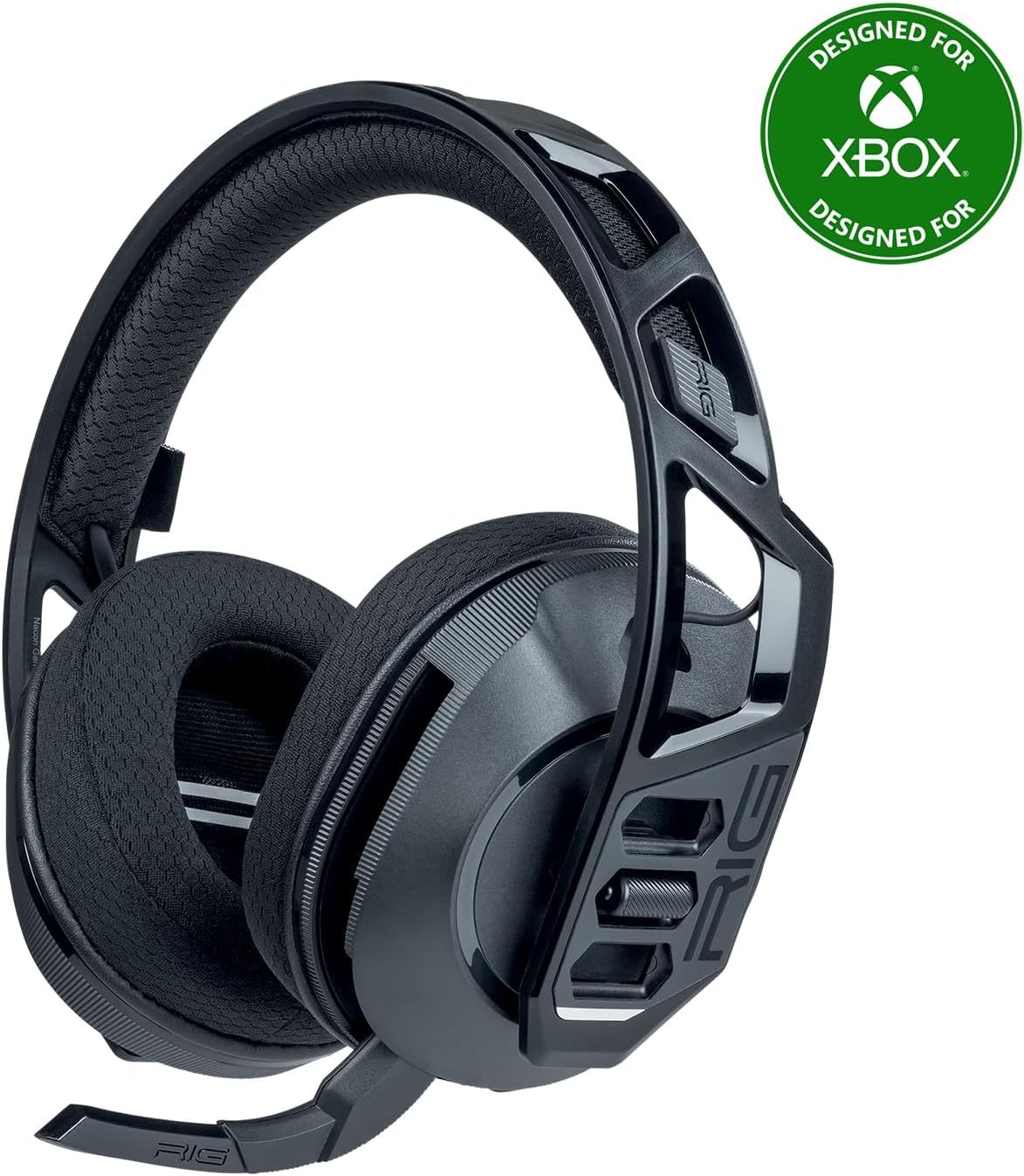
Image: The RIG 600 PRO HX Dual Wireless Universal Gaming Headset in black, featuring its over-ear design and integrated microphone.
What's in the Box
Verify that all the following components are included in your package:
- RIG 600 PRO HX wireless headset
- USB-C wireless transmitter for Xbox / PC / PlayStation / Switch
- USB-C to USB-A adapter cable
- USB-C charging cable
Setup
1. Charging the Headset
Before first use, fully charge the headset. Connect the supplied USB-C charging cable to the headset's charging port and the other end to a USB power source (e.g., computer USB port, USB wall adapter). The LED indicator on the headset will show charging status.
The headset features a Lithium Ion battery (included).
2. Adjusting for Comfort (Snap-Fit Sizing)
The RIG 600 PRO HX features a signature Snap-Fit design allowing for small, medium, and large sizing adjustments to ensure a comfortable fit for various head sizes.

Image: A close-up view demonstrating the Snap-Fit sizing mechanism on the earcup, showing S, M, L indicators for adjustment.
To adjust, gently detach the earcups from the headband and reattach them into the desired position (S, M, or L) along the headband frame. Ensure both earcups are set to the same size for balanced comfort.
3. Connecting to Devices
The RIG 600 PRO HX supports dual-mode wireless connectivity: 2.4GHz via USB-C transmitter and Bluetooth 5.3.
3.1. 2.4GHz Wireless Connection (Low-Latency)
This mode is ideal for gaming on consoles and PC, offering low-latency audio.
- For Xbox Series X|S, Xbox One, PlayStation (PS4, PS5), Docked Nintendo Switch, PC:
- Insert the USB-C wireless transmitter into an available USB-C port on your console or PC. If your device only has USB-A ports, use the included USB-C to USB-A adapter cable.
- Power on your RIG 600 PRO HX headset.
- The headset and transmitter should automatically pair. A solid LED on both indicates a successful connection.

Image: The RIG 600 PRO HX headset on a stand, surrounded by various gaming consoles (Xbox, PlayStation, Nintendo Switch) and a PC setup, illustrating its universal compatibility.

Image: The RIG 600 PRO HX headset with visual representations of 2.4GHz USB-C and Bluetooth 5.3 symbols, indicating its dual wireless capabilities.
3.2. Bluetooth 5.3 Connection
This mode is suitable for mobile devices (Android, iPhone), Nintendo Switch (undocked), and Steam Deck.
- With the headset powered on, activate Bluetooth pairing mode (refer to the headset's control layout for specific button press). The LED indicator will typically flash to show it's in pairing mode.
- On your device, go to Bluetooth settings and search for "RIG 600 PRO HX" in the list of available devices.
- Select the headset to pair. A solid LED on the headset indicates a successful connection.
You can stay connected by taking Bluetooth calls or listening to music from your mobile phone while gaming via the 2.4GHz connection.
Operating the Headset
1. Audio Quality
The RIG 600 PRO HX features bass-boosted, high-sensitivity 40mm drivers and tuned acoustic chambers for balanced game audio. It delivers impressive audio with low distortion.
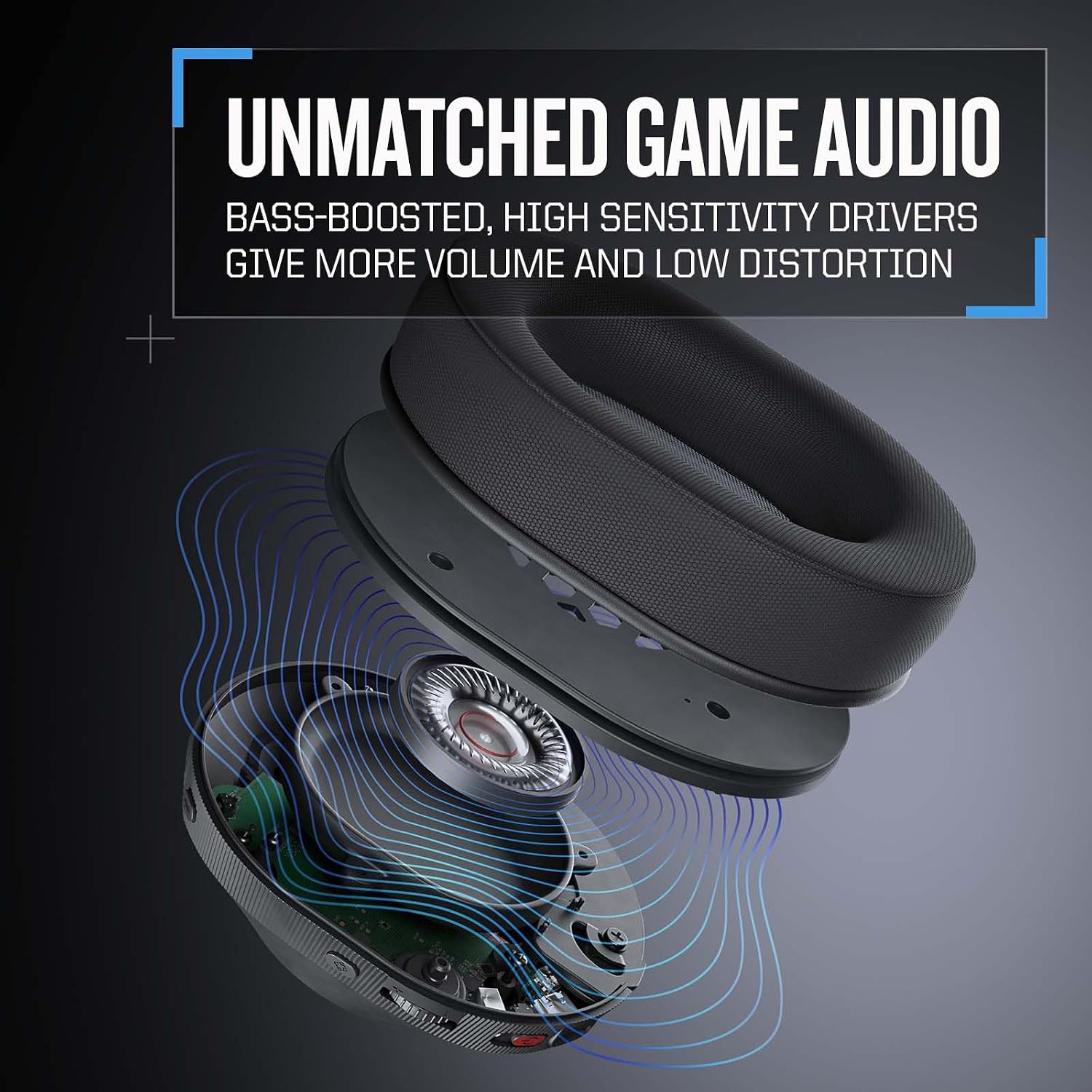
Image: An exploded view of the RIG 600 PRO HX earcup, highlighting the 40mm driver and internal acoustic design, with sound waves emanating.
2. Microphone Operation (Flip-to-Hide & Mute)
The high-quality boom microphone provides crystal clear voice pickup. It discretely folds into the earcup and automatically mutes your voice when folded up (hidden).

Image: A side-by-side comparison of the RIG 600 PRO HX headset, showing the microphone extended for use and folded up into the earcup for muting and storage.

Image: A close-up of the RIG 600 PRO HX microphone boom, emphasizing its design for clear voice pickup.
The microphone features advanced noise rejection technology to focus on your voice.
3. Controls
The headset includes on-ear controls for convenience:
- Volume Control: Adjust overall audio volume.
- Game/Chat Balance: On Xbox, choose the right mix of Xbox game audio and team chat.
- Power Button: Powers the headset on/off and may initiate Bluetooth pairing (refer to the headset's control layout for specific button press).
4. RIG 600 PRO Navigator App (Advanced Customization)
For deep customization, download the RIG 600 PRO Navigator app on your mobile device. The app allows you to:
- Adjust custom equalizer settings for audio profiles.
- Modify microphone sensitivity.
- Switch between wireless modes.
- Access other settings and potentially firmware updates.

Image: A hand holding a smartphone displaying the RIG 600 PRO Navigator app interface, showing equalizer settings for audio customization.
5. Battery Life
The headset offers extended battery life for prolonged gaming sessions:
- Up to 24 hours when using Bluetooth connectivity.
- Up to 18 hours when using the low-latency 2.4GHz wireless transmitter.

Image: A gamer wearing the RIG 600 PRO HX headset, with icons indicating 24 hours of Bluetooth battery life and 18 hours of 2.4GHz battery life.
Maintenance
To ensure the longevity and optimal performance of your RIG 600 PRO HX headset, follow these maintenance guidelines:
- Cleaning: Use a soft, dry cloth to wipe down the headset. For earcups, a slightly damp cloth can be used, but avoid excessive moisture. Do not use harsh chemicals or abrasive cleaners.
- Storage: Store the headset in a cool, dry place away from direct sunlight and extreme temperatures. Avoid placing heavy objects on the headset.
- Cable Care: Handle charging and adapter cables gently. Avoid sharp bends or kinks that could damage the internal wires.
- Battery Care: For long-term storage, it is recommended to charge the battery to about 50% every few months to preserve battery health.
Troubleshooting
If you encounter issues with your RIG 600 PRO HX headset, refer to the following common solutions:
No Audio / Low Volume
- Ensure the headset is powered on and fully charged.
- Check the volume control on the headset and your connected device.
- Verify that the headset is correctly paired/connected to your device (2.4GHz transmitter inserted, Bluetooth paired).
- For PC, check audio output settings to ensure "RIG 600 PRO HX" is selected as the default playback device.
Microphone Not Working
- Ensure the microphone boom is fully extended and not folded up (which mutes it).
- Check microphone settings on your connected device (e.g., console audio settings, PC sound settings) to ensure the headset microphone is selected and not muted.
- Test the microphone with another application or device if possible.
Connection Issues (2.4GHz or Bluetooth)
- 2.4GHz: Ensure the USB-C transmitter is securely plugged into the device. Try a different USB port. Power cycle both the headset and the device.
- Bluetooth: Ensure the headset is in pairing mode. On your device, try "forgetting" the headset and re-pairing. Ensure no other Bluetooth devices are interfering.
- Move closer to the transmitter/device to rule out range issues.
Headset Not Charging
- Ensure the USB-C charging cable is securely connected to both the headset and the power source.
- Try a different USB-C charging cable or power source.
- Check the charging port on the headset for any debris.
Specifications
| Feature | Detail |
|---|---|
| Model Name | RIG 600 PRO HX |
| Item Model Number | 10-1509-99 |
| Connectivity Technology | Wireless (Bluetooth 5.3, 2.4GHz RF) |
| Compatible Devices | Xbox Series X|S, Xbox One, PlayStation (PS4, PS5), Nintendo Switch, PC, Steam Deck, Android, iPhone |
| Audio Driver Size | 40 Millimeters |
| Frequency Response | 20 Hz to 20,000 Hz |
| Sensitivity | 111 dB |
| Impedance | 32 Ohm |
| Noise Control | Sound Isolation |
| Microphone | Flip-to-hide boom microphone with noise rejection |
| Battery Life (Bluetooth) | Up to 24 Hours |
| Battery Life (2.4GHz) | Up to 18 Hours |
| Item Weight | 240 Grams (8.5 ounces) |
| Product Dimensions | 3.54 x 7.87 x 7.48 inches |
| Material | Mixed |
| Color | Black |
| Manufacturer | Nacon |
| Country of Origin | China |
Warranty and Support
For detailed warranty information and customer support, please refer to the official RIG website or contact your retailer.
An official User Guide (PDF) is available for download: Download User Guide (PDF)
Manufacturer: Nacon
Related documentsRIG 600 PRO HX


Ask a question about this manual
Ask about setup, troubleshooting, compatibility, parts, safety, or missing instructions. Manuals+ will review the question and use this page’s manual context to help answer it.