
Introduction
This manual provides detailed instructions for the Generic Flex Cable OEM Power Button & Volume Button Flex Cable Replacement, specifically designed for the Motorola Edge 30 Ultra. This component is intended to replace a damaged or non-functional original flex cable within your device.
Product Overview
The product is a replacement flex cable that integrates the power and volume button functionalities for the Motorola Edge 30 Ultra. It is a crucial internal component responsible for transmitting button presses to the device's mainboard. The cable features a flexible design to fit within the device's internal structure.
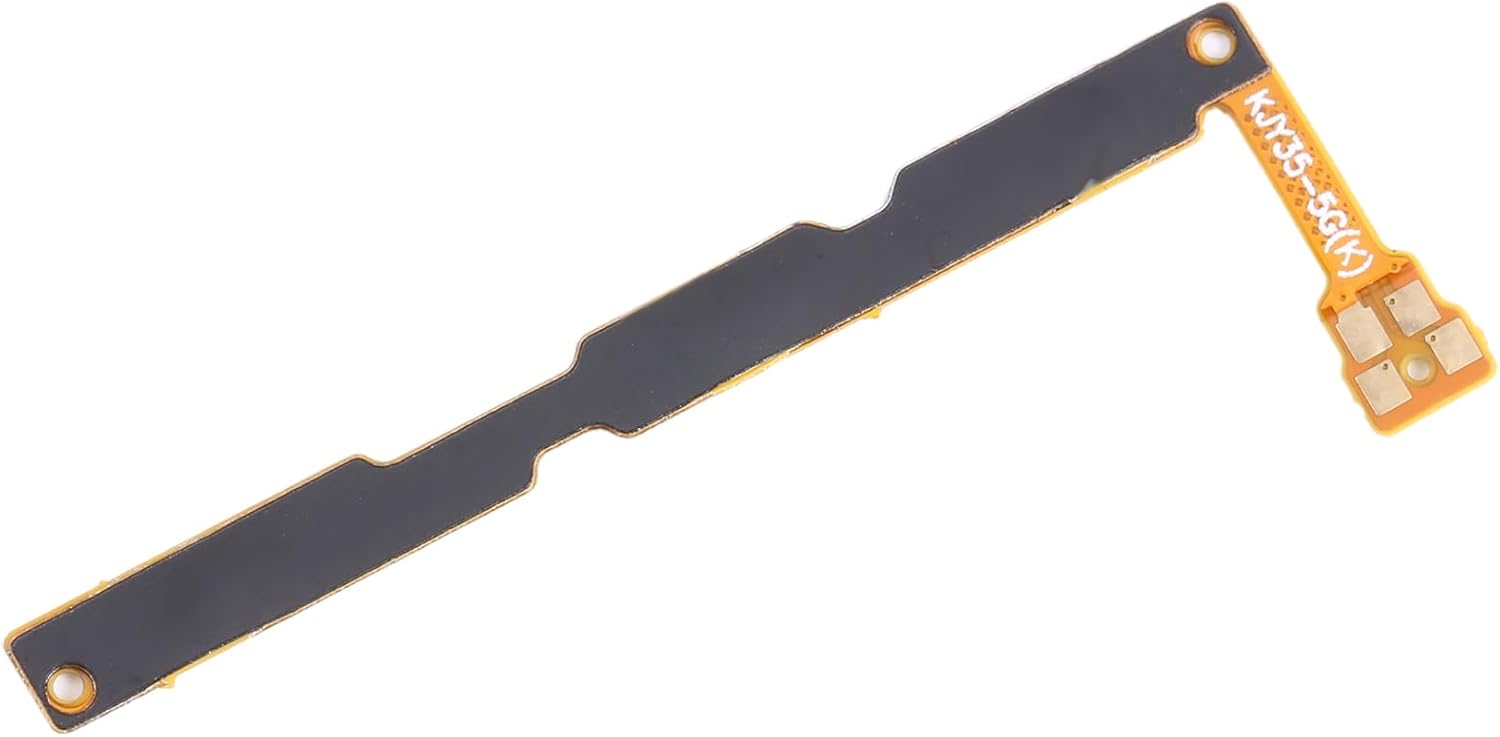
Image 1: Overview of the Flex Cable OEM Power Button & Volume Button Replacement.
Important Safety Information
- Professional Installation Recommended: Installation of this component requires technical expertise and specialized tools. Improper installation can lead to damage to your device or the replacement part.
- Power Disconnection: Always ensure your device is completely powered off and disconnected from any power source before beginning the installation process.
- Static Discharge: Take precautions against electrostatic discharge (ESD) to prevent damage to sensitive electronic components. Use an anti-static wrist strap if available.
- Tool Usage: Use only appropriate, non-marring tools for disassembling your device.
- Manufacturer Responsibility: We will not be responsible for any damages to your device that you may cause during the changing of replacement parts.
Setup and Installation
Replacing the flex cable involves disassembling your Motorola Edge 30 Ultra. It is highly recommended to consult a device-specific repair guide or video tutorial for your exact phone model before proceeding.
- Preparation: Ensure your Motorola Edge 30 Ultra is powered off and disconnected from any charging cables. Gather all necessary tools, which typically include small screwdrivers, plastic spudgers, and potentially a heat gun or pad for adhesive removal.
- Device Disassembly: Carefully open your Motorola Edge 30 Ultra. This usually involves removing the back cover, battery, and other components to gain access to the internal flex cable. Follow a reliable repair guide for your specific device model.
- Old Flex Cable Removal: Locate the existing power and volume button flex cable. Gently disconnect its connector from the mainboard. Carefully detach the cable from the device chassis, noting its routing and any adhesive points.
- New Flex Cable Installation: Position the new replacement flex cable (part number KJY35-5G(K) or similar, as indicated on the component) in the correct location within the device. Ensure that all contact points and connectors align perfectly. Secure the cable using any original adhesive or clips.

Image 2: Close-up view of the flex cable showing the integrated button contacts.
- Reassembly: Carefully reconnect all components that were disconnected during disassembly. Reassemble your device, ensuring all screws are tightened appropriately and covers are securely fastened.
- Functionality Test: Before fully sealing the device, power it on and test the functionality of both the power and volume buttons to ensure they respond correctly.
Troubleshooting
If you encounter issues after installing the flex cable, consider the following:
- No Button Response: Ensure the flex cable's connector is fully and securely seated on the mainboard. A loose connection is a common cause of non-responsiveness.
- Intermittent Functionality: Check for any kinks, tears, or damage to the flex cable itself that may have occurred during installation. Even minor damage can affect conductivity.
- Physical Button Alignment: Verify that the external power and volume buttons on your device's frame are correctly aligned with the contact points on the flex cable. Misalignment can prevent proper button presses.
- Re-check Steps: Review the installation steps and ensure all components were reconnected correctly.
- Professional Assistance: If troubleshooting steps do not resolve the issue, it is advisable to seek assistance from a qualified mobile device repair technician.
Specifications
| Brand | Generic |
| Model Name | Motorola Edge 30 Ultra |
| Compatible Devices | Motorola Edge 30 Ultra |
| Special Feature | Flexible |
| Recommended Uses | Replacement part for power and volume buttons on specific device models |
| Item Weight | 0.01 Kilograms |
| Outer Material | Flexible |
Warranty and Support
For any product-related inquiries, technical support, or warranty claims, please contact the seller or manufacturer directly through your purchase platform. It is recommended to retain your purchase receipt or order details for any warranty-related communication.