
1. Important Compatibility Information
Before installing or charging, it is crucial to verify the specific model of your Shark WV201 vacuum cleaner. There are two distinct versions of the WV201, which, despite similar appearances, require different battery specifications.
- WV201 14: This model is identified by a label marked 'D' and has a rated voltage of 10.8V. Its charger/base has a rated voltage of 133V and 900mAh.
- WV201 U4: This model is identified by a label marked '1D' and has a rated voltage of 7.2V. Its charger/base has a constant voltage of 9.6V and 500mA.
This TAKOCI replacement battery is designed for the 7.2V WV201 U4 version and other compatible 7.2V models. Please check the label on your vacuum's filter housing to confirm your model number before purchase and installation.

Image 1: TAKOCI 7.2V Replacement Shark XFBT200 Vacuum Battery. This image shows the overall view of the blue cylindrical battery with a black connector on one end and a black cap on the other, featuring the product label.
2. Compatible Models and Part Numbers
This replacement battery is compatible with the following Shark vacuum cleaner models and battery part numbers:
Compatible Vacuum Models:
- Shark WV200, WV200C
- Shark WV201 (specifically WV201 U4 - 7.2V version)
- Shark WV201BLBRN, WV201GDBRN, WV201GNBRN, WV201PKBRN, WV201RGBRN
- Shark WV205, WV220, WV221
- Shark QV201NV, QV201BK, QV201PR, QV201RD, QV201R
Compatible Battery Part Number:
- Shark XFBT200
Always cross-reference your vacuum's model and original battery part number to ensure full compatibility.
3. Product Specifications
Detailed specifications for the TAKOCI XFBT200 Replacement Battery:
| Voltage | 7.2V |
| Rate | 13.68Wh |
| Type | Li-ion (Lithium-ion) |
| Capacity | 1900mAh |
| Dimensions (L x W x H) | 143.12 x 45.50 x 38.40mm (5.63 x 1.81 x 1.53 inches) |
| Item Weight | 13.8 ounces |
| Battery Cell Composition | Lithium Metal |
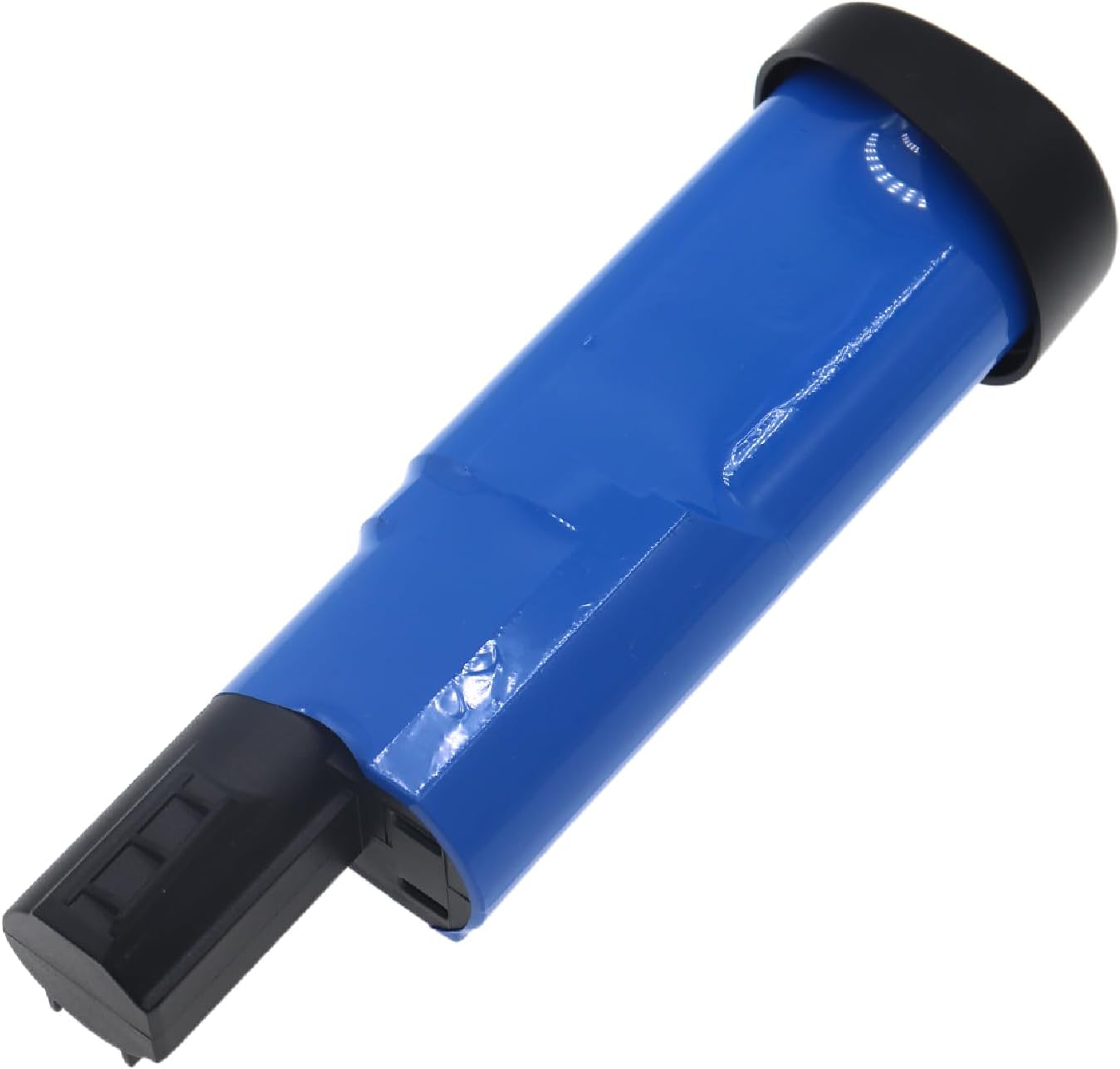
Image 2: Side view of the TAKOCI XFBT200 battery, highlighting its cylindrical shape and blue casing.

Image 3: Angled view of the TAKOCI XFBT200 battery, showing the black connector and the label with specifications.
4. Safety Information
This battery is designed with multiple safety features to ensure reliable operation:
- Overcurrent Protection: Prevents damage from excessive current flow.
- Overcharge Protection: Safeguards against overcharging, which can degrade battery life and pose safety risks.
- Overvoltage Protection: Protects the battery from voltage spikes.
- Overheat Protection: Monitors battery temperature to prevent overheating.
- Short Circuit Protection: Automatically cuts off power in case of a short circuit.
General Safety Precautions:
- Do not disassemble, crush, or incinerate the battery.
- Do not expose the battery to temperatures above 140°F (60°C).
- Keep metal objects away from battery terminals to prevent short circuits.
- Do not charge if the battery appears damaged.
- Dispose of the battery in accordance with federal and local regulations.
5. Setup and Installation
Follow these general steps to replace the battery in your compatible Shark handheld vacuum cleaner. Always refer to your vacuum cleaner's original manual for specific instructions if available.
- Power Off: Ensure your vacuum cleaner is completely powered off and unplugged from any charging source.
- Locate Battery Compartment: Identify the battery compartment on your vacuum. This is typically located near the handle or base.
- Remove Old Battery: Depending on your model, you may need to press a release button or unlatch a cover to remove the old battery. Carefully pull the old battery out.
- Insert New Battery: Align the new TAKOCI XFBT200 battery with the battery compartment, ensuring the connectors match. Gently push the battery into place until it clicks securely.
- Secure Compartment: Close and latch the battery compartment cover if applicable.
- Initial Charge: It is recommended to fully charge the new battery before its first use.

Image 4: Close-up view of the black connector end of the TAKOCI XFBT200 battery, showing the contact points for installation.
6. Operating Instructions
Once the battery is installed and fully charged, your vacuum cleaner is ready for use. The operation of the vacuum cleaner remains unchanged. Refer to your vacuum cleaner's original user manual for specific operating instructions.
Charging the Battery:
Use your original Shark vacuum charger and charging base. The battery will charge automatically when the vacuum is placed on its charging base or connected to its charger.
- Ensure the charger is compatible with 7.2V Li-ion batteries (specifically for WV201 U4 or similar 7.2V models).
- Allow the battery to fully charge before initial use and whenever the vacuum's power indicator suggests low battery.
7. Maintenance
Proper maintenance can extend the life of your battery:
- Regular Charging: Avoid completely draining the battery before recharging. Frequent partial charges are generally better for Li-ion batteries than full discharge cycles.
- Storage: If storing the vacuum for an extended period, charge the battery to about 50-60% capacity. Store in a cool, dry place away from direct sunlight and extreme temperatures.
- Cleaning: Keep the battery terminals clean and free of dust or debris. Use a dry cloth to wipe them if necessary.
- Avoid Extreme Temperatures: Do not expose the battery to very high or very low temperatures, as this can negatively impact its performance and lifespan.
8. Troubleshooting
If you encounter issues with your replacement battery, consider the following:
- Battery Not Fitting: Double-check that you have the correct battery model (XFBT200) and that your vacuum is one of the compatible models listed in Section 2. Ensure proper alignment during installation.
- Battery Not Charging:
- Verify that the vacuum is correctly seated on the charging base or that the charger is properly connected.
- Ensure the power outlet is functional.
- Confirm that your charger is compatible with a 7.2V battery (especially if you have a WV201 model, ensure it's the U4 version's charger).
- Check for any visible damage to the battery or charger.
- Short Run Time:
- Ensure the battery is fully charged before use.
- Over time, all batteries experience capacity degradation. If the battery is new and experiencing short run times, contact customer support.
If these steps do not resolve the issue, please refer to the Customer Support section.
9. Customer Support
For further assistance, technical support, or warranty inquiries, please contact TAKOCI customer service. When contacting support, please provide your battery details or pictures to help us offer professional suggestions.
Contact information may be available on the product packaging or the seller's platform where the product was purchased.