
BERIBES WH305B
BERIBES WH305B Hybrid Active Noise Cancelling Headphones User Manual
Model: WH305B
1. Introduction
Thank you for choosing the BERIBES WH305B Hybrid Active Noise Cancelling Headphones. These headphones are designed to provide a superior audio experience with advanced noise cancellation, transparent mode, and comfortable wear. This manual will guide you through the setup, operation, and maintenance of your new headphones to ensure optimal performance.

Front view of the BERIBES WH305B headphones in black.
2. Package Contents
Please check the package contents to ensure all items are present:
- BERIBES WH305B Wireless Bluetooth Headphones
- 3.5mm Audio Cable
- USB Type-C Charging Cable
- User Manual

This image displays all items included in the product package: the BERIBES WH305B wireless Bluetooth headphones, a 3.5mm audio cable, a USB charging cable, and the user manual.
3. Product Overview
3.1 Controls and Ports
Familiarize yourself with the headphone controls and ports:
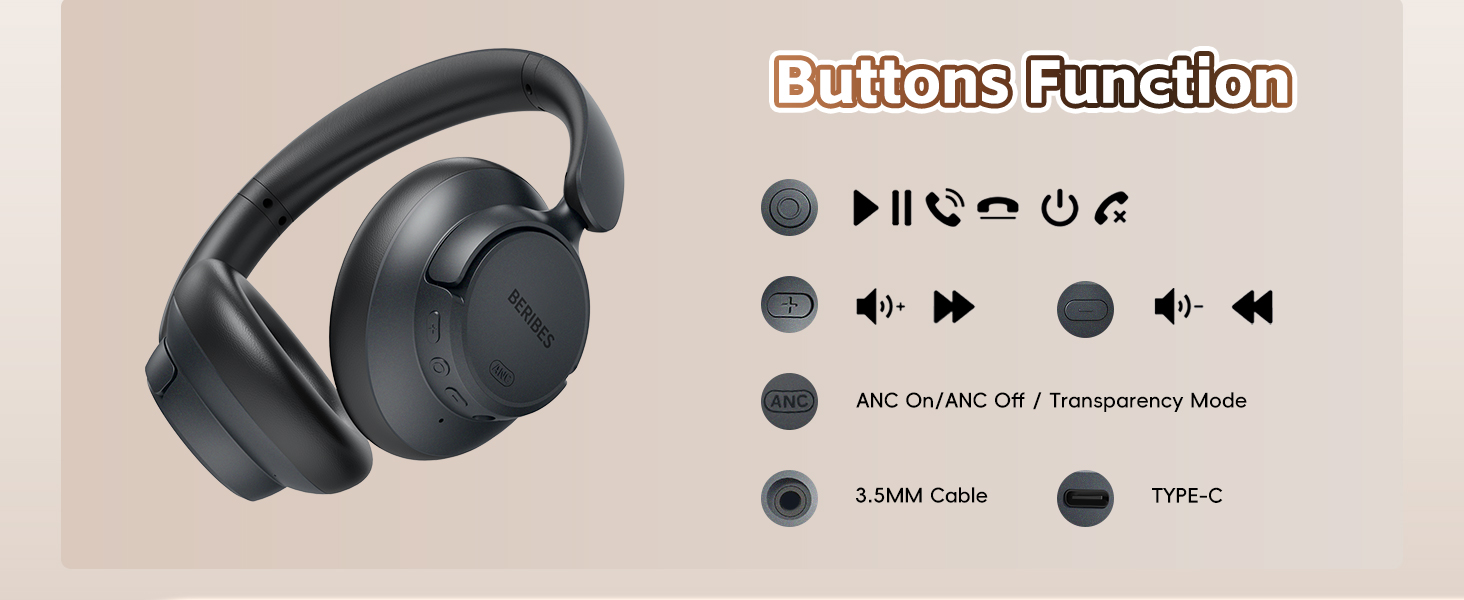
An illustration detailing the various buttons and ports on the headphones, including controls for power, volume adjustment, track navigation, ANC/Transparency mode switching, the 3.5mm audio jack, and the Type-C charging port.
- Multi-function Button: Power On/Off, Play/Pause, Answer/End Call, Reject Call, Voice Assistant.
- Volume Up/Next Track Button: Short press for Volume Up, Long press for Next Track.
- Volume Down/Previous Track Button: Short press for Volume Down, Long press for Previous Track.
- ANC Button: Toggle Active Noise Cancellation (ANC) On/Off or Transparent Mode.
- 3.5mm Audio Jack: For wired connection.
- USB Type-C Charging Port: For charging the headphones.
3.2 Ergonomic Design
The BERIBES WH305B headphones are designed for comfort and portability:
- 90° Swiveling Earcups: Allows for flat storage and comfortable fit.
- Foldable Design: Compact for easy storage and travel.
- Adjustable Headband: Ensures a secure and comfortable fit for various head sizes.
- Soft Earpads: Professional-grade protein ear-pads for extended comfort.

This image illustrates the ergonomic design of the headphones, highlighting the 90-degree swiveling earcups, foldable structure for portability, and the adjustable headband for a comfortable fit.
4. Setup
4.1 Charging the Headphones
- Connect the USB Type-C charging cable to the charging port on the headphones.
- Connect the other end of the cable to a USB power adapter (not included) or a computer's USB port.
- The LED indicator will show charging status. A full charge takes approximately 2.5 hours.
- Once fully charged, the headphones provide up to 70 hours of playtime in standard mode or 45 hours with ANC enabled. A 5-minute quick charge provides approximately 4 hours of listening.

The headphones are shown connected to a power source via a Type-C cable, demonstrating the charging process. An overlay indicates a 2.5-hour charging time provides up to 70 hours of playback.
4.2 Powering On/Off
- Power On: Press and hold the Multi-function Button for 3 seconds until the LED indicator flashes blue.
- Power Off: Press and hold the Multi-function Button for 3 seconds until the LED indicator turns off.
4.3 Bluetooth Pairing
- Ensure the headphones are powered off.
- Press and hold the Multi-function Button for 5 seconds until the LED indicator flashes red and blue alternately, indicating pairing mode.
- On your device (smartphone, tablet, laptop), enable Bluetooth and search for available devices.
- Select "WH305B" from the list of devices.
- Once connected, the LED indicator will flash blue slowly.

The image shows the headphones successfully paired with a smartphone via Bluetooth, with the device name 'WH305B' visible on the screen.
4.4 Wired Connection (3.5mm Audio Cable)
To use the headphones with a wired connection:
- Connect one end of the 3.5mm audio cable to the audio jack on the headphones.
- Connect the other end to the 3.5mm audio output port on your device.
- In wired mode, the headphones function passively, and ANC features may not be available or require power.
The headphones are shown connected to a device using the included 3.5mm audio cable, illustrating the wired listening option.
5. Operating Instructions
5.1 Active Noise Cancellation (ANC) and Transparent Mode
The headphones feature Hybrid Active Noise Cancellation and a Transparent Mode:
- ANC On: Press the ANC button once to activate Active Noise Cancellation. This mode reduces ambient noise by up to 95%.
- Transparent Mode: Press the ANC button again to switch to Transparent Mode. This mode allows you to hear your surroundings without removing the headphones.
- ANC Off: Press the ANC button a third time to turn off both ANC and Transparent Mode.

This graphic explains how the Hybrid Active Noise Cancellation technology works, depicting the reduction of external noise by up to 95% to enhance audio clarity.

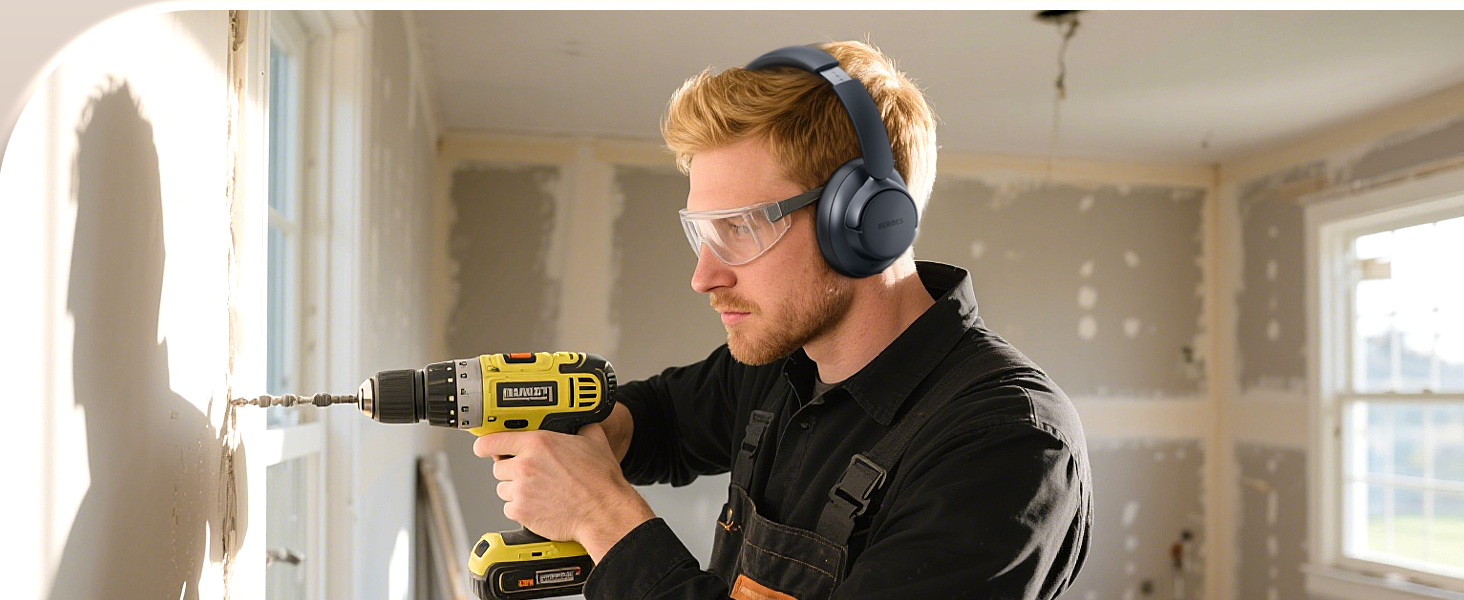
Users are depicted wearing the headphones in different scenarios, such as on a bus, in a library, and during lawn mowing, illustrating the effectiveness of noise reduction in various environments.
5.2 Music Playback
- Play/Pause: Short press the Multi-function Button.
- Volume Up: Short press the Volume Up button.
- Volume Down: Short press the Volume Down button.
- Next Track: Long press the Volume Up button.
- Previous Track: Long press the Volume Down button.
5.3 Call Management
- Answer/End Call: Short press the Multi-function Button.
- Reject Call: Long press the Multi-function Button for 2 seconds.
- Activate Voice Assistant: Double press the Multi-function Button.
5.4 Smart One Connect Two
The headphones support simultaneous connection to two Bluetooth devices:
- Pair the headphones with the first device (e.g., smartphone) as described in Section 4.3.
- Disable Bluetooth on the first device. The headphones will re-enter pairing mode.
- Pair the headphones with the second device (e.g., tablet).
- Re-enable Bluetooth on the first device. The headphones should automatically connect to both devices.
- You can now switch between audio sources by pausing playback on one device and starting it on the other.
The 'Smart One Connect Two' feature is demonstrated, showing the headphones wirelessly connected to two devices (a smartphone and a tablet) at the same time, allowing for easy switching between audio sources.
6. Maintenance
- Cleaning: Use a soft, dry cloth to clean the headphones. Do not use harsh chemicals or abrasive materials.
- Storage: When not in use, store the headphones in a cool, dry place, away from direct sunlight and extreme temperatures. Utilize the foldable design for compact storage.
- Battery Care: To prolong battery life, avoid fully discharging the headphones frequently. Charge them regularly, even if not in constant use.
- Water Exposure: These headphones are not waterproof. Avoid exposure to water or excessive moisture.
7. Troubleshooting
| Problem | Solution |
|---|---|
| Headphones do not power on. | Ensure the headphones are charged. Connect them to a power source using the USB Type-C cable. |
| Cannot pair with Bluetooth device. |
|
| No sound or low volume. |
|
| ANC is not working effectively. |
|
8. Specifications
| Feature | Detail |
|---|---|
| Model Name | WH305B |
| Noise Control | Hybrid Noise Cancellation |
| Connectivity Technology | Wireless (Bluetooth), Wired (3.5mm Jack) |
| Wireless Communication Technology | Bluetooth 5.3 |
| Bluetooth Range | 10 Meters |
| Battery Life | Up to 70 Hours (Standard Mode) |
| Charging Time | Approximately 2.5 Hours |
| Audio Driver Type | Dynamic Driver (40mm) |
| Frequency Range | 20 Hz - 20,000 Hz |
| Impedance | 32 Ohm |
| Ear Placement | Over Ear |
| Item Weight | 0.73 Pounds (approx. 331g) |
| Material | Plastic, Protein Leather (ear-pads) |
9. Warranty and Support
BERIBES products are designed and manufactured to the highest quality standards. For detailed warranty information and customer support, please refer to the warranty card included in your package or visit the official BERIBES website. If you encounter any issues or have questions regarding your headphones, please contact BERIBES customer service for assistance.