
Fringer NF-FX II
Fringer NF-FX II Lens Mount Adapter User Manual
Model: NF-FX II
Introduction
This manual provides detailed instructions for the proper use and maintenance of your Fringer NF-FX II Lens Mount Adapter. This adapter allows you to mount Nikon D/G/E series lenses, as well as compatible third-party auto lenses, onto Fujifilm X-series cameras, enabling electronic aperture control, autofocus, and other advanced functions.
Product Overview and Features
The Fringer NF-FX II is designed to bridge the gap between Nikon F-mount lenses and Fujifilm X-mount camera bodies, offering advanced electronic communication and robust construction.

Image: The Fringer NF-FX II Lens Mount Adapter shown from various perspectives, highlighting its compact design and F-mount and X-mount interfaces.
Key Features:
- Electronic Aperture Control: Full automatic aperture control is supported for Nikon D/G/E lenses and most major third-party auto lenses. This includes both mechanical and electromagnetic aperture mechanisms.
- Autofocus Capability: Autofocus is available with Nikon AF-S and AF-P lenses, as well as other major third-party auto lenses.
- Lateral Chromatic Aberration (LaCA) Correction: The adapter features a built-in database for LaCA parameters, automatically correcting color fringes at high contrast edges directly in-camera. This function is supported for tested and optimized lenses.
- Phase Detection Autofocus (PDAF) Support: All phase detection focus points are supported for fast and accurate autofocus in both still and movie modes. Face/eye detection autofocus is also supported on X-Trans II, III, IV, & V cameras with optimized lenses.
- Image Stabilizer Support: The adapter supports lens-based VR/OS/VC functions and camera body-based IBIS (In-Body Image Stabilization). Refer to the user manual for specific limitations.
- Weather Sealing: Designed with weather sealing to protect against dust and moisture when used with compatible weather-sealed cameras and lenses.

Image: A diagram highlighting the weather-sealed design of the Fringer NF-FX II adapter, indicating protection against environmental elements.
- Durable Construction: Features a full metal body and brass mounts, precision CNC-machined for durability and a secure fit. The compact design is compatible with vertical grips.
- Internal Reflection Minimization: Flocking inside the adapter helps to minimize internal reflections, improving image quality.

Image: Visual representation of the Fringer NF-FX II's key features, including video/camera autofocus, face/eye autofocus, electronic aperture ring, image stabilization support, and EXIF data recording.
Setup
Attaching the Adapter to the Camera:
- Ensure both the camera and adapter are clean and free of dust.
- Align the white index dot on the adapter with the corresponding white index dot on your Fujifilm X-series camera body.
- Gently insert the adapter into the camera's lens mount.
- Rotate the adapter clockwise until it clicks into place, indicating it is securely locked.
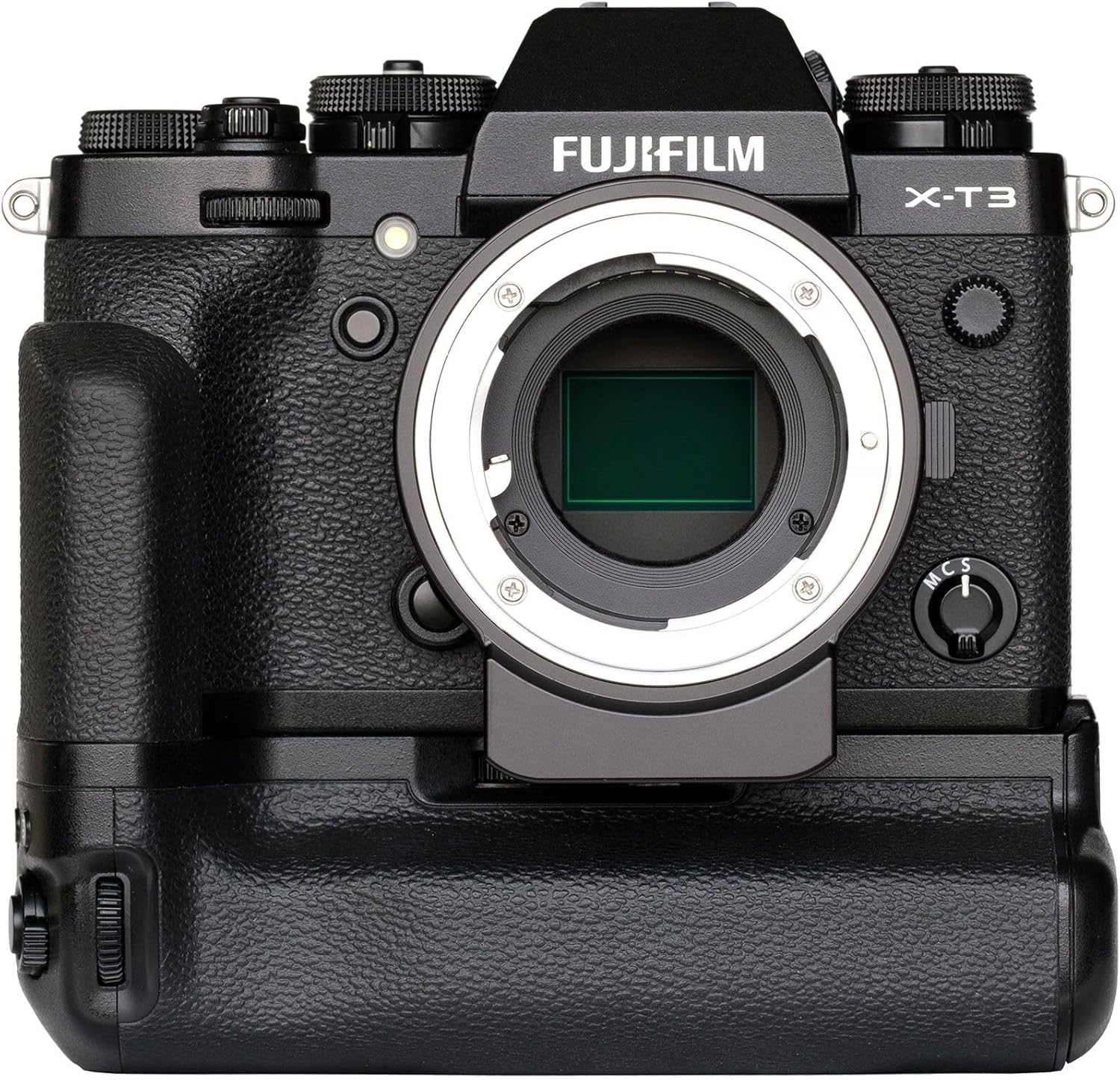
Image: The Fringer NF-FX II adapter securely attached to a Fujifilm X-T3 camera body, demonstrating its compatibility with vertical grips.
Attaching a Nikon F-Mount Lens to the Adapter:
- Align the index mark on your Nikon F-mount lens with the index mark on the Fringer NF-FX II adapter.
- Insert the lens into the adapter.
- Rotate the lens clockwise until it locks into position.
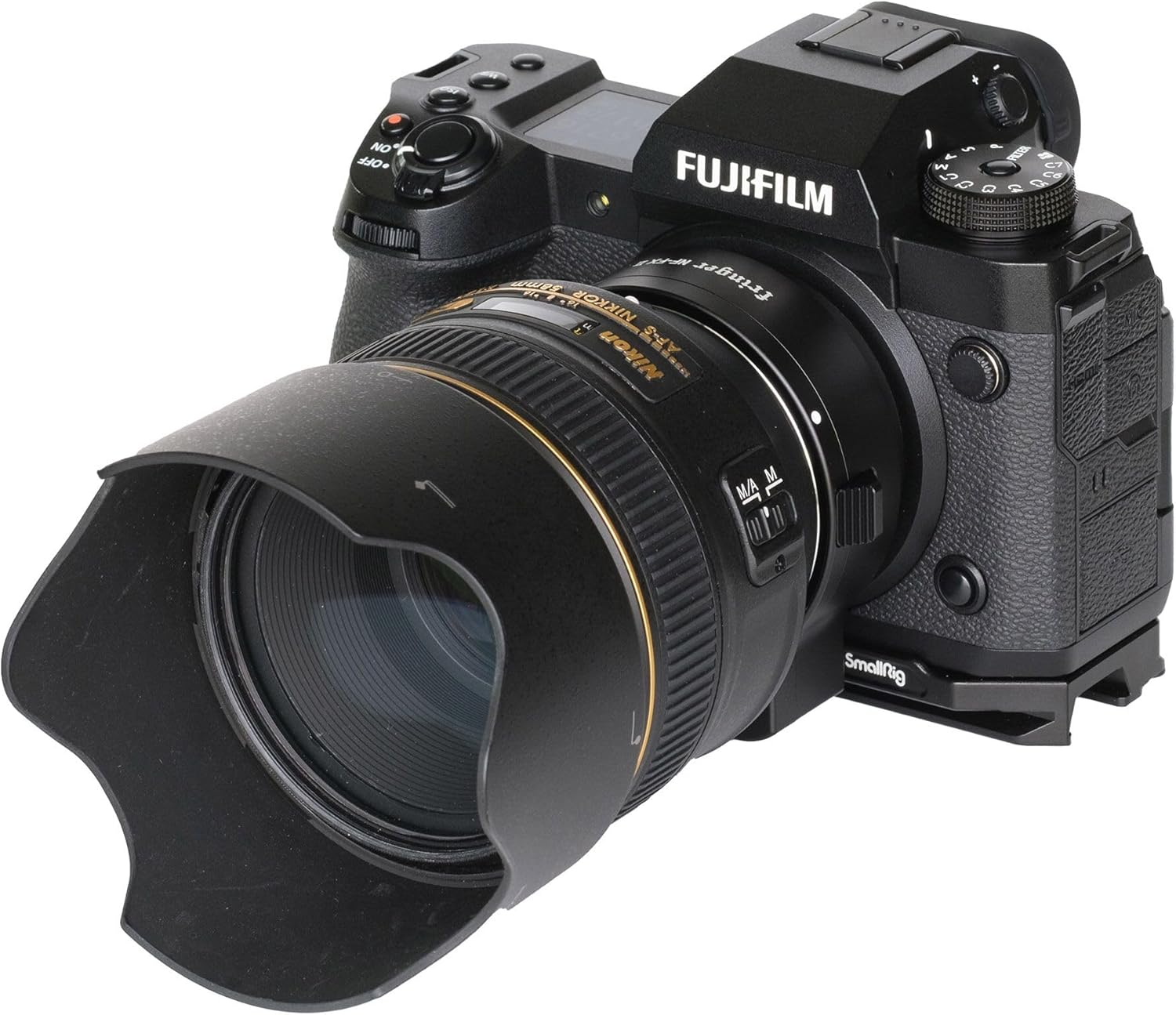
Image: A Nikon F-mount lens mounted onto a Fujifilm camera via the Fringer NF-FX II adapter, shown from a side angle.
Detaching the Lens and Adapter:
- To detach the lens from the adapter, press the lens release button on the adapter and rotate the lens counter-clockwise.
- To detach the adapter from the camera, press the camera's lens release button and rotate the adapter counter-clockwise.
Firmware Updates:
The adapter features a USB port for firmware updates. Regularly check the Fringer official website for the latest firmware to ensure optimal performance and compatibility with new lenses or camera models.

Image: A detailed view of the Fringer NF-FX II adapter, highlighting the integrated USB port used for firmware updates.
Operating Instructions
Electronic Aperture Control:
Once a compatible Nikon D/G/E lens or third-party auto lens is mounted, the camera will automatically detect the lens and allow for electronic aperture control through the camera body's dials and menus. The aperture value will be displayed on the camera's screen and in the viewfinder.
Autofocus Operation:
The adapter supports autofocus with Nikon AF-S and AF-P lenses, as well as other compatible third-party auto lenses. Ensure your camera's autofocus mode is set appropriately (e.g., AF-S, AF-C). AF performance may vary depending on lighting conditions and specific lens models.

Image: An illustration demonstrating the extensive coverage of phase detection autofocus points across the frame during a dynamic scene, highlighting the adapter's PDAF capabilities.
Face/Eye Detection Autofocus:
For Fujifilm X-Trans II, III, IV, and V cameras, face and eye detection autofocus is supported with optimized lenses. This feature enhances portrait and subject tracking photography.

Image: A close-up of a child's face with green boxes indicating active face and eye detection autofocus, demonstrating the adapter's support for this feature.
Lateral Chromatic Aberration (LaCA) Correction:
The adapter automatically applies LaCA correction for supported lenses. This correction is performed in-camera, resulting in images with reduced color fringing. Note that this feature is only active for lenses that have been tested and optimized by Fringer.

Image: A side-by-side comparison illustrating the effect of Lateral Chromatic Aberration (LaCA) correction, showing a noticeable reduction in color fringing on high-contrast edges when the correction is applied.
Image Stabilization:
The adapter supports both lens-based image stabilization (VR/OS/VC) and camera body-based image stabilization (IBIS). The stabilization function is controlled via the camera's menu. Consult your camera and lens manuals for specific settings and limitations.
Maintenance
- Cleaning: Use a soft, dry, lint-free cloth to clean the exterior of the adapter. For the electronic contacts, use a clean, dry cotton swab. Avoid using harsh chemicals or abrasive materials.
- Storage: When not in use, store the adapter in a dry, dust-free environment. Attach front and rear caps to protect the mounts and internal components.
- Handling: Always handle the adapter by its body, avoiding direct contact with the electronic contacts or optical elements (if any).
Troubleshooting
- Lens Not Detected / No Electronic Communication:
- Ensure the adapter and lens are securely mounted and clicked into place.
- Clean the electronic contacts on both the adapter and the lens with a dry cloth.
- Restart the camera.
- Check if the lens is compatible with the adapter. Refer to the compatibility lists.
- Autofocus Issues:
- Autofocus performance can vary with different lenses and lighting conditions.
- Ensure the lens's AF/MF switch (if present) is set to AF.
- Update the adapter's firmware to the latest version.
- Test with different compatible lenses to isolate the issue.
- Image Stabilization Not Working:
- Verify that image stabilization (VR/OS/VC on lens, IBIS on camera) is enabled in the camera's menu.
- Some lenses or camera combinations may have limitations; consult the Fringer website for detailed compatibility.
- LaCA Correction Not Active:
- LaCA correction is only supported for specific, optimized lenses. Check the Fringer compatibility list for your lens.
- Ensure the adapter firmware is up to date.
Specifications
| Brand | Fringer |
| Model Name | NF-FX II |
| Manufacturer Part Number | FR-FTX2 |
| Compatible Camera Mount | Fujifilm X-Mount |
| Compatible Lens Mount | Nikon F-Mount (D/G/E lenses), Sigma, Tamron, Tokina F-mount lenses |
| Autofocus Support | Yes (Phase Detection AF, Face/Eye Detection AF for compatible cameras/lenses) |
| Aperture Control | Electronic (Mechanical and Electromagnetic) |
| Image Stabilization | Supports lens VR/OS/VC and camera IBIS |
| LaCA Correction | Automatic for optimized lenses |
| Weather Sealing | Yes |
| Firmware Update | Via USB port |
| Material | Full metal body, brass mounts |
| UPC | 762715127358 |

Image: A table summarizing key specifications of the Fringer NF-FX II, such as brand, model, physical dimensions, and camera/lens compatibility.
Lens Compatibility Lists:
For optimal performance, refer to the official Fringer website for the most up-to-date and comprehensive list of tested and optimized lenses for PDAF and LaCA correction. Below are examples of supported lenses:

Image: A partial list of Nikon lenses that have been tested and optimized for phase detection autofocus (PDAF) and Lateral Chromatic Aberration (LaCA) correction when used with the Fringer NF-FX II adapter.

Image: A partial list of Sigma, Tamron, and Tokina lenses that have been tested and optimized for phase detection autofocus (PDAF) and Lateral Chromatic Aberration (LaCA) correction when used with the Fringer NF-FX II adapter.
Warranty and Support
For warranty information, technical support, and service inquiries, please refer to the official Fringer website or contact your authorized Fringer dealer. Keep your proof of purchase for warranty claims.
Related documentsNF-FX II

Ask a question about this manual
Ask about setup, troubleshooting, compatibility, parts, safety, or missing instructions. Manuals+ will review the question and use this page’s manual context to help answer it.