
NXGKET 2AYV7YG-813
NXGKET Rechargeable Walkie-Talkie User Manual
Model: 2AYV7YG-813
Introduction
Thank you for choosing the NXGKET Rechargeable Walkie-Talkie. This manual provides detailed instructions for the safe and effective use of your new device. Designed for both children and adults, these walkie-talkies offer reliable communication with a long range, making them ideal for outdoor activities, camping, and general recreational use. Please read this manual thoroughly before operating the device and keep it for future reference.
Safety Information
To ensure safe operation and prevent damage, please observe the following precautions:
- Do not disassemble or modify the walkie-talkie. Unauthorized modifications can void the warranty and pose safety risks.
- Keep the device away from water and moisture. It is water-resistant but not waterproof.
- Avoid exposing the walkie-talkie to extreme temperatures, direct sunlight, or open flames.
- Use only the provided USB Type-C charging cable and a compatible power adapter (not included) for charging.
- Supervise children during use to ensure proper handling and safety.
- Do not operate the walkie-talkie near medical devices or in areas where radio communication is restricted (e.g., hospitals, aircraft).
- Dispose of batteries and electronic components responsibly according to local regulations.
Package Contents
Upon opening the package, please verify that all items are present and in good condition:
- 2 x NXGKET Rechargeable Walkie-Talkies (Blue)
- 2 x Built-in 1200mAh Lithium Polymer Batteries
- 1 x USB Type-C Charging Cable (for dual charging)
- 1 x User Manual (this document)

Image: The NXGKET Walkie-Talkie package showing two blue walkie-talkies, a charging cable, and the product box, illustrating the typical contents.
Product Overview
Familiarize yourself with the various components and controls of your walkie-talkie:

Image: A detailed diagram labeling the key components of the NXGKET Walkie-Talkie, including the antenna, PTT button, LCD display, lamp button, menu/lock button, sound speaker, power/scan button, up/down buttons, call/ring button, Type-C charging port, and removable belt clip.
- Antenna: For transmitting and receiving signals.
- PTT (Push-to-Talk) Button: Press and hold to transmit your voice.
- Up Button: Navigates menus upwards or increases values.
- Lamp Button: Activates the built-in LED flashlight.
- Menu/Lock Button: Enters menu settings or locks/unlocks the keypad.
- Sound Speaker: Outputs received audio.
- Power/Scan Button: Turns the device on/off (long press) or initiates channel scanning (short press).
- Down Button: Navigates menus downwards or decreases values.
- Call/Ring Button: Sends a call tone to other walkie-talkies on the same channel.
- Type-C Charging Port: For connecting the USB Type-C charging cable.
- Remove Belt Clip: Point for attaching or detaching the belt clip.
- LCD Display: Shows channel, volume, battery status, and other indicators.
Setup
1. Initial Charging
Your walkie-talkie comes with a built-in 1200mAh lithium polymer battery. For optimal performance, fully charge the device before first use.
- Connect the provided USB Type-C charging cable to the charging port on the side of the walkie-talkie.
- Connect the other end of the USB cable to a compatible USB power source (e.g., wall adapter, computer USB port, power bank).
- The battery indicator on the LCD display will show charging status. A full charge typically takes approximately 2 hours.
- Once fully charged, the battery can provide up to 24 hours of work time and up to 3 days of standby time.

Image: An illustration demonstrating the 1200mAh lithium polymer battery and its charging time (2 hours for full charge) and work time (24 hours), alongside a diagram of the high-volume speaker.
2. Power On/Off
- To turn on the walkie-talkie, press and hold the Power/Scan Button until the LCD screen illuminates.
- To turn off the walkie-talkie, press and hold the Power/Scan Button until the LCD screen turns off.
Operating Instructions
1. Setting Channels and Privacy Codes
For two or more walkie-talkies to communicate, they must be set to the same channel and privacy code (CTCSS/DCS).
- The NXGKET walkie-talkie has 16 main channels and 121 privacy codes (38 CTCSS codes and 83 DCS codes).
- Press the Menu/Lock Button once to enter channel selection mode. Use the Up or Down Buttons to select your desired channel (1-16). Press PTT to confirm or Menu again to move to privacy code setting.
- Press the Menu/Lock Button twice to enter privacy code selection mode. Use the Up or Down Buttons to select your desired privacy code (0-121). Code 0 means no privacy code.
- Press the PTT Button to confirm your selection and exit the menu.
- Ensure all walkie-talkies intended for communication are set to the identical channel and privacy code.
2. Transmitting and Receiving
- To transmit your voice, press and hold the PTT Button. Speak clearly into the microphone (located near the speaker). Release the PTT Button when you finish speaking to allow the other party to respond.
- When the PTT Button is not pressed, the walkie-talkie is in receive mode. You will hear incoming transmissions through the speaker.
3. Adjusting Volume
Use the Up and Down Buttons (when not in menu mode) to adjust the speaker volume. The volume level will be displayed on the LCD screen.
4. Call Tone
Press the Call/Ring Button once to send an audible call tone to other walkie-talkies on the same channel and privacy code, alerting them to an incoming transmission.
5. VOX (Voice Operated Exchange) Function
VOX allows hands-free operation. When activated, the walkie-talkie will automatically transmit when it detects your voice.
- Press the Menu/Lock Button multiple times until "VOX" appears on the LCD display.
- Use the Up or Down Buttons to select the VOX sensitivity level (e.g., 1-3, with 3 being most sensitive). Select "OFF" to disable VOX.
- Press the PTT Button to confirm and exit.
6. Channel Scan
The scan function allows you to automatically scan through channels to find active conversations.
- Briefly press the Power/Scan Button (when the device is on) to initiate channel scanning. The walkie-talkie will cycle through channels until it detects a signal.
- It will pause on an active channel. To stop scanning, press the Power/Scan Button again or the PTT Button.
7. LED Flashlight
The built-in LED flashlight can be used for illumination in low-light conditions.
- Press the Lamp Button once to turn on the flashlight.
- Press the Lamp Button again to turn off the flashlight.
8. Keypad Lock
To prevent accidental button presses, you can lock the keypad.
- Press and hold the Menu/Lock Button for a few seconds until a lock icon appears on the LCD display.
- To unlock, press and hold the Menu/Lock Button again until the lock icon disappears.
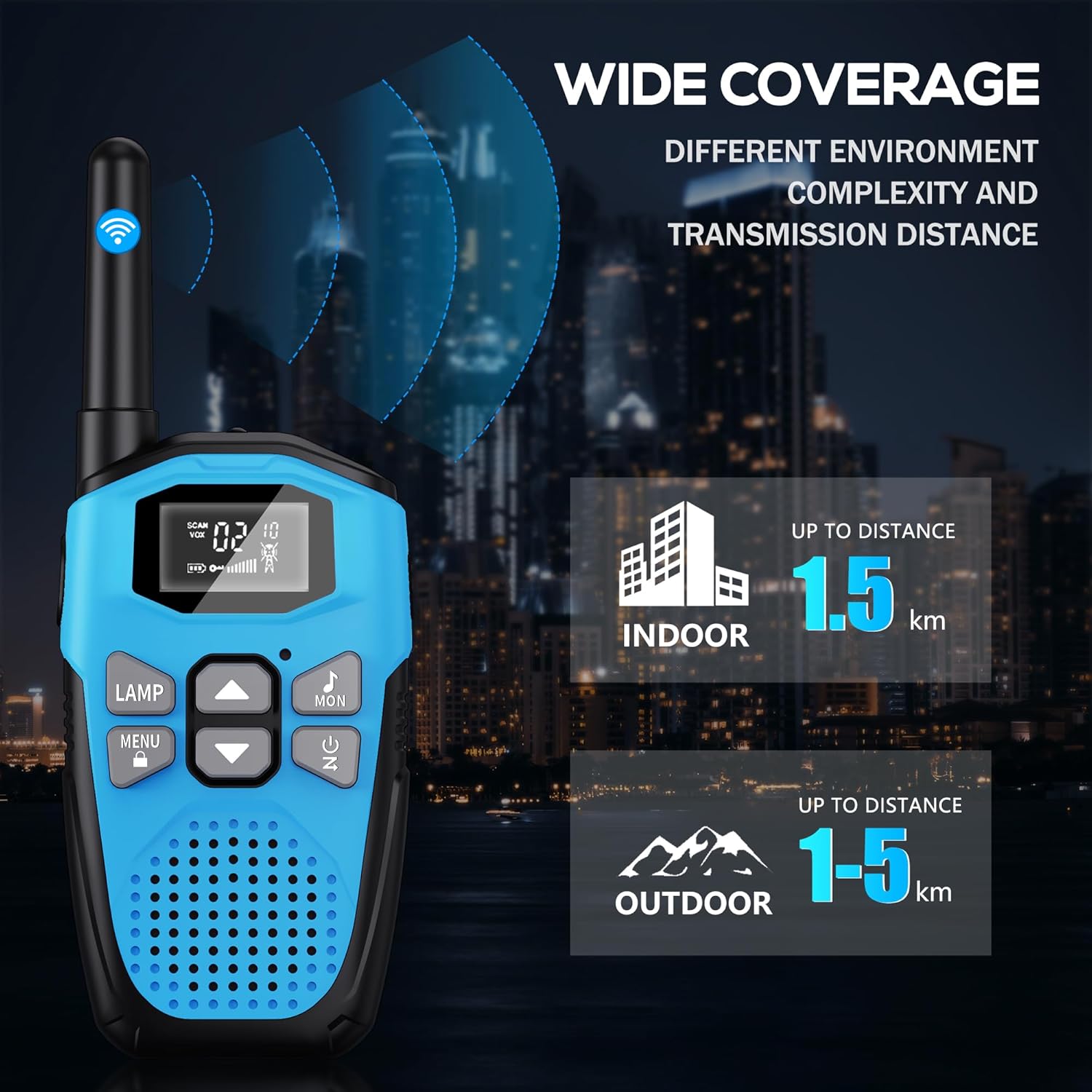
Image: An illustration showing the wide coverage capabilities of the walkie-talkie, indicating an indoor range of up to 1.5 km and an outdoor range of 1-5 km, depending on environmental complexity and transmission distance.
Maintenance
- Cleaning: Wipe the walkie-talkie with a soft, damp cloth. Do not use harsh chemicals or abrasive cleaners.
- Storage: Store the device in a cool, dry place away from direct sunlight and extreme temperatures when not in use.
- Battery Care: For long-term storage, it is recommended to charge the battery to about 50% every 3-6 months to maintain battery health.
- Drop Protection: The walkie-talkie features a hard shell and anti-drop design for environmental protection. However, avoid excessive drops or impacts to prevent damage.

Image: A visual representation highlighting the walkie-talkie's hard shell, anti-drop design, and key features such as VOX hands-free, keypad lock, clear sound, drop protection, noise reduction, and LED emergency light.
Troubleshooting
| Problem | Possible Cause | Solution |
|---|---|---|
| No power | Battery is depleted. | Charge the walkie-talkie fully. |
| Cannot communicate with other walkie-talkies | Different channels or privacy codes. | Ensure all walkie-talkies are on the same channel and privacy code. |
| Poor sound quality or static | Out of range; low battery; interference. | Move closer to the other unit; charge battery; move away from sources of interference. |
| Short communication range | Obstacles (buildings, terrain); environmental factors. | Move to an open area; range is reduced in urban/dense environments. |
| Keypad unresponsive | Keypad is locked. | Press and hold the Menu/Lock Button to unlock. |
Specifications
| Feature | Detail |
|---|---|
| Brand | NXGKET |
| Model Number | 2AYV7YG-813 |
| Color | Blue |
| Battery Type | Built-in 1200mAh Lithium Polymer (rechargeable) |
| Charging Port | USB Type-C |
| Number of Channels | 16 |
| Privacy Codes | 121 (38 CTCSS, 83 DCS) |
| Frequency Range | 446 MHz (UHF) |
| Maximum Range (Open Area) | Up to 5 Kilometers (approx. 3.1 miles) |
| Maximum Range (Urban Area) | Up to 1.5 Kilometers (approx. 0.9 miles) |
| Voltage | 3.7 Volts |
| Water Resistance Level | Water-resistant (not waterproof) |
| Special Features | Rechargeable Battery, Volume Control, Long Range, Lightweight, Noise Reduction, VOX, LCD Display with Backlight, LED Flashlight, Keypad Lock, Low Battery Alert, Drop Protection. |
Warranty and Support
The NXGKET walkie-talkie has been tested to meet CE certification standards.
- Warranty: This product comes with a 1-year warranty from the date of purchase.
- Customer Support: For any questions, issues, or warranty claims, please contact NXGKET customer service via email. Refer to your purchase documentation for specific contact details or visit the official NXGKET website.
Ask a question about this manual
Ask about setup, troubleshooting, compatibility, parts, safety, or missing instructions. Manuals+ will review the question and use this page’s manual context to help answer it.