
1. Introduction
This manual provides essential information for the safe and efficient use of your HUEMIHUI 24V 10A 240W Power Supply Adapter. Please read these instructions carefully before use and retain them for future reference.

Image 1: HUEMIHUI 24V 10A 240W Power Supply Adapter. This image shows the main unit of the power adapter, including the AC input cable with a standard US plug and the DC output cable with a 5.5mm x 2.5mm connector.
2. Product Overview and Features
The HUEMIHUI 24V 10A 240W Power Supply Adapter is designed to convert AC household current to stable 24V DC power. It features multiple safety protections and is built with durable materials for reliable performance.
Key Features:
- Input: AC 100-240V, 50/60Hz
- Output: DC 24V, 10A (240W Max)
- DC Connector: 5.5mm x 2.5mm (compatible with 5.5mm x 2.1mm)
- Safety Protections: Overvoltage, Overcurrent, Overheating, Short Circuit, Electromagnetic Wave Protection
- Material: ABS and PC composite for high temperature resistance, good fluidity, high strength, fatigue resistance, and weather resistance.
- Cable: High-quality tinned pure copper conductor material with a PVC sheath for good conductivity and prevention of electrical leakage.
- Anti-interference: Built-in magnetic ring to effectively reduce electromagnetic interference and ensure stable current transmission.

Image 2: Overview of the HUEMIHUI 24V 10A 240W AC/DC Adapter, highlighting its safe protection, stable output, and durable design. A warning against overloading is also visible.

Image 3: Icons representing the built-in security protections: Short circuit protection, Over voltage protection, Over current protection, Over temperature protection, and Electromagnetic wave protection.

Image 4: Close-up image showing the pure copper conductors within the power cable, indicating stable and efficient power transmission.
3. Specifications
| Feature | Detail |
|---|---|
| Product Name | AC/DC Power Adapter |
| Brand | HUEMIHUI |
| Model Number | 24100 |
| Input Voltage | AC 100V~240V 50/60Hz |
| Output Voltage | DC 24V |
| Output Current | 10A Max |
| Output Wattage | 240W Max |
| DC Connector | 5.5mm x 2.5mm (compatible with 5.5mm x 2.1mm) |
| Item Weight | 1.3 pounds |
| Product Dimensions | 0.79 x 0.79 x 0.79 inches (main unit) |
| Special Features | Short Circuit Protection, Overvoltage Protection, Overcurrent Protection, Overheating Protection |
| Included Components | 1 * 24V 10A Power Supply Adapter |
| Certification | CE |

Image 5: The product label displaying key specifications such as model number, input/output voltage, and current. This label is located on the power adapter unit.

Image 6: Diagram illustrating the physical dimensions of the power adapter unit and the lengths of the AC input and DC output cables. The DC connector size is also shown.
4. Compatibility and How to Choose the Right Adapter
To ensure compatibility with your device, please verify the following criteria:
- Voltage: Your device's required working voltage must be DC 24V. Do not use with AC 24V or voltages lower/higher than 24V DC. Otherwise, your device will not work or be damaged.
- Current: The maximum current your device draws should be equal to or less than 10A. For example, 2A, 3A, 4A, 5A, 6A, or 8A are compatible. Using a device that draws more than 10A will cause the adapter to not work well and may be damaged.
- Power Input Port (DC Connector Size): The outer diameter of your device's power input port should be 5.5mm, and the inner core diameter should be 2.5mm. This adapter is also compatible with 5.5mm x 2.1mm ports.
- Polarity: The inner core polarity of your device's power input port must be "+" (positive), and the exterior polarity must be "-" (negative).
If you have an existing power supply for reference, its output voltage, plug size, and polarity should be the same. If this power supply's current rating is equal to or higher than your original one, then this power supply adapter will work with your device, provided all other parameters match.
Important: We recommend that the maximum usage should not exceed 80% of the full load capacity (i.e., approximately 192W or 8A) for optimal performance and longevity.

Image 7: A visual guide on how to select the correct power adapter, detailing voltage, current, and DC output connector size compatibility. It shows compatible (green check) and incompatible (red X) options for various sizes.

Image 8: Detailed diagram of the universal DC output tip, showing the 5.5mm outer diameter and 2.5mm inner diameter (compatible with 2.1mm). It also illustrates the inner positive (+) and outer negative (-) polarity.
5. Setup and Installation
Follow these steps to set up your power supply adapter:
- Verify Compatibility: Before connecting, ensure your device's voltage, current, DC connector size, and polarity match the specifications of this adapter as described in Section 4.
- Connect to Device: Plug the DC output connector (5.5mm x 2.5mm) of the adapter into the power input port of your electronic device. Ensure a secure connection.
- Connect to Power Outlet: Plug the AC input cable into a standard AC 100-240V wall outlet.
- Power On: Once connected, the adapter will supply power to your device. Some adapters may have an indicator light to show it is receiving power.
Caution: This adapter is for indoor use only. Do not expose it to water, moisture, or high temperatures. Do not overload the adapter beyond its maximum 240W (10A) capacity.
6. Operating Instructions
The HUEMIHUI 24V 10A 240W Power Supply Adapter operates automatically once connected to a power source and a compatible device.
- Ensure all connections are firm and correct before applying power.
- The adapter is designed for continuous operation within its specified limits.
- If your device has its own power switch, use that to turn the device on or off.
- Disconnect the adapter from the wall outlet when not in use for extended periods.
7. Safety Precautions
To prevent injury or damage to the adapter and connected devices, observe the following safety guidelines:
- Indoor Use Only: This adapter is not waterproof. Do not use it outdoors or in wet environments.
- Avoid Overloading: Do not connect devices that require more than 240W (10A) of power. Overloading can damage the adapter and pose a fire hazard.
- Proper Ventilation: Ensure the adapter has adequate ventilation. Do not cover it or place it in enclosed spaces where heat cannot dissipate.
- Handle with Care: Do not drop, disassemble, or attempt to repair the adapter yourself. Refer servicing to qualified personnel.
- Keep Away from Children: Store the adapter out of reach of children.
- Disconnect Safely: Always grasp the plug, not the cord, when disconnecting from the wall outlet.
- Check for Damage: Regularly inspect the adapter and cables for any signs of damage. If damaged, discontinue use immediately.
- Temperature: Avoid operating in extremely hot or cold environments.

Image 9: Visual representation of the built-in safety features, including short circuit, overvoltage, overcurrent, over temperature, and electromagnetic wave protection, ensuring electrical safety.
8. Maintenance
The HUEMIHUI Power Supply Adapter requires minimal maintenance.
- Cleaning: Disconnect the adapter from the power source before cleaning. Use a soft, dry cloth to wipe the exterior. Do not use liquid cleaners or solvents.
- Storage: When not in use, store the adapter in a cool, dry place, away from direct sunlight and extreme temperatures.
- Cable Care: Avoid bending or crimping the cables excessively, as this can damage the internal wires.
9. Troubleshooting
If you encounter issues with your power adapter, refer to the following common problems and solutions:
| Problem | Possible Cause | Solution |
|---|---|---|
| No power output / Device not turning on |
|
|
| Adapter gets excessively hot |
|
|
| Device flickers or behaves erratically |
|
|
10. Applications
This 24V 10A 240W power supply adapter is suitable for a wide range of low-voltage DC 24V applications, including but not limited to:
- LED Light Strips
- LCD Monitors
- 3D Printers
- Surveillance Cameras (CCTV)
- LED Drivers
- Car Subwoofer Amplifiers
- Audio Amplifiers
- Computer Items
- Wireless Routers
- Webcam Routers
- Projectors
- Game Consoles (requiring 24V DC)
- Digital Video Recorders (DVRs)
- Electronic Scales
- Printers (requiring 24V DC)
- Speakers (requiring 24V DC)
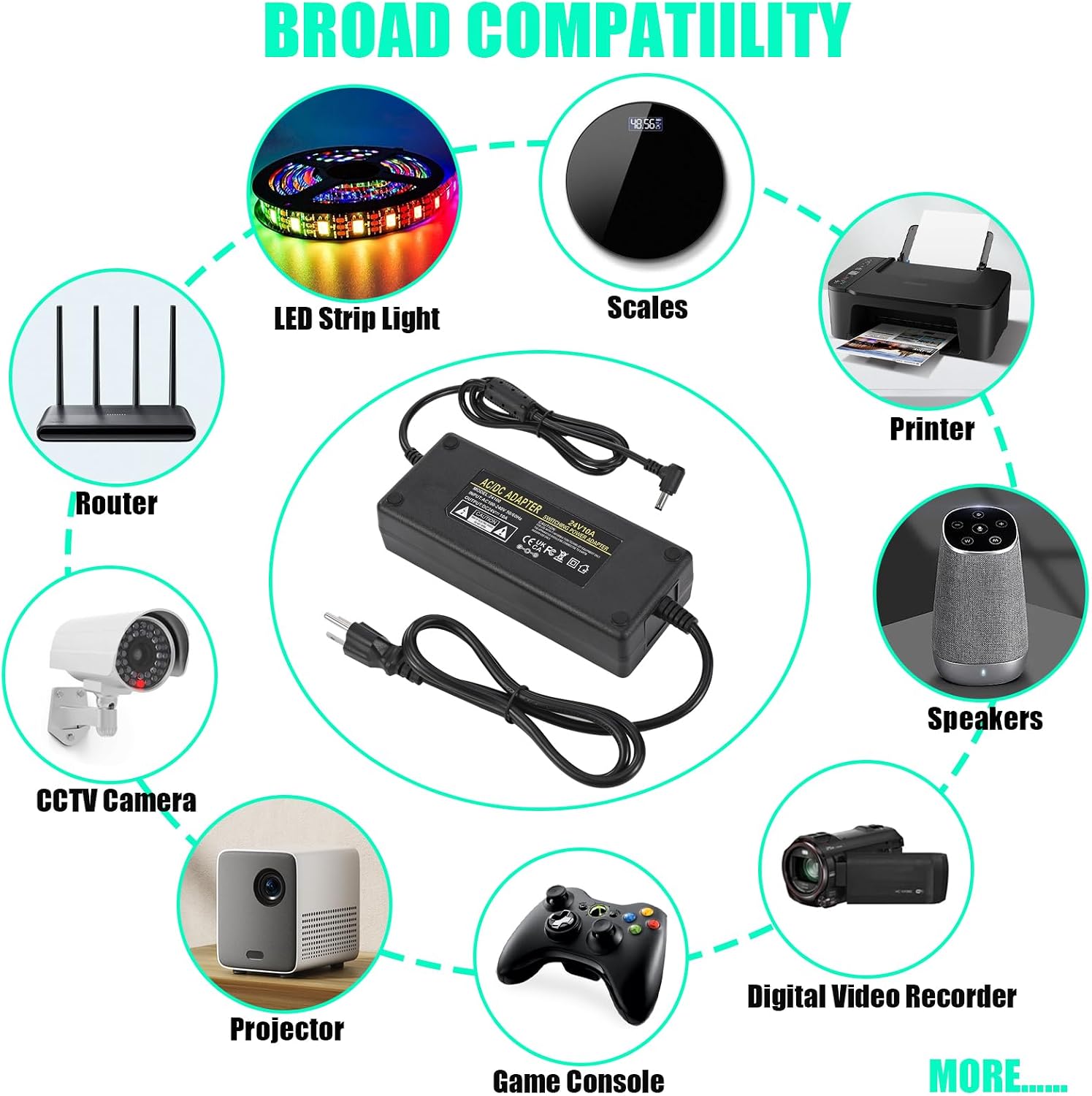
Image 10: A visual representation of various devices compatible with the 24V 10A power supply, including LED strip lights, scales, printers, speakers, digital video recorders, game consoles, projectors, CCTV cameras, and routers.
11. Warranty and Support
HUEMIHUI is committed to customer satisfaction. If you have any questions, concerns, or require assistance with your product, please do not hesitate to contact us.
- For support, please refer to the contact information provided with your purchase or visit the official HUEMIHUI store on Amazon.
- Information regarding specific warranty periods and return policies can typically be found on the product listing page or through your purchase documentation.
We value your purchasing and product experience and are here to help.