
1. Introduction
This manual provides essential information for the safe and efficient operation, installation, and maintenance of your Coolski 54'' Commercial Freezer. This stainless steel reach-in freezer offers 49 cubic feet of storage, features 2 solid doors, 8 shelves, LED lighting, and automatic defrost. It is designed for commercial use in environments such as restaurants and garages, and is ETL and NSF approved.

Image: The Coolski 54-inch Commercial Freezer, showcasing its stainless steel exterior and prominent warranty badges for the compressor and parts.
2. Safety Information
Please read all safety instructions carefully before operating the appliance to prevent injury or damage. Keep this manual for future reference.
- Ensure the freezer is properly grounded to prevent electrical shock.
- Do not store explosive substances such as aerosol cans with a flammable propellant in this appliance.
- Keep ventilation openings in the appliance enclosure or in the built-in structure clear of obstruction.
- Do not use mechanical devices or other means to accelerate the defrosting process, other than those recommended by the manufacturer.
- Do not damage the refrigerant circuit.
- Only qualified personnel should perform servicing.
- Disconnect the appliance from the power supply before cleaning or performing maintenance.
3. Unpacking and Installation
3.1 What's in the Box
Upon receiving your Coolski Commercial Freezer, verify that all components are present and undamaged:
- Commercial Freezer Unit
- 8 Adjustable Shelves
- 4 Casters (2 with brakes)
3.2 Placement Considerations
Select a suitable location for your freezer. Ensure the area is level, well-ventilated, and away from direct sunlight or heat sources.
- Maintain at least 4 inches of clearance from the wall for proper cooling and ventilation.
- Ensure sufficient space for door opening and access for maintenance.

Image: Diagram illustrating the dimensions of the Coolski 54-inch Commercial Freezer: 54.5 inches wide, 31.5 inches deep, and 83.3 inches high.
3.3 Caster Installation
Attach the four casters to the bottom of the freezer. Two of the casters are equipped with brakes for securing the unit in place. Ensure the brakes are engaged once the freezer is in its final position.
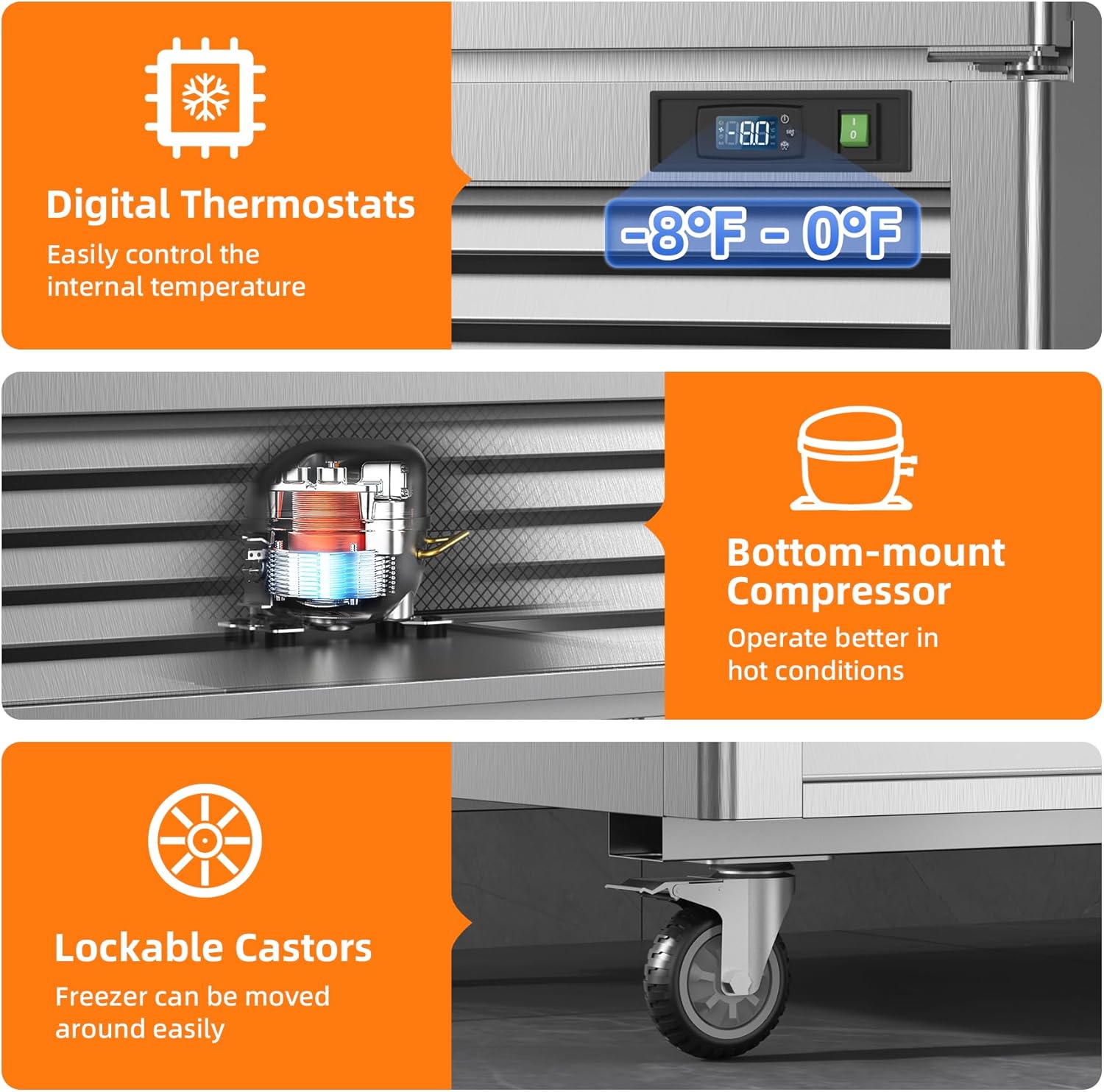
Image: A detailed view of the lockable casters, highlighting their robust design for easy movement and secure positioning of the freezer.
3.4 Shelf Installation
Install the 8 adjustable shelves inside the freezer. The shelves are rust-free and corrosion-resistant, designed to hold various food items. Adjust their height as needed to accommodate different sizes of products.

Image: Illustration showing the adjustable shelf mechanism, indicating how shelves can be moved up or down to customize storage space.
3.5 Initial Power-Up
After installation, plug the freezer into a dedicated 115 Volt power outlet. Allow the unit to run for several hours empty to reach its stable operating temperature before loading with products.
4. Operation
4.1 Temperature Control
The freezer is equipped with digital thermostats for precise temperature control. The recommended operating temperature range is between -8°F and 0°F (-22°C and -18°C). Use the digital display to set and monitor the internal temperature.

Image: Close-up of the digital thermostat display, indicating the adjustable temperature range of -8°F to 0°F.
4.2 LED Lighting
Bright LED lighting is integrated within the freezer to illuminate the interior, making it easier to locate and organize food items.

Image: The interior of the freezer, brightly lit by LED lights, showcasing various food items stored on the shelves.
4.3 Door Features
- Self-closing Doors: The solid doors are designed to automatically close when opened less than 90 degrees, helping to maintain internal temperature and energy efficiency.
- Stay-Open Feature: When opened beyond 90 degrees, the doors will remain open, allowing for convenient loading or retrieval of large quantities of items without needing to hold the door.
- Door Alarm: An integrated door alarm system will alert you if a door is left open, preventing temperature fluctuations and energy waste.

Image: A diagram illustrating the self-closing mechanism of the doors when opened less than 90 degrees, and the stay-open feature when opened beyond 90 degrees.
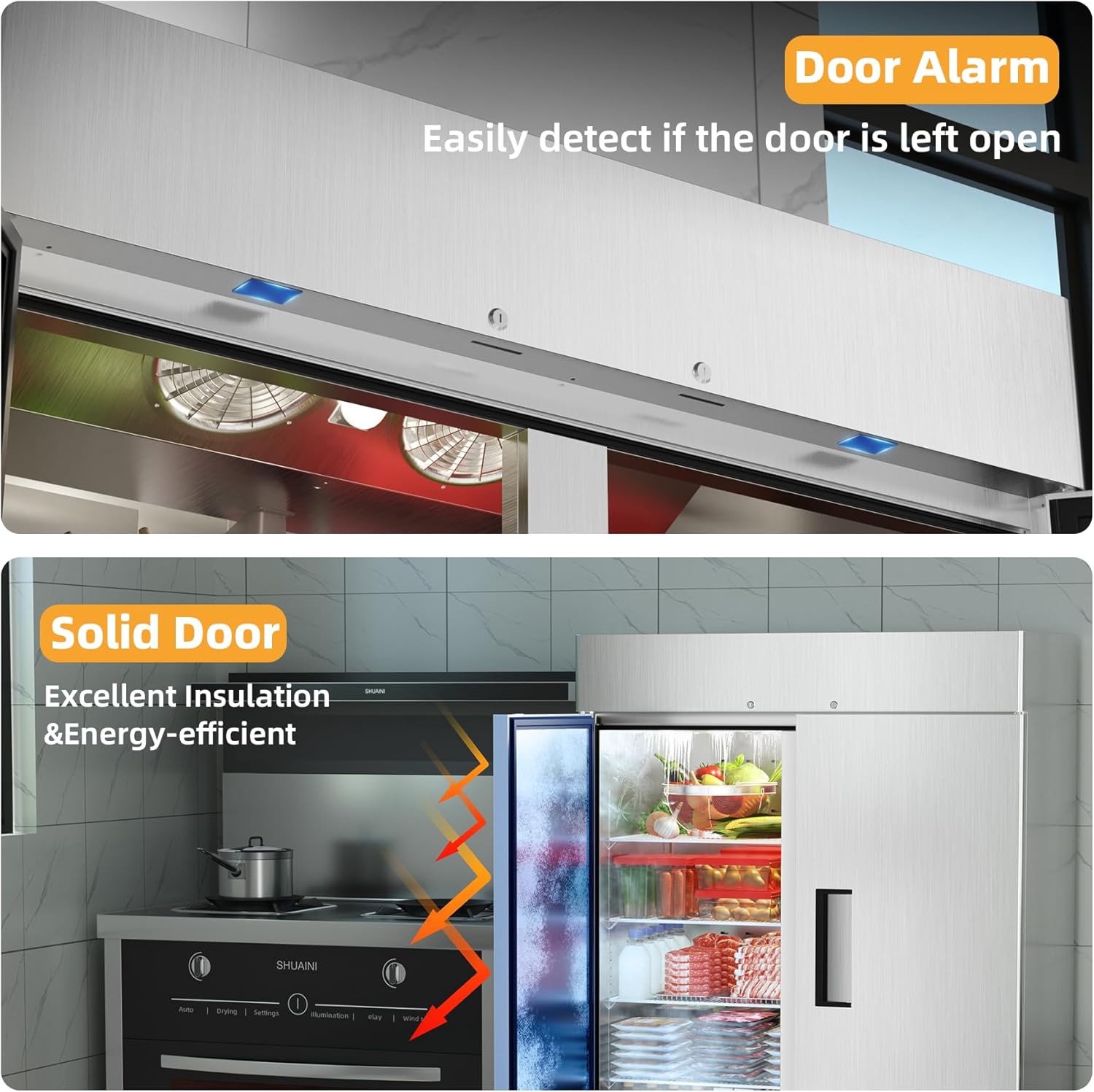
Image: Top panel showing the door alarm sensor, and a cross-section view of the solid door highlighting its excellent insulation properties.
5. Maintenance
5.1 Cleaning
Regular cleaning of your commercial freezer is essential for hygiene and optimal performance. Disconnect the power before cleaning.
- Wipe down interior and exterior stainless steel surfaces with a mild detergent and soft cloth.
- Clean the shelves regularly.
- The bottom-mount compressor design allows for easier access for cleaning and maintenance.
5.2 Automatic Defrost
The freezer features an automatic defrosting function to prevent ice buildup. This system melts any ice that forms, ensuring efficient operation and reducing manual defrosting needs.

Image: Illustration showing internal fans that aid in even cooling and the automatic defrost process.
5.3 Moving the Unit
The freezer is equipped with casters, allowing it to be moved for cleaning or maintenance. Ensure the casters are unlocked before moving and relocked once the unit is in its desired position.
6. Troubleshooting
This section provides solutions to common issues you might encounter. For problems not listed here, please contact customer support.
| Problem | Possible Cause | Solution |
|---|---|---|
| Freezer not cooling | Power supply issue, thermostat setting, obstructed airflow. | Check power connection. Verify thermostat setting. Ensure proper clearance around the unit and clear any obstructions from vents. |
| Excessive noise | Unit not level, fan obstruction, compressor issue. | Ensure the unit is level and casters are locked. Check for any objects obstructing fan blades. If noise persists, contact service. |
| Ice buildup | Door not sealing properly, frequent door opening, defrost system malfunction. | Check door gaskets for damage or proper seal. Minimize door opening. If automatic defrost is not functioning, contact service. |
| Door alarm sounding frequently | Door left ajar, sensor obstruction. | Ensure doors are fully closed. Check for any items blocking the door from closing completely. |
7. Specifications
Detailed technical specifications for the Coolski 54'' Commercial Freezer (Model: KF-49).
| Feature | Detail |
|---|---|
| Brand Name | Coolski |
| Model Info | KF-49 |
| Item Weight | 416 pounds (188.6 kg) |
| Product Dimensions (D x W x H) | 31.5 x 54.5 x 83.3 inches (80 x 138.4 x 211.6 cm) |
| Capacity | 49 Cubic Feet (1387 Liters) |
| Annual Energy Consumption | 3317 Kilowatt Hours Per Year |
| Installation Type | Freestanding |
| Special Features | Automatic Defrost |
| Color | Stainless Steel |
| Voltage | 115 Volts |
| Wattage | 598 watts |
| Number of Shelves | 8 |
| Defrost System | Automatic |
| Door Hinges | Left and Right |
| Door Material Type | Stainless Steel |
| Certification | ETL |
| Material Type | Stainless Steel |
| Number Of Doors | 2 |
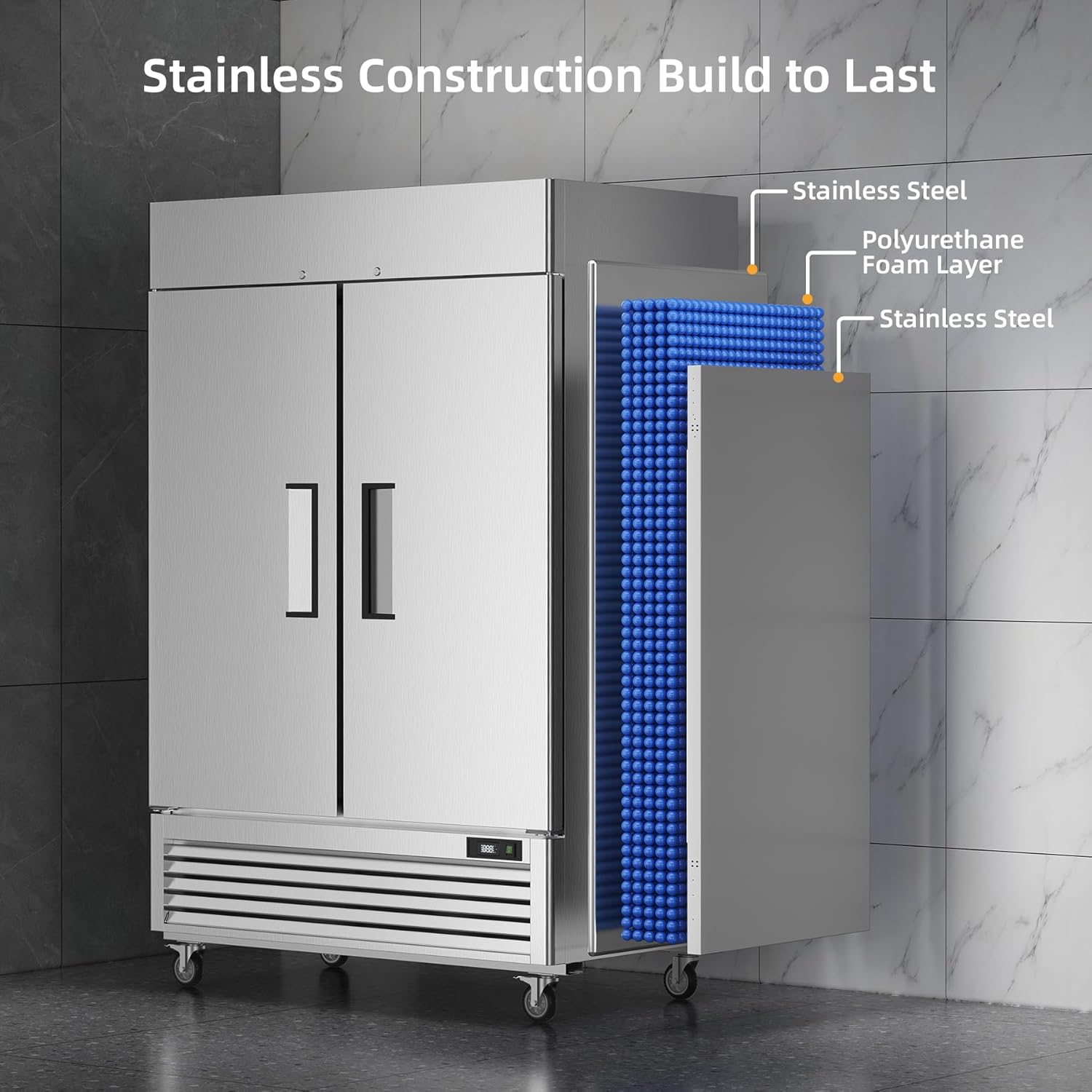
Image: A cutaway view illustrating the robust construction of the freezer, featuring an outer layer of stainless steel and a thick polyurethane foam insulation layer.
8. Warranty and Support
8.1 Warranty Information
Coolski provides the following warranty for your commercial freezer:
- 6-Year Warranty for the compressor.
- 2-Year Warranty for parts and labor.
Please retain your proof of purchase for warranty claims.

Image: Visual representation of the 2-year parts & labor warranty and 6-year compressor warranty, alongside ETL and DOE certifications.
8.2 Customer Support
For any questions, technical assistance, or warranty claims, please contact Coolski customer support. Refer to your purchase documentation for specific contact details or visit the official Coolski website.
You can also refer to the "Customer Support" information provided by your retailer, such as Amazon's customer service page for general inquiries related to your purchase.


