
Introduction
This manual provides essential information for the safe and effective use of your Gonine 12V 2A AC to DC Power Supply Adapter. Please read these instructions carefully before use and retain them for future reference.
Product Features
- Universal Compatibility: Designed for a wide range of 12V DC devices requiring 0.1A-2A.
- Multiple DC Connectors: Includes 5 additional tips (4.0*1.7mm, 3.5*1.35mm, 3.0*1.1mm, 2.5*0.7mm, LED terminal) plus the standard 5.5*2.5mm (compatible with 5.5*2.1mm) for versatile use.
- Robust Safety: Features Over-Current, Over-Voltage, and Short-Circuit protection.
- Stable Performance: Integrated anti-interference magnetic ring minimizes EMI.
- High Efficiency: 24W maximum power output with low heat generation and quiet operation.
- Durable Design: Constructed with flame-retardant PC & ABS shell, safe strong plug, reliable oxygen-free copper power cord, and reinforced stress points.
- Extended Reach: 1.8-meter (5.9-foot) DC power cable for flexible placement.
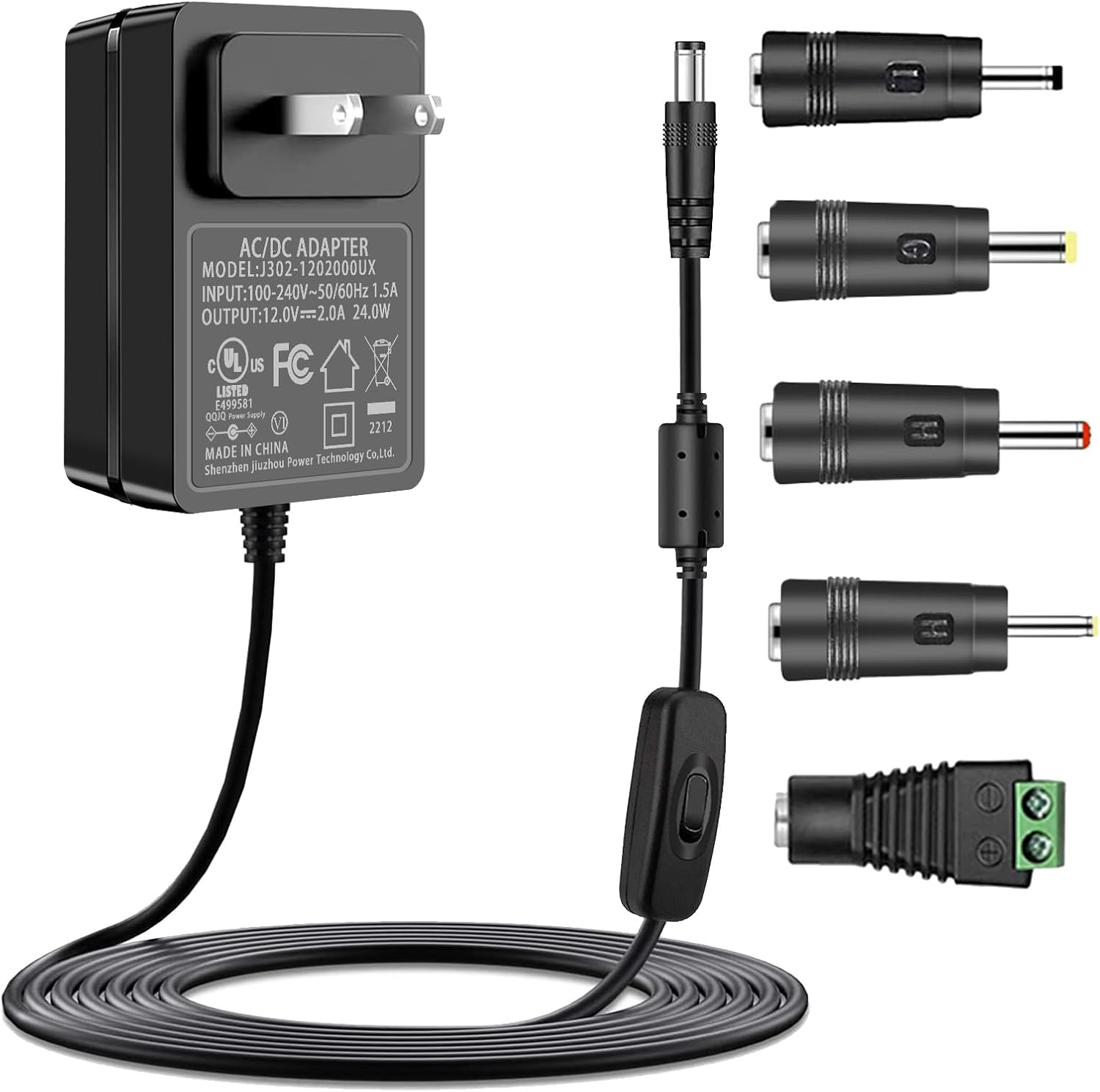
Image: The Gonine 12V 2A AC to DC Power Supply Adapter shown with its main barrel connector and five additional interchangeable DC tips.
Package Contents
- 1 x Gonine 12V 2A AC to DC Power Supply Adapter
- 5 x DC Connectors (4.0*1.7mm, 3.5*1.35mm, 3.0*1.1mm, 2.5*0.7mm, LED terminal)
Setup and Connection
Before connecting the power adapter, it is crucial to verify compatibility with your device. Incorrect voltage, current, or polarity can damage your equipment.
How to Choose the Right AC Adapter
- Check the Polarity: Verify the polarity symbol on your device's original label. It should be Inner Positive (+) and Outer Negative (-). This adapter supports this common polarity.
- Check the Voltage: Ensure your device requires 12V DC. This adapter is designed for 12V DC only, not AC.
- Check the Current: Your device's required current should be 2.0A or less (e.g., 2.0A, 1.5A, 1.0A, 0.5A). This adapter provides up to 2A.
- Check the Tips: Select the DC connector tip that matches your device's power input port. The main port is 5.5*2.5mm (compatible with 5.5*2.1mm). Use the additional 5 tips if needed.

Image: Visual guide on verifying device compatibility by checking polarity, voltage, current, and connector tip dimensions.

Image: Detailed view of the included DC connector tips and their respective dimensions for various devices.
Once compatibility is confirmed, connect the appropriate DC tip to the power adapter cable, then plug the adapter into your device's power input port. Finally, plug the AC adapter into a standard wall outlet (AC 100-240V).
Operating Instructions
The Gonine 12V 2A AC to DC Power Supply Adapter operates automatically once connected to a compatible device and a power source. No additional configuration is required.
- Ensure all connections are secure before powering on your device.
- Monitor your device's charging indicator (if available) to confirm proper power delivery.
- Disconnect the adapter from the power outlet when not in use for extended periods.

Image: The power adapter in use, providing power to an external hard drive.
Compatibility Examples
This adapter is suitable for a variety of 12V DC devices, including but not limited to:
- 12V Foot, Back, Neck, and Shoulder Massagers
- 12V Routers (e.g., Netgear N150/N600/R7000, Linksys Wireless Router)
- Record Players (e.g., Audio Technica AT-LP60X)
- 12V Yamaha Keyboards (e.g., DGX, PSR, YPT, YPG, EZ, NP, P series)
- External Hard Drives
- 12V CCTV Cameras and Security Camera DVRs
- 12V DC LED Strips (5050, 3528)
- 12V LCD Monitors
- Steinberg CC121
- Yamaha Silent Guitars

Image: Examples of devices compatible with the 12V DC power adapter.
Safety Information and Protection Features
The Gonine power adapter is designed with multiple safety features to protect your devices and ensure reliable operation.
- Over-Current Protection: Prevents damage from excessive current draw.
- Over-Voltage Protection: Safeguards against voltage spikes.
- Short-Circuit Protection: Automatically shuts down in case of a short circuit.
- Over-Temperature Protection: Monitors and regulates internal temperature.
- Electromagnetic Wave Protection: Minimizes interference with other electronic devices.
- Quality Microchip: Ensures stable and efficient power delivery.

Image: Visual representation of the multiple protection features integrated into the adapter's design.

Image: Display of multiple safety certifications for the power adapter.
Maintenance
- Keep the adapter clean and free from dust. Use a dry, soft cloth for cleaning.
- Avoid exposing the adapter to extreme temperatures, humidity, or direct sunlight.
- Do not attempt to open or repair the adapter. Refer to qualified personnel for service.
- Store the adapter in a cool, dry place when not in use.
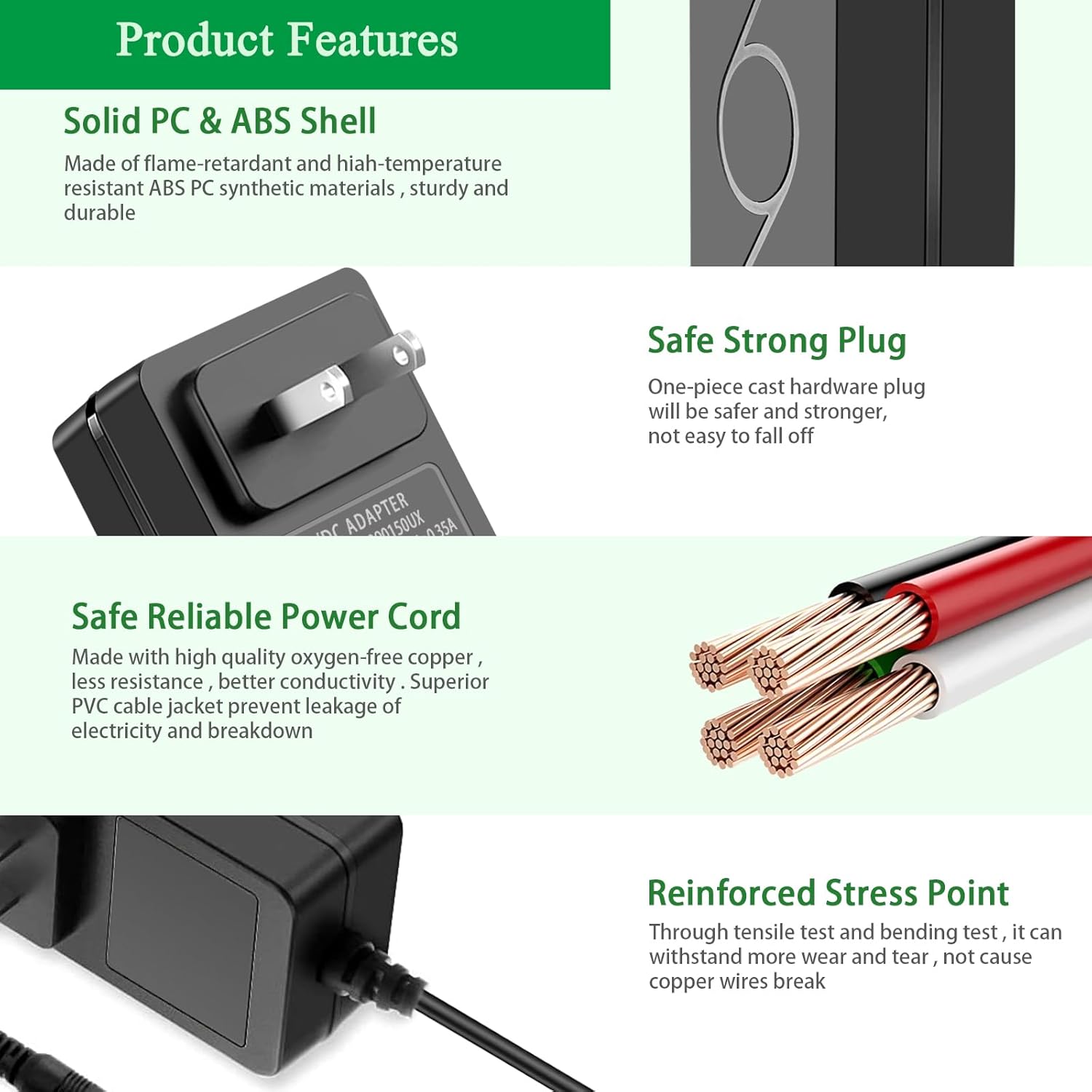
Image: Cross-section view of the power cable, detailing the tinned copper core wire, insulation, aluminum foil shielding, and PVC cable jacket for durability and efficient transmission.
Troubleshooting
| Problem | Possible Cause | Solution |
|---|---|---|
| Device not powering on/charging. |
|
|
| Adapter feels warm during use. | Normal operation, especially under load. | Ensure adequate ventilation around the adapter. If it becomes excessively hot or emits smoke/odor, disconnect immediately. |
Specifications
| Feature | Detail |
|---|---|
| Model Number | WE-12V1A |
| Input Voltage | AC 100-240V, 50/60Hz |
| Output Voltage | DC 12V |
| Output Current | 2A (Max) |
| Max Power Output | 24W |
| DC Cable Length | 1.8 meters (5.9 feet) |
| Main DC Connector Size | 5.5mm x 2.5mm (compatible with 5.5mm x 2.1mm) |
| Additional DC Connectors | 4.0*1.7mm, 3.5*1.35mm, 3.0*1.1mm, 2.5*0.7mm, LED terminal |
| Product Dimensions | 2.8 x 1.7 x 1.2 inches |
| Item Weight | 6.4 ounces |
| Manufacturer | ShenZhen JiuZhou Power Technology CO., LTD. |

Image: Physical dimensions of the power adapter and its cable length.
Official Product Video
Video: An overview of the Gonine 12V 2A AC to DC Power Supply, showcasing its features and components.
Warranty and Support
For warranty information or technical support, please refer to the product packaging or contact Gonine customer service directly. Keep your purchase receipt for warranty claims.