
Introduction
Thank you for choosing the eazpower 3-in-1 Wireless Charging Station. This versatile charging dock is designed to simultaneously charge your iPhone, Apple Watch, and AirPods, providing a clutter-free and efficient charging experience. Its innovative design supports charging through thick phone cases and offers flexible viewing angles.

The eazpower 3-in-1 Wireless Charging Station, designed for simultaneous charging of multiple Apple devices.
What's in the Box
- Wireless Charger Stand
- 18W Quick Charge Wall Charger
- USB Type C to A Cable
- User Manual
Specifications
| Product Dimensions | 5.04 x 4.65 x 2.99 inches |
| Item Weight | 9.9 ounces |
| Connectivity Technology | USB |
| Connector Type | USB Type C |
| Input Voltage | 12 Volts |
| Mounting Type | Desktop Mount |
| Color | Black |
| Special Features | 3-in-1 Apple Charging Station, Otterbox Compatible, Popsocket Wireless Charging Compatible, Wireless Charger for Thick Cases, Fast Charging |
Setup
- Connect the provided USB Type C to A Cable to the USB-C port on the back of the charging station.
- Plug the USB-A end of the cable into the included 18W Quick Charge Wall Charger.
- Insert the wall charger into a standard electrical outlet. Ensure the outlet is functioning correctly.
- The charging station is now ready for use.

Always use the included 18W Quick Charge Wall Charger for optimal performance.
Operating Instructions
This 3-in-1 charging station allows you to charge your compatible devices simultaneously and efficiently.
Charging Your iPhone/Smartphone
- Place your Qi-compatible iPhone or smartphone on the vertical charging pad. The dual charging coil design allows for both vertical (portrait) and horizontal (landscape) charging.
- The charging indicator light will illuminate to confirm charging has begun.
- The charger is designed to work through most thick phone cases (up to 10mm), including PopSockets and OtterBox cases.
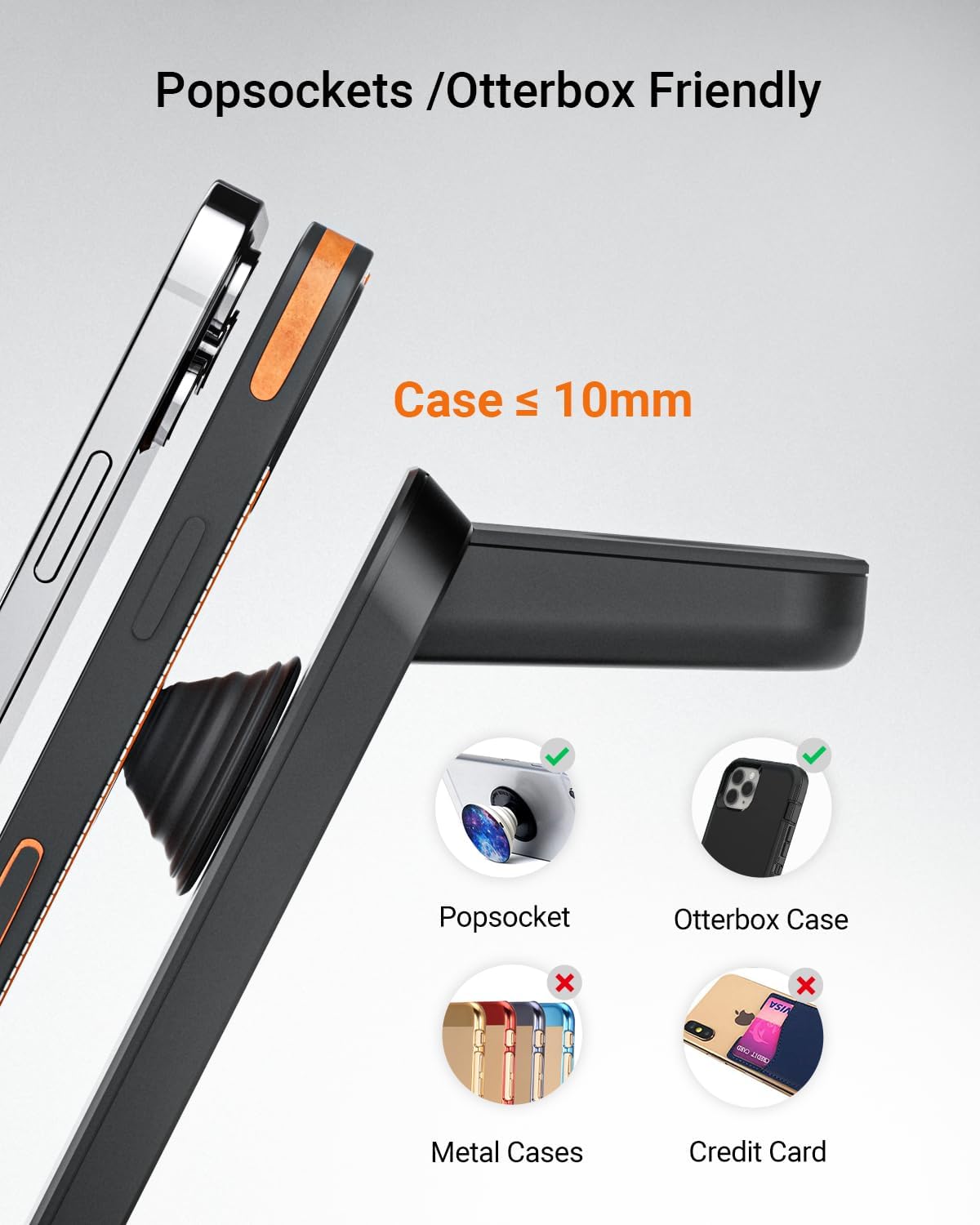
The charging station supports thick cases up to 10mm, including those with PopSockets or OtterBox designs.
Charging Your Apple Watch
- Place your Apple Watch on the dedicated magnetic charging module located at the top of the stand.
- Ensure the watch is properly aligned for charging to begin.
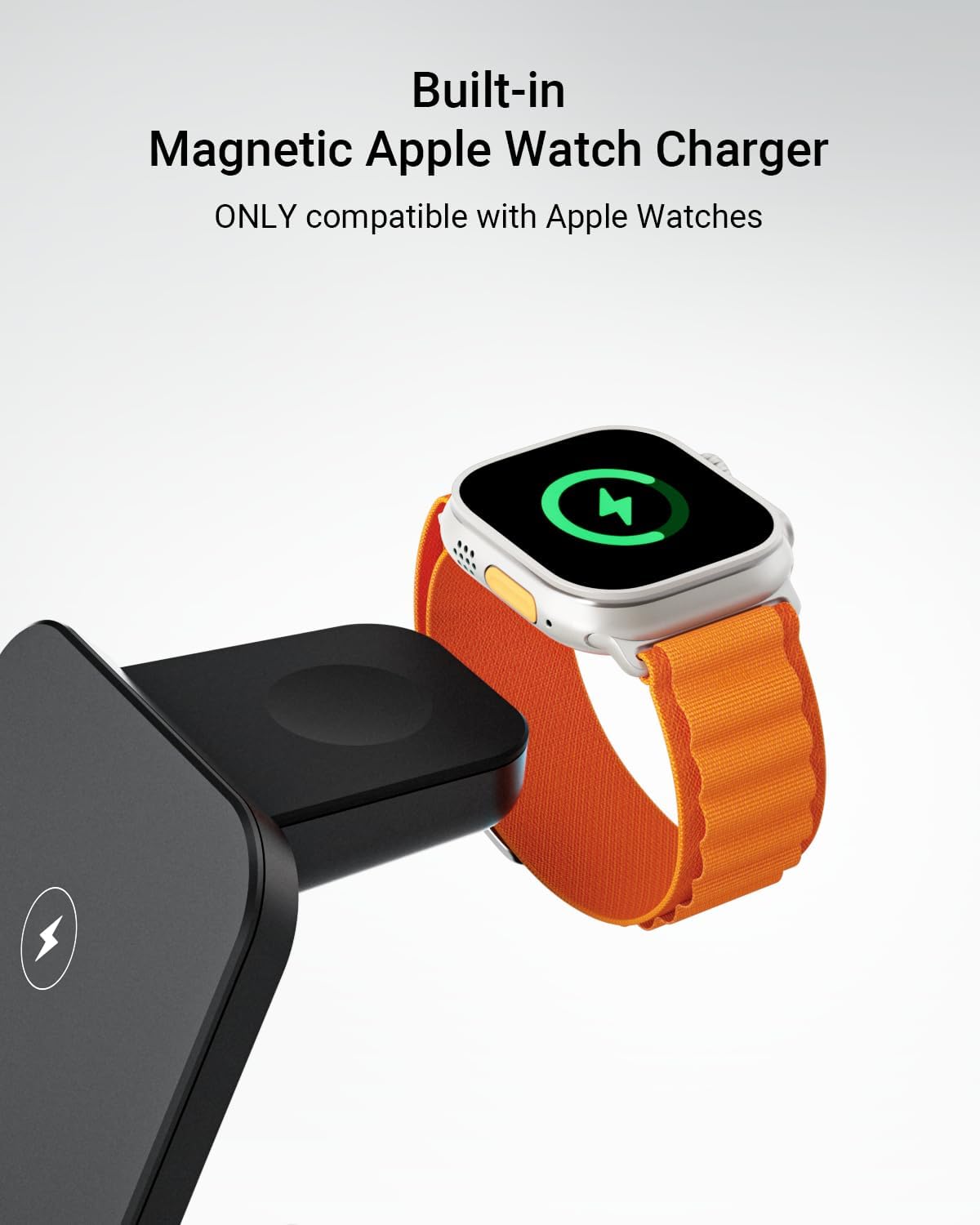
The built-in magnetic charger is specifically designed for Apple Watch models.
Charging Your AirPods/Wireless Earbuds
- Place your AirPods (with wireless charging case) or other Qi-compatible wireless earbuds on the flat charging pad at the base of the station.
- The indicator light will confirm charging.

Charge all your essential devices in one convenient location.
Compatibility
The eazpower 3-in-1 Wireless Charging Station is broadly compatible with a range of devices:
- iPhones: iPhone 16e/16/16 Plus/16 Pro/16 Pro Max, iPhone 15/15 Plus/15 Pro/15 Pro Max, iPhone 14/13/12/SE/X/11/8 series.
- Samsung Galaxy: S25 Ultra/S25+/S25, S24 Ultra/S24+/S24, S23, S22, S22+, S22 Ultra, S21 FE, Z Fold 4, Z Flip 4, Z Fold 3, Z Flip 3, S21, S21 Ultra, S20, S20 Ultra, S10, Note 10, Note 9, and other Qi-enabled phones.
- Apple Watch: Apple Watch Ultra 2/Ultra, Series 10/9/8/7/6/5/4/3/2/SE.
- AirPods: AirPods Pro/4/3/2 (Wireless Charging Version), AirPods Pro 2, and other Qi-compatible wireless charging earbuds.
Important Compatibility Notes:
- The charger supports phone cases up to 10mm (0.39 inches) thick, including PopSockets and OtterBox cases.
- Remove any magnetic or metal accessories from your phone case while charging to ensure proper function and safety.
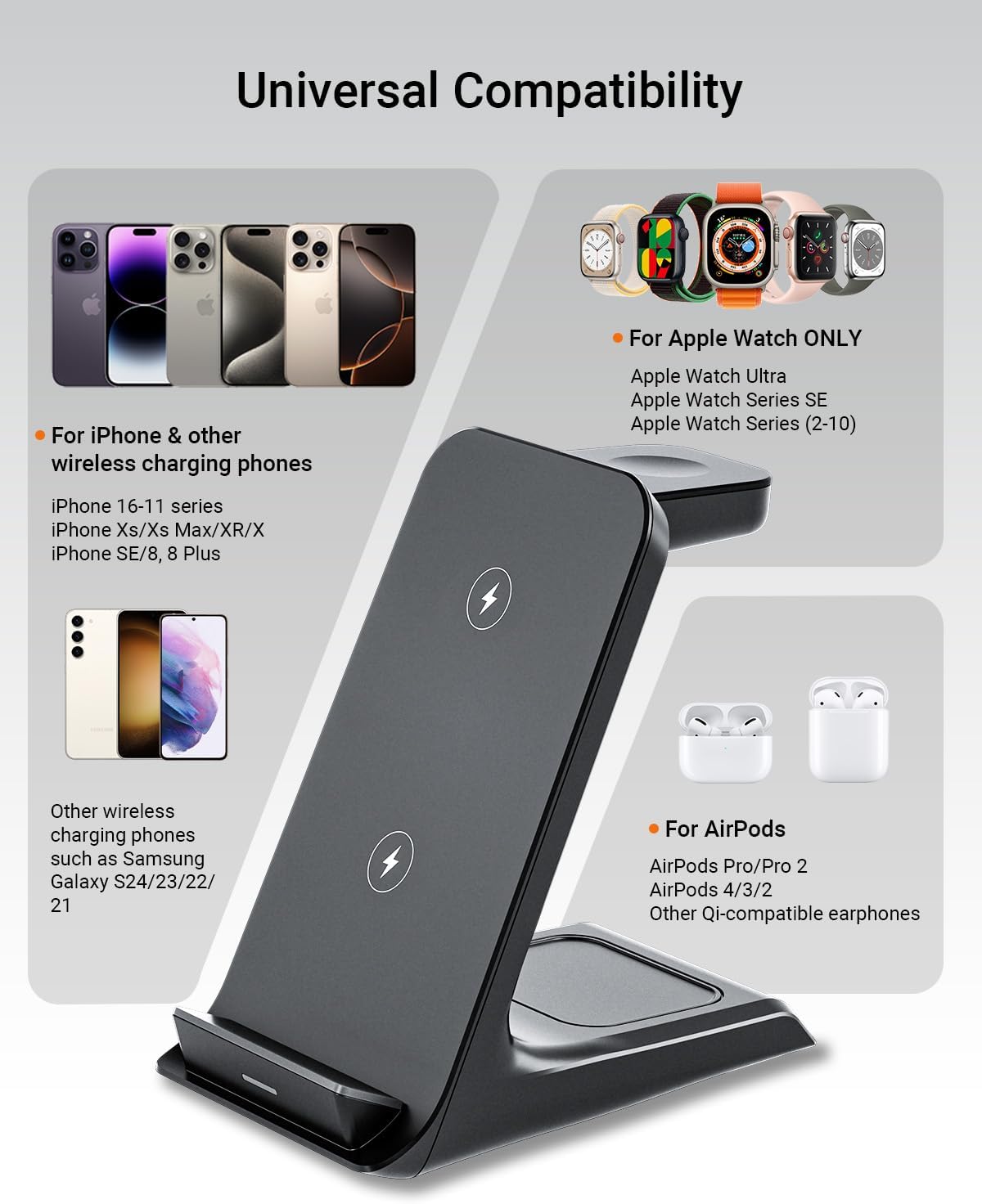
Overview of compatible devices for the charging station.
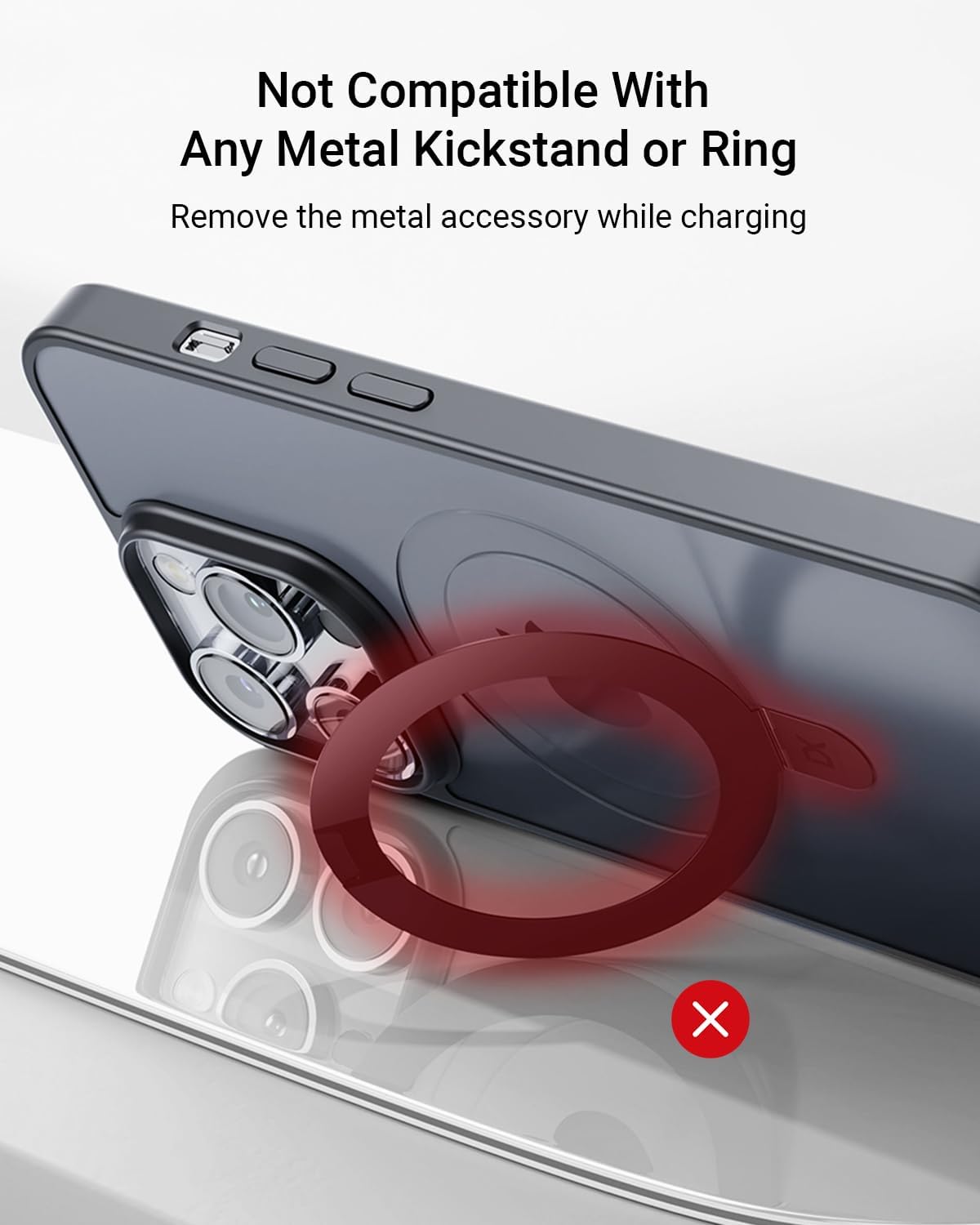
Do not use with metal kickstands or rings on your phone case.
Maintenance
- Keep the charging station clean by wiping it with a soft, dry cloth.
- Avoid exposing the device to extreme temperatures, humidity, or corrosive substances.
- Do not disassemble or attempt to repair the charging station yourself.
Troubleshooting
Device Not Charging
- Check Power Connection: Ensure the charging station is properly connected to the 18W Quick Charge Wall Charger and the wall outlet.
- Device Placement: Make sure your device is correctly aligned on the charging pad. For phones, try adjusting its position vertically or horizontally.
- Case Thickness/Material: If your phone case is thicker than 10mm or contains metal, magnetic attachments, or credit cards, remove the case or any interfering objects.
- Restart Device: Sometimes, simply restarting your phone, watch, or AirPods case can resolve minor charging issues.
Slow Charging
- Use Included Adapter: Always use the provided 18W Quick Charge Wall Charger. Using a lower-wattage adapter may result in slower charging speeds.
- Background Apps: Close any power-intensive applications running in the background on your phone.
- Temperature: Charging efficiency can be affected by high temperatures. Ensure the charging station is in a well-ventilated area.
Indicator Light Issues
- If the indicator light is not illuminating when a device is placed, refer to the "Device Not Charging" section.
- A flashing indicator light may indicate a foreign object detection. Remove any objects from the charging surface and try again.
Warranty and Support
Your eazpower 3-in-1 Wireless Charging Station comes with a 12-month warranty from the date of purchase. We are committed to providing prompt and satisfactory customer service.
- Warranty Period: 12 months (as per feature bullets) / 24 months (as per A+ content, using the longer one for user benefit).
- Return & Refund: 30 Days Return & Refund policy.
- Customer Service: 24/7 customer service is available to assist you with any questions or concerns.
If you encounter any issues or have questions about your product, please contact eazpower customer service through the retailer's platform or via the contact information provided in your purchase documentation.