
1. Product Overview
This manual provides detailed instructions for the installation and use of the TACOON 16-Pin to Quadlock Wiring Harness with CANBUS Decoder. This harness is designed to facilitate the connection of an aftermarket Android head unit with a 16-pin socket to compatible Peugeot and Citroen vehicles equipped with a Quadlock connector and RD4 head unit.
The integrated CANBUS decoder ensures proper communication between the new head unit and the vehicle's electrical system, supporting features like reversing radar.
2. Package Contents
- 16-Pin to Quadlock Wiring Harness (1 piece)
- CANBUS Decoder Box (Raise brand) (1 piece)
- FAKRA Male Car Antenna Cable (Optional, 1 piece)
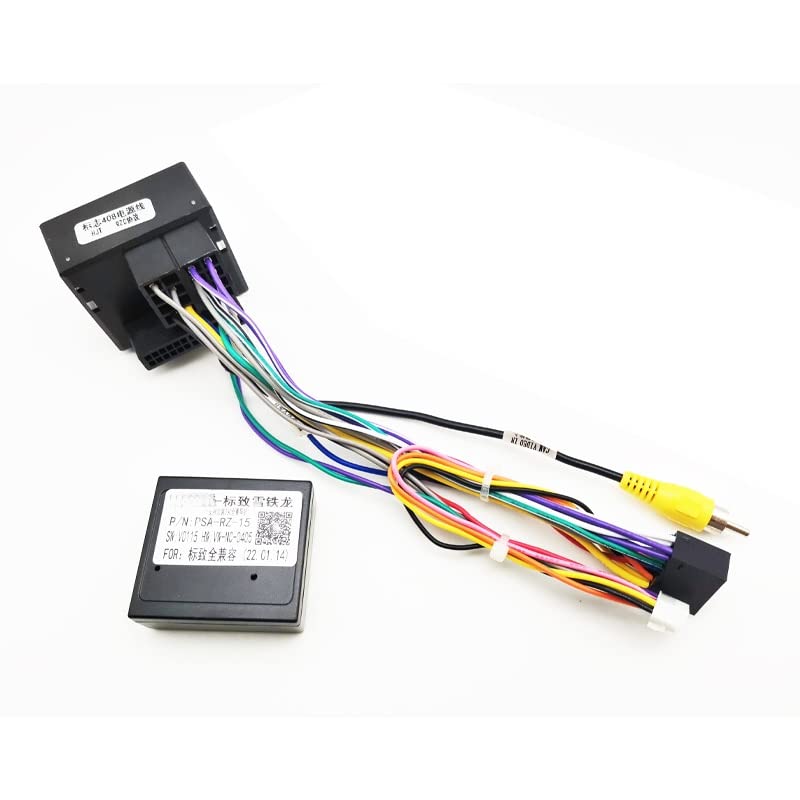
Image 1: Main components of the TACOON 16-Pin to Quadlock Wiring Harness, including the CANBUS decoder box and various connectors.

Image 2: The wiring harness shown with the optional FAKRA male car antenna cable, which may be included depending on the package.
3. Compatibility
This wiring harness is compatible with the following vehicle models equipped with an RD4 head unit:
- Peugeot: 307 (2005-2014), 308 (2007+), 3008 (2009+), 407 (2004-2010), 408 (2014-2019), 4008 (2016-2019), 508 (2011-2016), 5008 (2017-2019), 607 (2005-2012), 807 (2005-2014)
- Citroen: C3, C4, C5, S/ga models
The aftermarket Android head unit must have a 16-pin socket for compatibility with this harness.
4. Installation Guide
4.1 Identify Components and Connectors
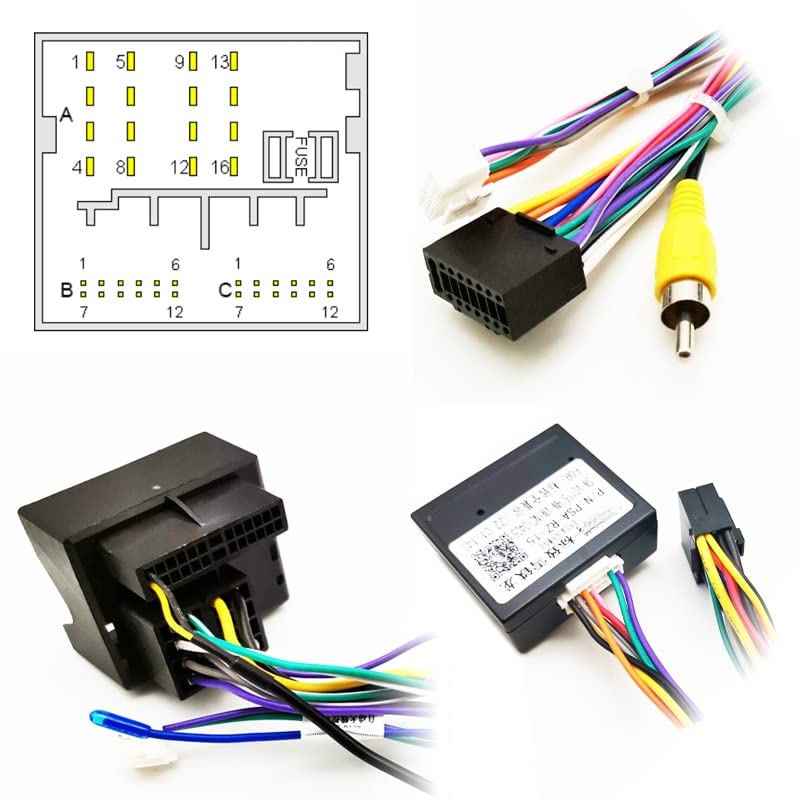
Image 3: A composite image showing the 16-pin plug, the Quadlock connector, the CANBUS decoder box, and a pinout diagram for the Quadlock connector.
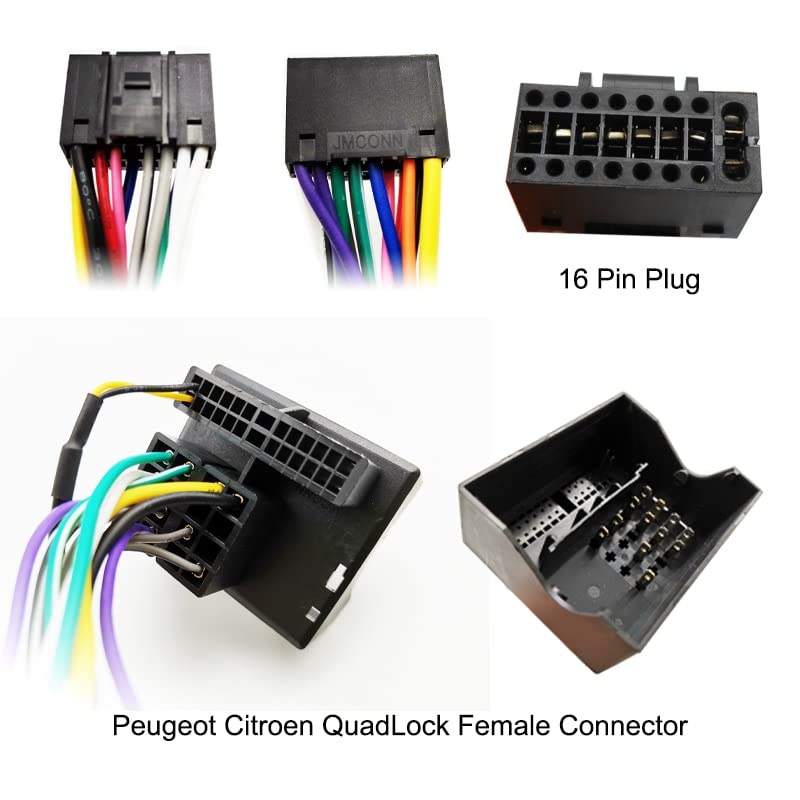
Image 4: Close-up views of the 16-pin plug (top right) and the Peugeot/Citroen Quadlock female connector (bottom), highlighting their design.
Familiarize yourself with the 16-pin plug, the Quadlock female connector, and the CANBUS decoder box. The 16-pin plug connects to your new Android head unit, while the Quadlock connector interfaces with your vehicle's existing wiring.
4.2 Wiring Diagram
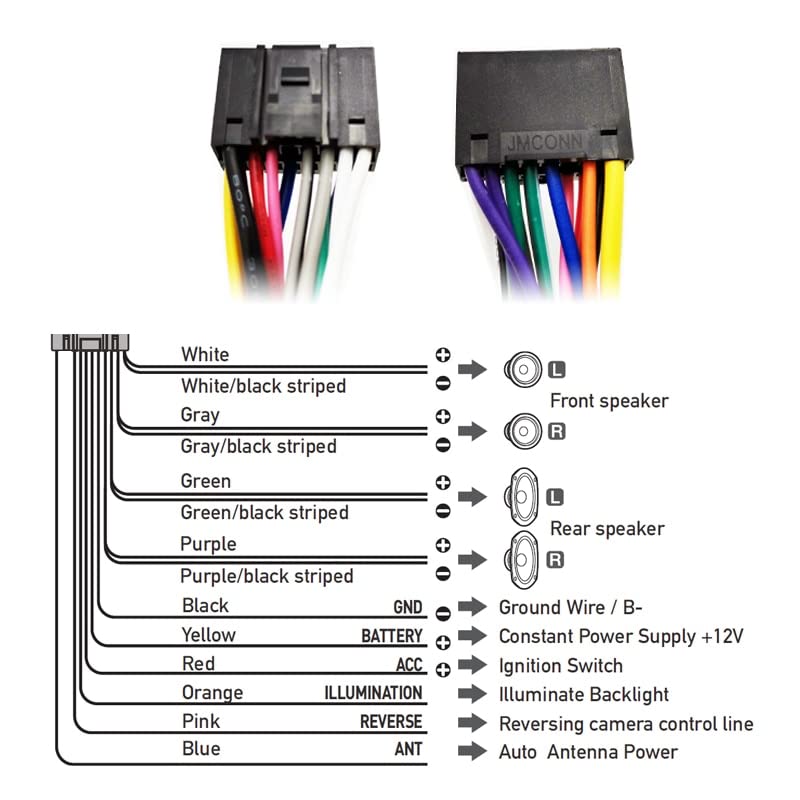
Image 5: A comprehensive wiring diagram illustrating the function of each wire in the 16-pin harness, including connections for speakers, power, ignition, illumination, reverse camera, and antenna.
Refer to the wiring diagram above for specific wire functions. Ensure all connections are secure and match the corresponding functions on your Android head unit.
- White/Gray/Green/Purple wires: Speaker outputs (Front Left, Front Right, Rear Left, Rear Right). Striped wires are negative.
- Black wire: Ground (GND).
- Yellow wire: Constant Power Supply +12V (BATTERY).
- Red wire: Ignition Switch (ACC).
- Orange wire: Illumination Backlight (ILLUMINATION).
- Pink wire: Reversing camera control line (REVERSE).
- Blue wire: Auto Antenna Power (ANT).
4.3 Connecting the Harness
- Prepare the Head Unit: Ensure your Android head unit has a 16-pin socket.
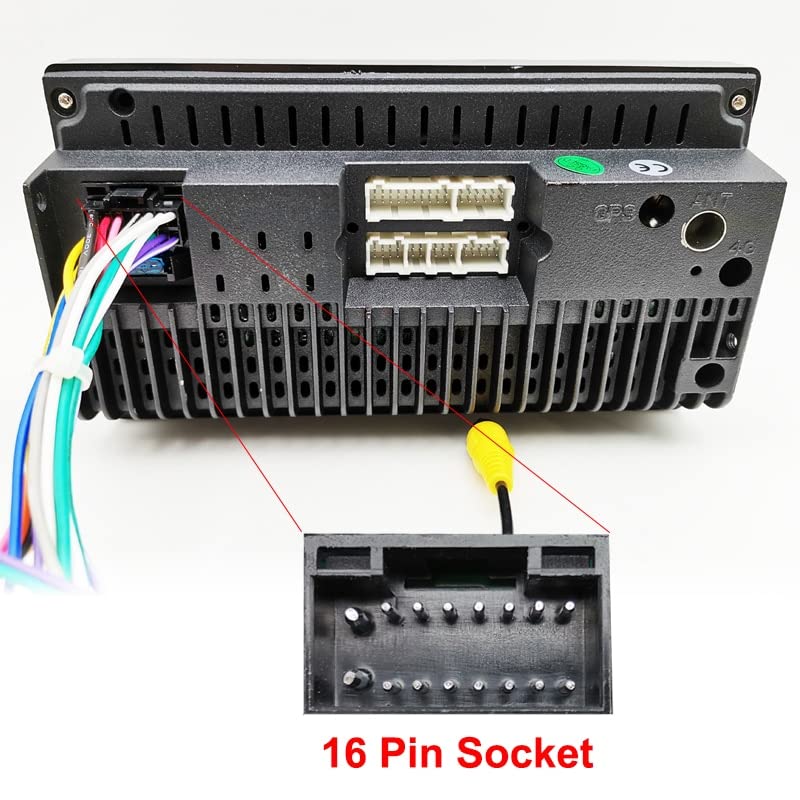
Image 6: The rear panel of a typical Android head unit, highlighting the 16-pin socket where the harness will connect.
- Connect to Head Unit: Plug the 16-pin connector of the harness into the corresponding 16-pin socket on the back of your Android head unit.
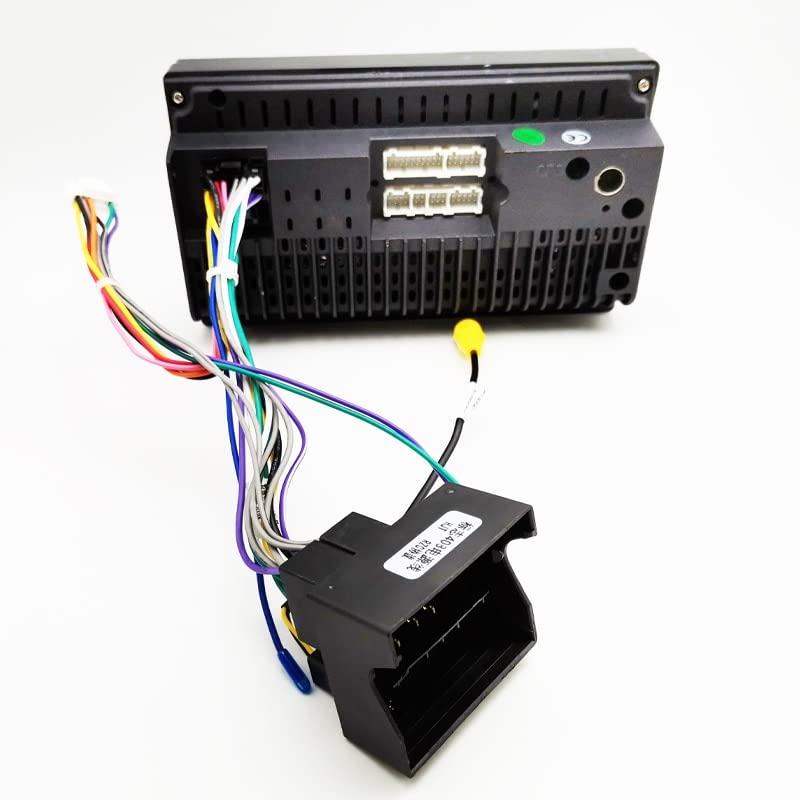
Image 7: The TACOON wiring harness fully connected to the rear of an Android head unit, demonstrating a proper installation.
- Connect to Vehicle: Locate the existing Quadlock connector in your vehicle's dashboard. Plug the Quadlock female connector of the harness into the vehicle's Quadlock male connector.
- CANBUS Decoder: The CANBUS decoder box (Raise brand) is integrated into the harness. Ensure it is securely connected within the harness assembly.
- Optional Antenna Cable: If your package includes the FAKRA male car antenna cable, connect it from your head unit's antenna input to the vehicle's antenna cable.
5. Operating Instructions
Once the harness is correctly installed and connected, power on your Android head unit.
5.1 CANBUS Setup on Android Head Unit
To ensure proper functionality of the CANBUS decoder (e.g., reversing radar support), you may need to configure it within your Android head unit's settings.
- Navigate to the settings menu on your Android head unit.
- Locate the "CAN BUS" or "Factory Settings" section.
- Select "Raise" as the CAN BUS decoder brand.
- Choose "Peugeot / Citroen" as the vehicle manufacturer.
- Select your specific car model from the available options.
Consult your Android head unit's user manual for specific instructions on accessing and configuring CAN BUS settings.
6. Troubleshooting (FAQ)
Q1: What is the CAN Bus decoder brand?
A1: The CAN Bus decoder is the Raise brand.
Q2: How do I set up the CAN BUS part in my Android head unit?
A2: Enter the settings menu on your Android head unit. Choose the CAN BUS part as Raise, then select Peugeot / Citroen, and finally, your specific car model.
Q3: Is this harness suitable for all car Android head units?
A3: This harness adapter is suitable if your car Android head unit has a 16-pin socket.
Q4: My reversing radar is not working after installation.
A4: Ensure the CANBUS decoder is correctly configured in your Android head unit's settings as described in Section 5.1. Verify all connections are secure.
7. Specifications
- Product Type: 16-Pin to Quadlock Wiring Harness with CANBUS Decoder
- Brand: TACOON
- Model Number: TACOON
- Material: Copper wire cable
- Connector Types: 16 Pin, Quadlock, FAKRA (optional)
- CANBUS Decoder Brand: Raise
- Compatibility: Specific Peugeot and Citroen models with RD4 head units and Android head units with 16-pin sockets.
- Item Weight: Approximately 50 Grams
- Package Dimensions: Approximately 1.18 x 0.79 x 0.39 inches
Note: Specifications are subject to change without prior notice.
8. Maintenance
This wiring harness requires no specific maintenance. Ensure all connections remain secure and free from moisture or physical damage. Avoid pulling on the wires excessively.
9. Warranty and Support
For warranty information or technical support, please refer to the documentation provided with your purchase or contact the seller directly.