
Introduction
Thank you for choosing the Coulax Sonic Electric Toothbrush. This manual provides detailed instructions for the proper use, maintenance, and care of your new toothbrush. Please read this manual thoroughly before first use to ensure optimal performance and longevity of the product.
The Coulax Sonic Electric Toothbrush is designed to provide a superior cleaning experience compared to a manual toothbrush. Its advanced sonic technology delivers up to 40,000 vibrations per minute, effectively removing plaque, food debris, and surface stains for a noticeably whiter smile.
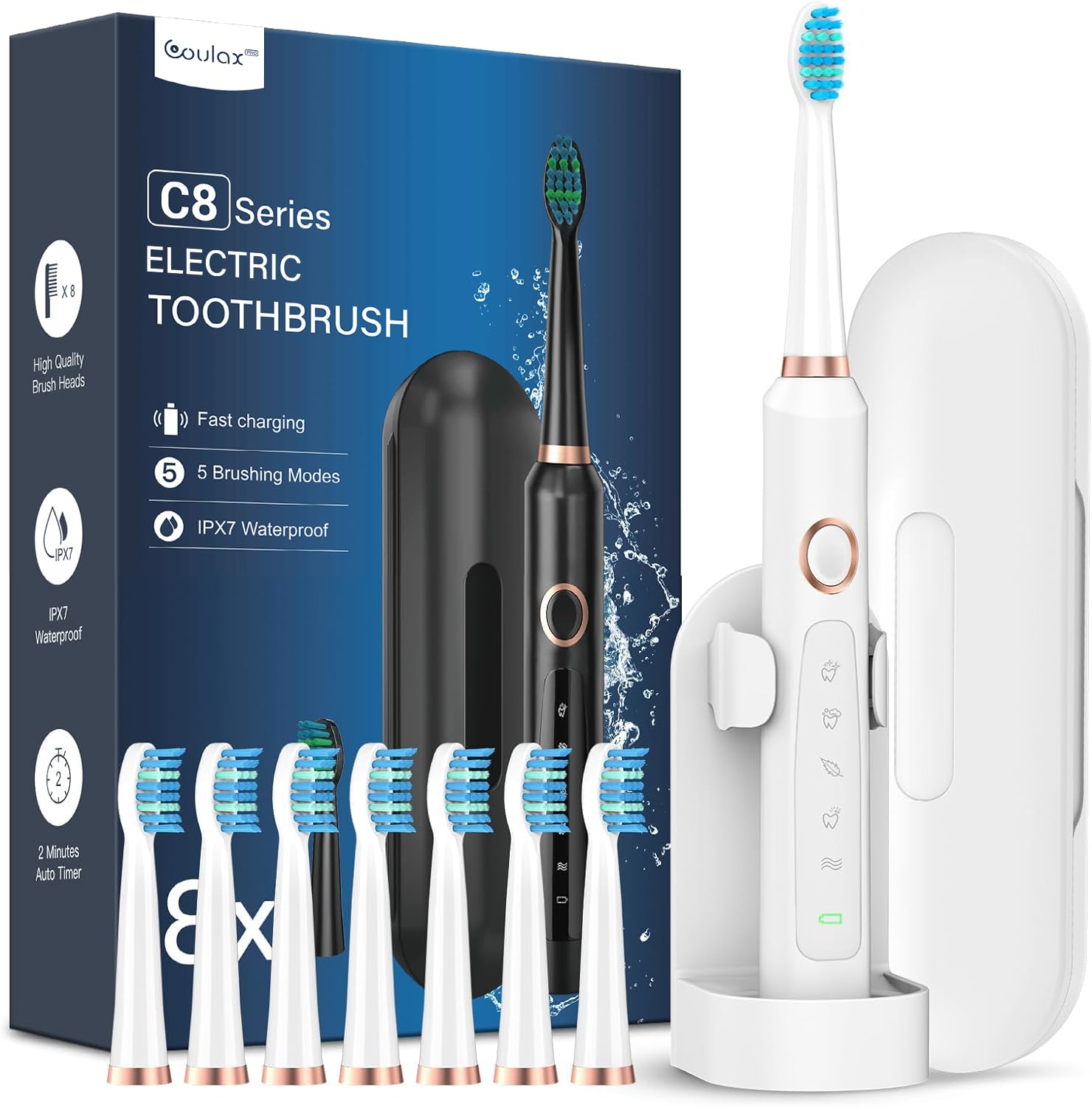
Image: The Coulax Sonic Electric Toothbrush, including the main unit, 8 replacement brush heads, and a protective travel case.
What's in the Box
- Coulax Sonic Electric Toothbrush Handle
- 8 x Premium DuPont Brush Heads
- Charging Cable (USB)
- Travel Case
- Wall Mount Holder
- User Manual

Image: A set of eight replacement brush heads, designed to last for 24 months of regular use.
Setup
- Unpack: Carefully remove all components from the packaging.
- Initial Charge: Before first use, fully charge the toothbrush for approximately 3 hours. Connect the USB charging cable to the toothbrush and a suitable power source (e.g., PC, power bank, phone charger).
- Attach Brush Head: Align the brush head with the metal shaft on the toothbrush handle and push it down until it clicks into place.
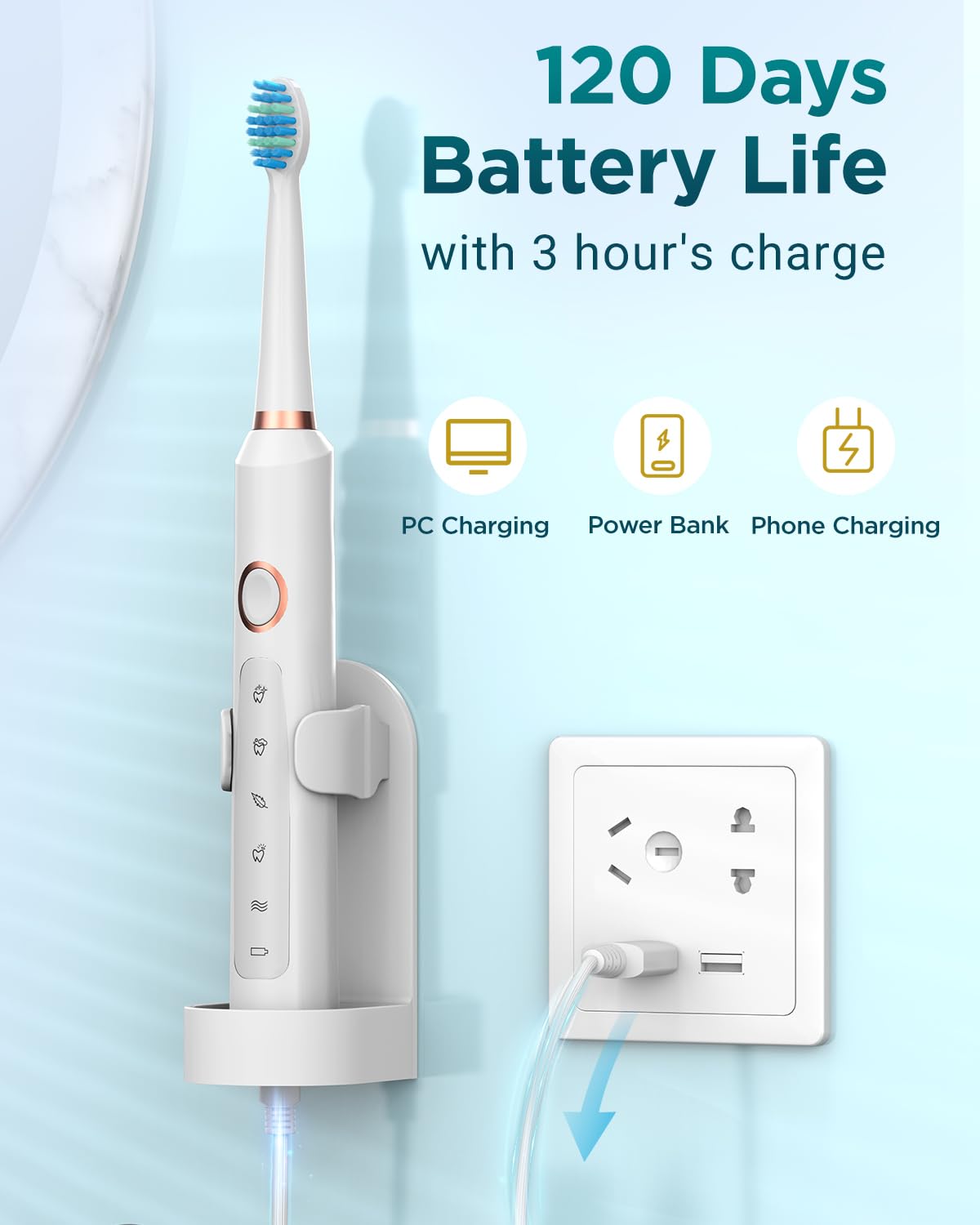
Image: The electric toothbrush connected to a power source for charging, illustrating various charging options like PC, power bank, and phone charger.
Operating Instructions
Brushing Procedure
- Moisten the brush head and apply a small amount of toothpaste.
- Place the brush head against your teeth at a slight angle towards the gumline.
- Press the Power button to turn on the toothbrush.
- Select your desired brushing mode by pressing the Power button repeatedly.
- Gently guide the brush head across all surfaces of your teeth. Do not scrub.
- The toothbrush will pause every 30 seconds to indicate it's time to move to a different quadrant of your mouth.
- After 2 minutes, the toothbrush will automatically turn off, signaling the completion of the recommended brushing time.
- Rinse your mouth and the brush head thoroughly after brushing.
Brushing Modes
The Coulax Sonic Electric Toothbrush features 5 distinct brushing modes to cater to various oral care needs:
- Sensitive: Gentle cleaning for sensitive teeth and gums, or for beginners.
- Clean: Standard mode for daily comprehensive cleaning.
- White: Designed to remove surface stains and whiten teeth.
- Polish: Provides a polishing effect for brighter teeth.
- Massage: Gently massages gums to improve circulation and gum health.
To turn off the toothbrush, press and hold the Power button for at least three seconds.
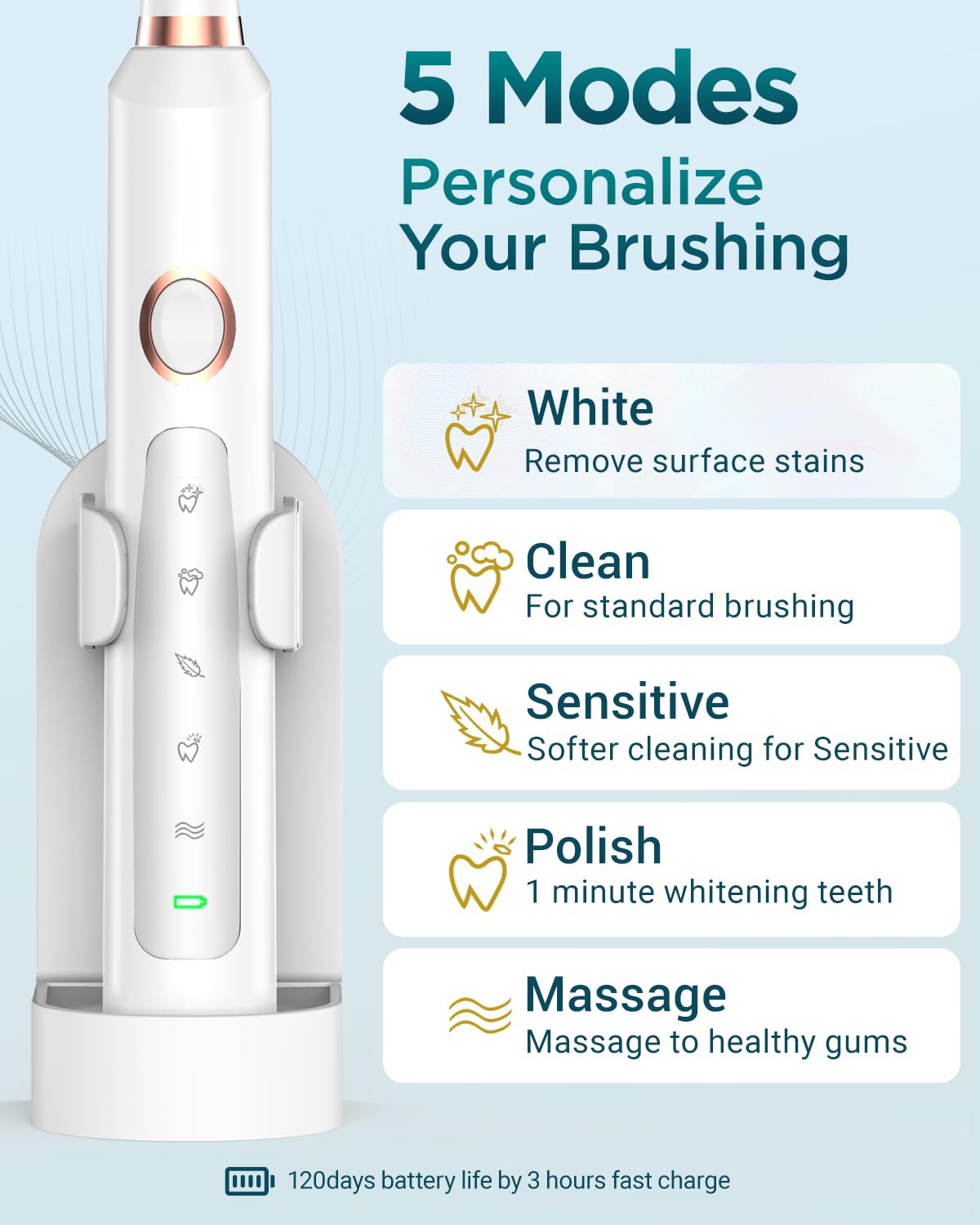
Image: An illustration detailing the five distinct brushing modes: White, Clean, Sensitive, Polish, and Massage, along with their descriptions.

Image: A visual representation of the built-in 2-minute timer and 30-second quadrant reminder, guiding users for optimal brushing duration.
Maintenance
Cleaning
The Coulax Sonic Electric Toothbrush is IPX7 waterproof, allowing for easy and safe cleaning. After each use, rinse the brush head and the handle under running water to remove any toothpaste residue and debris. You can safely rinse the entire toothbrush.

Image: The toothbrush being rinsed, highlighting its IPX7 waterproof capability, meaning the entire body is washable.
Brush Head Replacement
For optimal hygiene and brushing effectiveness, it is recommended to replace the brush head every 3 months, or sooner if the bristles become frayed. Your Coulax toothbrush comes with 8 brush heads, providing a supply for up to 24 months.
To replace, simply pull the old brush head off the handle and push a new one on until it clicks into place.
Storage
Use the provided wall mount holder to store your toothbrush, keeping it dry and hygienic in your bathroom.

Image: Coulax toothbrushes in different colors displayed on wall-mounted holders, illustrating how to keep the toothbrush dry and organized.
Charging
The Coulax Sonic Electric Toothbrush features a long-lasting battery. A full charge takes approximately 3 hours and provides up to 120 days of use, depending on usage frequency and mode selection. Charge the toothbrush when the battery indicator light signals low power.
Travel Features
The toothbrush comes with a compact travel case, designed to protect your toothbrush and two brush heads while on the go. This makes it an ideal companion for long trips or couple travel, ensuring your daily oral care routine is maintained anywhere.

Image: The Coulax electric toothbrush and two brush heads neatly stored within its compact travel case, highlighting its portability.
Safety Warnings
- Do not swallow any parts of the toothbrush or brush heads.
- Keep out of reach of children.
- Do not use the toothbrush for purposes other than oral hygiene.
- If you experience any discomfort or pain during use, discontinue use and consult a dental professional.
Specifications
| Feature | Detail |
|---|---|
| Model Number | M305 |
| Brand | Coulax Pro |
| Vibrations per Minute | Up to 40,000 |
| Brushing Modes | 5 (Sensitive, Clean, White, Polish, Massage) |
| Battery Life | Up to 120 days on a 3-hour charge |
| Waterproof Rating | IPX7 |
| Timer | 2-minute auto-timer with 30-second quadrant reminders |
| Brush Head Type | DuPont W-shaped bristles |
| Power Source | Battery Powered (1 Lithium-Ion battery included) |
| Item Weight | 330 Grams |
| Dimensions (Packaged) | 22.4 x 13.7 x 4.7 cm |
Troubleshooting
- Toothbrush not turning on: Ensure the toothbrush is fully charged. Press and hold the power button for a few seconds.
- Weak vibrations: The battery might be low. Charge the toothbrush for 3 hours.
- Brush head feels loose: Ensure the brush head is firmly pushed down onto the metal shaft until it clicks.
- Unusual noise: Check if the brush head is correctly attached. If the noise persists, contact customer support.
Warranty and Support
The Coulax Sonic Electric Toothbrush comes with a 1-Year Warranty from the date of purchase. This warranty covers manufacturing defects and malfunctions under normal use.
For any questions, technical support, or warranty claims, please contact our customer service. We offer 24-hour online services to assist you promptly.
Please refer to the contact information provided on the product packaging or our official website for support details.