
Important Safety Information
The product involves electricity; please keep it away from water and high-temperature sources. For safety reasons, children are not allowed to climb or play on this product. Please handle the glass material with care during installation.
Product Overview
The HOOBRO LED TV Stand (Model WT14UDDS01) is designed to accommodate televisions up to 65 inches, offering a modern aesthetic with practical features. It includes integrated LED lighting with multiple color and mode options, a built-in power strip with AC outlets and USB ports, and various storage solutions.
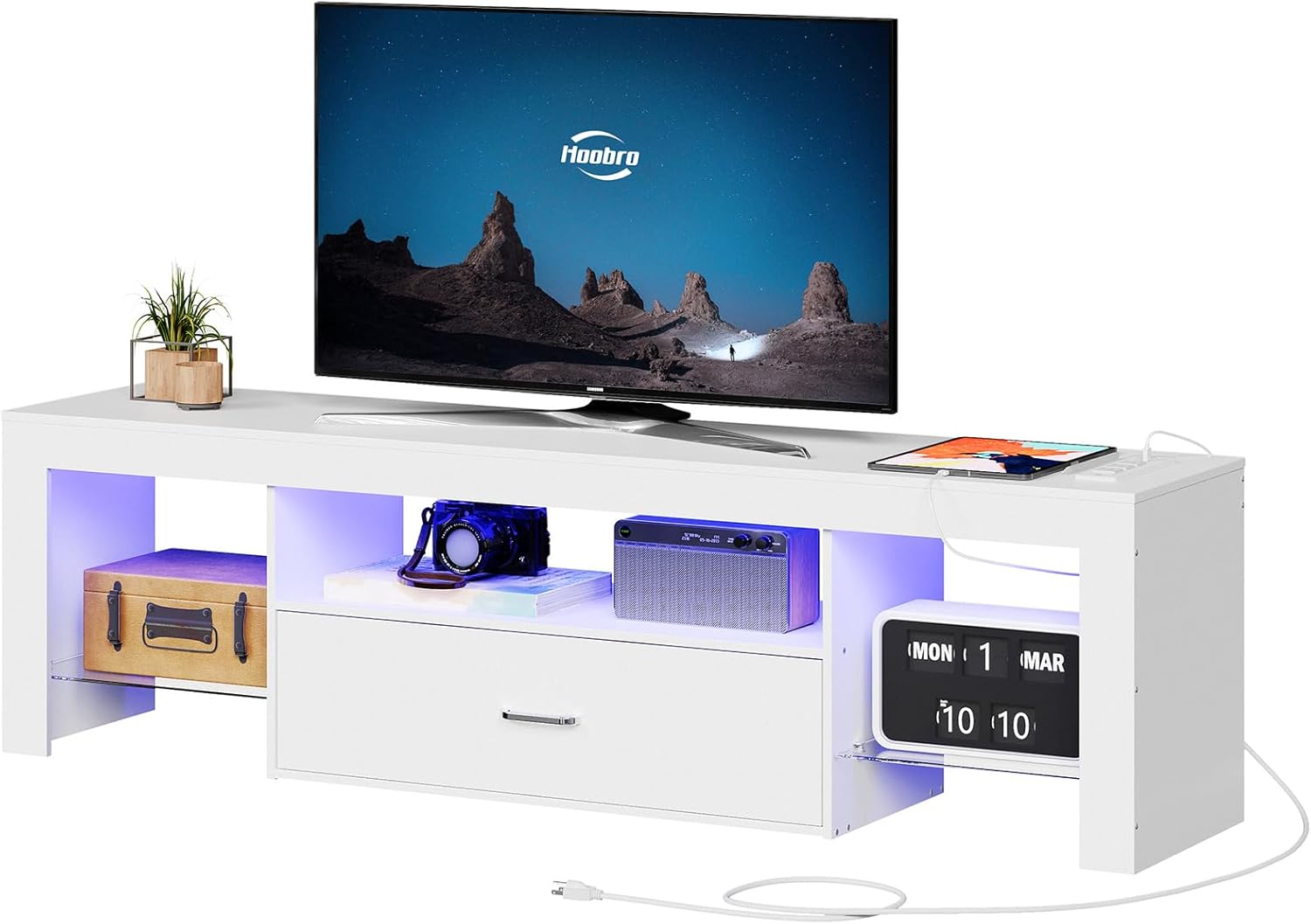
Figure 1: Front view of the HOOBRO LED TV Stand in white, with a television on top and various media devices and decor items in the open compartments and drawer.
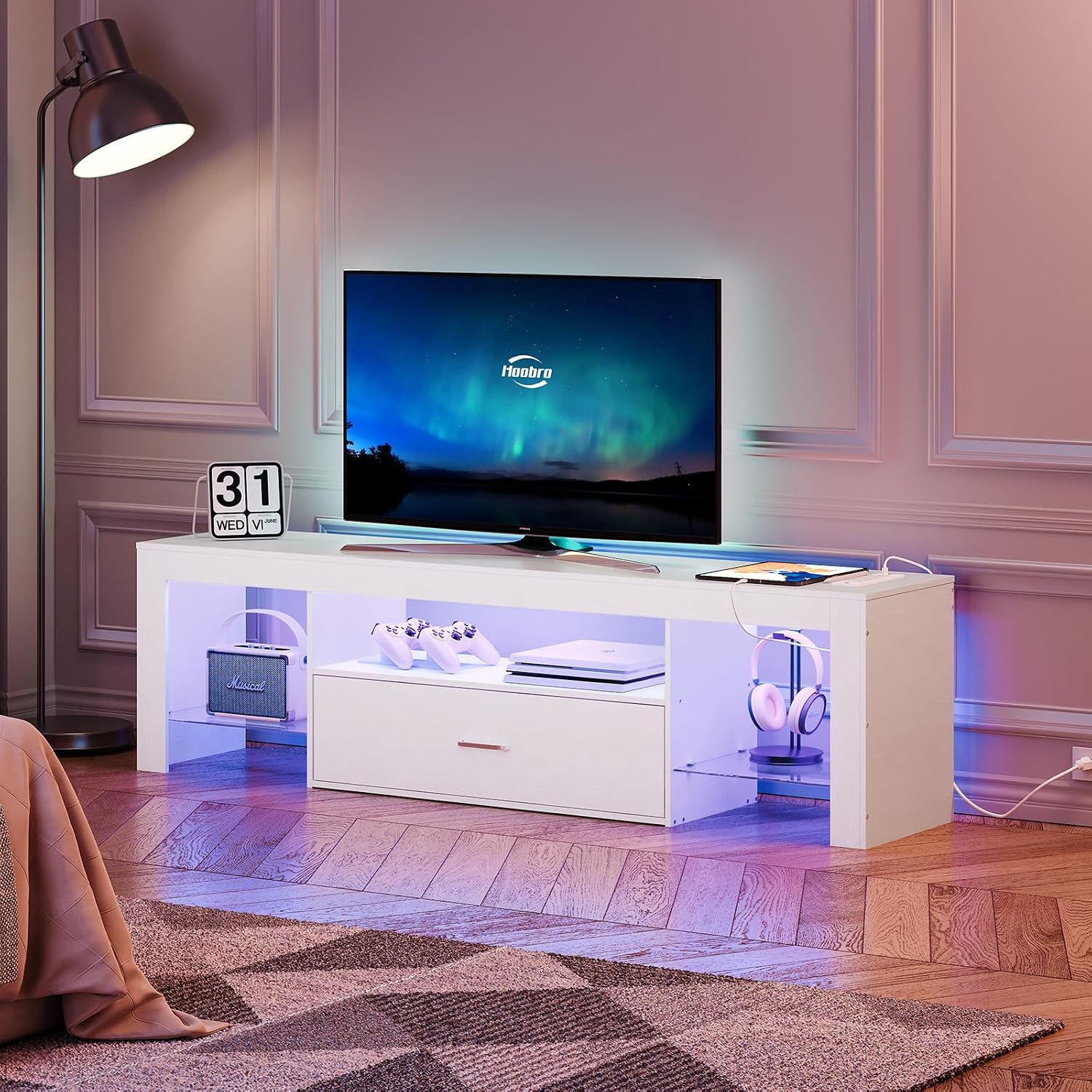
Figure 2: The TV stand in a living room, illuminated by blue LED lights, showcasing its modern design and functionality.

Figure 3: The TV stand with orange LED lights, highlighting the open storage areas and central drawer.

Figure 4: Angled view of the TV stand with purple LED lighting, emphasizing its storage compartments.
Key Features:
- Various Light Modes: Features 24 different colors and 4 modes for customizable ambiance.
- Convenient Charging: Equipped with 3 AC outlets and 3 USB ports for simultaneous device charging.
- Orderly Storage: Includes a spacious top board, 3 open spaces, and a large drawer for organized storage.
- Reliable Quality: Constructed from carefully selected materials for long-term use, supporting TVs up to 65 inches.
- Thoughtful Design: High-quality drawer slides, 8 furniture pads for stability and floor protection.
Video 1: Official product video demonstrating the features and design of the HOOBRO LED TV Stand, including its multicolor lights and storage options.
Setup Instructions
This section provides general guidance for assembling and setting up your HOOBRO LED TV Stand. For detailed, step-by-step assembly instructions, please refer to the separate assembly manual included in your product packaging. Ensure all parts are present before beginning assembly.
Assembly:
- Unpack and Verify: Carefully unpack all components and compare them against the parts list in your assembly manual to ensure nothing is missing or damaged.
- Follow Manual: Adhere strictly to the numbered steps provided in the dedicated assembly manual. Use the correct hardware for each step.
- Handle Glass with Care: When installing the tempered glass shelves, exercise extreme caution to prevent breakage or injury.
- Secure Connections: Ensure all screws and fasteners are tightened securely, but do not overtighten to avoid damaging the material.
Placement:
- Level Surface: Place the assembled TV stand on a flat, stable, and level surface to prevent wobbling and ensure safety.
- Ventilation: Ensure adequate air circulation around your TV and media devices to prevent overheating.
- Floor Protection: The stand is equipped with furniture pads. Ensure they are properly positioned to protect your flooring from scratches.
Operating Instructions
LED Lighting System:
The integrated LED lighting system offers customizable illumination for your entertainment area.
- Power On/Off: Use the provided remote control to turn the LED lights on or off.
- Color Selection: Select from 24 different colors using the color buttons on the remote.
- Mode Selection: Choose from 4 dynamic modes (e.g., flash, strobe, fade, smooth) to create different lighting effects.
- Brightness Adjustment: Adjust the brightness level to your preference using the brightness control buttons.

Figure 5: The LED light strip and its remote control for managing colors and modes.
Integrated Power Outlets:
The TV stand includes a built-in power strip for convenient charging and powering of your devices.
- AC Outlets: Three (3) standard AC outlets (125V/12A) are available for powering your television, stereo, game console, or other electronics.
- USB Ports: Three (3) USB ports (5V/2A) are provided for charging mobile phones, tablets, and other USB-powered devices.
- Power Cord: Connect the stand's power cord to a wall outlet. Ensure the wall outlet is easily accessible and not overloaded.

Figure 6: Close-up of the integrated power strip with AC outlets and USB ports.
Maintenance
Regular maintenance helps preserve the appearance and functionality of your TV stand.
- Cleaning: Wipe surfaces with a soft, damp cloth. Avoid harsh chemicals or abrasive cleaners that could damage the finish. For glass shelves, use a glass cleaner.
- Dusting: Regularly dust all surfaces, including the LED strip and power outlets, to prevent accumulation.
- Hardware Check: Periodically check all screws and fasteners to ensure they remain tight. Retighten if necessary, but do not overtighten.
- Cable Management: Keep cables organized and tidy to prevent tripping hazards and maintain a clean appearance.

Figure 7: Detail of the tempered glass shelf, which should be handled with care during cleaning.
Troubleshooting
If you encounter issues with your HOOBRO LED TV Stand, refer to the following common problems and solutions.
| Problem | Possible Cause | Solution |
|---|---|---|
| LED lights not working | Power cord disconnected, remote battery dead, LED strip damaged. | Ensure power cord is securely plugged in. Replace remote battery. Inspect LED strip for visible damage. |
| Power outlets/USB ports not working | Power cord disconnected, wall outlet issue, device not compatible. | Check power cord connection to stand and wall. Test wall outlet with another device. Ensure device is compatible with USB charging specifications. |
| Drawer sticks or does not slide smoothly | Misaligned drawer slides, obstruction, loose screws. | Check that drawer slides are properly aligned and free of debris. Ensure all screws on the drawer and slides are tightened. |
| Stand is wobbly/unstable | Uneven floor, loose assembly screws. | Ensure the stand is on a level surface. Check and tighten all assembly screws. Adjust furniture pads if necessary. |
Specifications
Detailed specifications for the HOOBRO LED TV Stand, Model WT14UDDS01.
- Brand: HOOBRO
- Model: WT14UDDS01
- Color: White
- Material: Engineered Wood (Frame), Particle Board (Top Material), Tempered Glass (Shelves)
- Mounting Type: Floor Mount
- Room Type: Bedroom, Living Room
- Product Dimensions (L x W x H): 55.1 x 13.8 x 17.7 inches (140 x 35 x 45 cm)
- Item Weight: 46.3 pounds (21 kg)
- Weight Limit (Top): 286 Pounds (130 kg)
- Number of Shelves: 1 (tempered glass)
- Number of Compartments: 3 open, 1 drawer
- Assembly Required: Yes
- Power Outlets: 3 AC Outlets (125V/12A)
- USB Ports: 3 USB Ports (5V/2A)
- Max Power (Power Strip): 1800 Watts
- Power Cord Length: 4.9 feet

Figure 8: Dimensional diagram of the HOOBRO LED TV Stand.
Warranty and Support
For specific warranty information regarding your HOOBRO LED TV Stand, please refer to the documentation included with your purchase or contact HOOBRO customer support directly. Warranty terms typically cover manufacturing defects and material flaws for a specified period from the date of purchase.
Customer Support:
If you require assistance with assembly, parts replacement, or troubleshooting beyond the scope of this manual, please contact HOOBRO customer service. Have your model number (WT14UDDS01) and purchase details ready for faster service.
You may find contact information on the HOOBRO official website or through the retailer where the product was purchased.