
1. Introduction
This manual provides detailed instructions for the safe and effective use of your MSFOOT K001 Knee Massager. Please read this manual thoroughly before operating the device and retain it for future reference. The MSFOOT K001 is designed to provide targeted massage and heat therapy to the knee area.

Image 1.1: The MSFOOT K001 Knee Massager in use, highlighting its application to the knee joint.
2. Safety Information
To ensure safe operation and prevent injury or damage, please observe the following precautions:
- Consult a physician before use if you have pre-existing medical conditions, are pregnant, have a pacemaker, or have any concerns about using this device.
- Do not use the device on swollen, inflamed, or injured areas of the skin.
- Keep the device away from water and high humidity.
- Do not disassemble or attempt to repair the device yourself. Contact customer support for assistance.
- Keep out of reach of children.
- Use only the provided charging cable.
- Discontinue use immediately if you experience any discomfort or pain.
3. Package Contents
Verify that all items are present in the package:
- MSFOOT K001 Knee Massager Unit
- USB-C Charging Cable
- User Manual (this document)
- Pain Relief Patches (quantity may vary)

Image 3.1: The MSFOOT K001 Knee Massager and its included accessories.
4. Product Features
The MSFOOT K001 Knee Massager incorporates several features for comprehensive knee therapy:
- Infrared Heat Therapy: Offers 9 adjustable heat levels, ranging from 113°F (45°C) to 149°F (65°C), to promote circulation and comfort.
- Vibration Massage: Provides 9 distinct vibration modes for varied massage experiences.
- Cordless and Rechargeable: Equipped with a 2400 mAh lithium-ion battery for portable use.
- LED Touch Screen: A clear, visible LED display and touch buttons allow for easy operation and mode selection.
- Ergonomic Design: Features an adjustable strap (up to 19 inches) and a lightweight design (approximately 1.26 lbs) for a comfortable and secure fit around the knee.
- 360° Knee Coverage: Designed to provide therapy around the entire knee area.

Image 4.1: Illustration of the 9 adjustable heat levels and corresponding temperatures.

Image 4.2: Illustration of the 9 available vibration massage modes.
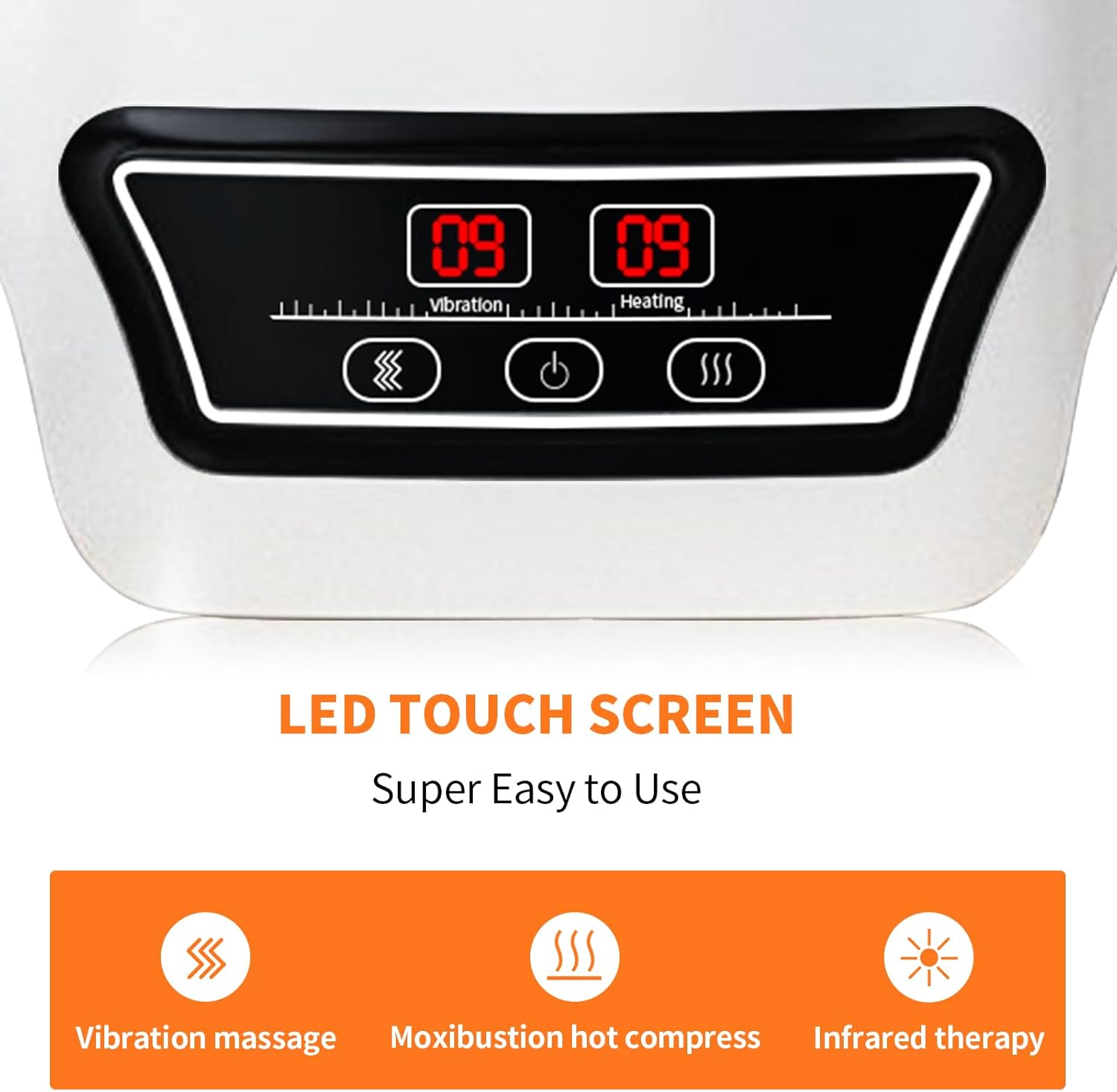
Image 4.3: The intuitive LED touch screen control panel.
5. Setup
5.1 Charging the Device
- Connect the provided USB-C charging cable to the charging port on the massager.
- Plug the other end of the cable into a compatible USB power adapter (not included) or a computer USB port.
- The charging indicator light will illuminate during charging. Once fully charged, the indicator light will change or turn off (refer to the device's specific indicator behavior).
- A full charge typically takes approximately 3-4 hours.
5.2 Attaching the Massager
- Sit in a comfortable position.
- Place the massager on your knee, ensuring the main unit is centered over the kneecap.
- Secure the massager using the adjustable strap. Ensure it is snug but not overly tight, allowing for comfortable movement and proper contact with the skin.
6. Operating Instructions
The MSFOOT K001 features an easy-to-use LED touch screen control panel.

Image 6.1: Key components of the MSFOOT K001 Knee Massager.
6.1 Power On/Off
- To power on, press and hold the Power button (⏻) on the control panel for a few seconds until the LED screen illuminates.
- To power off, press and hold the Power button (⏻) again until the screen turns off.
6.2 Adjusting Heat Levels
- After powering on, press the Heat button (SSS) to activate heat therapy.
- Each press of the Heat button will cycle through the 9 available heat levels. The current level will be displayed on the LED screen.
- Select a heat level that feels comfortable.
6.3 Adjusting Vibration Modes
- After powering on, press the Vibration button (∿) to activate vibration massage.
- Each press of the Vibration button will cycle through the 9 available vibration modes. The current mode will be displayed on the LED screen.
- Choose a vibration mode that suits your preference.
6.4 Recommended Usage
A typical session duration is 10-15 minutes. The device may have an automatic shut-off feature after a set period. Do not exceed 30 minutes of continuous use per session on the same area.
7. Maintenance
7.1 Cleaning
- Ensure the device is powered off and unplugged before cleaning.
- Wipe the surface of the massager with a soft, damp cloth. Do not use abrasive cleaners or immerse the device in water.
- Allow the device to dry completely before storage or next use.
7.2 Storage
- Store the massager in a cool, dry place, away from direct sunlight and extreme temperatures.
- Keep the device in its original packaging or a protective case to prevent damage.
8. Troubleshooting
| Problem | Possible Cause | Solution |
|---|---|---|
| Device does not turn on | Low battery; Device not charged | Charge the device fully using the provided USB-C cable. |
| No heat or vibration | Heat/Vibration mode not activated or set too low | Press the respective Heat (SSS) or Vibration (∿) button to select a mode and increase the intensity level. |
| Discomfort during use | Strap too tight; Intensity too high | Loosen the strap for a more comfortable fit. Reduce the heat or vibration intensity. Discontinue use if discomfort persists. |
| Charging indicator not working | Cable not properly connected; Faulty cable/adapter | Ensure the USB-C cable is securely connected to both the device and the power source. Try a different USB power adapter. |
9. Specifications
| Feature | Specification |
|---|---|
| Model Number | K001 |
| Product Dimensions | 9.6 x 5.7 x 5.5 inches |
| Item Weight | 1.26 Pounds |
| Power Source | Battery Powered |
| Battery Type | Lithium Ion (6 included) |
| Battery Capacity | 2400 mAh |
| Material | Plastic |
| Heat Levels | 9 (113°F - 149°F) |
| Vibration Modes | 9 |
| Manufacturer | MSFOOT |
10. Warranty and Support
10.1 Warranty Information
The MSFOOT K001 Knee Massager comes with a 12-month warranty from the date of purchase. This warranty covers manufacturing defects under normal use. It does not cover damage caused by misuse, accidents, unauthorized modifications, or improper maintenance.
10.2 Customer Support
For any questions, concerns, or warranty claims, please contact MSFOOT customer support through the retailer where the product was purchased or refer to the contact information provided on the product packaging or official MSFOOT website.