1. Overview
The Generic R9 Waterproof Outdoor Smart Rim Lock offers advanced security and convenient access control for outdoor gates and doors. This electronic lock integrates multiple access methods including fingerprint, passcode, RFID card, mechanical key, and remote control via the Tuya or TTLock App. Its robust aluminum alloy construction ensures durability and weather resistance.
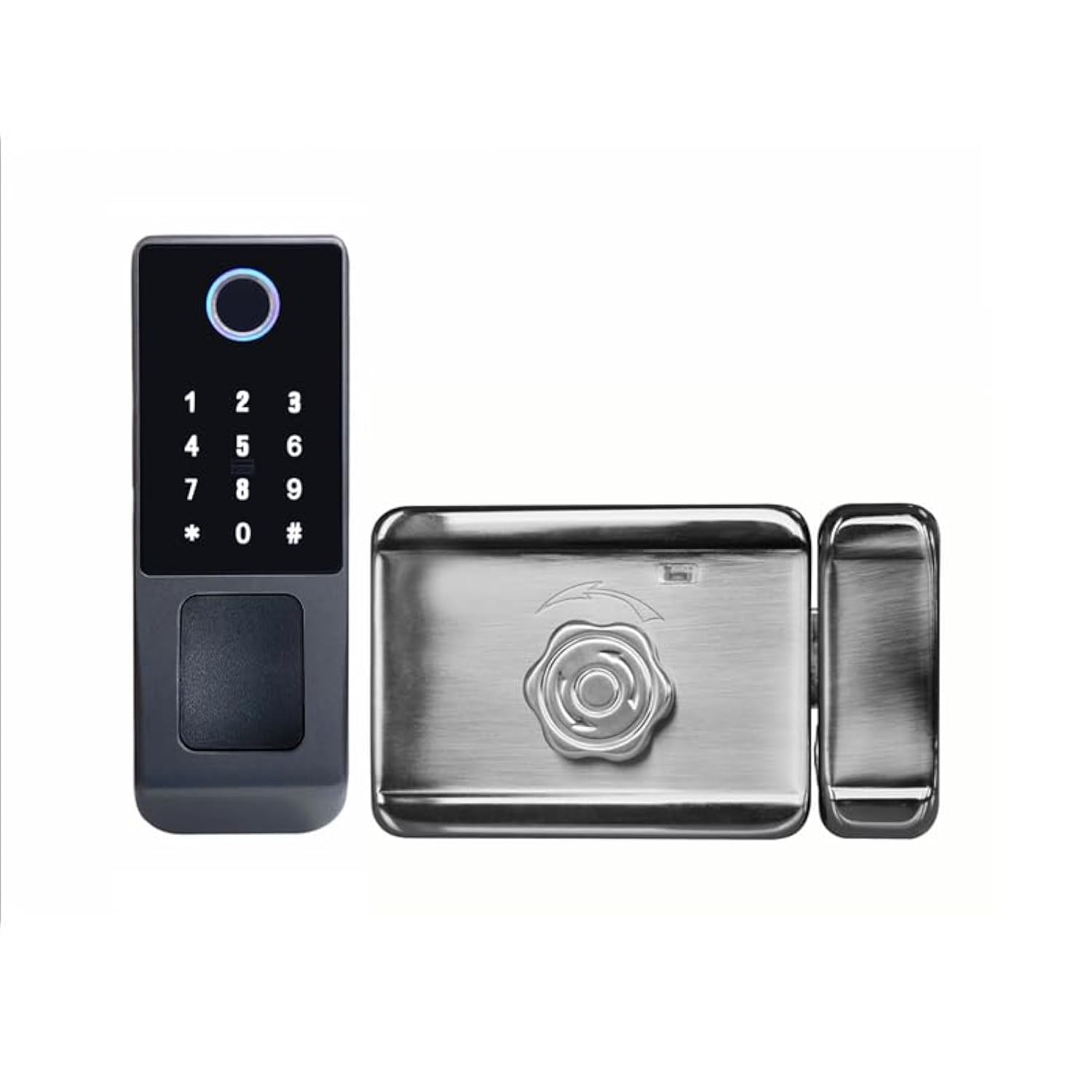
Image 1.1: The Generic R9 Smart Rim Lock, showcasing the exterior keypad unit and the interior locking mechanism.
2. Product Components
The smart rim lock system includes several key components for comprehensive security and functionality.

Image 2.1: Detailed view of the outdoor and indoor units, highlighting the fingerprint area, password area, card area, mechanical key hole cover, USB charging port, battery box, and unlock button.

Image 2.2: All included components: outdoor unit, indoor unit, waterproof pad, lock cylinder, mechanical keys, and IC cards.
- Outdoor Unit: Features fingerprint sensor, keypad, card reader, and mechanical key access.
- Indoor Unit: Contains the battery compartment, motor, and internal unlock button.
- Lock Cylinder: For mechanical key access.
- Mechanical Keys: Backup access.
- RFID Cards: For card-based entry.
- Waterproof Pad: Provides additional weather protection during installation.
- Mounting Hardware: Screws and brackets for installation.
3. Setup
3.1 Installation Considerations
- Ensure the gate or door thickness is compatible with the lock's dimensions.
- For outdoor installations, consider additional weatherproofing measures like silicone sealant around the edges to prevent water ingress, especially for the internal components.
- If installing on a vinyl fence post, a wooden block may be required inside the post to provide a secure mounting surface and proper spacing for the lock components.
- Wiring may need to be extended to connect the outdoor and indoor units, especially if the gate post is wider than the standard wire length.
3.2 Dimensions

Image 3.1: Dimensions of the outdoor unit (60mm width, 168mm height) and indoor unit (165mm width, 100mm height, 35mm depth).
3.3 Battery Installation
- The lock requires 4 AA Alkaline batteries.
- To access the battery compartment, unscrew the two screws on the interior unit's cover.
- Insert the batteries, ensuring correct polarity.
- Replace the cover and secure the screws.
3.4 App Integration (Tuya/TTLock)
- Download either the Tuya Smart App or TTLock App from your smartphone's app store.
- Follow the in-app instructions to pair your smart lock with the application.
- Ensure your Wi-Fi network is stable for remote functionality.
4. Operating Instructions
The Generic R9 Smart Rim Lock offers multiple convenient ways to unlock and manage access.

Image 4.1: Visual representation of the various unlocking methods supported by the smart lock, including WiFi, TuyaSmart/SmartLife App, fingerprint, passcode, RFID card, and physical key.

Image 4.2: Icons detailing the five primary methods for unlocking the device.
4.1 Unlocking Methods
- Fingerprint: Place a registered finger on the fingerprint sensor. The lock will emit an audible confirmation and unlock.
- Passcode: Enter your registered digital code on the keypad followed by the '#' key.
- RFID Card: Present a registered RFID card to the card reader area on the outdoor unit.
- Mechanical Key: Insert the physical key into the keyhole (located under a cover on the outdoor unit) and turn to unlock.
- App Unlock: Use the Tuya or TTLock App on your smartphone to remotely unlock the gate. Note: The Wi-Fi lock only supports remote unlocking, not remote closing.
4.2 Adding/Deleting Users
- User management (adding/deleting fingerprints, passcodes, or RFID cards) is typically performed through the connected Tuya or TTLock App.
- Refer to the specific app's instructions for detailed steps on user enrollment and removal.
- You can set up different access codes and fingerprints for various users (e.g., family members, mail delivery, guests).
4.3 Automatic Locking
- The lock is designed to automatically lock itself when the gate closes and the internal magnet makes contact with the receiver. This is a key safety feature.
5. Maintenance
- Battery Replacement: Replace all 4 AA Alkaline batteries when the low battery indicator appears or when performance degrades. Use quality name-brand batteries for optimal life.
- Cleaning: Wipe the exterior surfaces with a soft, damp cloth. Avoid abrasive cleaners or solvents that could damage the finish or electronic components.
- Weather Protection: Periodically inspect the silicone sealant (if applied) around the lock for cracks or deterioration and reapply as needed to maintain weather resistance. Keep the mechanical keyhole cover closed when not in use.
- USB Charging Port: The USB external power supply interface is for emergency power only if batteries are completely drained. Do not use for regular charging.
6. Troubleshooting
| Issue | Possible Cause | Solution |
|---|---|---|
| Lock does not respond | Dead batteries | Replace batteries. Use the USB emergency power port if needed. |
| Fingerprint not recognized | Finger is dirty/wet, sensor is dirty, unregistered fingerprint | Clean finger and sensor. Ensure finger is registered. Try another registered finger. |
| Passcode not working | Incorrect code, unregistered code | Verify the passcode. Ensure the passcode is registered in the app. |
| Remote unlock via App fails | No Wi-Fi connection, App not paired, lock offline | Check Wi-Fi connectivity. Re-pair the lock with the app. Ensure lock is within Wi-Fi range. |
| Lock does not close automatically | Misalignment of magnet/receiver, obstruction | Check alignment of the magnet and receiver. Clear any obstructions. |
7. Specifications
| Feature | Detail |
|---|---|
| Model Name | R9 |
| Brand | Generic |
| Lock Type | Biometric |
| Special Features | Fingerprint, Keyless, Reversible, Waterproof |
| Material | Metal (Aluminum alloy) |
| Item Dimensions (L x W x H) | 2.4 x 1.2 x 0.1 inches (Outdoor unit: 60mm W x 168mm H; Indoor unit: 165mm W x 100mm H x 35mm D) |
| Item Weight | 1 Pound |
| Control Method | App, Remote, Hand Control |
| Connectivity Protocol | Wi-Fi |
| Power Source | 4* AA Alkaline batteries |
| App Compatibility | Tuya Smart / TTLock App |
8. Warranty and Support
For warranty information, technical support, or further assistance, please refer to the product packaging or contact the manufacturer directly. Keep your purchase receipt for warranty claims.
- Manufacturer: Dongguan Qishengda Technology Co., Ltd.
- Certificates: CE, ROHS, FCC