
Introduction
Thank you for choosing the VATOS Robot Toys. This manual provides essential information for the safe and effective operation, maintenance, and troubleshooting of your new interactive robot toys. These robots feature remote control, voice recording, voice changing, gesture sensing, and programmable movement functions, designed to provide an engaging play experience.

Image: The VATOS Robot Toys, showcasing their design and included remote control.
Setup Instructions
1. Unpacking
- Carefully remove all components from the packaging.
- Verify that all items are present: 2 Robot Toys, 1 Remote Control, 1 USB Charging Cable.
2. Battery Installation (Remote Control)
- Locate the battery compartment on the back of the remote control.
- Open the battery cover.
- Insert 2 AAA batteries (not included), ensuring correct polarity (+/-).
- Close the battery cover securely.

Image: The remote control for the VATOS Robot Toys, indicating where batteries are installed.
3. Charging the Robot Toys
- Locate the charging port on the back of each robot.
- Connect the USB charging cable to the robot's charging port and the other end to a standard USB power adapter (e.g., computer USB port, wall charger).
- The robot's indicator light will illuminate during charging and turn off when fully charged.
- A full charge typically takes approximately 60-90 minutes.

Image: A close-up view of the robot's charging port, illustrating how to connect the USB cable.
4. Powering On/Off
- To power on the robot, locate the power switch on its back and slide it to the 'ON' position.
- To power off, slide the switch to the 'OFF' position.
Operating Instructions
1. Remote Control Functions
The remote control allows for comprehensive command over the robot's movements and features.
- Movement: Use the directional buttons to make the robot walk forward/backward or slide left/right.
- Music/Dance: Press the music or dance buttons to activate pre-programmed songs and dance routines.
- Volume Control: Adjust the robot's sound volume using the dedicated buttons.
2. Voice Changer & Recorder
The robot can record your voice and play it back with various effects.
- Recording: Press the record button on the remote or robot, speak into the robot's microphone, and press the button again to stop recording.
- Voice Change: Use the voice changer button to cycle through robotic, cute, or speed-up voice effects.
- Playback: Press the playback button to hear your recorded message with the selected voice effect.

Image: Illustration of the robot's voice changer and recorder function, showing a child interacting with the robot.
3. Gesture Sensing Control
The robot is equipped with sensors to detect hand movements for intuitive control.
- Activation: Ensure the robot is in gesture sensing mode (refer to remote control for specific button).
- Forward/Backward: Wave your hand in front of the robot's chest sensor to move it forward or backward.
- Turn Left/Right: Wave your hand to the left or right of the robot's chest sensor to make it turn in that direction.
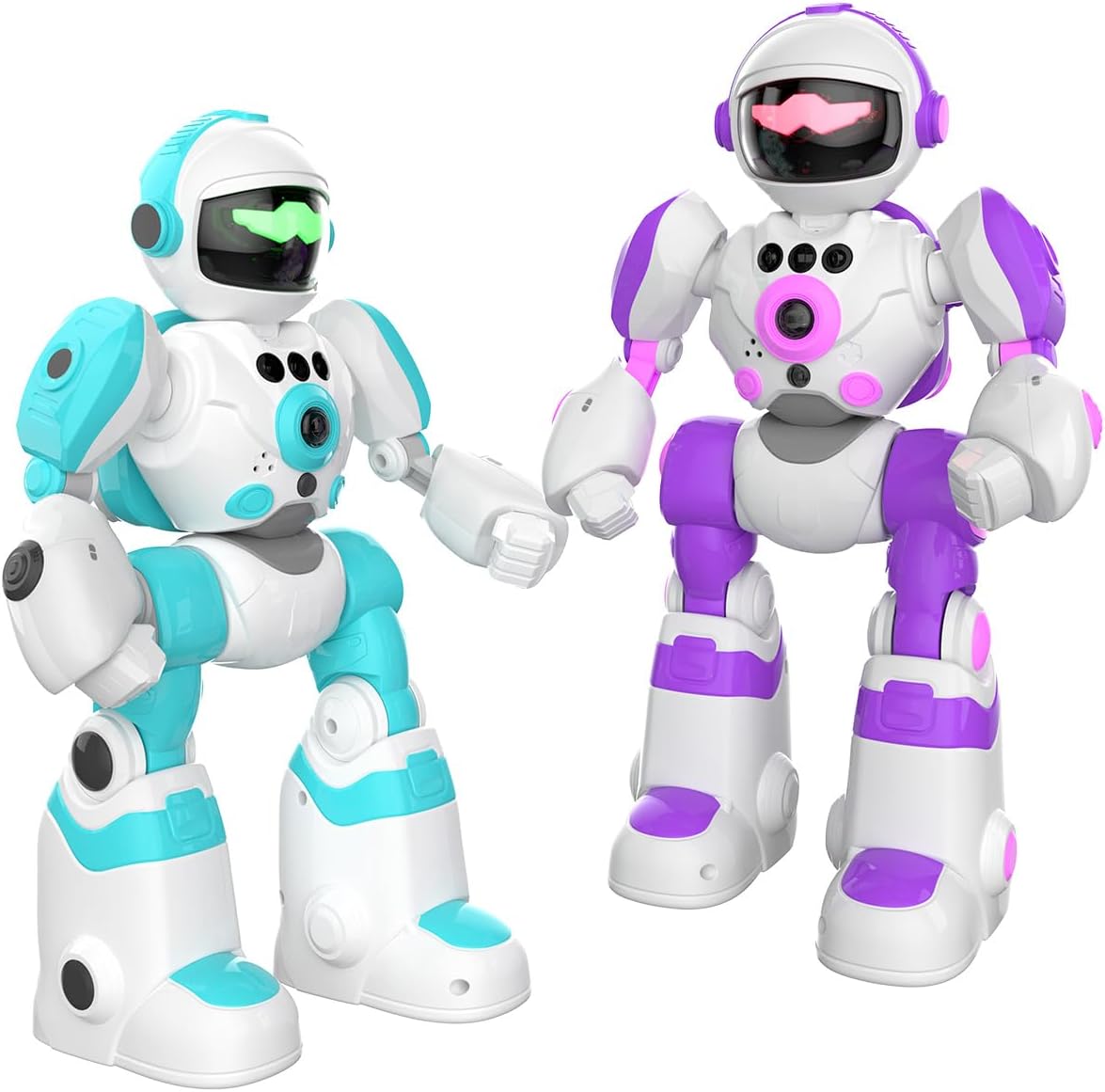
Image: Visual guide for using hand motion sensors to control the robot's movement.
4. Programming Mode
Create custom sequences of movements and actions for the robot.
- Enter Programming Mode: Press the 'Program' button on the remote control.
- Record Actions: Input a sequence of up to 50 actions (movements, sounds, etc.) using the remote control.
- Execute Program: Press the 'Program' button again to save and execute the recorded sequence.

Image: The robot demonstrating its programming mode, showing a sequence of actions.
Maintenance
1. Cleaning
- Wipe the robot and remote control with a soft, dry cloth.
- Do not use harsh chemicals or abrasive cleaners.
- Avoid exposing the toys to water or excessive moisture.
2. Storage
- Store the robot toys and remote control in a cool, dry place away from direct sunlight.
- If storing for an extended period, remove batteries from the remote control to prevent leakage.
3. Battery Care
- Recharge the robot's internal battery when performance diminishes.
- Do not overcharge the robot.
- Dispose of used AAA batteries responsibly according to local regulations.
Troubleshooting
| Problem | Possible Cause | Solution |
|---|---|---|
| Robot does not turn on. | Battery is depleted or power switch is off. | Charge the robot's battery. Ensure the power switch is in the 'ON' position. |
| Remote control not working. | Remote batteries are depleted or incorrectly installed. | Replace AAA batteries in the remote control, ensuring correct polarity. |
| Robot not responding to gestures. | Robot is not in gesture sensing mode or sensors are obstructed. | Activate gesture sensing mode via the remote. Ensure no objects are blocking the chest sensors. |
| Voice recording is unclear or not working. | Microphone is too far or ambient noise is too high. | Speak closer to the robot's microphone. Reduce background noise. |
Specifications
- Model Number: BG1538
- Product Dimensions: 2.7 x 5.4 x 10.6 inches (per robot)
- Item Weight: 2.79 pounds (total for 2 robots)
- Manufacturer Recommended Age: 3 years and up
- Robot Battery: Rechargeable (internal)
- Remote Control Batteries: 2 x AAA (not included)
- Control Methods: Remote Control, Gesture Sensing, Programming
- Features: Voice Changer, Voice Recorder, Music, Dancing, LED Breathing Light

Image: Dimensional view of the VATOS Robot Toys, showing their height, width, and depth.
Warranty and Support
VATOS products are manufactured to high-quality standards. For information regarding warranty coverage, product support, or to report any issues, please refer to the contact information provided on the product packaging or visit the official VATOS website. Please retain your proof of purchase for warranty claims.
For further assistance, you may contact VATOS customer service through their official channels.


