
1. Important Safety Information
- Read all instructions carefully before assembly and use.
- Keep children and pets away from the assembly area.
- Ensure all electrical connections comply with local codes and standards.
- Do not overload electrical outlets.
- Place the TV stand on a flat, stable surface to prevent tipping.
- Do not block the fireplace's air vents.
- Unplug the unit from the power outlet before cleaning or maintenance.
2. Package Contents
The Lemberi Fireplace TV Stand is shipped in two separate packages. Please ensure both packages have arrived before beginning assembly.
- Package 1: TV Stand Mantel components
- Package 2: 36-inch Electric Fireplace insert
- Assembly hardware and tools (may be included in either package)
- Remote control for fireplace and LED lights

Figure 2.1: Product dimensions and illustration of two separate shipping boxes.
3. Assembly Instructions
Assembly of the Lemberi Fireplace TV Stand requires two people. Follow the detailed instructions provided in the separate assembly guide included with your product. Ensure all parts are present and undamaged before starting.
3.1 Unpacking and Inspection
- Carefully open both packages and remove all components.
- Verify all parts against the parts list in the assembly manual.
- Inspect all pieces for any damage. Contact customer support immediately if any parts are missing or damaged.
3.2 General Assembly Tips
- Use a soft, clean surface for assembly to prevent scratches.
- Do not overtighten screws.
- Ensure the fireplace insert is correctly positioned and secured within the mantel.
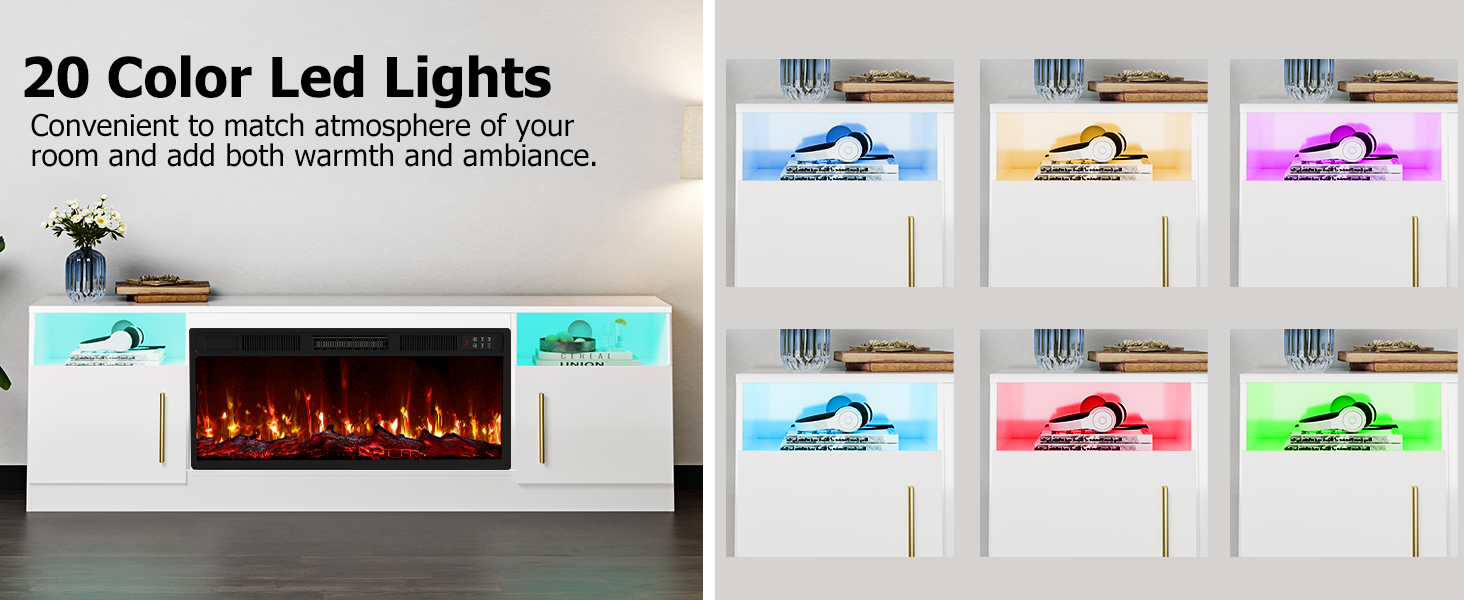
Figure 3.1: Illustration of wire management holes for organizing cables.
4. Operating Instructions
4.1 Electric Fireplace Operation
The 36-inch electric fireplace insert provides both visual flame effects and heating functionality. It can heat rooms up to 400 square feet.
- Power On/Off: Use the power button on the remote or the control panel.
- Heating: Select between 750 watts and 1,500 watts. The heating function can be used independently of the flame effect.
- Flame Color: Choose from multiple flame colors to match your ambiance.
- Flame Brightness: Adjust the flame intensity with 5 levels of brightness.
- Flame Speed: Control the speed of the flame effect with 5 settings.
- Timer: Set an automatic shut-off timer from 1 to 8 hours.

Figure 4.1: Fireplace remote control and digital display showing various settings.

Figure 4.2: Examples of different flame colors and 5-level brightness settings.
Video 4.1: Demonstration of the Lemberi 70-inch TV Stand with its electric fireplace features, including heating and various flame effects.
4.2 LED Light Operation
The entertainment center features 20-color LED lights to enhance the room's ambiance.
- Color Selection: Use the remote control to cycle through 20 different colors.
- Brightness Adjustment: Adjust the intensity of the LED lighting.
- Modes: Some models may include various lighting modes (e.g., fade, flash).
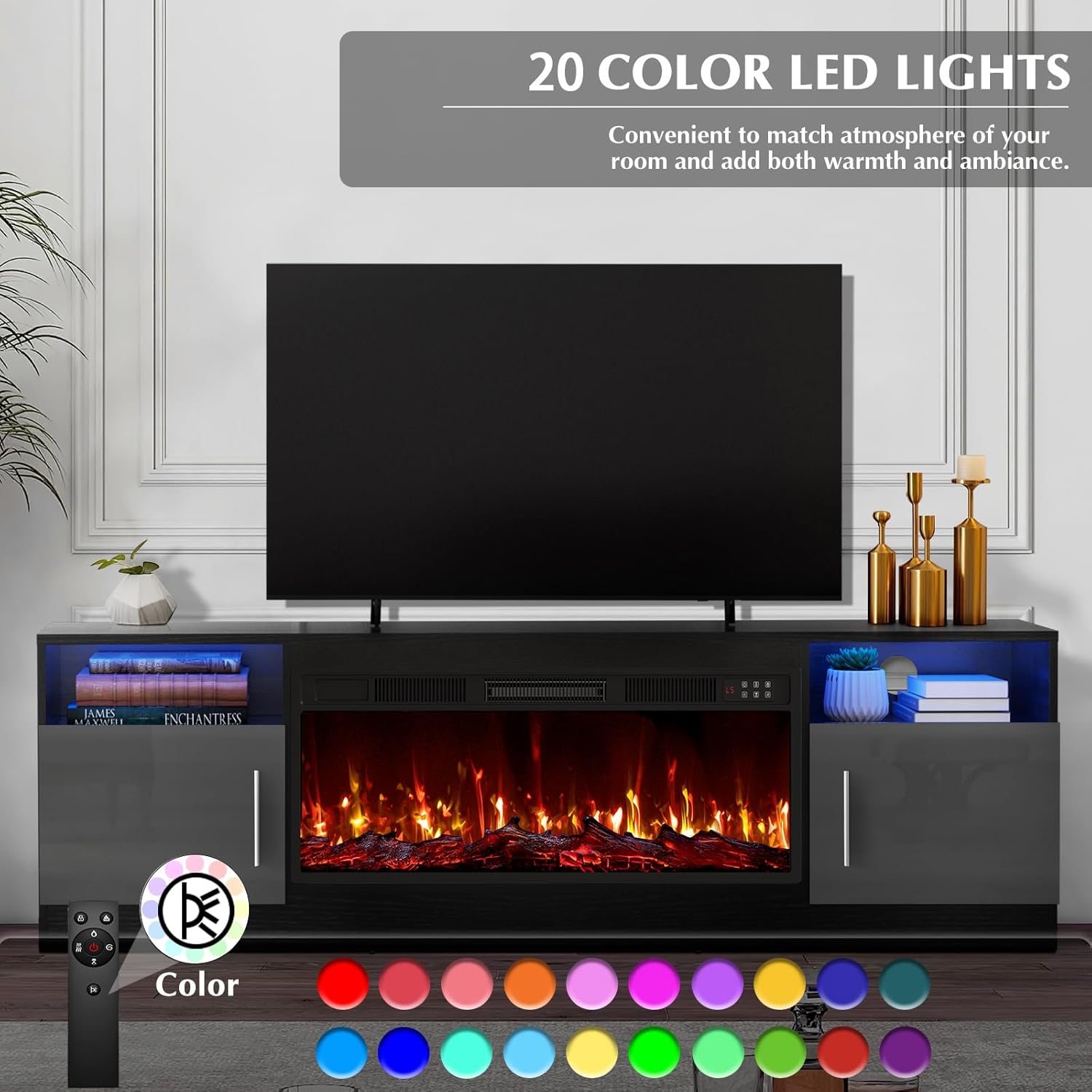
Figure 4.3: The TV stand showcasing its 20-color LED lighting options.
5. Maintenance
5.1 Cleaning the TV Stand
- Wipe surfaces with a soft, damp cloth. Avoid abrasive cleaners.
- For the high-gloss finish, use a non-abrasive cleaner specifically designed for glossy surfaces.
- Ensure the unit is unplugged before cleaning any electrical components.
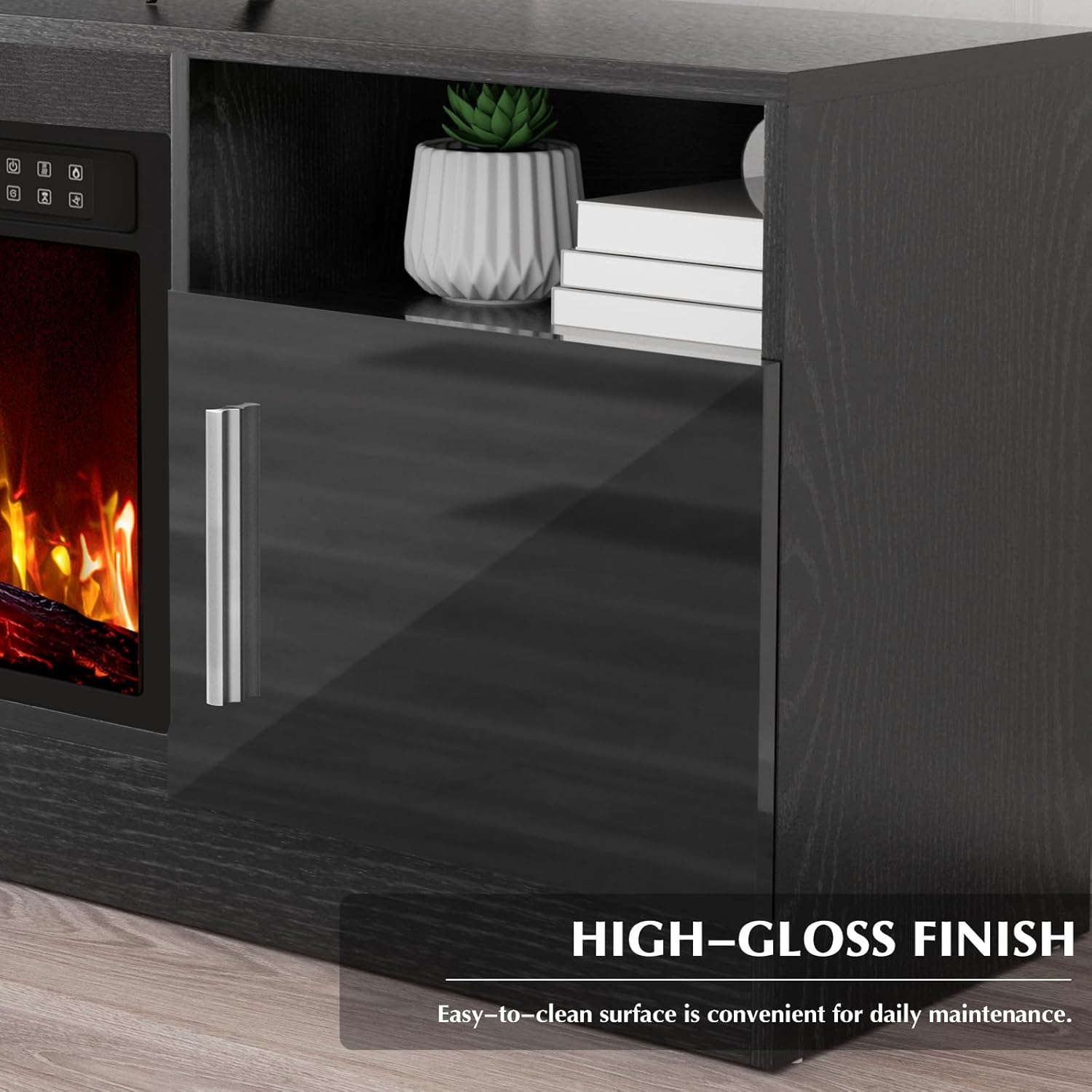
Figure 5.1: The high-gloss finish of the TV stand, which is easy to clean.
5.2 Fireplace Maintenance
- Regularly check the air intake and exhaust vents for dust or obstructions. Clean as needed.
- Do not attempt to service the internal components of the fireplace. Refer to qualified personnel for repairs.
6. Troubleshooting
| Problem | Possible Cause | Solution |
|---|---|---|
| Fireplace does not turn on. | No power, remote battery low, main power switch off. | Check power connection, replace remote batteries, ensure main power switch is on. |
| No heat output. | Heater function not activated, thermostat setting too low. | Activate heater via remote/panel, increase thermostat setting. |
| LED lights not working. | LED power off, loose connection. | Ensure LED power is on, check connections. |
| Unusual noise from fireplace. | Obstruction in fan/motor, internal issue. | Unplug and check for obstructions. If persistent, contact support. |
7. Specifications
- Brand:
- LEMBERI
- Model Name:
- 70-MTTV
- Product Dimensions:
- 13.8"D x 70"W x 22.9"H
- Material:
- Engineered Wood
- Finish Type:
- Painted (High-Gloss)
- Power Source:
- Electric
- Heat Output:
- 750W / 1500W
- Heating Coverage:
- Up to 400 square feet
- TV Size Compatibility:
- Up to 80 inches
- Included Components:
- TV stand, 36-inch electric fireplace insert, remote control

Figure 7.1: Visual guide for TV size compatibility with the Lemberi TV Stand.
8. Warranty and Support
This Lemberi product comes with a limited warranty. For specific warranty details, claims, or technical support, please refer to the warranty card included in your package or contact Lemberi customer service directly. Keep your purchase receipt for warranty validation.