Introduction
This manual provides instructions for the AULCMEET DG11H1-01(E) Replacement Remote Control, designed for use with compatible Hisense Air Conditioner models. This remote control is a direct replacement and does not require programming.
Package Contents:
- 1 x AULCMEET DG11H1-01(E) Replacement Remote Control
Compatible Models:
- Hisense DG11H1-01
- Hisense DG11H1-01E
Setup
Battery Installation
The remote control requires two AAA alkaline batteries (not included) for operation. Follow these steps to install the batteries:
- Locate the battery compartment on the back of the remote control.
- Slide the battery cover downwards to open it.
- Insert two AAA alkaline batteries, ensuring the positive (+) and negative (-) terminals align correctly with the markings inside the compartment.
- Slide the battery cover back into place until it clicks securely.
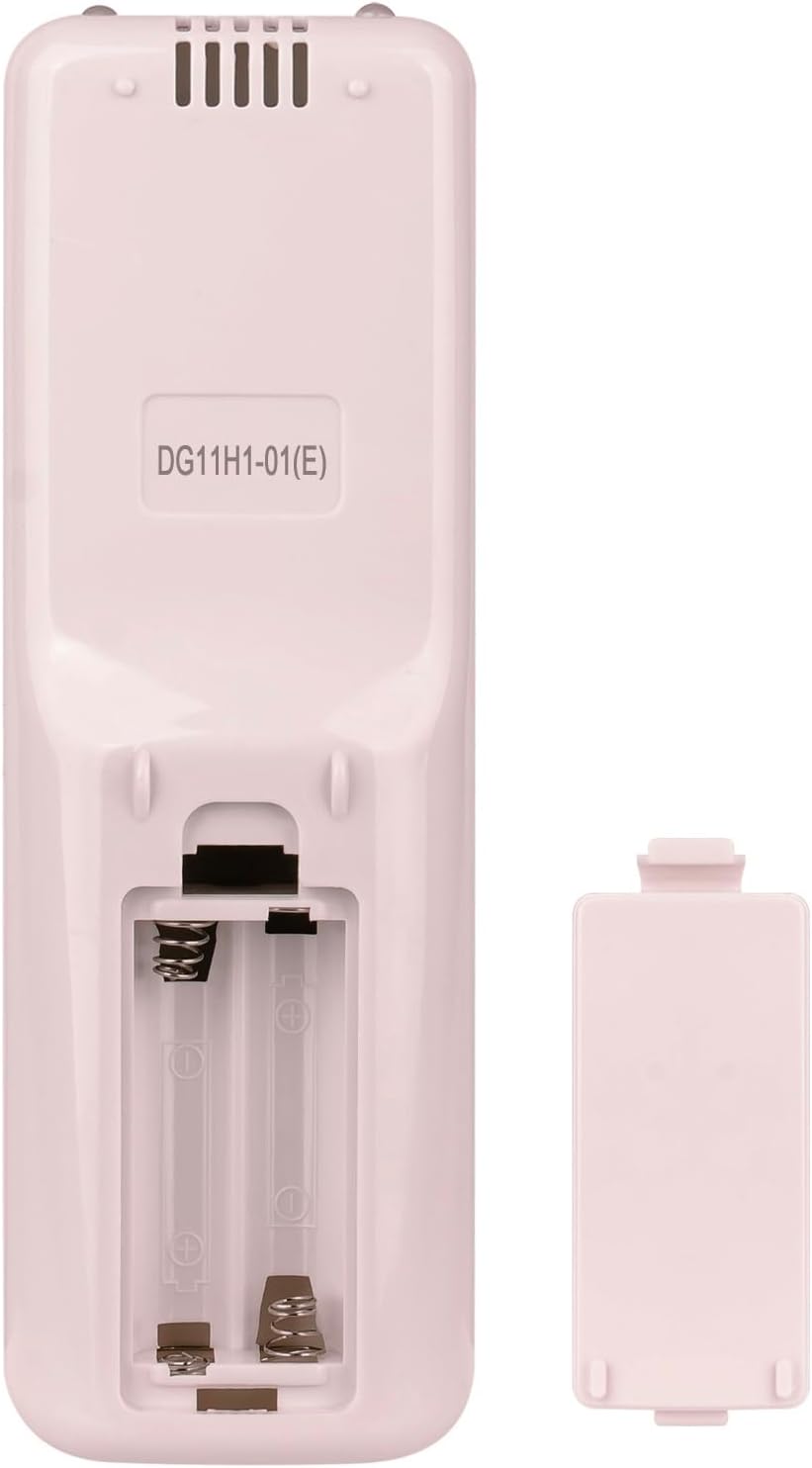
Image: Back view of the remote control with the battery cover removed, revealing the battery slots.
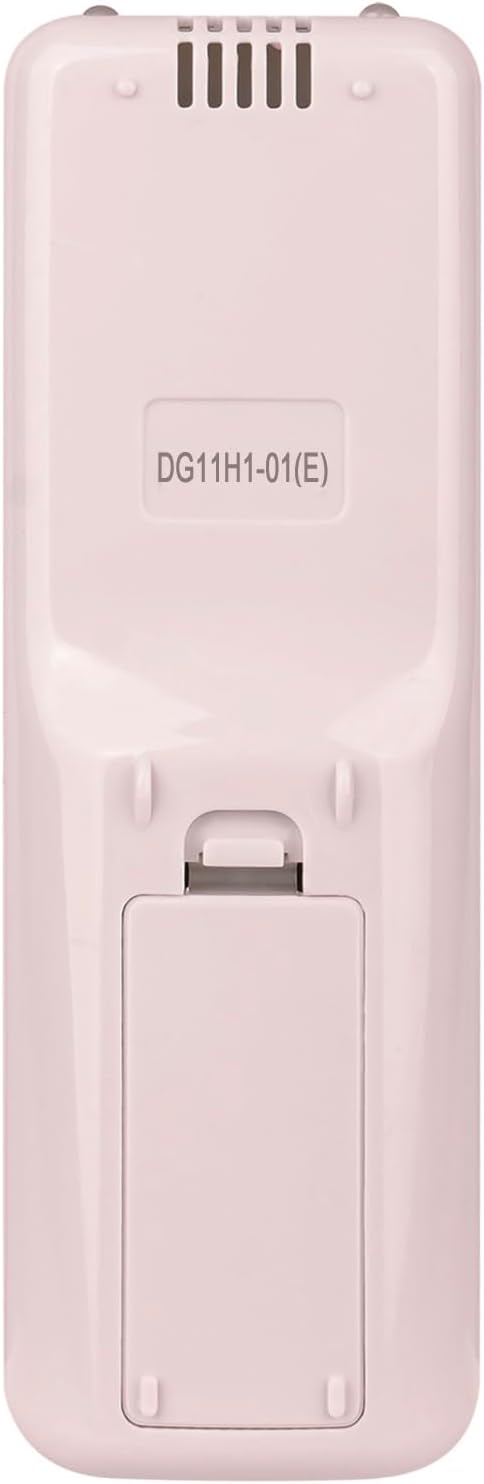
Image: Back view of the remote control with the battery cover securely closed.
Once batteries are installed, the remote control is ready for use. No additional programming is required.
Operating Instructions
This section details the functions of the buttons on your AULCMEET DG11H1-01(E) remote control.

Image: Front view of the remote control displaying the LCD screen and various function buttons.
Basic Functions:
- Power Button (⏻): Press to turn the air conditioner ON or OFF.
- Temperature Adjustment Buttons (▲ / ▼): Press to increase or decrease the desired temperature setting.
- Mode Button: Cycles through available operating modes (e.g., Cool, Heat, Fan, Dry, Auto).
- Fan Speed Button (⁕): Adjusts the fan speed (e.g., Low, Medium, High, Auto).
Advanced Functions:
- Swing Button: Activates or deactivates the air conditioner's louver swing function.
- Clock Button: Used to set the current time. Refer to your air conditioner's main manual for specific clock setting procedures if needed.
- Timer ON/OFF Buttons: Used to set a timer for the air conditioner to turn ON or OFF automatically.
- Sleep Button: Activates the sleep mode, which adjusts temperature and fan speed for comfortable sleep.
- Smart Button: Activates the smart mode, which automatically selects the optimal operating mode based on room conditions.
- Dimmer Button: Adjusts the brightness of the air conditioner's display panel.
- Mute Button: Silences the air conditioner's operational beeps or sounds.
- TEP Switch Button: (Temperature Unit Switch) Toggles between Celsius and Fahrenheit temperature display.
- I FEEL Button: Activates the "I Feel" function, where the remote control's built-in sensor measures the ambient temperature and sends the data to the air conditioner for more precise temperature control.
- SOFT Button: Activates a gentle fan mode for quieter operation.
Maintenance
Cleaning the Remote Control
To ensure optimal performance and longevity of your remote control, follow these cleaning guidelines:
- Wipe the surface of the remote control with a soft, dry cloth.
- For stubborn dirt, lightly dampen the cloth with water or a mild, non-abrasive cleaner. Ensure no liquid enters the remote control.
- Do not use harsh chemicals, abrasive cleaners, or solvents, as these can damage the remote's finish or internal components.
Battery Care and Storage
- If the remote control will not be used for an extended period (e.g., one month or more), remove the batteries to prevent leakage and potential damage.
- Store the remote control in a cool, dry place, away from direct sunlight and extreme temperatures.
- Replace batteries promptly when the remote control's performance degrades or the display becomes dim.
Troubleshooting
If you encounter issues with your AULCMEET DG11H1-01(E) remote control, please refer to the following common solutions:
- Remote Control Not Responding:
- Check if the batteries are inserted correctly with the correct polarity (+/-).
- Replace old batteries with new AAA alkaline batteries.
- Ensure there are no obstructions between the remote control and the air conditioner's receiver.
- Confirm that the remote control is pointed directly at the air conditioner's receiver.
- Air Conditioner Not Turning On/Off:
- Verify that the air conditioner is plugged into a power source and is receiving power.
- Ensure the remote control's batteries are fresh and correctly installed.
- No Programming Required:
- This remote control is a direct replacement and does not require any programming or pairing with your Hisense Air Conditioner. If it is not working, please check battery installation and compatibility with your specific Hisense model (DG11H1-01 or DG11H1-01E).
Specifications
| Feature | Detail |
|---|---|
| Model Number | DG11H1-01(E) |
| Compatible Models | Hisense DG11H1-01, Hisense DG11H1-01E |
| Power Supply | 2 x AAA Alkaline Batteries (Not Included) |
| Connectivity Technology | Infrared |
| Dimensions | Approximately 6.1 x 1.97 x 0.6 inches |
| Weight | Approximately 2.61 ounces (without batteries) |
| Special Feature | Ergonomic design |
Support
For any questions or further assistance regarding your AULCMEET DG11H1-01(E) Replacement Remote Control, please contact our customer support. We are committed to 100% customer satisfaction and aim to respond to inquiries within 24 hours.
Please refer to the seller's contact information on your purchase platform for direct support.


