
Introduction
The HEKIWAY 49FT Solar Drip Irrigation Kit is an automatic watering system designed for both indoor and outdoor plants. It features a digital screen, 434 timer modes, and a high flow rate of 900ml/min, making plant care efficient and convenient. This manual provides detailed instructions for setting up, operating, maintaining, and troubleshooting your irrigation system.

Key Features:
- Indoor & Outdoor Versatility: Designed for year-round use, with solar power for warmer seasons and Type-C charging for winter or low-light conditions.
- 434 Timer Modes: Offers extensive customization for watering duration (1-60 minutes) and frequency (every 1-24 hours or every 1-7 days).
- Solar & USB Dual Power: Features a 180° rotatable bracket for optimal solar absorption and a USB-C port for charging on cloudy days.
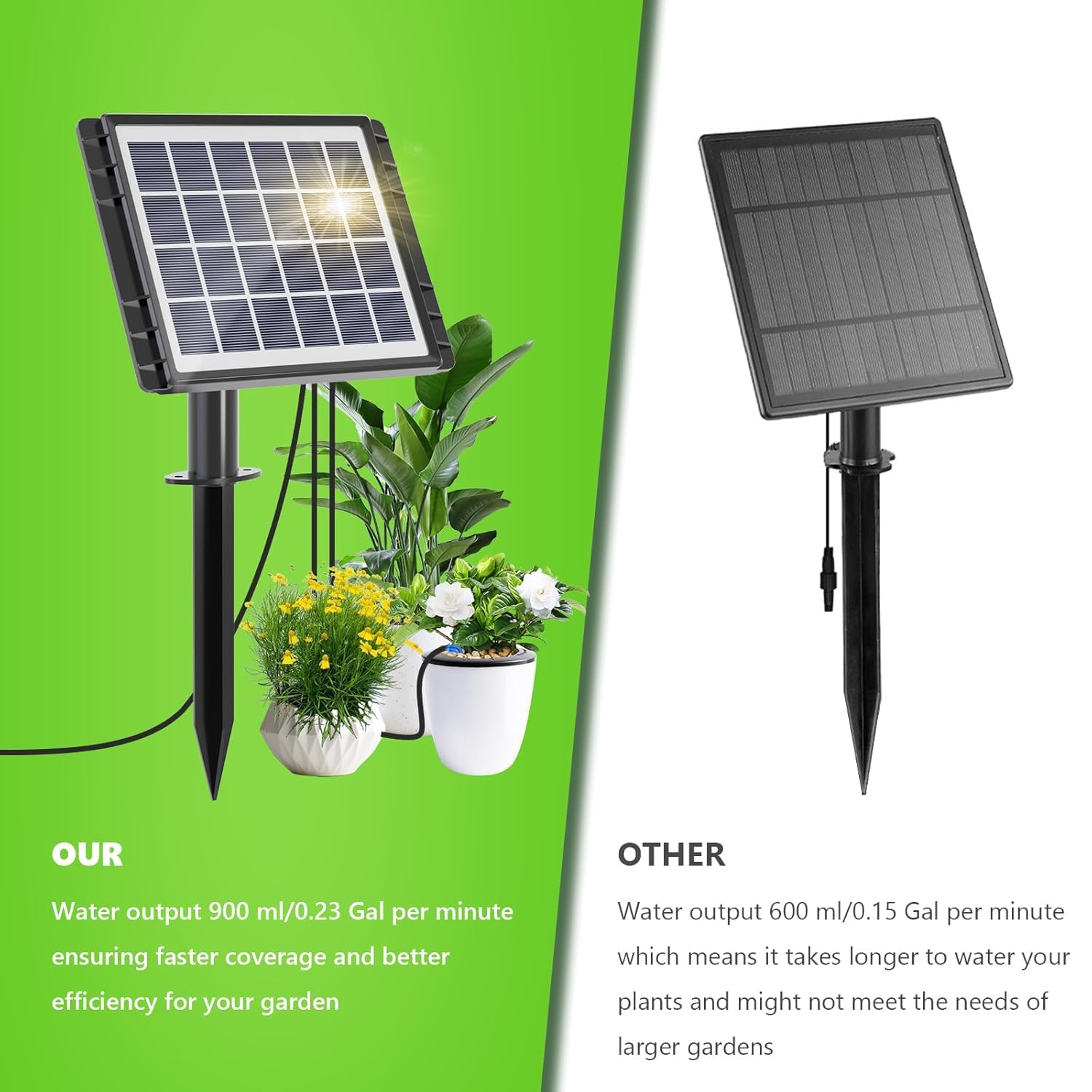
- Efficient Watering: Delivers 900ml of water per minute, ensuring faster and more effective plant hydration.
- Automatic Water Level Alarms: Alerts you when the water source is low and stops irrigation if not refilled.
What's in the Box
Your HEKIWAY Solar Drip Irrigation Kit includes the following components:

- Solar Panel with Digital Display and Control Unit
- Ground Stake (x1)
- Scissors (x1)
- Mini Shovel (x1)
- Water Pipe (15m/49ft)
- Drippers (x15)
- Barb Fittings (x15)
- Water Pump Filter (x1)
- Screws (x2)
- Water Level Sensor (x1)
- USB Type-C Charging Cable
Setup Instructions
Follow these steps to set up your HEKIWAY Solar Drip Irrigation Kit:
- Prepare the Tubing: The tubing can be stiff. For easier connection, soak the ends of the tubing in hot water for approximately 1 minute to soften them.
- Connect the Water Pump Filter: Attach one end of the water pipe to the water pump filter. This filter will be placed in your water source.
- Connect to the Control Unit: Insert the other end of the water pipe (with the filter attached) into the 'IN' port on the control unit. Connect a separate piece of tubing to the 'OUT' port.
- Install Drippers and T-Connectors: Cut the 'OUT' tubing at desired intervals where you want to water plants. Use the T-connectors to create branches. Attach short pieces of tubing to the T-connectors and then connect the drippers to these short pieces. Ensure the tubing is pushed as far as possible onto the connectors for a secure fit.
- Position the Drippers: Insert the blue dripper stakes into the soil near the base of each plant you wish to water.
- Mount the Solar Panel: Attach the ground stake to the solar panel unit. You can either stake it into the ground near your plants or use the provided screws to fix it to a wall. Ensure the solar panel is positioned to receive maximum direct sunlight. The control panel should ideally face downwards to protect it from direct rain.
- Place Water Level Sensor: Connect the water level sensor to the designated port on the control unit and place it into your water reservoir.
- Fill Water Reservoir: Fill your chosen water reservoir (e.g., bucket, rain barrel) with water. Ensure the water pump filter and water level sensor are fully submerged.
Operating Instructions
The HEKIWAY Solar Drip Irrigation Kit offers flexible programming options to suit various plant needs.
Control Panel Overview:

Setting Watering Modes:
The system offers 434 customizable timer modes. You can set the watering frequency and duration:
- Frequency: Every 1-24 hours or every 1-7 days.
- Duration: 1-60 minutes per watering cycle.

Programming the Timer:
- Turn On: Press the ON/OFF button to activate the system.
- Set Frequency (Day/Hour): Long press the "OK/SEL" key to switch between "D" (days) and "H" (hours). Use the "+" or "-" buttons to adjust the desired time interval.
- Set Duration (Minutes): Long press the "OK/SEL" key again to switch from "H" to "M" (minutes) mode. Use the "+" or "-" buttons to set the watering duration.
- Save Settings: Long press the "OK/SEL" key to save your settings. The "H" and "M" modes will become steady once saved.
Starting Time of Watering Mode:
- You do not need to set a specific starting time. The machine will automatically start the timer once you set the watering mode.
- If you turn the machine off after setting the watering mode, the starting time will reset. The machine will restart the timer from the moment it is turned on again.
- The machine will retain the watering mode settings even if turned off, but not the specific starting time.
Maintenance
Water Level Alarms:
The system is equipped with automatic water level alarms. When the water level in your reservoir falls below the alarm line, the timer will sound an alarm to remind you to add water. If water is not added after the alarm ends, the drip irrigation will stop to prevent the pump from running dry.
Filter Cleaning:
Regularly check and clean the water pump filter to ensure optimal performance and prevent blockages in the tubing and drippers.
Winter/Indoor Use:
During winter or extended periods of low sunlight, charge the unit via the Type-C port to ensure continuous operation for your indoor plants.
Safety Precautions:
- Always follow the instructions provided with the product to ensure safe and proper use.
- Keep the water source valve closed when not in use.
- Do not leave the system unattended while watering.
- In case of leaks, turn off the water source immediately and contact customer support.
Troubleshooting
If you encounter any issues with your HEKIWAY Solar Drip Irrigation Kit, refer to the following table for common problems and solutions:
| Buzzer | Pilot Lamp | Fault Description | Recovery Measures |
|---|---|---|---|
| Every 20 second interval, short beep 3 times | Green light flashing | Water shortage, water level probe exposed to the water surface | Add water and place the water level probe at low water level |
| - | Battery light flashing | Low battery | Solar panel charging, Type-C port charging |
| - | - | Automatic screen shutdown when not working | Click any button to light up the screen |
| - | No display | Out of battery | Wait for sunlight to charge, or automatic recovery of charging after Type-C port working condition |
Specifications
| Feature | Detail |
|---|---|
| Brand | HEKIWAY |
| Model Name | Digital Display Irrigation System-15 Pot |
| Hose Length | 49 Feet (15 meters) |
| Number of Pieces | 15 (for drippers) |
| Power Source | Solar Powered (with USB Type-C charging option) |
| Control Type | Timed Watering Control (434 modes) |
| Flow Rate | 900ml/min |
| Material | Plastic |
| Item Weight | 1.5 Pounds |
| Special Features | Solar drip irrigation system, Digital Display, Automatic Water Level Alarm |
Warranty and Support
Specific warranty details for this product are not provided in the available information. Please refer to the product packaging or contact HEKIWAY customer service for warranty information.
For technical support or further assistance, please refer to the contact information provided with your product or visit the official HEKIWAY website.