
1. Important Safety Instructions
Please read all instructions carefully before using the Cercker ST-04 Food Dehydrator Machine. Retain this manual for future reference.
- Electrical Safety: Ensure the appliance is connected to a grounded outlet with the correct voltage (120V). Do not operate with a damaged cord or plug.
- Hot Surfaces: The dehydrator surfaces become hot during operation. Use caution and avoid direct contact. Always use the provided silicone gloves when handling hot trays.
- Sharp Edges: Exercise care when handling stainless steel trays as edges may be sharp.
- Ventilation: Ensure adequate ventilation around the appliance during use. Do not block air vents.
- Children and Pets: Keep the appliance out of reach of children and pets.
- Cleaning: Always unplug the dehydrator before cleaning. Do not immerse the main unit in water.
2. Product Overview
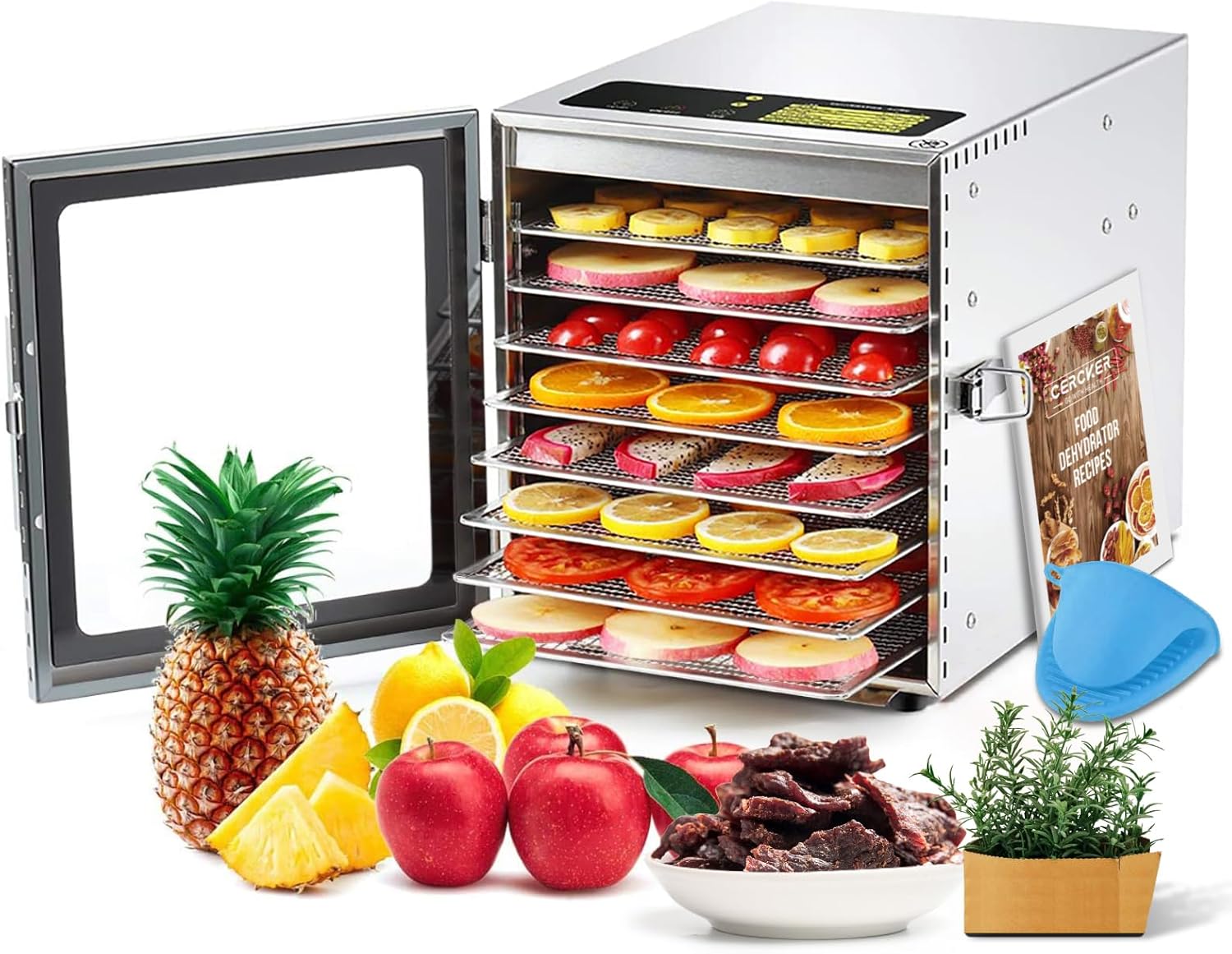
The Cercker ST-04 Food Dehydrator is designed for efficient and safe food drying. It features a robust stainless steel construction and user-friendly controls.
Key Components:
- Main Dehydrator Unit (Stainless Steel)
- 8 Stainless Steel Drying Trays (9.84 inches)
- Digital Control Panel (Temperature & Timer)
- Transparent Glass Door with Latch
- Rear-mounted Exhaust Fan
- Drip Tray
- Silicone Gloves
- Screwdriver (for handle installation)
- User Manual & Recipe Book
Features:
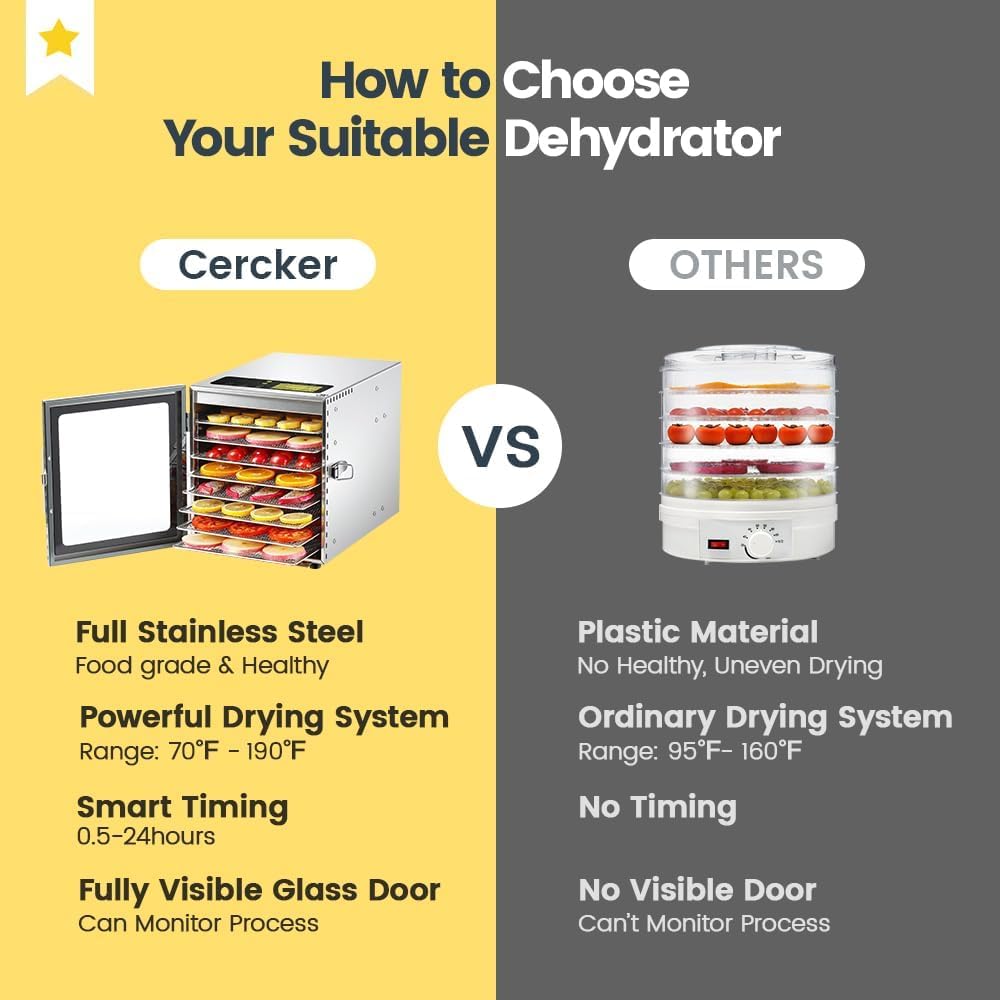
- Powerful Drying: Equipped with an exhaust fan and air circulation technology (2 m/s wind speed, 1600 rpm) for uniform heat distribution.
- Food-Grade Construction: Made from 100% BPA-free stainless steel, ensuring food safety and durability.
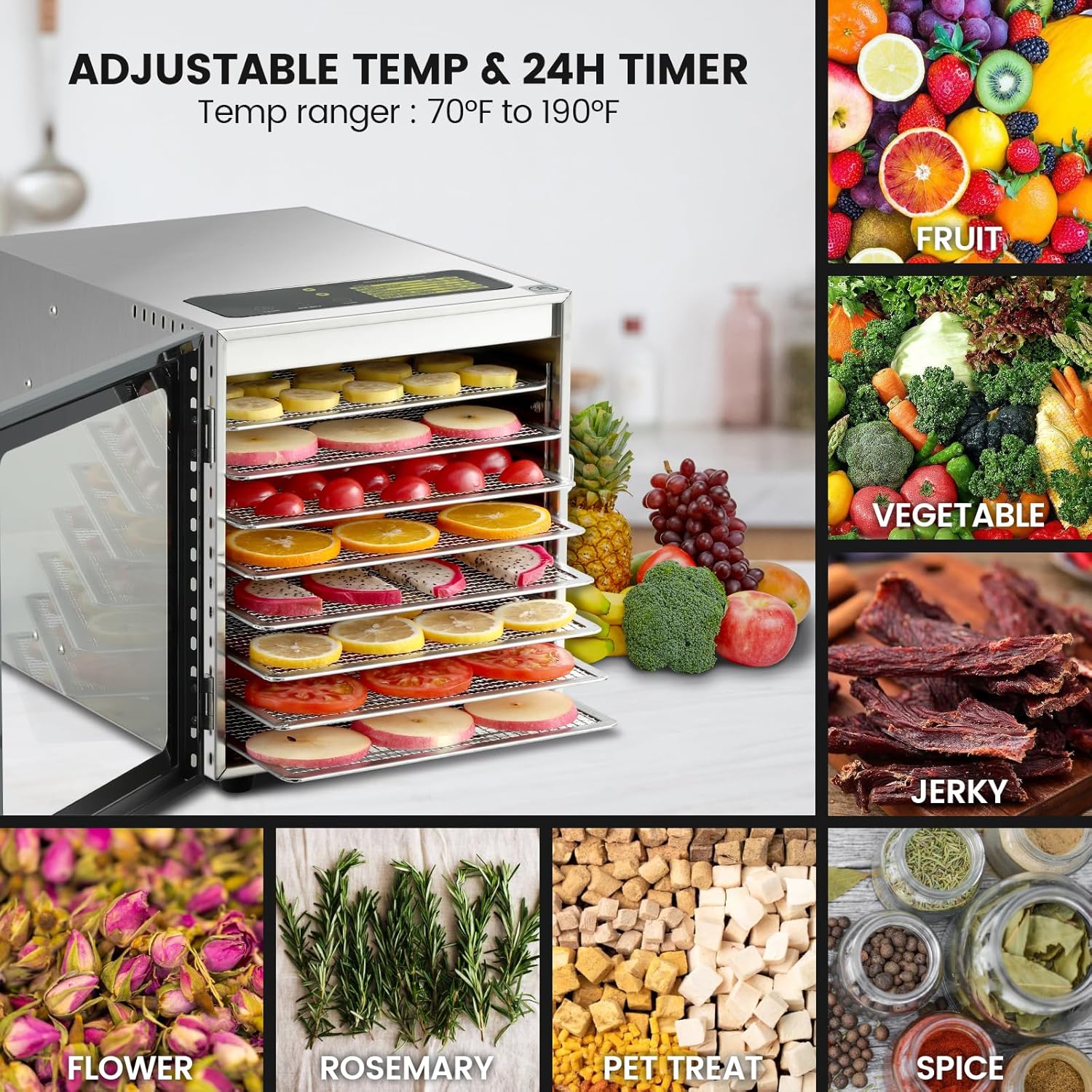
- Large Capacity: 8 spacious trays accommodate various foods, preserving nutrients effectively.
- Precise Control: Adjustable temperature range from 70°F to 190°F (in 5°F increments) and a 24-hour timer (in 0.5-hour increments).
- Safety Features: Overheating protection function activates if the internal temperature reaches 120°C.
- Quiet Operation: Operates at a noise level of ≤ 45dB.
3. Setup
- Unpack: Carefully remove all components from the packaging. Inspect for any damage.
- Clean: Before first use, wash the stainless steel trays and drip tray with warm, soapy water. Wipe the interior and exterior of the main unit with a damp cloth. Ensure all parts are dry before assembly.
- Install Handle: Attach the door handle using the provided screwdriver and screws.
- Placement: Place the dehydrator on a stable, heat-resistant surface, ensuring adequate space around it for ventilation.
- Ventilation: It is recommended to open the machine door and ventilate for 1-3 days before initial use to dissipate any manufacturing odors.
4. Operating Instructions
Digital Control Panel:
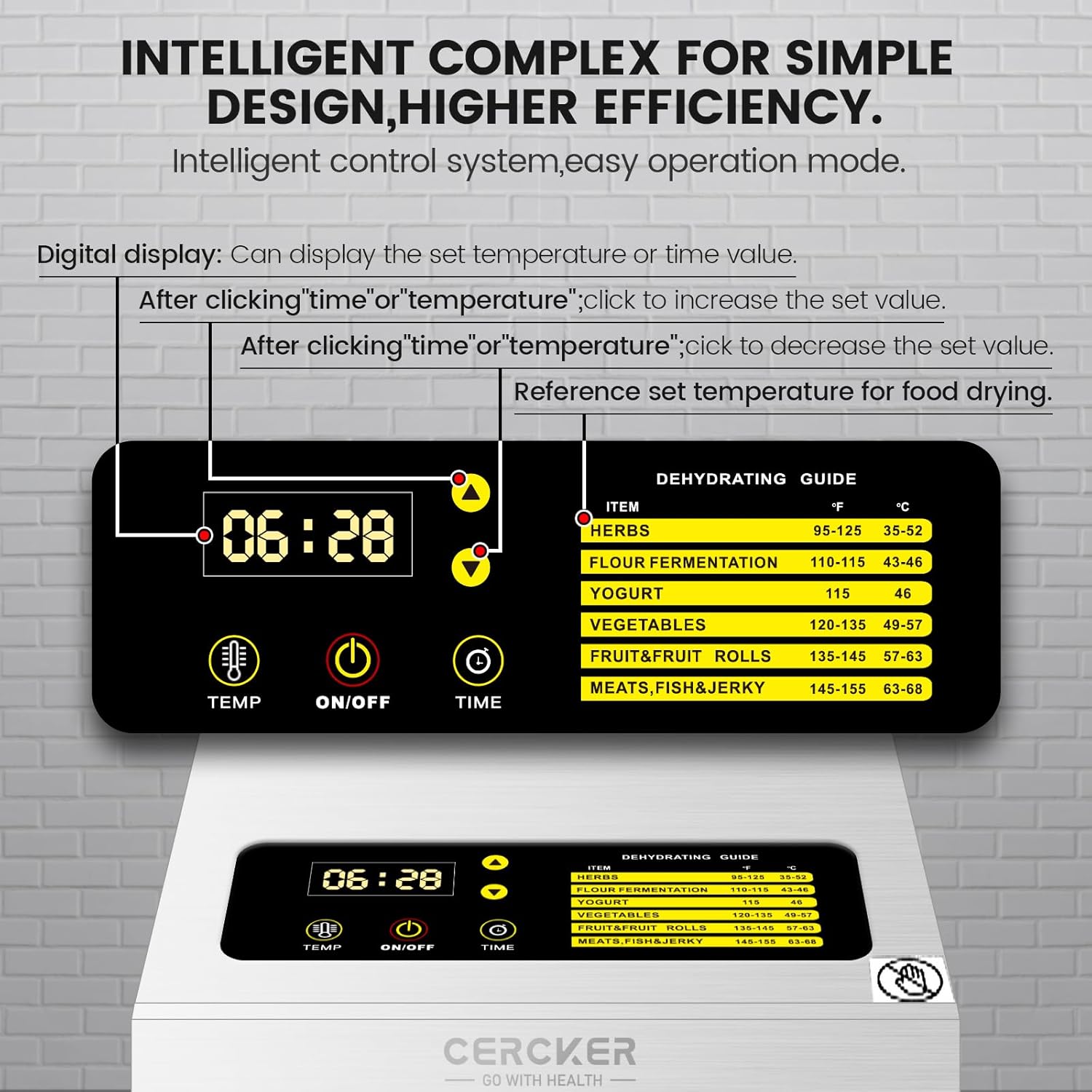
The dehydrator features an intuitive digital control panel for setting temperature and time.
- TEMP Button: Press to adjust the drying temperature. Use the up/down arrows to set between 70°F and 190°F in 5°F increments.
- TIME Button: Press to adjust the drying time. Use the up/down arrows to set between 0.5 hours and 24 hours in 0.5-hour increments.
- ON/OFF Button: Press to start or stop the dehydration process.
Dehydrating Guide:
Refer to the guide on the control panel for recommended temperature settings for various food items:
| Item | Temperature (°F) | Temperature (°C) |
|---|---|---|
| Herbs | 95-125 | 35-52 |
| Flour Fermentation | 110-115 | 43-46 |
| Yogurt | 115 | 46 |
| Vegetables | 120-135 | 49-57 |
| Fruit & Fruit Rolls | 135-145 | 57-63 |
| Meats, Fish & Jerky | 145-155 | 63-68 |
5. Food Preparation Guidelines
Proper food preparation is crucial for successful dehydration. Always ensure food is fresh and of good quality.
- Cleanliness: Wash all fruits, vegetables, and herbs thoroughly.
- Slicing: Slice food items uniformly to ensure even drying. Thinner slices will dry faster.
- Arrangement: Arrange food in a single layer on the trays, leaving space between pieces for optimal air circulation. Do not overlap.
- Pre-treatment: Some fruits (e.g., apples, bananas) may benefit from pre-treatment (e.g., lemon juice dip) to prevent discoloration.
- Meat Preparation: For jerky, ensure meat is lean, trimmed of fat, and sliced thinly against the grain. Marinate as desired.
- Recipe Book: Consult the included recipe book for specific preparation instructions and drying times for various foods.
6. Maintenance and Cleaning
Regular cleaning and maintenance will prolong the life of your dehydrator and ensure hygienic operation.
- Unplug: Always unplug the appliance from the power outlet before cleaning.
- Trays and Drip Tray: The stainless steel trays and drip tray are dishwasher safe. For stubborn residue, soak in warm, soapy water before washing.
- Main Unit: Wipe the interior and exterior of the dehydrator with a soft, damp cloth. Do not use abrasive cleaners or immerse the unit in water.
- Fan Area: Ensure the fan area at the back is free from food debris. Use a soft brush if necessary.
- Storage: Store the dehydrator in a clean, dry place when not in use.

7. Troubleshooting
If you encounter issues with your Cercker ST-04 Food Dehydrator, please refer to the following common troubleshooting tips:
- Appliance Not Turning On:
- Ensure the power cord is securely plugged into a working electrical outlet.
- Check if the power switch on the back of the unit is in the 'ON' position.
- Verify that the household circuit breaker has not tripped.
- Food Not Drying Evenly:
- Ensure food items are sliced uniformly in thickness.
- Do not overload trays; allow sufficient space for air circulation.
- Rotate trays periodically during the drying process to promote even drying.
- Check that the set temperature is appropriate for the food type.
- Unusual Odor During Operation:
- A slight odor may be present during the first few uses; this is normal.
- Ensure the unit and trays are thoroughly cleaned before and after each use to prevent odors from food residue.
- Dehydrator is Too Loud:
- The dehydrator operates at a low noise level (≤ 45dB). If noise is excessive, ensure the unit is on a stable, flat surface and not vibrating against other objects.
- Check for any obstructions in the fan area.
8. Specifications
| Specification | Detail |
|---|---|
| Brand | Cercker |
| Model Number | ST-04 |
| Material | Stainless Steel |
| Color | Silver |
| Wattage | 500 watts |
| Product Dimensions | 10.6"D x 12.8"W x 15.2"H |
| Voltage | 120V |
| Item Weight | 8.21 Kilograms (18.06 pounds) |
| Number of Trays | 8 |
| Temperature Range | 70°F - 190°F |
| Dishwasher Safe Trays | Yes |
9. Warranty and Support
Cercker is committed to providing quality products and customer satisfaction. Your Cercker ST-04 Food Dehydrator comes with dedicated support.
- Product Support: If you have any questions about the product, its operation, or require assistance, please contact Cercker customer service.
- Warranty Information: For details regarding the product warranty, please refer to the warranty card included in your package or contact Cercker customer support directly.