
1. Introduction
This manual provides essential information for the safe and effective use of your HKY 5V AC/DC Adapter. Please read these instructions carefully before use and retain them for future reference. This adapter is designed to provide reliable power to compatible Arcade1up Counter-Cade consoles and other devices requiring a 5V 2A power supply with a barrel connector.

Figure 1: HKY 5V AC/DC Adapter
2. Safety Information
To ensure safe operation and prevent damage, observe the following precautions:
- Use the adapter only with devices that match its voltage (5V) and amperage (2A) requirements. Exceeding these limits can damage the adapter or your device.
- Do not expose the adapter to water, moisture, or extreme temperatures.
- Avoid dropping or subjecting the adapter to strong impacts.
- Do not attempt to disassemble or modify the adapter. Refer all servicing to qualified personnel.
- Ensure the power outlet is easily accessible and not overloaded.
- Unplug the adapter during lightning storms or when unused for extended periods.
3. Setup and Compatibility
Before connecting the adapter, verify that your device is compatible with the adapter's specifications.
3.1. Verify Device Compatibility
Check your device's power input requirements, typically found on a label on the device itself or in its instruction manual. Confirm the following:
- Voltage (V): Your device must require 5V.
- Amperage (A): Your device must require 2A or less. This adapter provides 2A; if your device requires less, it will only draw what it needs.
- Connector Type: The adapter features a standard barrel connector. Ensure your device's power port is compatible with this type and size.
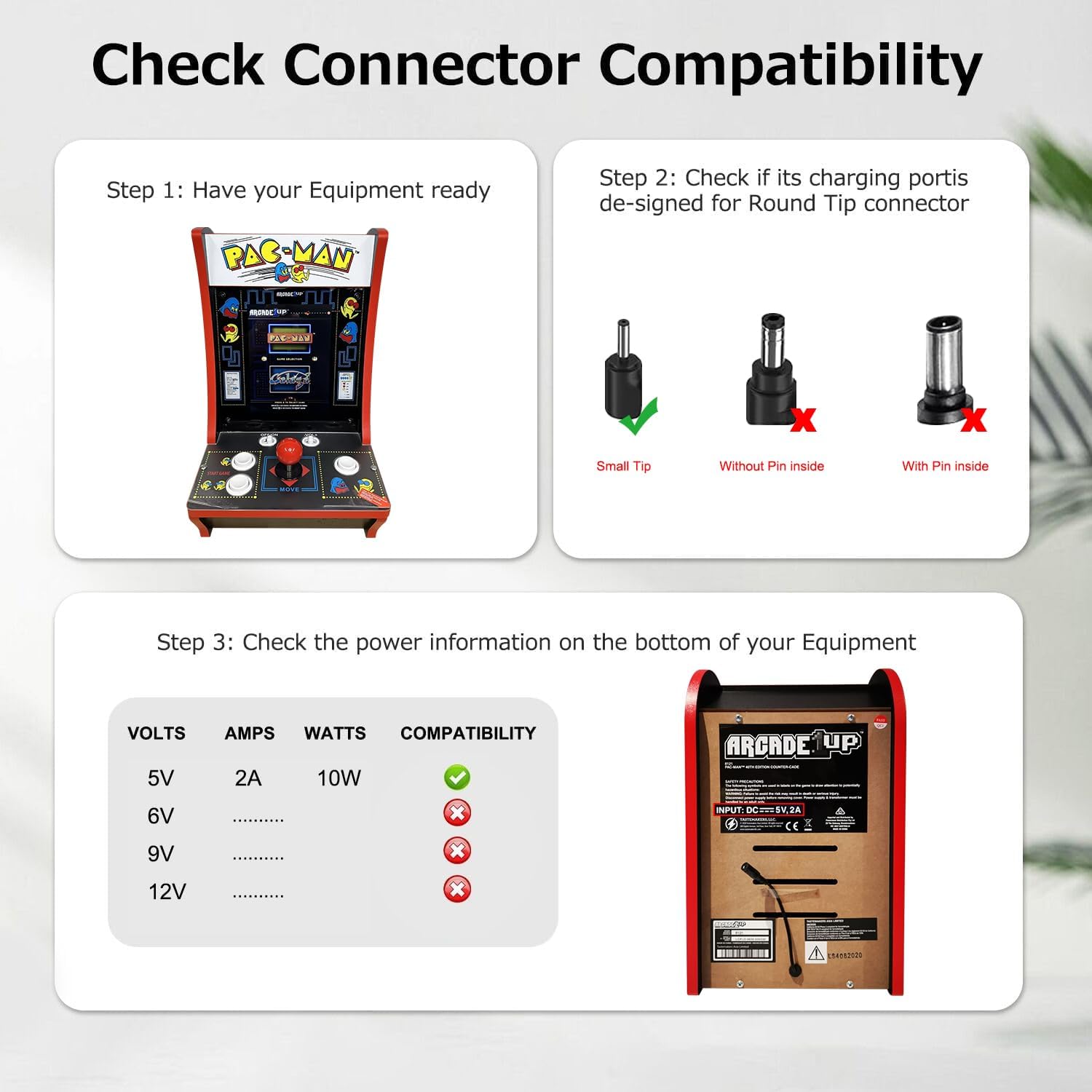
Figure 2: Guide to checking connector and power specifications on your device.
3.2. Connecting the Adapter
- Ensure both the adapter and your device are turned off.
- Insert the barrel connector of the HKY adapter firmly into the power input port of your Arcade1up console or compatible device.
- Plug the adapter's wall plug into a standard 100-240V AC electrical outlet.
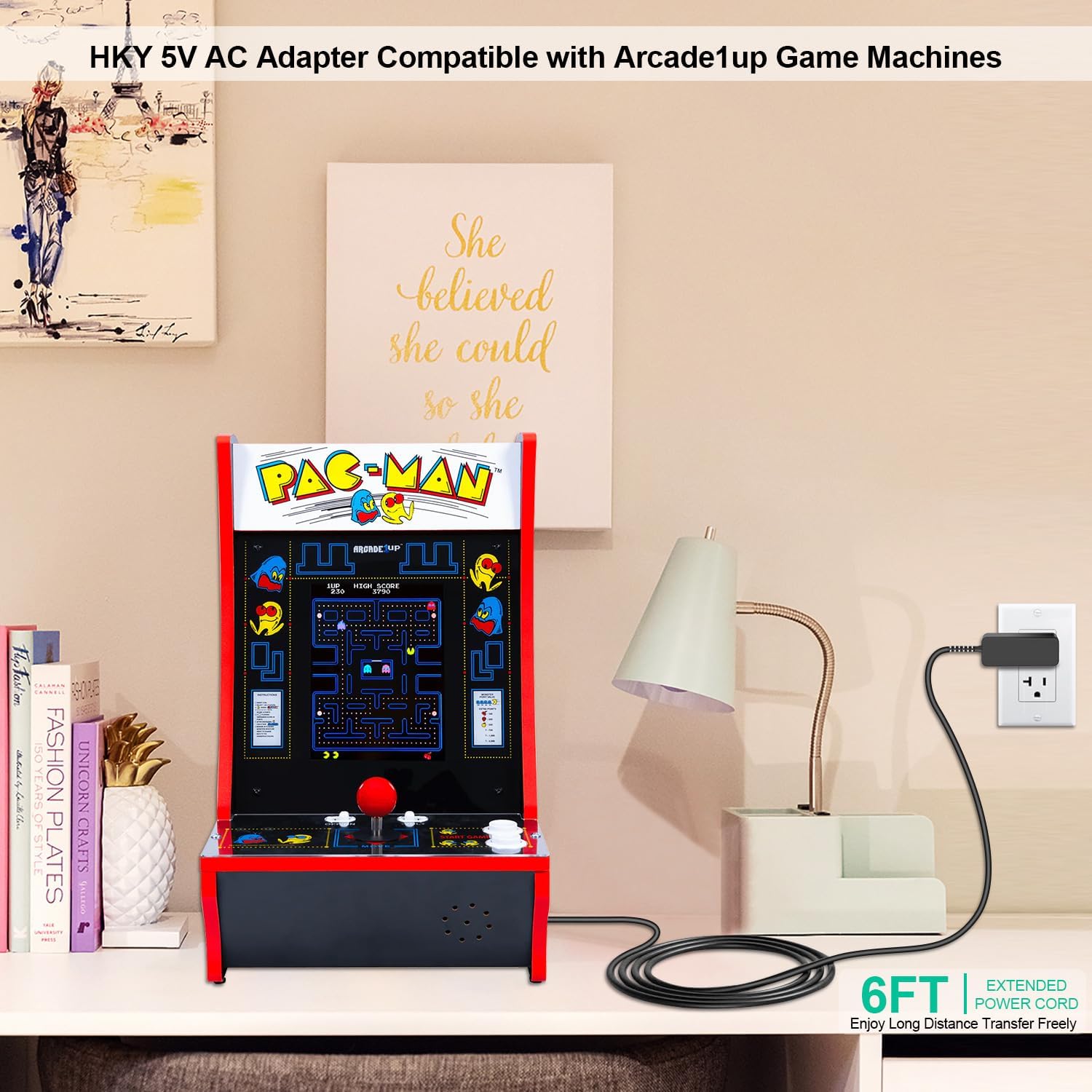
Figure 3: HKY adapter connected to an Arcade1up Counter-Cade console.
4. Operation
Once the adapter is securely connected to your device and a power outlet, you can power on your device as usual. The adapter will supply the necessary 5V DC power.
5. Maintenance
Proper care extends the life of your adapter:
- Cleaning: Disconnect the adapter from the power outlet and your device before cleaning. Use a dry, soft cloth to wipe the exterior. Do not use liquid cleaners or solvents.
- Storage: Store the adapter in a cool, dry place away from direct sunlight and extreme temperatures. Avoid tightly coiling the cable to prevent damage.
- Handling: Always grasp the plug when disconnecting from an outlet; do not pull on the cable. Avoid bending the cable sharply, especially near the connectors.

Figure 4: Illustration of the adapter's durable cable construction.
6. Troubleshooting
If you encounter issues with your HKY adapter, refer to the following common problems and solutions:
- Device Not Powering On:
- Ensure the adapter is fully plugged into both the wall outlet and your device.
- Verify the wall outlet is functional by testing it with another device.
- Confirm your device's power requirements (voltage, amperage, connector) match the adapter's specifications.
- Check for any visible damage to the adapter cable or connectors.
- Adapter Feels Warm:
- It is normal for power adapters to become slightly warm during operation.
- If the adapter becomes excessively hot to the touch or emits a burning smell, immediately unplug it from the wall and your device. Contact customer support.

Figure 5: Internal safety features including short circuit protection and over-voltage protection.
7. Specifications
| Feature | Specification |
|---|---|
| Model Number | Q36CU-500002000 |
| Input Voltage | 100-240V AC, 50-60Hz |
| Output Voltage | 5V DC |
| Output Amperage | 2A |
| Wattage | 10W (Max) |
| Connector Type | Barrel Connector |
| Product Dimensions | 1 x 1 x 1 inches |
| Item Weight | 3.53 ounces |
| Special Features | Fast Charging, Lightweight Design, Short Circuit Protection, Over Voltage Protection, Over Current Protection |
| Color | Black |
8. Warranty and Support
HKY is committed to providing high-quality products and customer satisfaction.
8.1. Warranty Information
This product comes with a 3-year warranty. Additionally, HKY offers a 90-day money-back guarantee from the date of purchase. This warranty covers manufacturing defects and ensures the product meets its stated specifications under normal use.
8.2. Customer Support
For any quality problems, suggestions for improvement, or technical assistance, please contact our customer service team. We provide 24/7 email support and aim to respond within 24 hours.

Figure 6: HKY customer service commitment and product quality assurance.