
CAMVILD Mini800 2365
CAMVILD Mini Trail Game Camera User Manual
Model: Mini800 2365
Brand: CAMVILD
1. Introduction
The CAMVILD Mini Trail Game Camera (Model Mini800 2365) is a high-performance device designed for wildlife monitoring, hunting, home security, and farm surveillance. It captures stunning 24MP images and 1080P videos, featuring a rapid 0.2-second trigger time and advanced night vision capabilities. Its IP66 waterproof and dustproof design ensures reliable operation in various outdoor conditions.

Figure 1: CAMVILD Mini Trail Game Camera with 32GB SD card and internal screen view.
2. What's in the Box
Please check the package contents upon unboxing:
- 1 x CAMVILD Mini Trail Game Camera
- 1 x Strap
- 1 x Bracket
- 3 x Screws
- 1 x USB Cable (for connecting camera to computer)
- 1 x Instruction Manual
3. Setup Guide
3.1 Battery Installation
The camera requires 4 AA batteries for operation. Ensure correct polarity when inserting the batteries.
- Open the camera's battery compartment.
- Insert 4 AA batteries, matching the positive (+) and negative (-) terminals as indicated.
- Close the battery compartment securely to maintain waterproofing.
3.2 SD Card Insertion
A 32GB SD card is recommended for optimal storage of photos and videos.
- Locate the SD card slot on the camera.
- Insert the SD card with the metal contacts facing down until it clicks into place.
- To remove, gently push the card in until it springs out.
3.3 Mounting the Camera
Use the included strap, bracket, and screws to securely mount the camera in your desired location.
- Strap Mounting: Thread the strap through the camera's mounting slots and secure it around a tree or pole.
- Bracket/Screw Mounting: Use the bracket and screws to attach the camera to a flat surface.

Figure 2: Camera mounted on a tree, demonstrating its weather resistance.
4. Operating Instructions
4.1 Powering On/Off
To power on the camera, switch the mode selector to 'ON'. To power off, switch to 'OFF'.
4.2 Capturing Images and Videos
The camera is designed to automatically capture high-quality images and videos when motion is detected.
- Image Resolution: Up to 24 Megapixels.
- Video Resolution: Up to 1080P with audio recording.
- Trigger Time: Ultra-fast 0.2 seconds upon motion detection.
- Motion Detection Range: 90° wide detection angle, up to 30 meters.
- Night Vision: Advanced infrared technology for clear images in low-light conditions, up to 65 feet.

Figure 3: Examples of 24MP photo and 1080P video quality.

Figure 4: Night vision capture of a tiger.
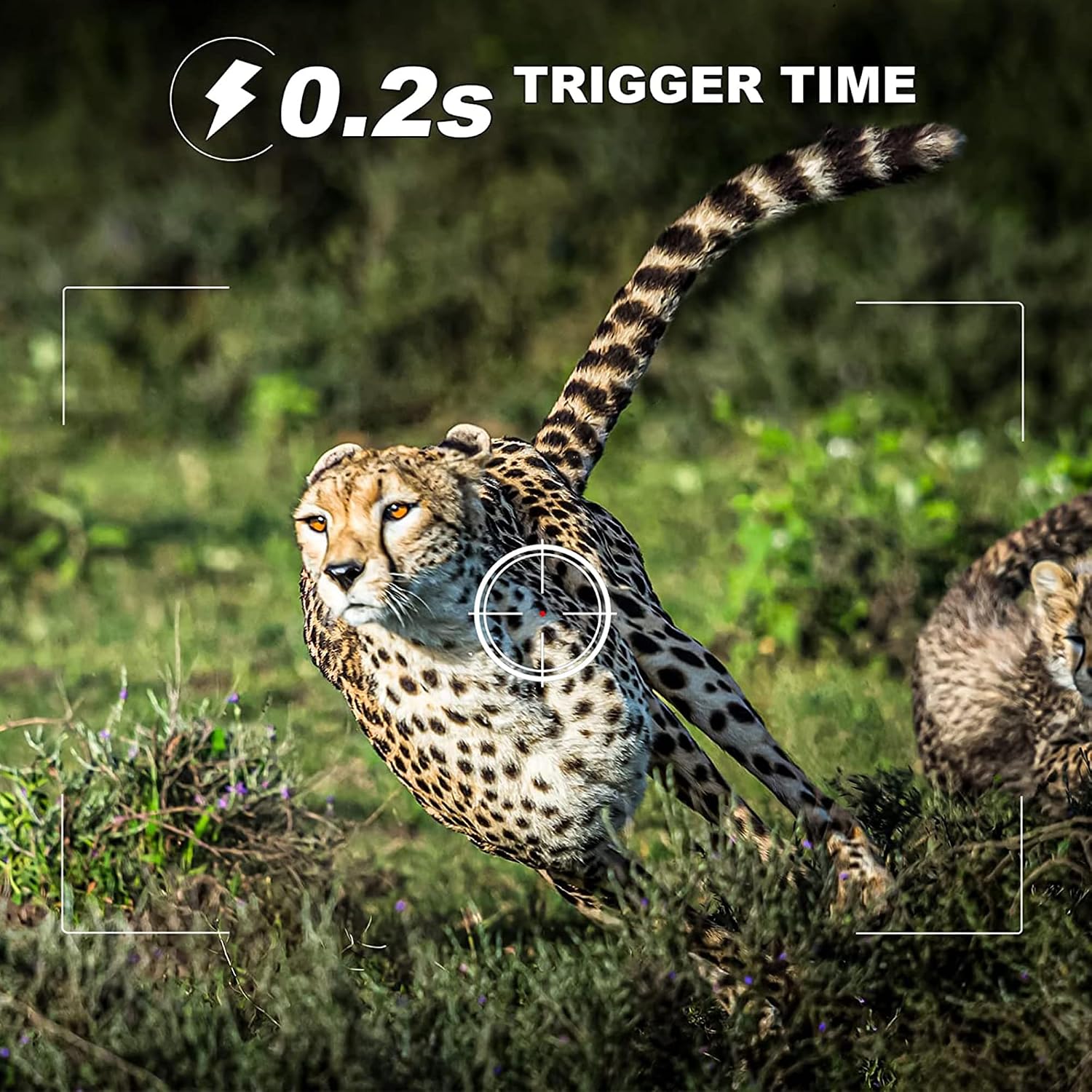
Figure 5: Demonstration of the rapid 0.2-second trigger time.
4.3 Viewing Files
You can view captured photos and videos directly on the camera's internal screen or by connecting the camera to a computer using the provided USB cable.
4.4 Application Scenarios
The CAMVILD Mini Trail Game Camera is versatile and can be used for:
- Wildlife Observation and Hunting
- Home/Property Security
- Farm Monitoring

Figure 6: Multiple application scenarios for the trail camera.
4.5 Video Demonstration
Watch this short video demonstrating the camera's day and night capture capabilities:
Video 1: Day and Night footage captured by the CAMVILD camera, showcasing its ability to record in varying light conditions.
5. Maintenance
To ensure the longevity and optimal performance of your CAMVILD Mini Trail Game Camera, follow these maintenance guidelines:
- Cleaning: Wipe the camera body with a soft, damp cloth. Do not use harsh chemicals or abrasive cleaners. Ensure the lens and sensors are clean for clear images.
- Battery Care: Remove batteries if the camera will not be used for an extended period to prevent leakage.
- SD Card Management: Regularly back up and format your SD card to maintain performance and prevent data corruption.
- Storage: Store the camera in a cool, dry place when not in use.
- Weather Protection: Although IP66 waterproof, avoid submerging the camera in water. Ensure all compartments are securely closed before exposure to rain or dust.
6. Troubleshooting
If you encounter issues with your camera, please refer to the following common problems and solutions:
| Problem | Possible Cause | Solution |
|---|---|---|
| Camera not powering on | Low or dead batteries; Incorrect battery installation. | Replace with fresh AA batteries; Ensure correct polarity (+/-). |
| SD card not recognized | SD card not inserted correctly; Corrupted SD card; Incompatible SD card. | Reinsert the SD card; Try formatting the card (this will erase data); Try a different, compatible SD card. |
| Poor image/video quality | Dirty lens; Insufficient lighting (for non-night vision); Camera too far from subject. | Clean the camera lens; Ensure adequate lighting or proper night vision settings; Adjust camera placement. |
| Recording time incorrect | Time/date settings not configured or reset. | Access camera settings via the internal screen and set the correct date and time. |
| Camera not triggering | PIR sensor blocked; Sensitivity too low; Batteries low. | Ensure clear line of sight for PIR sensor; Adjust sensitivity settings; Replace batteries. |
7. Specifications
| Feature | Detail |
|---|---|
| Model Name | Mini800 2365 |
| Brand | CAMVILD |
| Effective Still Resolution | 24 MP |
| Video Capture Resolution | 1080p |
| Trigger Time | 0.2 seconds |
| Motion Detection Angle | 90° |
| Motion Detection Range | 1-30 meters |
| Night Vision Range | Up to 65 feet |
| International Protection Rating | IP66 (Waterproof & Dustproof) |
| Power Source | Battery Powered (4 AA batteries recommended) |
| Storage | Supports SD card (32GB recommended) |
| Connectivity Technology | NO |
| Item Dimensions (L x W x H) | 5.31 x 3.34 x 2.75 inches |
| Item Weight | 12.7 ounces |
| Included Components | Strap, bracket, screws, USB cable, instruction manual |
8. Warranty and Support
For warranty information or technical support, please contact CAMVILD customer service through the retailer's platform or the official CAMVILD website. Please have your product model number (Mini800 2365) and purchase details ready when contacting support.
For more information, you may visit the CAMVILD Store on Amazon.
Ask a question about this manual
Ask about setup, troubleshooting, compatibility, parts, safety, or missing instructions. Manuals+ will review the question and use this page’s manual context to help answer it.