
1. Introduction
This manual provides essential information for setting up, operating, maintaining, and troubleshooting your STGAubron Gaming PC Desktop. Please read this manual thoroughly before using your new computer to ensure proper function and longevity.
The STGAubron Gaming PC Desktop (Model ABR1722) is equipped with an AMD Ryzen 7 5700X processor, NVIDIA GeForce RTX 3060 Ti graphics card, 32GB DDR4 RAM, and a 1TB SSD, running on Windows 11 Home. It is designed for a wide range of applications including gaming, streaming, video editing, business, and studying.
2. Setup Guide
2.1 Unboxing and Initial Inspection
Carefully remove the PC and all accessories from the packaging. Inspect for any visible damage. The package should include:
- STGAubron Gaming PC Desktop
- RGB Gaming Keyboard
- RGB Gaming Mouse
- RGB Mouse Pad
- Power Cable

Image: STGAubron Gaming PC Desktop with included RGB keyboard, mouse, and mouse pad.
2.2 Connecting Peripherals
Before powering on, connect your monitor, keyboard, mouse, and other peripherals.
- Monitor: Connect your monitor to the graphics card's HDMI or DisplayPort output. The graphics card (NVIDIA GeForce RTX 3060 Ti) has 1x HDMI and 1x DisplayPort. Avoid using motherboard video outputs if a dedicated graphics card is installed.
- Keyboard & Mouse: Connect the RGB Gaming Keyboard and Mouse to available USB ports.
- Power: Connect the power cable to the PC's power supply unit and then to a wall outlet.
- Network: For wired internet, connect an Ethernet cable to the RJ-45 port. For wireless, the PC includes USB 600M Wi-Fi and USB Bluetooth 5.0.

Image: Rear view of the PC, highlighting the PS/2, USB 3.0, USB 2.0, RJ45, audio, HDMI, DisplayPort, and power connectors.
2.3 First Boot
After connecting all peripherals, press the power button on the front of the PC. The system will boot into Windows 11 Home. Follow the on-screen instructions to complete the initial Windows setup, including language, region, network connection, and user account creation.
3. Operating Instructions
3.1 Basic Operation
Your STGAubron Gaming PC Desktop comes pre-installed with Windows 11 Home. Familiarize yourself with the operating system interface. You can customize settings, install applications, and manage files as needed.

Image: The gaming PC desktop connected to a monitor, keyboard, and mouse, ready for use.
3.2 Gaming Performance
The PC is designed to deliver high performance for gaming. The NVIDIA GeForce RTX 3060 Ti 8G GDDR6 graphics card and AMD Ryzen 7 5700X processor allow for smooth gameplay at high settings in many popular titles.

Image: Performance benchmarks for games like CS:GO, DOTA 2, PUBG, Apex Legends, Call of Duty: Modern Warfare, and Black Myth: Wukong at 1080p resolution.

Image: Performance benchmarks for games like Dying Light 2, Cyberpunk 2077, Red Dead Redemption 2, Grand Theft Auto V, and Elden Ring at 1080p resolution.
3.3 RGB Lighting
The PC features RGB fans and includes an RGB keyboard, mouse, and mouse pad. These components typically have pre-set lighting modes or can be customized via software (if provided by the manufacturer) or physical buttons on the peripherals.

Image: Front view of the PC tower, highlighting the three RGB fans.
4. Maintenance
4.1 General Cleaning
To ensure optimal performance and longevity, regularly clean your PC. Use a soft, dry cloth to wipe down the exterior. For dust accumulation, especially on fan vents, use compressed air. Ensure the PC is powered off and unplugged before cleaning.
4.2 Software Updates
Keep your operating system (Windows 11 Home) and graphics drivers updated. Regular updates improve security, performance, and compatibility. Windows updates can be managed through the Settings app, and graphics drivers can be updated via NVIDIA's official website or GeForce Experience software.
5. Troubleshooting
If you encounter issues with your STGAubron Gaming PC Desktop, refer to the following common solutions:
- No Power: Ensure the power cable is securely connected to both the PC and the wall outlet. Check if the power supply switch on the back of the PC is in the 'ON' position.
- No Display: Verify that your monitor is correctly connected to the graphics card (RTX 3060 Ti) and not the motherboard's integrated video ports. Ensure the monitor is powered on and set to the correct input source.
- System Slowdown: Check for background applications consuming excessive resources. Ensure your drivers and operating system are up to date. Consider running a disk cleanup or defragmentation (for HDDs, not SSDs).
- Peripheral Not Responding: Try connecting the keyboard or mouse to a different USB port. Ensure drivers are installed if required.
For more complex issues or if the problem persists, please contact customer support.
6. Specifications
Detailed technical specifications for the STGAubron Gaming PC Desktop (Model ABR1722):
| Component | Specification |
|---|---|
| Processor | AMD Ryzen 7 5700X (up to 4.6 GHz, 8-Core) |
| Graphics Card | NVIDIA GeForce RTX 3060 Ti 8G GDDR6 |
| RAM | 32 GB DDR4 |
| Storage | 1 TB SSD (Solid State Drive) |
| Operating System | Windows 11 Home 64-bit |
| Wireless Connectivity | USB 600M Wi-Fi, USB Bluetooth 5.0 |
| Ports (Rear) | 1x RJ-45, 1x Serial, USB 3.0 x2, USB 2.0 x2, 1x HDMI, 1x DisplayPort, 1x DVI, Audio (Microphone, Audio-out, Audio-Line-in) |
| Fans | RGB Fan x 4 |
| Item Model Number | ABR1722 |
| Item Weight | 25.6 pounds |
| Color | Dark Green |


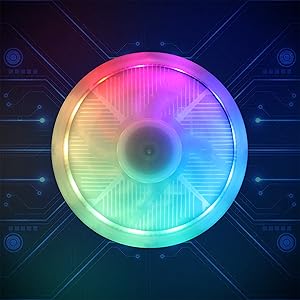
Images: Key internal components including the AMD processor, 1TB SSD, and an RGB cooling fan.

Image: The NVIDIA GeForce RTX 3060 Ti 8G GDDR6 graphics card.
7. Warranty Information
Your STGAubron Gaming PC Desktop comes with the following warranty coverage:
- Parts & Labor: 1 Year
- Warranty Coverage: 365 Days
- Exchange & Warranty: 12 Months
Please retain your proof of purchase for warranty claims.
8. Customer Support
STGAubron offers comprehensive support for your product:
- Technical Support: Free lifetime technical support.
- Troubleshooting: Lifelong troubleshooting support.
- Response Time: Quick reply within 24 hours.
8.1 Contact Information
You can reach our support team through various channels:
- Email: support@astsys.com
- Phone: 1-855-489-0795 (EXT.224) (Monday-Friday 9am-5pm EST)


Images: STGAubron customer support contact information and service features.