
1. Introduction
The ILIBILIB HX36 is a versatile 2-in-1 soldering station designed for both 60W soldering iron and 600W hot air rework applications. It features a dual display system, dual power switches, and advanced functions including temperature readout, hot air volume adjustment, Celsius/Fahrenheit conversion, temperature correction, and sleep mode. This station is ideal for various electronic repair and assembly tasks, offering precision and safety.
2. Safety Information
WARNING: Read all safety warnings and instructions before using this product. Failure to follow the warnings and instructions may result in electric shock, fire, and/or serious injury.
- Always work in a well-ventilated area to avoid inhaling solder fumes.
- Wear appropriate personal protective equipment, including safety glasses and heat-resistant gloves.
- Do not touch the soldering iron tip or hot air gun nozzle when hot. They can reach temperatures over 400°C (752°F).
- Ensure the soldering station is placed on a stable, heat-resistant surface.
- Keep flammable materials away from the work area.
- Always turn off the power and unplug the unit when not in use or before performing maintenance.
- The ESD safe design helps prevent static or leakage damage to components.
- In case the hot air gun stops blowing abnormally, the system will automatically alarm and cut off power to the heating element for safety.
3. Package Contents
The ILIBILIB HX36 Soldering Station kit includes the following items:
- ILIBILIB HX36 Soldering Station (main unit with soldering iron, soldering iron stand, and hot air gun)
- 5 Soldering Tips
- 1 Roll of Lead-free Solder Wire (50g)
- 1 Solder Sucker
- 1 ESD Safe Tweezers
- 1 Cleaning Sponge
4. Product Overview
The ILIBILIB HX36 integrates a soldering iron station, a soldering iron stand, and an SMD hot air rework station into a single compact unit, saving valuable workspace. It features dual digital displays for precise temperature control of both tools.


5. Setup Instructions
5.1 Nozzle Installation for Hot Air Gun
- Turn off the power and allow the steel tube of the hot air gun to cool down completely.
- Slot the desired nozzle into the steel tube and press it all the way to the bottom.
- Tighten the screw to secure the nozzle. Do not overtighten to avoid deforming the nozzle.

5.2 Initial Power-Up
Connect the power cord to the station and a suitable power outlet. Ensure both the soldering iron and hot air gun are securely connected to their respective jacks on the main unit. Place the hot air gun in its holder and the soldering iron in its stand before powering on.
6. Operating Instructions
6.1 Power On/Off
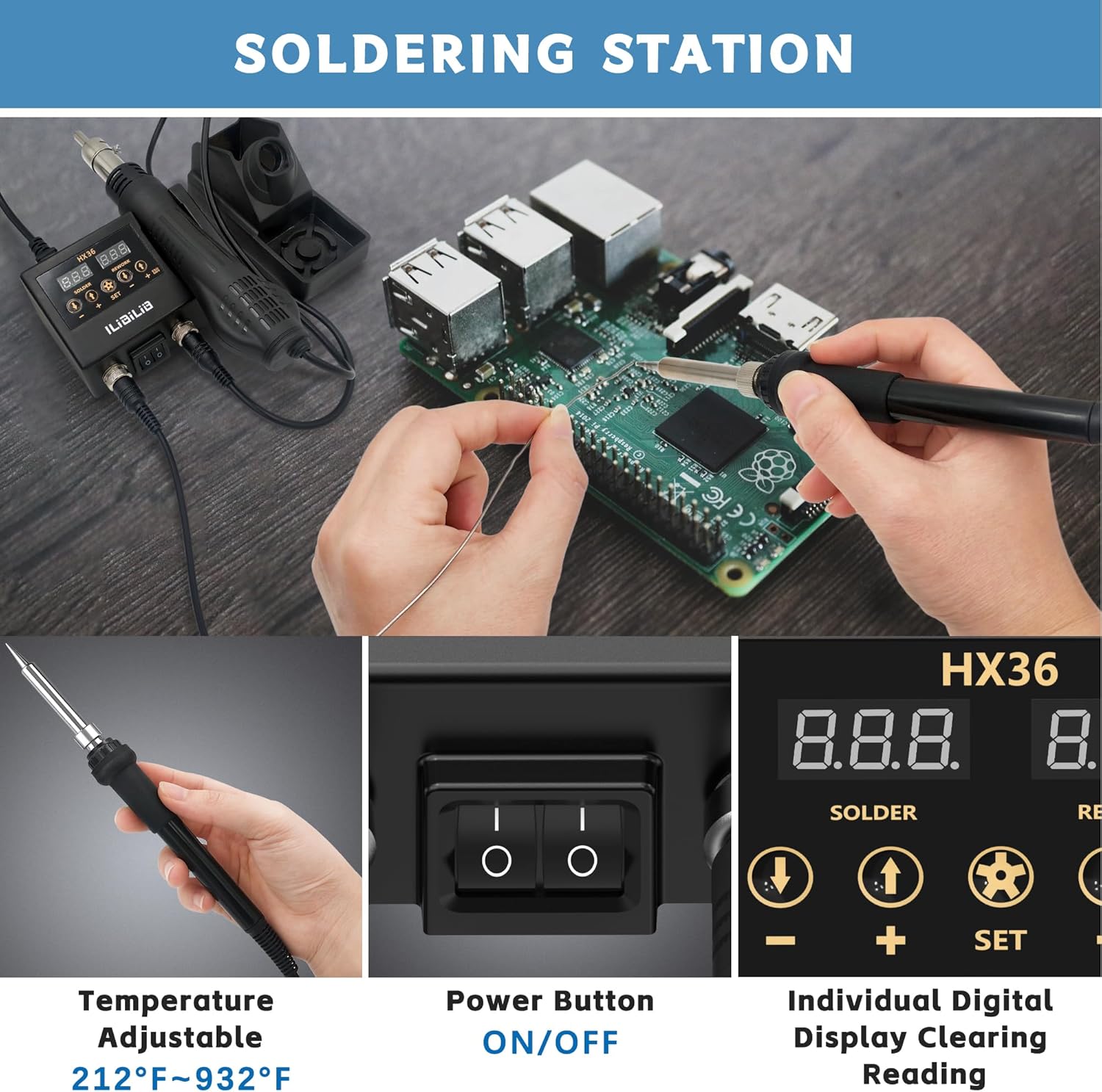
Use the individual power switches for the soldering iron and hot air gun to turn them on or off. The digital displays will illuminate upon activation.

6.2 Temperature Adjustment and °C/°F Conversion
Use the 'UP' and 'DOWN' buttons or the rotary knob (if available on your model) to adjust the temperature for both the soldering iron and hot air gun. The temperature range for the soldering iron is 356°F to 932°F (180°C to 500°C), and for the hot air rework station is 212°F to 932°F (100°C to 500°C). Press the 'SET' button to switch between Celsius (°C) and Fahrenheit (°F) display modes.
6.3 Hot Air Gun Operation
- Air Volume Adjustment: The air volume is adjustable up to a maximum of 120 L/min. Use the dedicated control for air volume on the main unit.
- Auto Sleep Function: When the hot air gun is placed in its holder, it will automatically enter sleep mode, cooling down to 212°F (100°C) and stopping heating temporarily. Lifting it from the stand will reactivate it to the set temperature.


6.4 Soldering Iron Operation
- Fast Heating & Intelligent Temperature Control: The soldering iron heats up quickly and maintains a consistent temperature thanks to its high-end precision PID program.
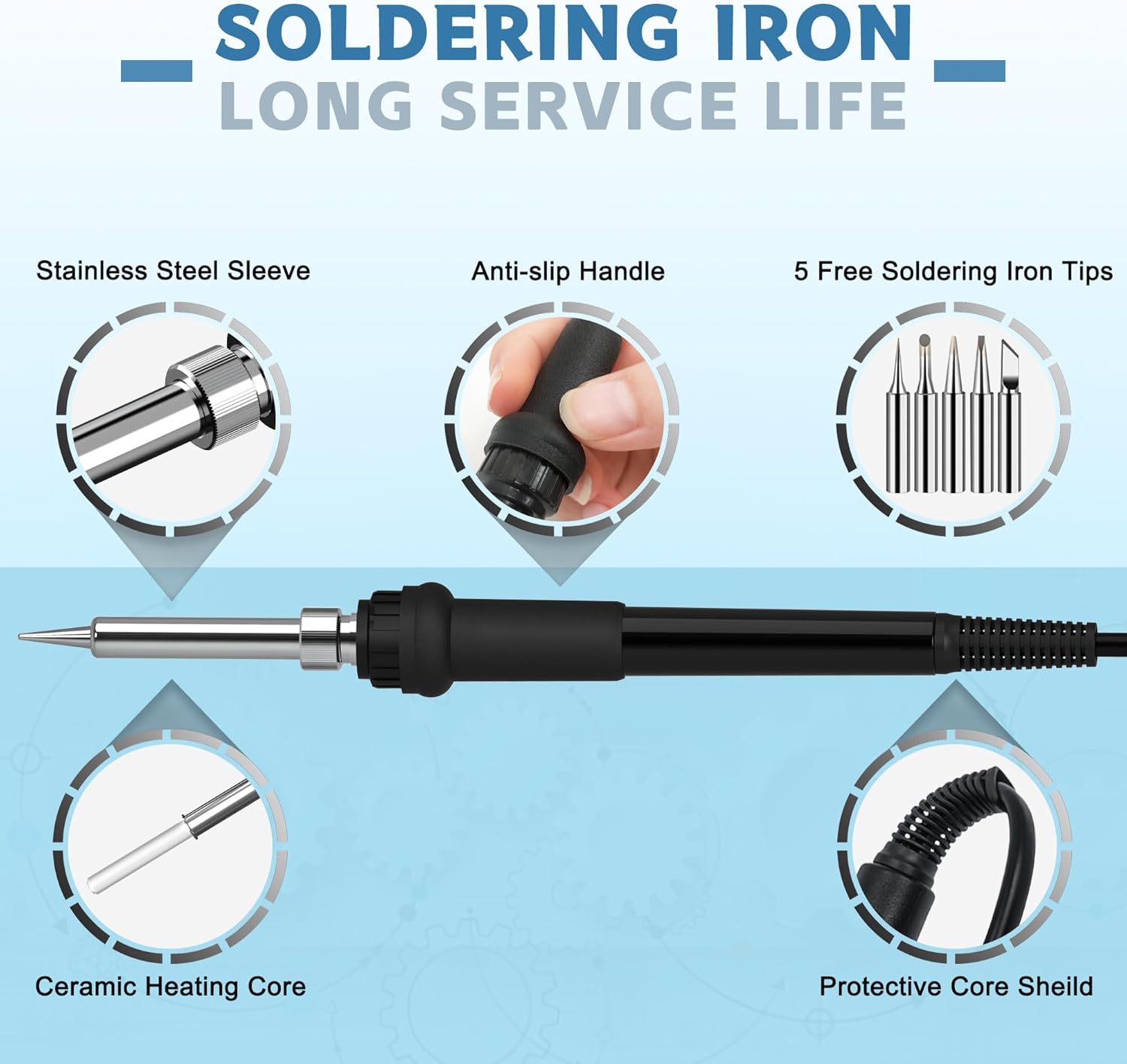
- Long Service Life: The soldering iron features a stainless steel sleeve, anti-slip handle, ceramic heating core, and protective core shield for durability.
6.5 ESD Safety and Dual Screen Display
The station is designed with ESD (Electrostatic Discharge) safety to protect sensitive electronic components. The dual screen digital display provides clear, simultaneous temperature readings for both the soldering iron and hot air gun.

6.6 Instructional Videos
Watch these videos for visual guidance on operating your soldering station:
Video 1: Overview of the 2-in-1 Hot Air Soldering Station, demonstrating its core functionalities.
Video 2: Function introduction for a similar soldering station, showing temperature conversion and automatic standby features.
7. Maintenance
7.1 Soldering Tip Care
- Always tin the soldering iron tip before and after use to prevent oxidation and extend its lifespan.
- Clean the tip regularly using the included cleaning sponge or brass wool.
- Avoid excessive pressure when soldering, as this can damage the tip.
- Replace worn or damaged tips promptly to maintain optimal performance.
7.2 Hot Air Gun Nozzle Cleaning
- Ensure the hot air gun is cool before attempting to clean the nozzle.
- Gently remove any debris or flux residue from the nozzle using a soft brush or non-abrasive tool.
7.3 General Cleaning
- Wipe down the main unit and tools with a soft, dry cloth.
- Do not use abrasive cleaners or solvents, as these can damage the plastic and electronic components.
8. Troubleshooting
- No Power: Check the power cord connection and ensure the main power switch is on. Verify the power outlet is functional.
- Soldering Iron Not Heating: Ensure the soldering iron is properly connected to the main unit. Check the set temperature and ensure it's above ambient. If the tip is heavily oxidized, clean and re-tin it.
- Hot Air Gun Not Heating/Blowing: Check the connection of the hot air gun. Ensure it is not in sleep mode (lift it from the holder). Verify the set temperature and air volume. If an abnormal stop occurs, the safety feature may have activated; power cycle the unit.
- Temperature Fluctuation: Ensure the unit is on a stable surface and not exposed to drafts. The PID control should maintain stable temperatures. If fluctuations persist, contact support.
9. Specifications
| Feature | Specification |
|---|---|
| Manufacturer | ILIBILIB |
| Model Number | HX36 |
| Power Source | AC/DC |
| Soldering Iron Wattage | 60 Watts |
| Hot Air Rework Wattage | 600 Watts |
| Display Style | LED |
| Soldering Iron Temperature Range | 180°C to 500°C (356°F to 932°F) |
| Hot Air Rework Temperature Range | 100°C to 500°C (212°F to 932°F) |
| Max Air Volume | 120 L/min |
| Item Weight | 1.11 kg |
| Parcel Dimensions | 25.9 x 16.5 x 9.9 cm |
10. Warranty & Support
This product comes with a 12-month manufacturer's warranty.
For technical support, troubleshooting assistance, or warranty claims, please contact ILIBILIB customer service through your original point of purchase or visit the official ILIBILIB website for contact information.