
1. Introduction
This manual provides essential instructions for the safe and efficient operation of your BONAI 8+1 Bay Battery Charger, accompanied by 8 BONAI 1100mAh AAA NiMH rechargeable batteries. Please read this manual thoroughly before first use and retain it for future reference.

Image 1.1: BONAI 8+1 Bay Battery Charger with included AAA batteries and power adapter.
2. Safety Instructions
To prevent injury or damage, always observe the following safety precautions:
- Only charge Ni-MH (Nickel-Metal Hydride) and 9V Lithium/Ni-MH rechargeable batteries. Do not attempt to charge alkaline, carbon-zinc, or any other non-rechargeable battery types.
- Do not disassemble, modify, or short-circuit the charger or batteries.
- Avoid exposing the charger or batteries to water, fire, high temperatures, or direct sunlight.
- Keep out of reach of children and pets.
- Ensure proper polarity (+/-) when inserting batteries into the charger. Incorrect insertion can cause damage.
- Unplug the charger from the power outlet when not in use or before cleaning.
- If any unusual odor, heat, or deformation is observed, immediately unplug the charger and remove the batteries.
3. Product Overview
3.1. Package Contents
The package includes:
- 1 x BONAI 8+1 Bay Battery Charger (Model: ZN827C)
- 8 x BONAI 1100mAh AAA NiMH Rechargeable Batteries
- 1 x Power Adapter
- 1 x User Manual

Image 3.1: Contents of the BONAI Battery Charger package.
3.2. Key Features
- 8+1 Independent Charging Bays: Charges 1-8 AA/AAA Ni-MH batteries and 1 x 9V Lithium/Ni-MH battery simultaneously or individually.
- Large LCD Display: Clearly shows the charging status of each individual battery.
- Advanced Safety Protections: Features MCU control, -ΔV function, over-heat protection, over-current protection, short-circuit protection, and detection for non-rechargeable or defective batteries.
- Trickle Charge Function: Automatically switches to trickle charge mode when batteries are nearly full to optimize battery life and ensure up to 99% charge.
- High Capacity AAA Batteries: Included 1100mAh NiMH AAA batteries offer low self-discharge, retaining 75% capacity after 3 years of non-use, and are rechargeable up to 1200 times.

Image 3.2: Multi-protection features of the BONAI Battery Charger.
3.3. Specifications
| Parameter | Value |
|---|---|
| Model | ZN827C |
| Input | DC 12V/0.5A |
| Output (AA/AAA) | DC 1.4V 150-500mA |
| Output (9V) | 50mA*1 |
| Battery Cell Composition | NiMH (for AA/AAA), Lithium/NiMH (for 9V) |
| AAA Battery Capacity | 1100mAh |
| Reusability | Rechargeable |
| Item Weight | 14.9 ounces (approx. for entire product) |
| Package Dimensions | 10.55 x 4.45 x 1.89 inches |
4. Setup
- Unpack the charger, batteries, and power adapter from the packaging.
- Connect the power adapter to the DC input port on the back of the charger.
- Plug the power adapter into a standard AC power outlet (100-240V). The LCD screen will illuminate.
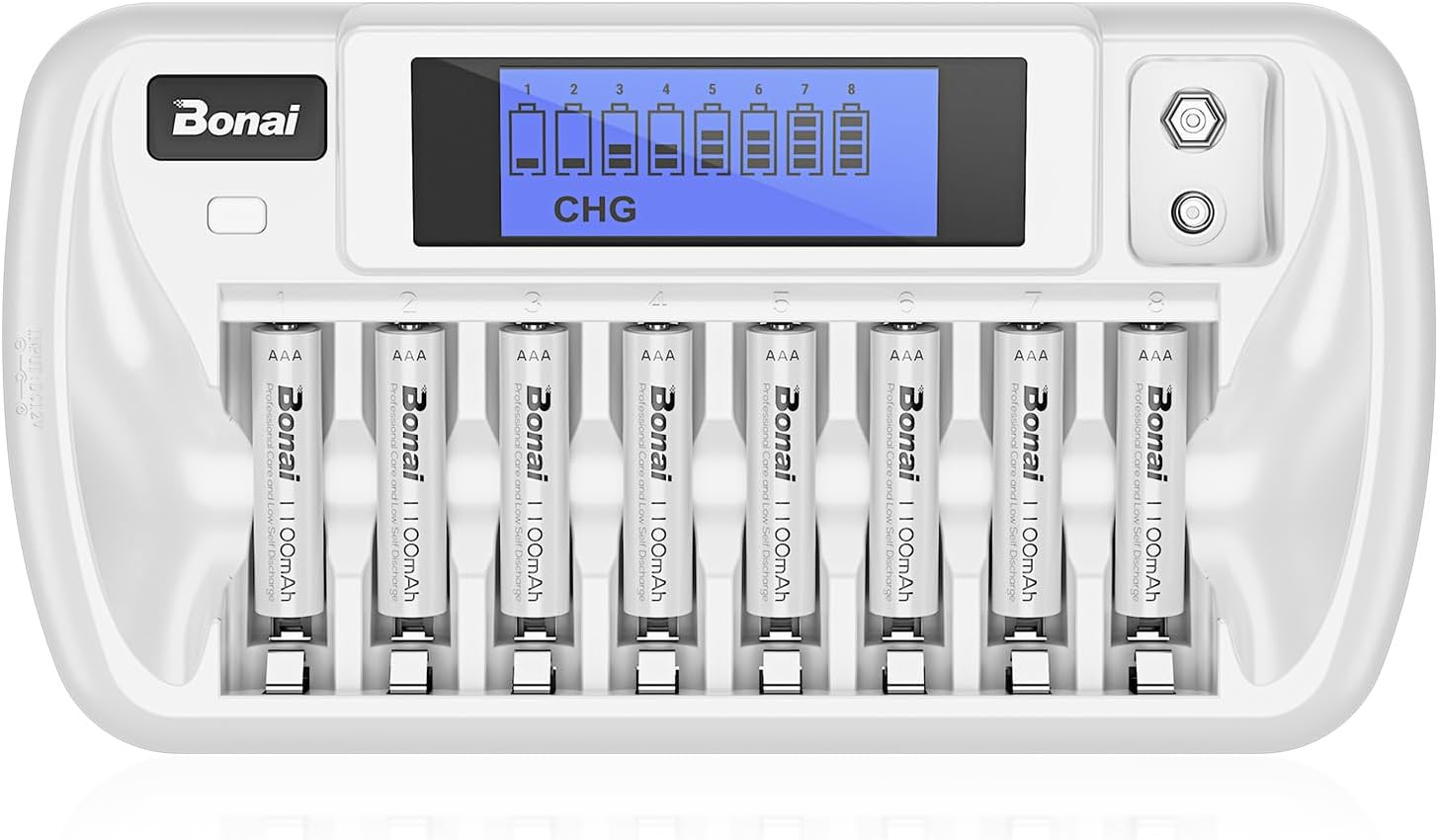
Image 4.1: BONAI Battery Charger ready for use with batteries inserted.
5. Operating Instructions
5.1. Inserting Batteries
- For AA/AAA batteries, insert them into any of the 8 main charging slots, ensuring the positive (+) and negative (-) terminals match the markings in the slot.
- For 9V batteries, insert one into the dedicated 9V slot, observing correct polarity.
- The charger features independent charging slots, allowing you to charge any number of batteries (1 to 8 AA/AAA, plus 1 9V) at once, without needing to pair them.
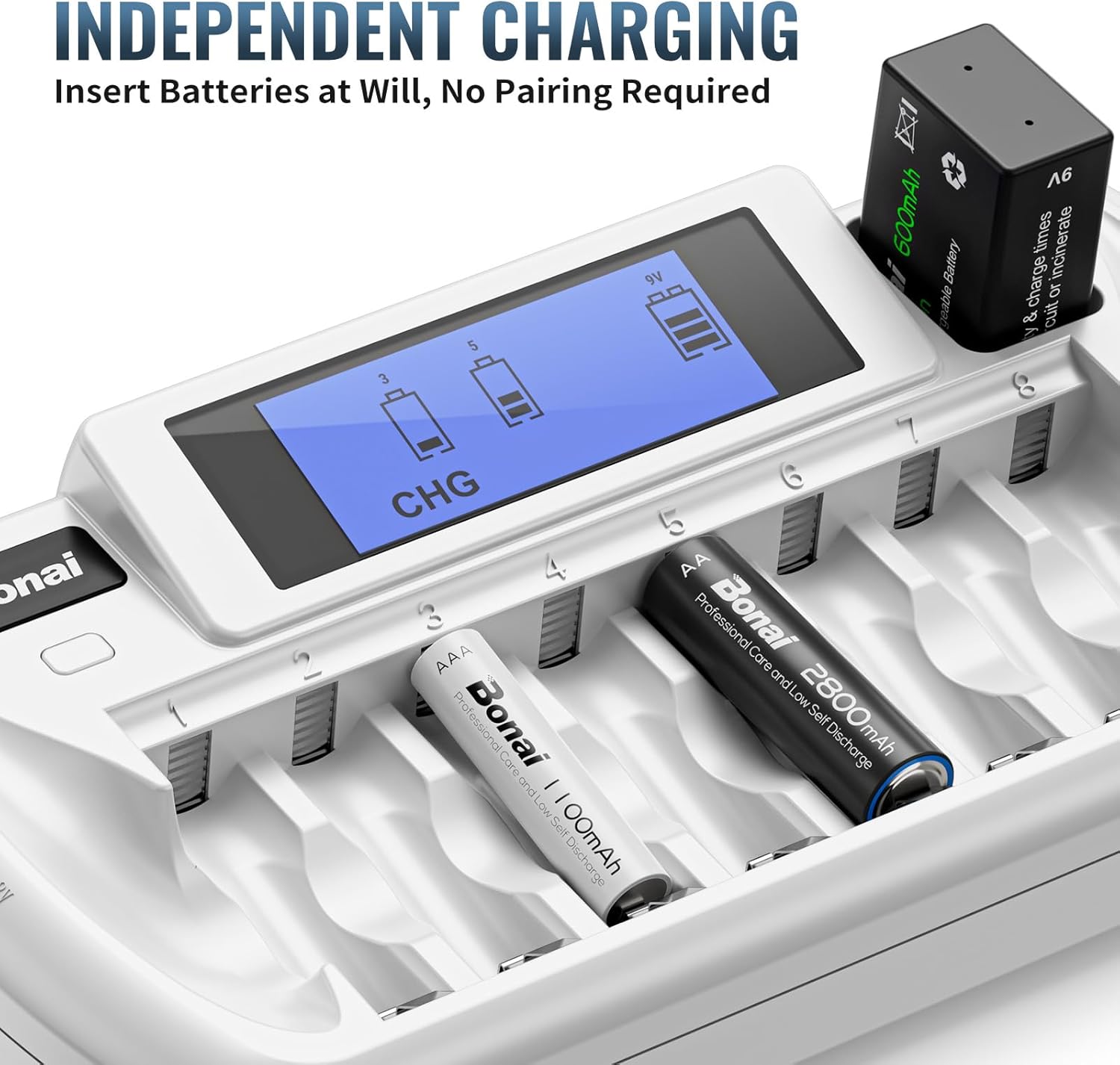
Image 5.1: Independent charging slots accommodating different battery types.
5.2. Understanding the LCD Display
The LCD screen provides real-time status for each battery:
- CHG (Charging): Indicates the battery is currently charging. The battery icon will show segments filling up.
- DISCHG (Discharging): (If applicable, for models with discharge function) Indicates the battery is discharging.
- Fully Charged: The battery icon will be solid and full.
- Charging In Progress: The battery icon segments will flash.
- Error/Defective Battery: If an incompatible or defective battery is detected, the display for that slot may show an error message or remain blank.

Image 5.2: LCD display indicators for battery status.
5.3. Charging Process
- After inserting batteries correctly, the charger will automatically begin the charging process.
- Monitor the LCD display to observe the charging status of each battery.
- Once a battery is fully charged, the charger will automatically switch to a trickle charge to maintain the battery's full capacity and extend its lifespan.
- Remove batteries once fully charged. While trickle charging is safe, prolonged storage in the charger is not recommended.
6. Maintenance
- Clean the charger and battery contacts regularly with a dry, soft cloth to ensure optimal performance.
- Do not use abrasive cleaners or solvents.
- Store the charger and batteries in a cool, dry place away from direct sunlight and extreme temperatures.
- For long-term storage, it is recommended to charge the batteries to about 50-70% capacity and store them separately from the charger.
7. Troubleshooting
| Problem | Possible Cause | Solution |
|---|---|---|
| LCD screen is blank or not lighting up. | Power adapter not connected or faulty; power outlet not working. | Ensure the power adapter is securely connected to the charger and a working power outlet. Try a different outlet. |
| Battery not charging (no indicator on LCD). | Incorrect battery type; incorrect polarity; defective battery; poor contact. | Verify battery type (NiMH only). Reinsert battery with correct polarity. Clean battery contacts. Try a different battery. |
| Charger or batteries become excessively hot. | Overheating due to faulty battery or environmental factors. | Immediately unplug the charger and remove batteries. Allow to cool. Ensure adequate ventilation. If problem persists, discontinue use. |
| Charging takes too long. | High capacity batteries; batteries deeply discharged; environmental temperature. | Charging time varies with battery capacity and discharge level. Ensure charger is in a well-ventilated area. |
8. Warranty and Support
Your BONAI 8+1 Bay Battery Charger comes with a One-Year Warranty from the date of purchase. This warranty covers manufacturing defects and malfunctions under normal use. It does not cover damage caused by misuse, accidents, unauthorized modifications, or improper storage.
For warranty claims, technical support, or any inquiries, please contact BONAI customer service through the retailer where the product was purchased or visit the official BONAI store online.
9. Environmental Disposal
Batteries and electronic devices should not be disposed of with household waste. Please follow local regulations for the proper recycling of rechargeable batteries and electronic products. This helps protect the environment and human health.