
1. Introduction and Overview
Thank you for choosing the MetalMax 20"H Wall Cabinet. This durable and versatile metal storage cabinet is designed to provide efficient and secure storage solutions for your garage, workshop, basement, utility room, or cargo trailer. Featuring a convenient flip-up door, an adjustable shelf, and a robust lockable design, it helps maximize your space and keep your items organized. This manual provides detailed instructions for assembly, installation, operation, and maintenance to ensure safe and optimal use of your new cabinet.
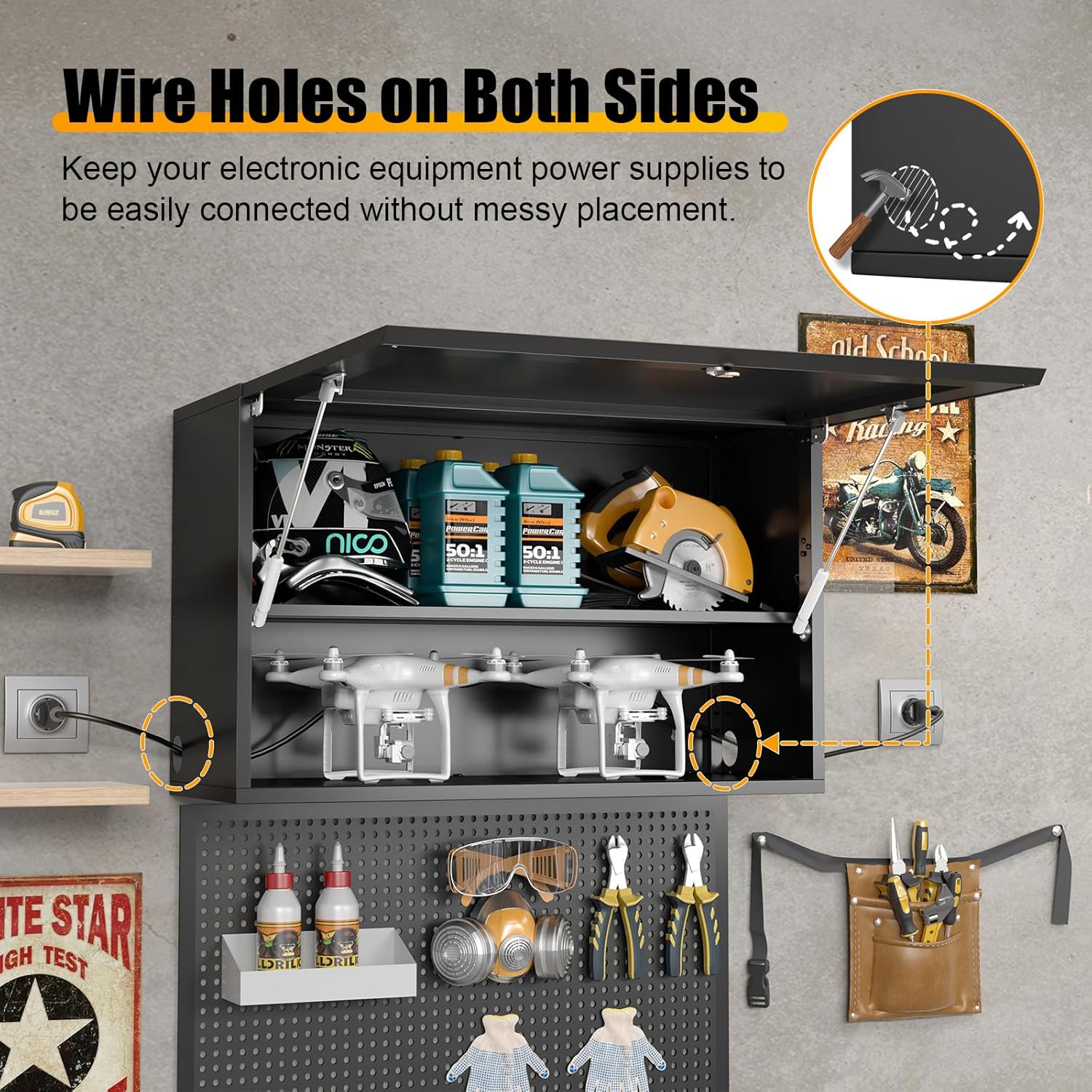
Image 1.1: The MetalMax 20"H Wall Cabinet provides organized storage in a garage workshop environment.
2. Safety Information
WARNING:
- Always follow safety guidelines when installing, using, and maintaining this cabinet.
- Observe weight limits. The maximum weight capacity per shelf is 130 lbs, and the total cabinet weight limit is 200 lbs.
- Ensure proper wall-mounting using appropriate hardware for your wall type (e.g., concrete, wood studs, drywall). Improper installation can lead to injury or damage.
- Be aware of potential pinch points or hazards when operating the flip-up door. Keep hands clear of moving parts.
- Wear protective gloves during assembly to prevent cuts from metal edges.
3. Package Contents
Verify that all components are present and undamaged before beginning assembly. If any parts are missing or damaged, please contact customer support.
- 1 x Metal Wall Storage Cabinet (Assembly Required)
- 1 x Accessories Package (screws, wall anchors, shelf clips, screwdriver, gloves, 3 keys)
- 1 x User Manual
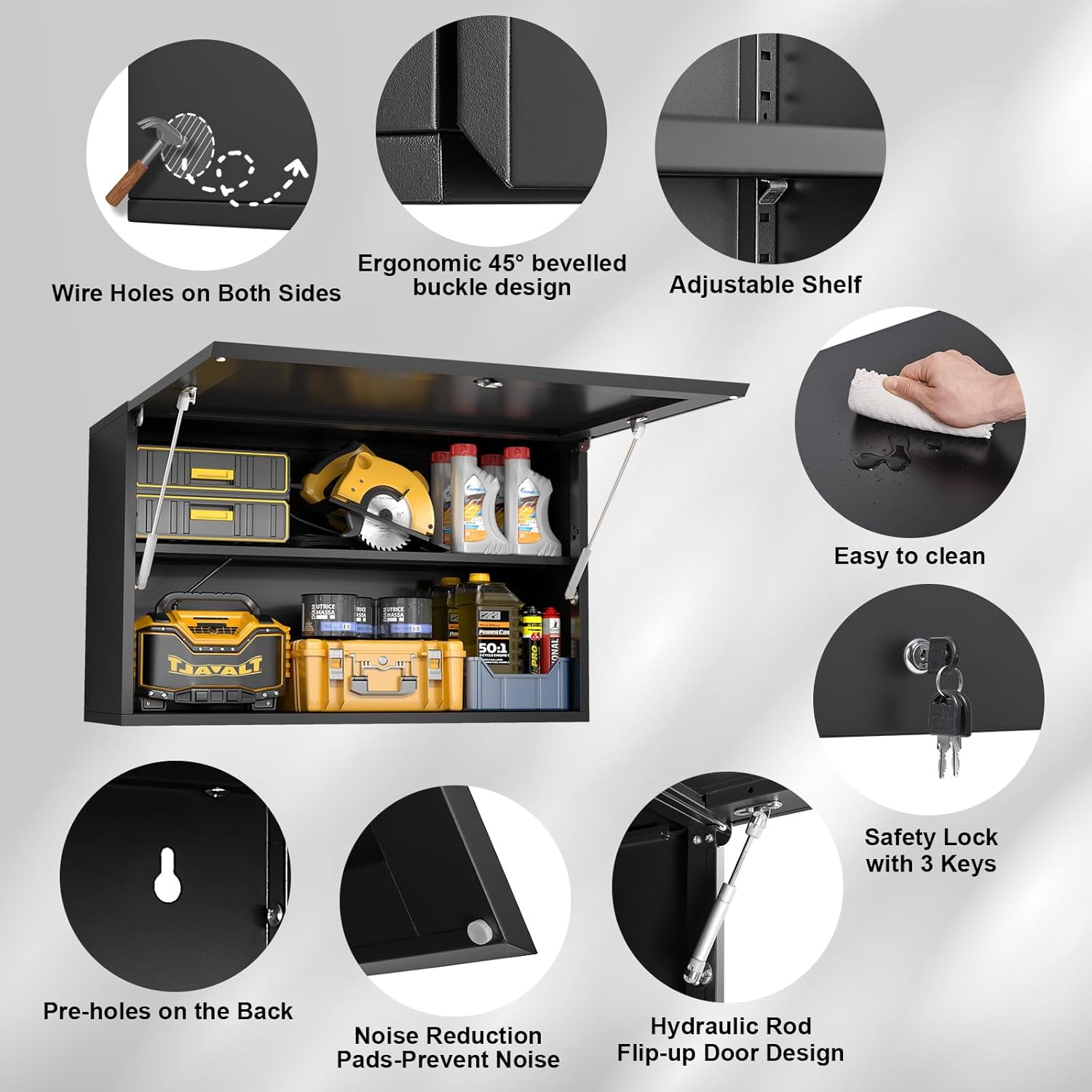
Image 3.1: Key features and components of the MetalMax Wall Cabinet.
4. Assembly Instructions
The MetalMax 20"H Wall Cabinet is designed for straightforward assembly. Follow these steps carefully. It is recommended to wear the provided gloves during assembly.
- Prepare the Back Panel: Before assembling the cabinet, identify the back panel (D). Place it against the wall where you intend to install the cabinet. Use a pencil to mark the upper part of the four hanging holes on the wall. This ensures accurate placement for wall mounting later.
- Assemble the Main Frame: Lay the bottom panel (A) flat. Attach the front panel (B) to the bottom panel, ensuring the hinges are correctly aligned. Then, attach the two side panels (C) to the bottom and front panels, securing them with the provided screws (H). Ensure all connections are tight and flush.
- Attach the Back Panel: Carefully slide the back panel (D) into the grooves of the assembled frame. Secure it with screws (H) from the inside of the cabinet.
- Install the Shelf: Insert the four shelf clips (J) into the desired slots on the side panels. Gently slide the adjustable shelf (G) onto the clips.
- Final Checks: Ensure all screws are tightened and the cabinet structure is stable.
Video 4.1: Detailed assembly and installation guide for the MetalMax Wall Storage Cabinet.
This video demonstrates the step-by-step process of assembling the cabinet components, including attaching the side panels, front panel, back panel, and installing the adjustable shelf. It also covers the wall-mounting procedure and door adjustment.
5. Installation Instructions (Wall Mounting)
Proper wall mounting is crucial for the safety and stability of your cabinet. Ensure you use appropriate tools and hardware for your specific wall type.
- Drill Pilot Holes: Using the marks made in Assembly Step 1, drill pilot holes into the wall. The manual recommends an 8mm (5/16") masonry bit for concrete/brick walls and an 8mm (5/16") drill bit for wood studs. For drywall, use appropriate drywall anchors.
- Insert Wall Anchors/Screws: Insert the provided wall anchors (I) into the pilot holes if mounting to concrete or drywall. For wood studs, drive screws directly into the studs. Leave the screws protruding slightly from the wall to allow the cabinet to hang.
- Hang the Cabinet: Carefully lift the assembled cabinet and align the keyhole slots on the back panel with the protruding screws on the wall. Slide the cabinet down to secure it.
- Tighten Screws: Once the cabinet is securely hanging, tighten the screws to firmly fasten the cabinet to the wall.

Image 5.1: The wall-mounted cabinet effectively utilizes upper space, keeping the workbench clear.
6. Operating Instructions
6.1 Flip-Up Door Operation
The cabinet features a hydraulic-opening flip-up door for easy access and to prevent head bumps. Simply pull the door slightly, and the hydraulic rods will assist in opening it to a 90-degree angle, holding it securely in place.

Image 6.1: The flip-up door design allows for easier access to items without obstruction.
6.2 Locking Mechanism
The cabinet is equipped with a premium steel lock and comes with 3 keys to ensure the security of your belongings. Insert a key into the lock, turn it to secure or unlock the door, and then remove the key.
6.3 Adjustable Shelf
The internal shelf is adjustable and detachable, allowing you to customize the storage space according to your needs. To adjust, remove the shelf, reposition the four shelf clips (J) to the desired height, and then reinsert the shelf.
7. Maintenance and Care
- Cleaning: The powder-coated steel surfaces are easy to clean. Wipe the surface with a damp (not wet) cloth or a soft, dry cotton cloth. A mild, non-abrasive cleaning liquid can be used if necessary.
- Inspection: Periodically check all screws and mounting hardware to ensure they remain tight and secure. Tighten any loose fasteners.
- Door Adjustment: If the door appears uneven or not horizontal, you can adjust the hinges. Use a screwdriver (K) to slightly loosen or tighten the hinge screws until the door is in the proper position.
8. Troubleshooting
- Door Not Closing Properly: Check for any obstructions. Ensure the cabinet is mounted level and the hinges are properly adjusted (refer to Maintenance and Care).
- Cabinet Feels Unstable: Verify that all wall mounting screws are securely tightened and that appropriate anchors were used for your wall type. Ensure the cabinet is mounted to studs where possible.
- Missing Parts: If any components are missing from your package, please contact MetalMax customer support immediately for assistance.
9. Specifications
| Feature | Detail |
|---|---|
| Brand | MetalMax |
| Model Name | 20"H Wall Cabinet |
| Product Dimensions | 13"D x 32"W x 20"H |
| Material | 0.6 mm SPCC Steel Plate |
| Finish Type | Powder Coated |
| Color | Black |
| Mounting Type | Wall Mount |
| Special Feature | Lockable, Flip-Up Door, Adjustable Shelf, Wire Holes |
| Number of Shelves | 1 (Adjustable) |
| Weight Limit (per shelf) | 130 lbs |
| Weight Limit (total) | 200 lbs |
| Item Weight | 34 Pounds |
| Assembly Required | Yes |
10. Warranty and Support
MetalMax is committed to providing quality products and customer satisfaction. While specific warranty details are not provided in this manual, MetalMax offers hassle-free replacement/return services and 7*24h professional customer support. If you encounter any issues with your product or require assistance, please contact MetalMax customer service through your purchase platform.