
1. Introduction and Overview
The SkyRC B6Neo is a compact and powerful balance charger designed for various RC battery types, including LiPo, LiFe, LiIon, LiHV, NiMH, NiCd, and Pb. Despite its small size, it offers impressive charging and discharging capabilities, making it an ideal tool for maintaining the health and readiness of your RC batteries. It features a user-friendly interface, robust safety measures, and supports firmware upgrades.

Figure 1: Front view of the SKYRC B6Neo charger displaying battery status.
2. Key Features
- Optimized Lipo Charging: Supports 1S-6S Lipo batteries with up to 200W DC input and 80W PD input, suitable for RC cars and drones.
- Quiet Operation: Designed for a peaceful charging environment, operating at a low noise level of approximately 48 dB.
- User-Friendly Interface: Features a smart, easy-to-navigate ColorX interface for intuitive control.
- Enhanced Discharging: Offers a battery discharger mode at up to 24W when the balance port is connected.
- Multiple Modes: Includes storage mode and battery checker mode for comprehensive battery maintenance.
- Advanced Balancing and Safety: Incorporates an active balancer for maximizing battery life and performance, along with essential safety features like short-circuit and over-temperature protection.
- Versatile Connectivity: Equipped with an XT60 interface and a Type-C PD input for broad compatibility.
- Firmware Upgradeability: Allows for easy firmware updates via the Charger Master App to ensure improved performance and stability.

Figure 2: Performance comparison highlighting the B6Neo's improved charging and discharging capabilities.
3. Specifications
| Parameter | Value |
|---|---|
| Material | PC-ABS V0 |
| Size | 70 x 50 x 32 mm |
| Weight | 82g (2.89 ounces) |
| Display | TN, 1.77 inch, 128x160 Pixels, 262K Colors |
| DC Input | 10-28.0V |
| PD3.0/QC Input | 12V-20V |
| Charger Power (DC) | Max. 200W |
| Charger Power (PD) | Max. 80W |
| Discharge Power | Max. 24W |
| Battery Types (LiPo/LiFe/LiIon/LiHV) | 1-6 cells |
| Battery Types (NiMH/NiCd) | 1-15 cells |
| Battery Types (Pb) | 3S/6S |
| Charge Current | 0.1-10.0A |
| Discharge Current | 0.1-2.0A |
| Balance Current | Max. 500mA |

Figure 3: Dimensional diagram of the SKYRC B6Neo charger.
4. Setup
4.1 Connecting to a Power Source
The SkyRC B6Neo offers two options for power input: DC 10.0-28.0V via XT60 connector or PD3.0/QC 12.0-20.0V via Type-C port.
- Choose your preferred power source (DC power supply or USB-C PD adapter).
- Connect the appropriate cable to the corresponding input port on the charger. Ensure a secure connection.

Figure 4: Visual representation of DC and PD input connections.

Figure 5: Detailed diagram for connecting power sources.
4.2 Connecting the Battery
WARNING: TO AVOID SHORT CIRCUITS, ALWAYS CONNECT THE CHARGE LEADS TO THE CHARGER FIRST, AND THEN TO THE BATTERY. REVERSE THE SEQUENCE WHEN DISCONNECTING THE PACK.
- Connect the main charge lead (e.g., XT60) from your battery to the output port on the B6Neo charger.
- For balance charging, connect the battery's balance lead to the corresponding balance port on the charger. Ensure the correct cell count is selected.
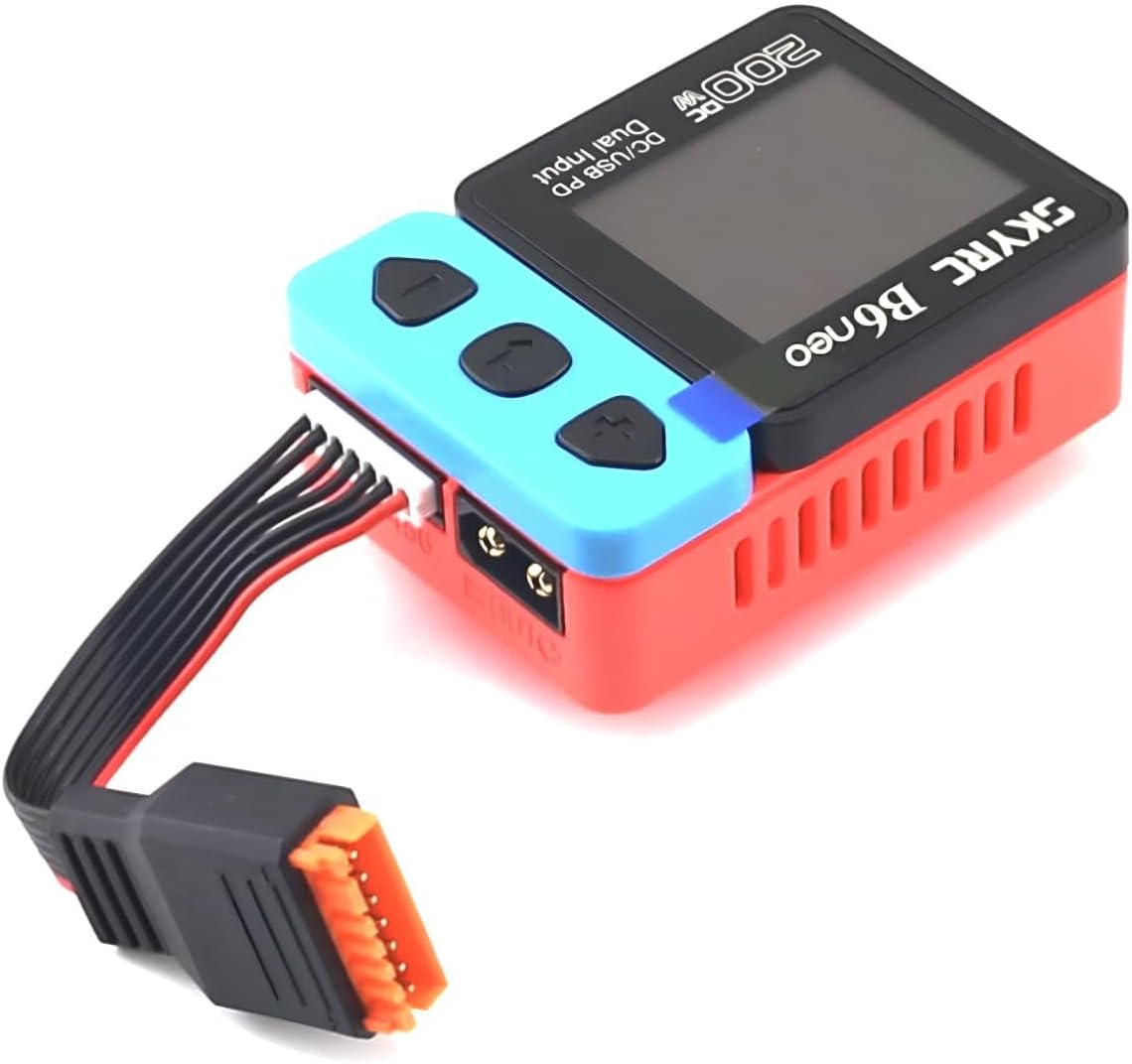
Figure 6: The B6Neo charger connected to a battery for charging.
5. Operating Modes
The B6Neo offers several operation modes to cater to different battery management needs:
- Balance Charging: This is the most common mode for LiPo/LiFe/LiIon/LiHV batteries. It charges the battery while simultaneously balancing the voltage of each cell, ensuring optimal performance and longevity.
- Charging: Standard charging mode for all supported battery types without cell balancing.
- Discharging: Reduces the battery's voltage to a specified level. Useful for preparing batteries for storage or for testing capacity.
- Storage: Charges or discharges the battery to a specific voltage level (typically 3.85V per cell for LiPo) ideal for long-term storage, which helps preserve battery health.
- Cycle Charge-Discharge: Performs multiple charge and discharge cycles to help break in new batteries or recondition older ones.
- Battery Checker: Allows you to quickly check the overall voltage and individual cell voltages of your battery pack.

Figure 7: The charger's display showing real-time charging data.
6. Firmware Upgrade
Keeping your B6Neo's firmware up-to-date ensures optimal performance and access to the latest features. Firmware upgrades are performed using the Charger Master App.
- Connect your B6Neo charger to your computer using a USB-C cable.
- Launch the Charger Master App on your computer. The app should automatically detect the charger.
- After successful detection, click to check for new firmware versions.
- If a new version is available, the 'Update' option will become active.
- Click 'Update' and follow the on-screen prompts until the process is complete.

Figure 8: Firmware upgrade connection diagram. Scan the QR code in the image or visit skyrc.com/video_html/charger/100200/firmware_upgrade.html for more information.
7. Maintenance
Proper maintenance will extend the life of your SKYRC B6Neo charger:
- Cleaning: Regularly wipe the charger with a soft, dry cloth. Do not use abrasive cleaners or solvents. Ensure no dust or debris accumulates in the ventilation openings.
- Storage: Store the charger in a cool, dry place away from direct sunlight, moisture, and extreme temperatures.
- Cable Inspection: Periodically inspect all cables and connectors for any signs of wear, damage, or corrosion. Replace damaged cables immediately.
- Ventilation: Ensure the charger's ventilation fan and vents are not obstructed during operation to prevent overheating.
8. Troubleshooting
This section addresses common issues you might encounter with your B6Neo charger:
| Problem | Possible Cause | Solution |
|---|---|---|
| Charger does not power on | No power input or faulty cable. | Check power source connection (DC or USB-C PD). Ensure the power supply is active and the cable is functional. |
| "Connection Break" error | Poor connection between charger and battery/balance board. | Ensure all battery leads (main and balance) are securely connected to the correct ports. |
| Charger overheats | Insufficient ventilation or excessive ambient temperature. | Ensure the charger is placed in a well-ventilated area. Do not cover the cooling fan. Reduce charge current if necessary. |
| Charging process stops prematurely | Battery fault, incorrect settings, or safety cutoff. | Verify battery type and cell count settings match the connected battery. Check battery health. Restart the charging process. |
| Display is unresponsive | Temporary software glitch. | Disconnect power, wait a few seconds, and reconnect to restart the charger. |
9. Warranty and Support
SKYRC products are manufactured to the highest quality standards. For warranty information, technical support, or service inquiries, please refer to the official SKYRC website or contact your local distributor. Keep your proof of purchase for warranty claims.
For the latest updates, FAQs, and additional resources, please visit the official SKYRC support page.


