
1. Introduction
Thank you for purchasing the Kithouse Q6 Wireless Microphone Speaker Set. This portable PA system is designed to deliver high-quality audio for various occasions, from home karaoke to outdoor events. Please read this manual carefully to ensure proper use and to maximize your enjoyment of the product.
2. Package Contents
Please check the package for the following items:
- 2 x Kithouse Q6 Rechargeable Karaoke Speakers
- 2 x Battery-powered Wireless Microphones
- 2 x Charging Cables (USB)
- 1 x Dedicated Storage Bag
- 1 x Instruction Manual (Japanese)

Image: All items included in the Kithouse Q6 Wireless Microphone Speaker Set package.
3. Product Features
- HD Stereo Sound: Equipped with 5.25-inch full-range speakers, delivering clear highs, powerful mids, and impactful lows. Advanced noise reduction technology ensures faithful sound reproduction.
- Powerful TWS Mode: Pair two speakers via Bluetooth for a 360° surround sound experience, enhancing presence and volume. Features adjustable reverb for a concert-like atmosphere.
- Dynamic RGB Lighting: Built-in colorful LED lights with a sound sensor that strobes in sync with music, creating a lively party ambiance. Multiple RGB light modes are available.
- Wide Compatibility: Utilizes advanced Bluetooth 5.3 for stable, long-distance, low-latency, and high-quality audio transmission. Supports Micro TF card, USB, and AUX input. Compatible with various devices including Android phones, iPhones, TVs, iPads, tablets, and PCs.
- Portable Design & Long Battery Life: Features an ergonomic handle for easy carrying. The set weighs approximately 3.55KG and includes a dedicated storage bag. The large-capacity battery provides up to 6 hours of continuous use (actual time may vary). The speaker can also function as a mobile power source to charge other devices.
4. Setup
4.1 Initial Charging
Before first use, fully charge both speakers and microphones. Connect the charging cables to the respective charging ports and a suitable USB power adapter (not included).

Image: The Kithouse Q6 speaker being charged via USB.
4.2 Powering On/Off
To power on the speaker, press and hold the power button located on the top panel. Repeat to power off. For microphones, slide the power switch to the ON position.

Image: Close-up of the Kithouse Q6 speaker's top control panel, showing power button, volume, and other controls.
5. Operating Instructions
5.1 Basic Controls
- Volume Control: Use the 'VOLUME' knob on the speaker to adjust the overall sound output.
- Microphone Volume: Use the 'MIC.VOL' knob to adjust the microphone input volume.
- Echo Effect: Use the 'ECHO' knob to adjust the reverb effect for the microphones.
- LED Light Control: Press the 'LED' button to cycle through different light modes or turn the lights on/off.
5.2 Connectivity Options
The Kithouse Q6 offers multiple ways to play audio:
- Bluetooth 5.3: For wireless connection to smartphones, tablets, and other Bluetooth-enabled devices.
- USB Input: Insert a USB flash drive with audio files.
- TF Card Input: Insert a Micro TF (SD) card with audio files.
- AUX Input: Connect external audio devices using a 3.5mm audio cable.
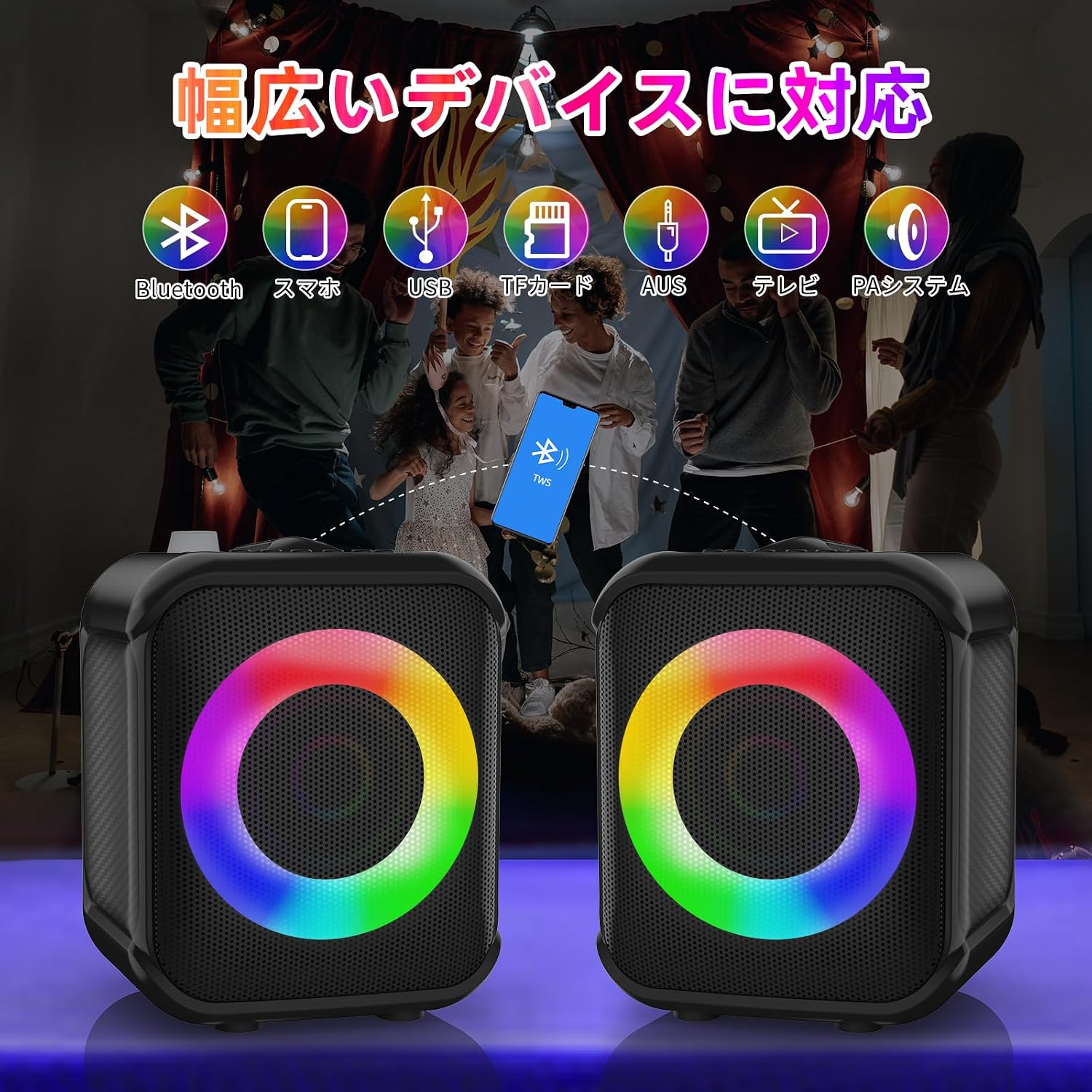
Image: Diagram illustrating the various connectivity options of the Kithouse Q6 speaker, including Bluetooth, USB, TF card, and AUX.
5.3 Bluetooth Pairing
- Power on the Kithouse Q6 speaker. It will automatically enter Bluetooth pairing mode.
- On your device (smartphone, tablet, etc.), enable Bluetooth and search for available devices.
- Select "Kithouse Q6" from the list to connect. A confirmation sound will indicate successful pairing.
- Once paired, the speaker will automatically connect to your device in subsequent uses.
5.4 TWS (True Wireless Stereo) Mode
To achieve a stereo sound experience with two Kithouse Q6 speakers:
- Ensure both speakers are powered off.
- Power on both speakers. They will enter Bluetooth pairing mode independently.
- On one of the speakers, press the 'TWS' button. The speaker will attempt to pair with the other speaker.
- Once successfully paired in TWS mode, a confirmation sound will be heard. The LED indicators may change.
- Now, connect your device via Bluetooth to one of the speakers. Audio will play in stereo through both speakers.

Image: Two Kithouse Q6 speakers wirelessly connected via TWS mode, providing a stereo audio experience.
5.5 RGB Lighting
The Kithouse Q6 features dynamic RGB lighting that can be controlled:
- Press the 'LED' button on the top panel to switch between different light modes (e.g., solid colors, pulsating with music, off).
- The lights are designed to react to the rhythm of the music, enhancing the atmosphere.

Image: Kithouse Q6 speakers displaying colorful RGB lights, creating a vibrant atmosphere during a gathering.
6. Maintenance
- Clean the speaker and microphones with a soft, dry cloth. Do not use abrasive cleaners or solvents.
- Avoid exposing the device to extreme temperatures, direct sunlight, or moisture.
- Store the set in the provided storage bag when not in use to protect it from dust and damage.
7. Troubleshooting
| Problem | Possible Cause | Solution |
|---|---|---|
| No sound from speaker | Speaker is off; Volume is too low; Device not connected; Incorrect input mode. | Ensure speaker is on; Increase volume; Re-pair Bluetooth or check cable connection; Switch to correct input mode (BT, USB, TF, AUX). |
| Microphone not working | Microphone is off; Batteries are low; MIC.VOL is too low; Microphone too far from mouth. | Ensure microphone is on; Replace batteries; Increase MIC.VOL; Hold microphone closer to your mouth. |
| Bluetooth pairing fails | Speaker not in pairing mode; Device Bluetooth off; Too many devices connected. | Restart speaker to enter pairing mode; Ensure device Bluetooth is on; Disconnect other Bluetooth devices. |
| TWS pairing fails | Speakers not in TWS pairing mode; Speakers too far apart. | Ensure both speakers are on and press the TWS button on one; Place speakers closer together. |
| LED lights not working | LED function is off; Malfunction. | Press the 'LED' button to activate or change modes; If problem persists, contact customer support. |
8. Specifications
| Feature | Detail |
|---|---|
| Brand | Kithouse |
| Model Number | Q6 |
| Color | Black |
| Mounting Type | Floor Standing |
| Connectivity | Bluetooth 5.3, Micro USB, USB Type-A, AUX |
| Audio Input | AUX, USB, TF Card |
| Speaker Size | 5.25-inch full-range |
| Battery Life (Speaker) | Up to 6 hours (varies by volume and content) |
| Weight (Speaker Set) | Approx. 3.55 KG |
9. Warranty and Support
All Kithouse Q6 products undergo thorough inspection before shipment to ensure quality. In the unlikely event that you are not satisfied with the product, we offer return, exchange, and refund services.
If you encounter any issues or have questions regarding your Kithouse Q6 Wireless Microphone Speaker Set, please do not hesitate to contact our customer support team via email. We are committed to providing excellent after-sales service.
For support, please refer to the contact information provided with your purchase or on the official Kithouse website.