
1. Introduction
This manual provides detailed instructions for the assembly, operation, maintenance, and troubleshooting of your LOAKEKEL HNS032WT LED Nightstand with Charging Station. This product is designed to offer convenient storage, ambient lighting, and device charging capabilities for your bedroom or living space.
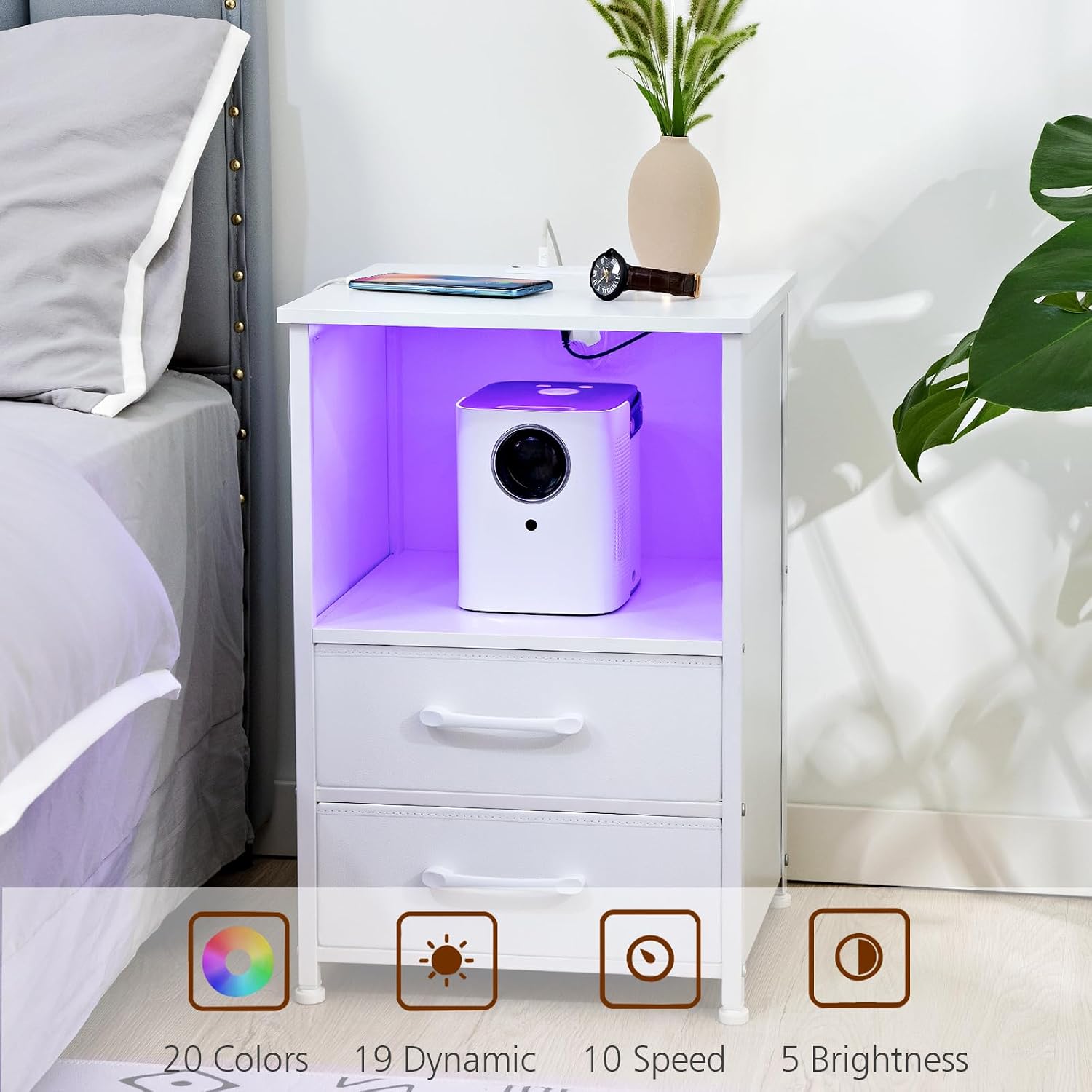
Image 1.1: LOAKEKEL HNS032WT LED Nightstand in a bedroom setting.
2. Safety Information
Please read and understand all safety warnings and instructions before assembling and using this product. Failure to follow these instructions may result in injury or product damage.
- Keep all small parts and packaging materials away from children and pets to prevent choking hazards.
- Do not exceed the maximum weight capacities for the top surface (110 lbs) and inner shelf (65 lbs).
- Ensure the nightstand is placed on a stable, level surface to prevent tipping.
- Only use the provided power adapter and LED light strip. Do not modify the electrical components.
- Avoid exposing the electrical components to water or excessive moisture.
- Unplug the nightstand from the power outlet before cleaning or moving.
3. Package Contents
Verify that all components listed below are present before beginning assembly. If any parts are missing or damaged, please contact customer support.
- Top Panel (1)
- Side Panels (2)
- Bottom Panel (1)
- Middle Shelf (1)
- Fabric Drawers (2)
- Metal Frame Components (various)
- Adjustable Feet (4)
- LED Light Strip (1)
- Power Adapter with USB/Type-C/AC Outlets (1)
- Assembly Hardware (screws, dowels, Allen wrench)
- Instruction Manual (1)
4. Setup and Assembly Instructions
Assembly is required. All necessary tools are included. Follow these steps carefully:
- Unpack and Identify Parts: Carefully remove all components from the packaging. Lay them out on a clean, soft surface to prevent scratches. Refer to the parts list to ensure all items are present.
- Assemble the Frame: Attach the metal frame components to the side panels using the provided screws and Allen wrench. Ensure all connections are secure.
- Install Panels and Shelf: Secure the bottom panel and the middle shelf between the assembled side frames.
- Attach Top Panel: Place the top panel onto the frame, ensuring the integrated charging station is correctly oriented. Secure it with screws.
- Insert Fabric Drawers: Fold and assemble the two fabric drawers. Slide them into their designated compartments.
- Install LED Light Strip: Adhere the LED light strip to the interior of the open compartment. Connect the LED strip to the power adapter.
- Attach Adjustable Feet: Screw the adjustable feet into the bottom of the nightstand frame. Adjust them to level the nightstand on uneven floors.

Image 4.1: Diagram illustrating product dimensions and weight capacities.
5. Operating Instructions
5.1. LED Light Operation
The nightstand features an integrated LED light strip with multiple customization options:
- Power On/Off: Use the control button on the LED strip or the remote control (if included) to turn the lights on or off.
- Color Selection: Choose from 20 different static colors to match your mood or room decor.
- Dynamic Modes: Select from 19 dynamic modes, such as flash, strobe, fade, or smooth transitions.
- Speed Adjustment: Adjust the speed of dynamic modes with 10 available levels.
- Brightness Control: Set the light intensity to one of 5 brightness levels.

Image 5.1: Visual representation of LED light features and controls.
5.2. Charging Station Usage
The integrated charging station provides convenient power access for your electronic devices:
- Connect to Power: Plug the nightstand's main power cord into a standard 120V/12A AC wall outlet.
- AC Outlets: Use the two 120V/12A AC outlets on the tabletop to power lamps, laptops, or other small appliances.
- USB Port: Connect your devices to the 5V/2A USB-A port for charging.
- Type-C Port: Connect compatible devices to the 5V/3A USB Type-C port for faster charging.
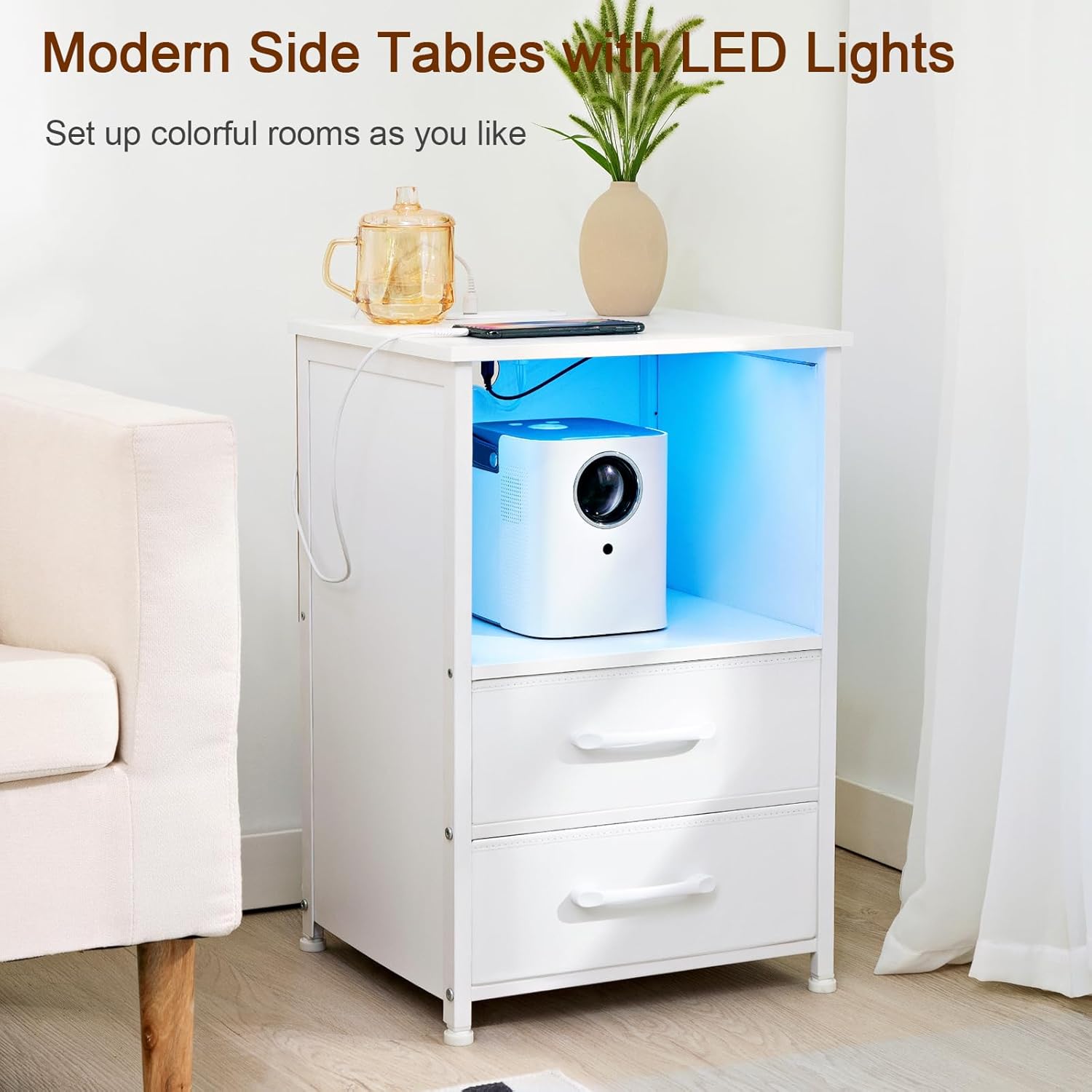
Image 5.2: Detail of the charging station with USB, Type-C, and AC outlets.
6. Maintenance
Proper care will extend the life and appearance of your nightstand:
- Cleaning: Wipe surfaces with a soft, damp cloth. Avoid using abrasive cleaners, harsh chemicals, or solvents, as these can damage the finish.
- Spills: Immediately wipe up any spills to prevent staining or damage to the particleboard.
- Electrical Components: Ensure all electrical components remain dry. Do not immerse the nightstand or its electrical parts in water.
- Drawer Care: The fabric drawers can be spot cleaned with a mild detergent and water. Allow them to air dry completely before reinserting.
7. Troubleshooting
If you encounter issues with your nightstand, refer to the following common problems and solutions:
| Problem | Possible Cause | Solution |
|---|---|---|
| LED lights do not turn on. | Power cord not plugged in; LED strip not connected; faulty outlet. | Ensure the nightstand's power cord is securely plugged into a working wall outlet. Check that the LED strip is properly connected to the power adapter. Try a different outlet. |
| Charging station (USB/Type-C/AC outlets) is not working. | Nightstand not powered; device incompatibility; faulty cable. | Verify the nightstand is plugged into a live power outlet. Ensure your device and charging cable are functional. Check device compatibility with the output specifications (USB 5V/2A, Type-C 5V/3A). |
| Nightstand is unstable or wobbly. | Uneven floor; loose assembly. | Adjust the leveling feet at the bottom of the nightstand until it is stable. Check all assembly screws and tighten if necessary. |
8. Specifications
| Brand | LOAKEKEL |
| Model Number | HNS032WT |
| Product Dimensions (D x W x H) | 15.35" x 13.78" x 23.23" |
| Item Weight | 16 Pounds |
| Max. Weight Capacity (Top) | 110 Pounds |
| Max. Weight Capacity (Shelf) | 65 Pounds |
| Frame Material | Metal |
| Top Surface Material | Particleboard with waterproof coating |
| Number of Drawers | 2 (Fabric) |
| AC Outlets | 2 (120V/12A) |
| USB-A Output | 5V/2A |
| USB Type-C Output | 5V/3A |
| Power Cord Length | 4.9 feet |
| LED Light Features | 20 Colors, 19 Dynamic Modes, 10 Speed Levels, 5 Brightness Levels |
| Assembly Required | Yes |
| Assembly Tools Included | Yes |
9. Warranty and Support
LOAKEKEL products are manufactured with quality and care. For warranty information, product support, or to report missing/damaged parts, please contact our customer service team. Keep your purchase receipt for warranty claims.
Contact information can typically be found on the product packaging or the LOAKEKEL official website.