
SKMEI SKMEI-2033
SKMEI 2033 Digital Watch User Manual
Model: SKMEI-2033 | Brand: SKMEI
Introduction
This manual provides comprehensive instructions for the operation and maintenance of your SKMEI 2033 Digital Watch. Please read this manual carefully to ensure proper use and to maximize the lifespan of your timepiece. The SKMEI 2033 is a multi-functional digital watch designed for daily wear and various activities, featuring a durable construction and a clear display.
Key Features
- Multi-Functions: Equipped with 3 sub-dials, 12/24 hour display, digital display, hourly chime, date/week display, stopwatch, countdown timer, LED backlight, luminous display, water and shock resistant.
- Unique Design: Features a cool three-time display with stopwatch, alarm, and date, large LED face dial, and a comfortable leather band.
- Water Resistance: 3 ATM water resistant, suitable for cold hand washing, rainy days, and sweating. Not suitable for diving, swimming, snorkeling, or water-related work.

Figure 1: Overview of SKMEI 2033 Watch Functions.
Watch Components and Buttons
Your SKMEI 2033 watch features a clear digital display and four control buttons:
- LIGHT Button (Top Left): Activates the LED backlight for improved visibility in low light conditions.
- MODE Button (Bottom Left): Cycles through different display modes: Time Display, Stopwatch, Alarm, and Dual Time.
- START Button (Top Right): Used to start/stop functions in Stopwatch mode, adjust values during setting, or activate the hourly chime.
- RESET Button (Bottom Right): Used to reset functions in Stopwatch mode, confirm settings, or switch between 12/24 hour format.

Figure 2: SKMEI 2033 Watch Front View with Button Labels.
Setup
Initial Time and Date Setting
- From the normal time display mode, press the MODE button three times to enter the time setting mode. The seconds digits will begin to flash.
- Press the RESET button to cycle through the setting options: Seconds → Hours → Minutes → Month → Date → Day of Week.
- While a digit is flashing, press the START button to increase the value. Hold the START button to rapidly advance the digits.
- After setting all desired values, press the MODE button once to exit the setting mode and return to the normal time display.
12/24 Hour Format Selection
In the normal time display mode, press the RESET button to toggle between 12-hour (with 'P' for PM) and 24-hour formats.
Operating Instructions
Time Display Mode
This is the default mode, showing the current time, date, and day of the week. The watch supports dual time display, allowing you to view two different time zones simultaneously.

Figure 3: Example of Time Display.
Stopwatch Function
- From the normal time display, press the MODE button once to enter Stopwatch mode. The display will show "00:00:00".
- Press the START button to begin timing.
- Press the START button again to pause timing.
- Press the RESET button to clear the stopwatch to "00:00:00".
- Press the MODE button to return to the normal time display.
Alarm Setting
- From the normal time display, press the MODE button twice to enter Alarm setting mode. The hour digits will flash.
- Press the RESET button to switch between setting hours and minutes.
- Press the START button to adjust the flashing hour or minute value.
- To activate/deactivate the alarm, press the START and RESET buttons simultaneously while in Alarm setting mode. An alarm icon will appear/disappear on the display.
- To activate/deactivate the hourly chime, press the MODE button to return to the normal time display, then press the START button. An hourly chime icon will appear/disappear.
- Press the MODE button to return to the normal time display.
Countdown Timer
The watch includes a countdown timer function. To access and set the countdown timer:
- From the normal time display, press the MODE button four times to enter Countdown Timer mode.
- Use the RESET button to select the digit to adjust (hours, minutes, seconds).
- Use the START button to increase the value of the selected digit.
- Press START to begin the countdown. Press START again to pause.
- Press RESET to reset the timer to its initial set value.
- Press the MODE button to return to the normal time display.
LED Backlight
Press the LIGHT button (top left) at any time to illuminate the display for a few seconds. This feature is useful in dark environments.
Maintenance
Water Resistance
The SKMEI 2033 watch is rated for 3 ATM water resistance. This means it is suitable for:
- Cold hand washing
- Rainy days
- Sweating
Important: This watch is NOT suitable for diving, swimming, snorkeling, hot water activities, or any water-related work where it would be submerged for extended periods or exposed to high-pressure water jets. Do not operate buttons while the watch is wet or submerged.
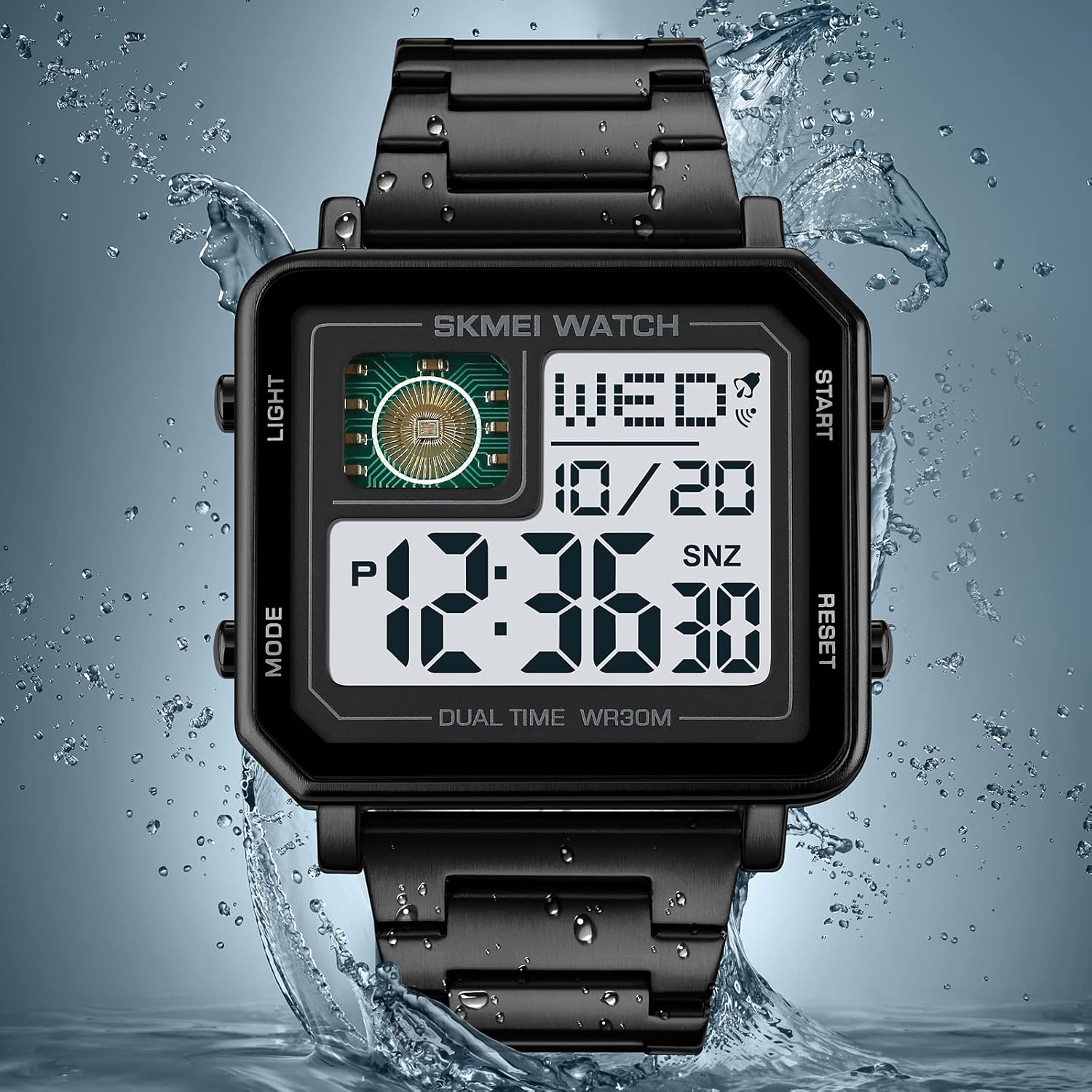
Figure 4: Water Resistance Illustration.
Cleaning
To clean your watch, wipe it gently with a soft, dry cloth. For stubborn dirt, a slightly damp cloth can be used, followed by immediate drying. Avoid using chemical cleaners, solvents, or abrasive materials, as these can damage the watch's finish or internal components.
Battery Replacement
The watch is powered by a button cell battery. When the display dims or functions become erratic, it may be time to replace the battery. Battery replacement should ideally be performed by a qualified watch technician to ensure proper sealing and water resistance integrity. Refer to the specifications section for battery type.
Troubleshooting
| Problem | Possible Cause | Solution |
|---|---|---|
| Display is dim or blank. | Low or dead battery. | Replace the battery. |
| Buttons are unresponsive. | Watch may be wet, or internal issue. | Ensure watch is dry. If problem persists, seek professional service. |
| Time is incorrect. | Time not set correctly or accidental adjustment. | Refer to "Initial Time and Date Setting" section to reset the time. |
| Alarm does not sound. | Alarm not activated or set incorrectly. | Ensure alarm is set and activated (alarm icon visible). Check alarm time. |
Specifications
| Feature | Detail |
|---|---|
| Brand | SKMEI |
| Model Number | SKMEI-2033 |
| Item Weight | 7.4 ounces (approx. 210g) |
| Package Dimensions | 3.11 x 3.11 x 3.03 inches |
| Movement Type | Digital |
| Water Resistance | 3 ATM (30 meters) |
| Case Material | Zinc Alloy |
| Band Material | Stainless Steel |
| Crystal Material | Glass |
| Battery | 1 Unknown battery (included) |
| Case Width | 47mm |
| Case Thickness | 11.2mm |
| Band Width | 24mm |
| Watch Length | 210mm |

Figure 5: Product Parameters and Dimensions.
Warranty and Support
SKMEI provides a 30-day no-reason refund and a 24-month warranty for this watch. This warranty covers manufacturing defects and issues arising from normal use.
For warranty claims, technical support, or any inquiries regarding your SKMEI 2033 watch, please contact SKMEI customer service through the retailer where the product was purchased or visit the official SKMEI website for contact information.
Please retain your proof of purchase for warranty validation.