
mafiti RM
Handheld Digital Microscope User Manual
Model: RM | Brand: mafiti
1. Introduction
The mafiti Handheld Digital Microscope is a versatile and portable device designed for detailed observation with 50x to 1000x magnification. It connects wirelessly to your iOS or Android smartphone or tablet, allowing you to view, capture, and record microscopic images and videos directly on your mobile device. Equipped with 8 dimmable LED lights and a 360-degree rotatable stand, it provides clear and stable viewing for various applications, from educational exploration to hobbyist inspection.

Image: The mafiti Handheld Digital Microscope with its stand, alongside a smartphone showing a magnified image of an orange peel.
2. What's in the Box
Upon opening your package, please ensure all the following items are included:
- 1x Handheld Digital Microscope
- 1x USB Charging Cable (adapter not included)
- 1x 360-Degree Rotate Stand
- 1x Base for the stand
- 1x User Manual (this document)
3. Setup Guide
Follow these steps to set up your digital microscope and connect it to your mobile device:
- Download the App: Download the "DLscope" software from Google Play Store (for Android) or Apple App Store (for iOS).

Image: Visual guide for downloading the DLscope app and initial setup steps.
- Power On: Long press the ON/OFF button on the microscope for 2 seconds to turn it on.
- Connect to Wi-Fi: On your mobile device, go to Wi-Fi settings and connect to the microscope's Wi-Fi hotspot. The network name will typically start with "WIFI MKL_WIFI_XXXX" (no password required).

Image: The microscope is compatible with iOS and Android devices via a Wi-Fi connection.
- Launch App: Open the "DLscope" app. In the upper right corner, click "+" to select the device, which should appear as "W05A".
- Remove Protective Cover: Before observation, remove the clear protective cover from the microscope lens.
4. Operating Instructions
Once connected, you can begin observing and capturing images:
- Adjust Focus: Use the focus wheel on the microscope body to adjust the clarity of the image. Rotate it until the subject appears sharp on your mobile device screen.

Image: Detailed view of the microscope's components, including the focus wheel and light wheel.
- Adjust LED Lights: The microscope features 8 dimmable LED lights. Use the light wheel to adjust the brightness for optimal illumination of your specimen.
- Capture Photos/Videos: Use the "Snap" button on the microscope or the corresponding controls within the "DLscope" app to capture high-resolution images (up to 1920x1440) and videos.
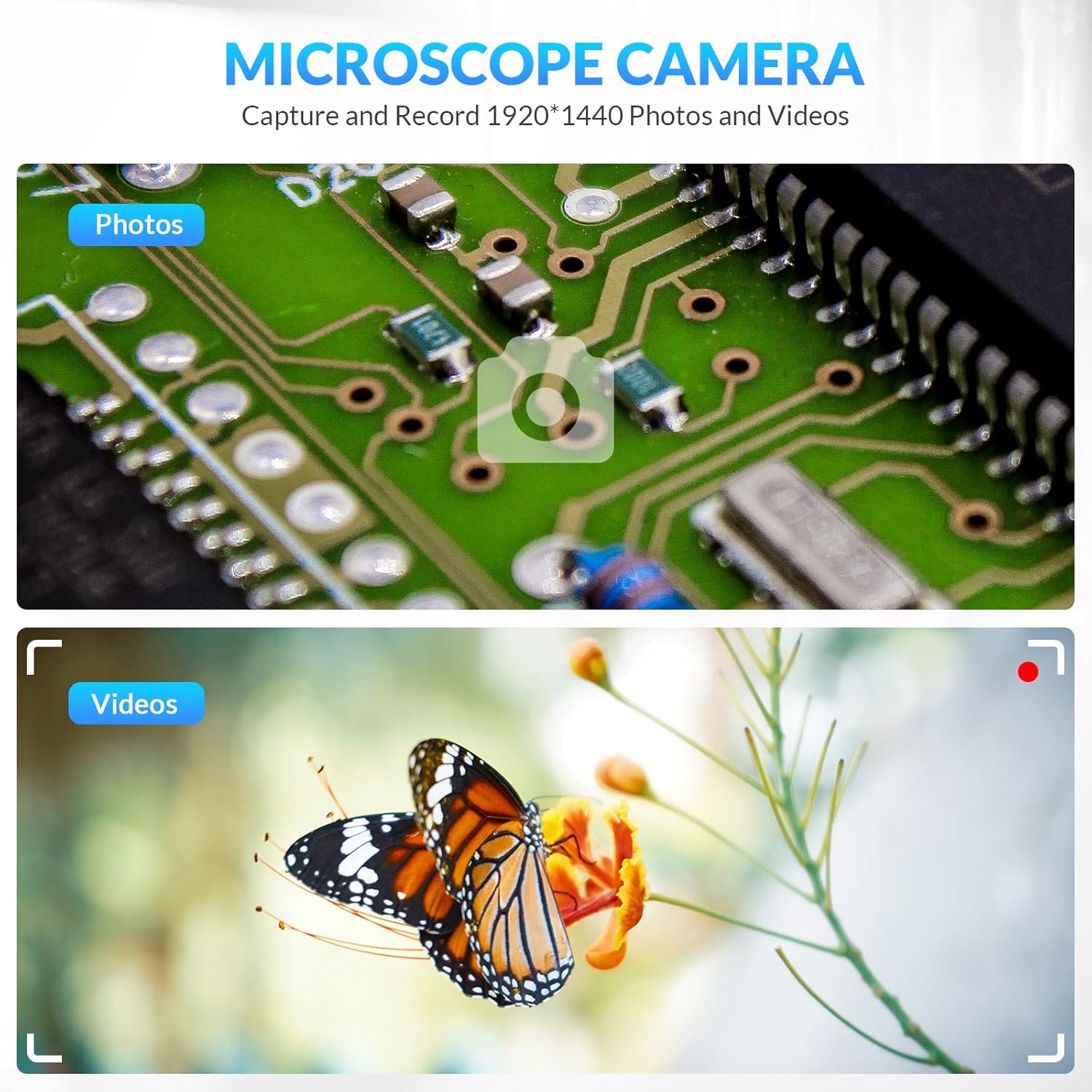
Image: Examples of photos and videos captured using the microscope camera, showing a circuit board and a butterfly.
- Using the Stand: The included 360-degree rotatable stand allows for stable and hands-free observation at various angles. Place the microscope securely in the stand for prolonged viewing or precise adjustments.

Image: The microscope stand allows for 360-degree rotation, enabling observation from any angle.
5. Key Features
- 50x-1000x Digital Magnification: Offers a wide range of magnification to clearly view the smallest details of specimens.

Image: Visual representation of different magnification levels (50x, 500x, 1000x) on various objects.
- Wireless & Portable: Powered by a built-in rechargeable lithium battery, making it wireless and easy to carry for outdoor observations. A full charge provides approximately 3 hours of use.

Image: The microscope is powered by a built-in rechargeable battery, offering wireless and portable operation for about 3 hours on a full charge.
- 8 Dimmable LED Lights: Provides sufficient illumination even in dark environments, with adjustable brightness.
- High-Resolution Capture: The 2MP lens allows for capturing high-resolution images and videos (up to 1920x1440 pixels).
- Wide Application: Suitable for various uses including trichome checking, coin collection, insect observation, and jewelry identification.

Image: The microscope can be used for various purposes such as trichome checking, coin collection, insect observation, and jewelry identification.
6. Maintenance
- Cleaning the Lens: Use a soft, lint-free cloth specifically designed for optical lenses to gently wipe the microscope lens. Avoid using abrasive materials or harsh chemicals.
- Battery Care: To prolong battery life, charge the microscope regularly and avoid fully discharging it. If storing for an extended period, charge it to about 50% every few months.
- Storage: Store the microscope in a cool, dry place, away from direct sunlight and extreme temperatures. Keep it in its original packaging or a protective case when not in use to prevent dust and damage.
7. Troubleshooting
- Cannot Connect to Wi-Fi:
- Ensure the microscope is powered on.
- Check if your mobile device's Wi-Fi is enabled.
- Restart both the microscope and your mobile device.
- Verify you are selecting the correct Wi-Fi network (e.g., "WIFI MKL_WIFI_XXXX").
- No Image on App:
- Confirm the microscope is connected to the app (check the device selection in the app).
- Ensure the protective lens cover has been removed.
- Adjust the focus wheel to bring the image into view.
- Check the battery level of the microscope.
- Image is Blurry:
- Carefully adjust the focus wheel until the image is clear.
- Ensure the microscope lens is clean and free of dust or smudges.
- Make sure the microscope is held steady or placed on its stand.
- LED Lights Not Working:
- Check if the microscope is powered on.
- Rotate the light wheel to adjust brightness.
- Ensure the battery is charged.
8. Specifications
| Model Name | RM |
| Magnification Range | 50x - 1000x |
| Light Source | 8 Dimmable LEDs |
| Connectivity | Wireless (Wi-Fi) |
| Compatible Devices | iOS (iPhone, iPad), Android (Smartphone, Tablet) |
| Power Source | Built-in Rechargeable Lithium Battery |
| Battery Life | Approx. 3 hours (on full charge) |
| Item Weight | 6.5 ounces (0.19 Kilograms) |
| Package Dimensions | 5.43 x 3.78 x 1.89 inches |
| Manufacturer | Mafiti |
| Country of Origin | China |
9. Warranty and Support
Specific warranty details for this product are not provided within this manual. For information regarding warranty coverage, technical support, or service, please refer to the product packaging or visit the official mafiti website. Keep your purchase receipt as proof of purchase for any warranty claims.
For further assistance, you may also contact the seller directly through the platform where the product was purchased.
Ask a question about this manual
Ask about setup, troubleshooting, compatibility, parts, safety, or missing instructions. Manuals+ will review the question and use this page’s manual context to help answer it.