
1. Introduction
Thank you for choosing the Livguard LG1450i_IT 2272TT Inverter and Battery System. This manual provides essential information for the safe and efficient installation, operation, and maintenance of your new inverter and battery combo. Please read this manual thoroughly before using the product and keep it for future reference.
2. Safety Instructions
Always follow these safety precautions to prevent injury or damage to the product:
- Electrical Safety: Ensure all connections are secure and correctly polarized. Do not operate the inverter with damaged cables or if it has been dropped or damaged.
- Ventilation: Install the inverter and battery in a well-ventilated area to prevent overheating and accumulation of gases.
- Battery Handling: Batteries contain corrosive acid. Wear protective eyewear and gloves when handling. Avoid contact with skin and eyes. In case of contact, flush with water immediately and seek medical attention.
- Flammable Materials: Keep the inverter and battery away from flammable liquids, gases, or other combustible materials.
- Children and Pets: Keep the unit out of reach of children and pets.
- Qualified Personnel: Installation and servicing should only be performed by qualified personnel.
3. Package Contents
Verify that all items are present in the package:
- 1 unit Livguard LG1450i_IT Inverter
- 1 unit Livguard 220Ah Tall Tubular Battery
- Installation Kit
- User Manual (this document)
- Warranty Card
4. Product Overview
The Livguard LG1450i_IT 2272TT is an integrated inverter and battery system designed to provide reliable power backup for homes and small offices. It features a 1100VA/12V Square Wave Inverter combined with a 220Ah Tall Tubular Battery, incorporating Smart Artificial Intelligence for efficient charging and performance.
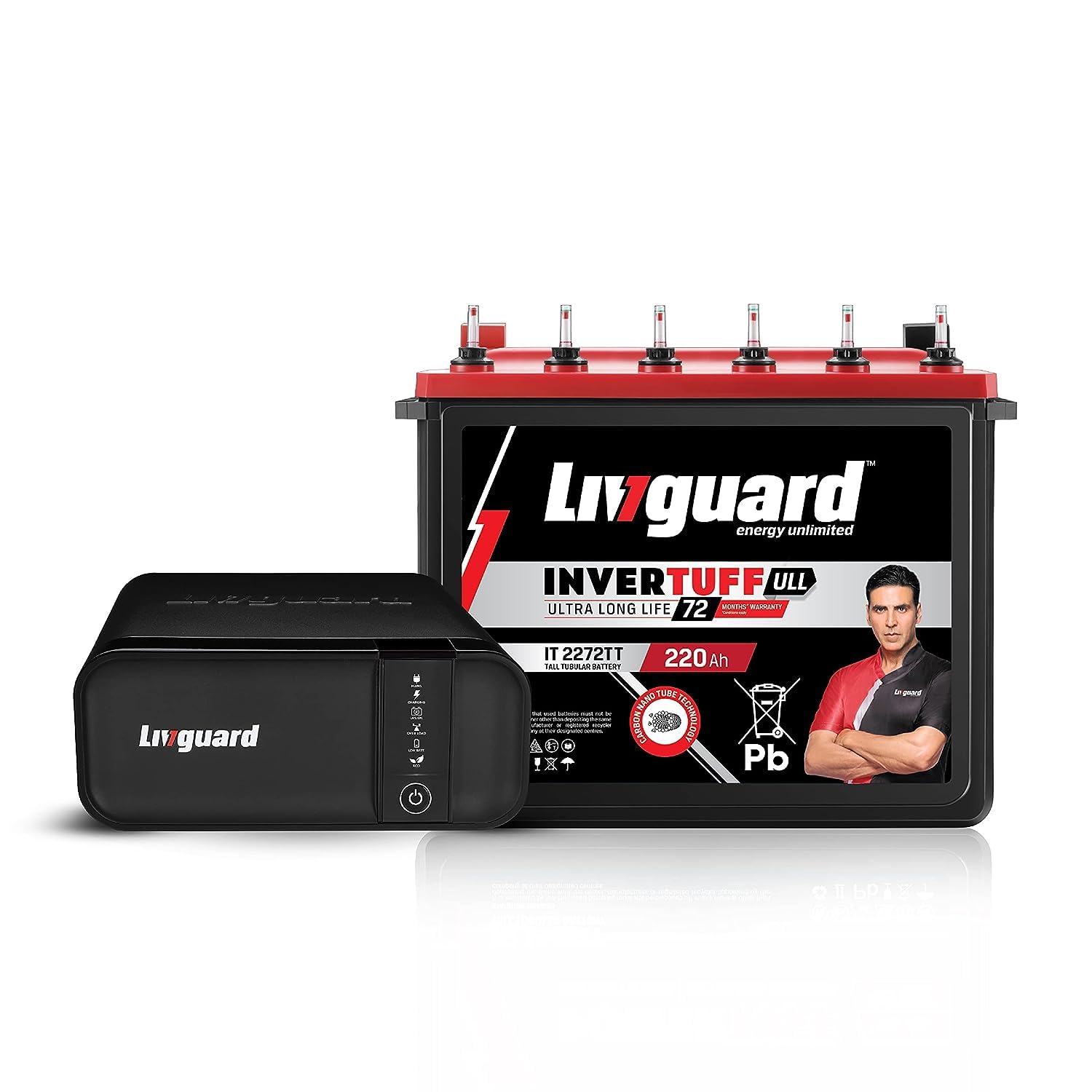
Image 1: Livguard LG1450i_IT 2272TT Inverter and Battery System. This image displays the complete inverter and battery unit, showcasing its compact design suitable for home and office environments.
5. Setup
Follow these steps for proper installation of your Livguard Inverter and Battery System:
- Unpacking: Carefully unpack all components and inspect for any shipping damage. Report any damage to your dealer immediately.
- Placement: Choose a cool, dry, and well-ventilated location for the inverter and battery. Ensure there is adequate space around the unit for air circulation. Avoid direct sunlight, heat sources, and moisture.
- Battery Connection: Connect the battery cables from the inverter to the battery terminals. Ensure the positive (+) terminal of the inverter is connected to the positive (+) terminal of the battery, and the negative (-) terminal of the inverter is connected to the negative (-) terminal of the battery. Tighten all connections securely using the provided installation kit. Incorrect polarity can cause severe damage.
- Mains Input Connection: Plug the inverter's input power cord into a properly grounded AC wall outlet.
- Load Connection: Connect your appliances to the output sockets of the inverter. Do not overload the inverter beyond its specified capacity.
- Initial Charge: After connecting, turn on the inverter. Allow the battery to undergo an initial full charge cycle before using it for backup power. This may take several hours.
6. Operating Instructions
Understanding how to operate your inverter system:
- Power On/Off: Use the main power switch on the inverter to turn the unit ON or OFF.
- Mains Mode: When AC mains power is available, the inverter will charge the battery and pass through the mains power to your connected appliances.
- Battery Mode: In case of a power outage, the inverter will automatically switch to battery mode, providing power to your appliances from the charged battery.
- Indicators: Familiarize yourself with the LED indicators or display panel on the inverter, which typically show status such as Mains ON, Battery Charging, Battery Low, Overload, etc. Refer to the inverter's specific panel for detailed explanations.
- Overload Protection: If the connected load exceeds the inverter's capacity, it will trigger an overload alarm and may shut down to protect itself. Reduce the load and restart the inverter.
7. Maintenance
Regular maintenance ensures the longevity and optimal performance of your inverter and battery system:
- Battery Water Level: For tall tubular batteries, periodically check the electrolyte level (typically every 3-6 months). If low, top up with distilled water only. Do not use tap water.
- Cleaning: Keep the inverter and battery clean and free from dust. Use a dry cloth to wipe surfaces. Ensure ventilation openings are not blocked.
- Terminal Connections: Periodically check battery terminals for corrosion. If corrosion is present, clean with a wire brush and apply petroleum jelly to prevent future corrosion. Ensure connections remain tight.
- Ventilation: Ensure the installation area remains well-ventilated.
- Avoid Deep Discharge: While the inverter has low battery cut-off, try to recharge the battery as soon as mains power is restored to prolong battery life.
8. Troubleshooting
Refer to this section for common issues and their solutions:
| Problem | Possible Cause | Solution |
|---|---|---|
| Inverter not turning ON | Battery discharged; Loose battery connections; Main power switch OFF | Charge battery; Check and tighten battery terminals; Turn ON main power switch |
| No output power in battery mode | Battery low; Overload; Inverter fault | Allow battery to charge; Reduce load; Contact service center |
| Inverter beeping continuously | Overload; Battery low; Internal fault | Reduce load; Allow battery to charge; Contact service center |
| Battery not charging | Mains power not available; Loose AC input connection; Inverter fault | Check mains supply; Secure AC input plug; Contact service center |
If the problem persists after attempting these solutions, please contact Livguard customer support.
9. Specifications
Key technical specifications for the Livguard LG1450i_IT 2272TT Inverter and Battery System:
- Brand: Livguard
- Model Name: Livguard LG1450i_IT 2272TT
- Model Number: LG1450i_IT_2272TT
- Inverter Type: Square Wave
- Inverter Capacity: 1100VA / 12V
- Battery Type: Tall Tubular Battery
- Battery Capacity: 220Ah
- Frequency: 50 Hz
- Power Source: Battery Powered
- Recommended Uses: Home, Office
- Color: Black
- Item Weight: 62700 Grams (Inverter and Battery combined)
10. Warranty and Support
Your Livguard LG1450i_IT 2272TT Inverter and Battery System comes with a warranty. Please refer to the included Warranty Card for detailed terms and conditions, including the warranty period and coverage.
For technical assistance, service, or warranty claims, please contact Livguard customer support:
- Manufacturer Contact Information: Livguard Batteries Pvt. LTD., Plot No. - 221, Udyog Vihar Phase - 1, Gurugram - 122016, Haryana India
- Customer Service: Refer to the warranty card or Livguard's official website for current contact numbers and email addresses.
When contacting support, please have your model number (LG1450i_IT_2272TT) and purchase details readily available.