Introduction
The henbaker NV710S HD Digital Night Vision Monocular is designed for enhanced visibility in low-light and complete darkness conditions. It offers powerful infrared illumination, photo and HD video recording capabilities, and can be easily mounted to a rifle scope for day and night hunting, wildlife observation, and outdoor recreational activities. This manual provides detailed instructions for setup, operation, and maintenance to ensure optimal performance and user safety.
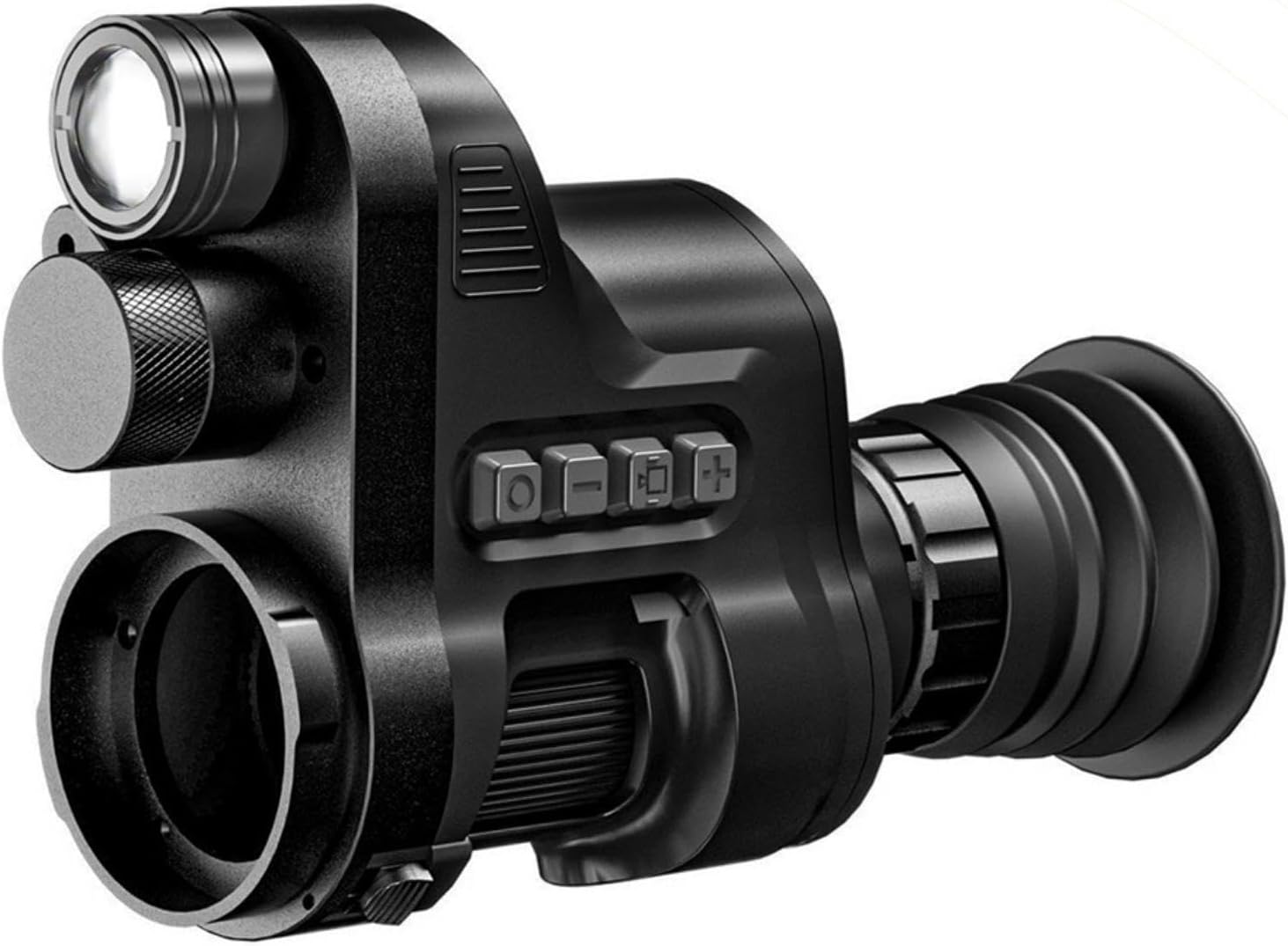
Figure 1: henbaker NV710S HD Digital Night Vision Monocular, showing its compact design and main lens.
Video 1: NV710S Night Vision Monocular overview. This video provides a general look at the monocular's features and design.
Safety Information
- Do not look directly at strong light sources through the device, especially the sun, as this may cause permanent eye damage.
- Keep the device away from extreme temperatures and direct sunlight.
- Do not attempt to disassemble or repair the device yourself. Refer to qualified service personnel.
- Ensure the device is securely mounted when used with a rifle scope to prevent injury or damage.
- Keep out of reach of children.
Package Contents
Please check the package contents upon receipt to ensure all items are present:
- henbaker NV710S HD Digital Night Vision Monocular
- Objective Lens Adapters (various sizes: 36-39mm, 39-43mm, or 43-48mm)
- USB Charging Cable
- Protective Pouch
- User Manual (this document)
- Small tools for installation (e.g., Allen wrench)
Product Overview
Familiarize yourself with the main components and controls of your night vision monocular:

Figure 2: Key components of the NV710S monocular, including Zoom IR, Battery Cover, Power Key/Sleep, Button Panel, Eyepiece Focusing, Ring Connector, Ring Lock, Focusing Wheel, and HD Microdisplay.
- Zoom IR: Adjustable infrared illuminator for enhanced night vision.
- Battery Cover: Protects the battery compartment.
- Power Key/Sleep: Used to power on/off the device and enter/exit sleep mode.
- Button Panel: Controls various functions such as mode switching, zoom, and recording.
- Eyepiece Focusing: Adjusts the focus for the internal display.
- Ring Connector: Point where the monocular connects to the scope adapter.
- Ring Lock: Secures the monocular to the scope adapter.
- Focusing Wheel: Adjusts the focus for the objective lens.
- HD Microdisplay: Internal screen for viewing images.

Figure 3: Internal components and robust construction materials, including Optical Condenser Convex Lens, Diopter Control, and Aluminum Alloy Engineering Plastics.
Setup
1. Battery Installation
The device is powered by a rechargeable battery. Ensure the battery is fully charged before first use. Open the battery cover and insert the battery according to the polarity indicators. Close the cover securely.
2. Mounting to Rifle Scope
The NV710S is designed to attach to your existing rifle scope. Follow these steps for proper installation:
- Select the appropriate sleeve: Choose the sleeve (36-39mm, 39-43mm, or 43-48mm) that best fits the outer diameter of your rifle scope's eyepiece.
- Attach the sleeve to the monocular: Find the notch on the sleeve, align it with the sleeve base of the monocular, push it in, and rotate until you hear a click sound, indicating it's locked.
- Attach the monocular to your scope: Slide the monocular (with the attached sleeve) onto the eyepiece of your rifle scope. Ensure a snug fit.
- Adjust reticle alignment: Once attached, power on the monocular. Rotate the sleeve until the reticle of your rifle scope appears upright on the monocular's screen.
- Tighten the ring: Securely tighten the ring on the monocular to firmly attach it to the scope.

Figure 4: The monocular securely mounted to a rifle scope, showing the attachment point.

Figure 5: Illustrates the quick disassembly mechanism and the range of 35-48mm adapters available for various scope sizes.
3. Eyepiece Adjustment
To ensure a clear view of the monocular's internal display (including WiFi, Battery, and IR icons), rotate the Eyepiece Dioptric Adjustment Ring until the icons are sharp and clear for your vision.
4. Objective Lens Focus Adjustment
After adjusting the eyepiece, rotate the Objective Lens Focus Adjustment Ring on your rifle scope until the target image is clear and well-focused through the monocular's display.
For a visual guide on installation and adjustment, please refer to the official video:
Video 2: Installation instruction for henbaker Night Vision Monocular. This video demonstrates the step-by-step process of attaching the monocular to a rifle scope and performing initial adjustments.
Operating Instructions
1. Power On/Off
Press the Power Key to turn the device on. To turn off, long press the Power Key. A short press will put the device into sleep mode.
2. Mode Selection
The monocular supports multiple viewing modes for different lighting conditions:
- Daylight Mode: Provides full-color images during the day.
- Black and White Night Vision Mode: Long press the "+" key to enter this mode for enhanced contrast and detail in low light or darkness.
- Green Night Vision Mode: Long press the "+" key again to switch to green mode, which can be easier on the eyes during prolonged use in darkness.

Figure 6: Visual representation of the three available viewing modes: color for day, black and white for night, and green for night.
3. IR Illumination
The built-in infrared illuminator enhances visibility in complete darkness. Adjust the Zoom IR knob to vary the intensity and focus of the IR beam, optimizing illumination for different distances.
4. Photo & HD Recording
The monocular supports capturing high-resolution photos and videos:
- Image Resolution: 1024*768 pixels.
- Video Resolution: 1920*1080 pixels.
- Press the dedicated button (refer to Figure 2, Button Panel) to initiate photo capture or start/stop video recording.
- Ensure a microSD card is inserted for storage (card not included).
5. Wi-Fi Connection
The monocular features a high-speed smart chip for Wi-Fi connectivity, allowing fast transmission of pictures and real-time viewing on a connected device (e.g., smartphone or tablet). Refer to the device's on-screen menu for Wi-Fi setup instructions.

Figure 7: Demonstrates the Wi-Fi connectivity feature for real-time image transmission to external devices.
6. Optical and Digital Zoom
The device offers both optical and digital zoom capabilities:
- 4X Optical Zoom: Provides clear, unpixelated magnification.
- 3.5X Digital Zoom: Further magnifies the image, though with potential reduction in clarity at higher digital zoom levels.
- Use the appropriate buttons on the button panel to adjust the zoom level.

Figure 8: Illustrates the 4X optical zoom and 3.5X digital zoom features for enhanced observation.
Maintenance
- Cleaning: Use a soft, lint-free cloth to clean the lenses and exterior. For stubborn smudges, a lens cleaning solution designed for optics can be used sparingly.
- Storage: When not in use, store the monocular in its protective pouch in a cool, dry place, away from direct sunlight and moisture.
- Battery Care: If storing for extended periods, remove the battery. Recharge the battery periodically to maintain its lifespan.
- Avoid Impact: While designed to be recoil resistant and drop-proof, avoid unnecessary impacts to prolong the device's life.
Troubleshooting
| Problem | Possible Cause | Solution |
|---|---|---|
| Device does not power on. | Low or dead battery. | Charge the battery fully. Ensure it is inserted correctly. |
| Image is blurry. | Eyepiece or objective lens not focused. | Adjust the eyepiece dioptric ring and the rifle scope's objective lens focus ring until the image is clear. |
| Poor night vision performance. | Insufficient IR illumination or environmental factors. | Adjust the Zoom IR knob to increase illumination. Ensure there are no obstructions. Performance may vary with ambient light conditions. |
| Cannot record photos/videos. | No microSD card inserted or card is full/corrupted. | Insert a compatible microSD card. Format or replace the card if full or corrupted. |
Specifications
| Feature | Detail |
|---|---|
| Brand | henbaker |
| Model Name | NV710S HD |
| Product Dimensions | 5.4 x 3.6 x 3.8 inches |
| Item Weight | 1.8 pounds |
| Optical Tube Length | 20 Millimeters |
| Eye Piece Lens Description | glass |
| Objective Lens Diameter | 25 Millimeters |
| Focus Type | Manual Focus |
| Power Source | Battery Powered |
| Video Resolution | 1920*1080 |
| Image Resolution | 1024*768 |
Warranty and Support
For warranty information, technical support, or any questions regarding your henbaker Night Vision Monocular, please contact the seller directly through the platform where you purchased the product. It is recommended to retain your proof of purchase for warranty claims.
As per the product information, please watch the provided videos and product manual before use for the best experience. If you have any questions, do not hesitate to contact us.