
1. Introduction
This manual provides detailed instructions for the installation, operation, and maintenance of your McbeAn replacement water tank. This accessory is designed to be compatible with the Xiaomi Mijia Global Vacuum Mop 2 and 2C (model STYTJ03ZHM) robot vacuum cleaners. Please read this manual thoroughly before use to ensure proper function and longevity of the product.
2. Product Overview
The McbeAn replacement water tank is a crucial component for the mopping function of your compatible Xiaomi robot vacuum. It holds water for the mopping pad, allowing the robot to clean hard floors effectively.
2.1 Components
- Water Tank Body: The main reservoir for water.
- Water Inlet: Opening for filling the tank.
- Mop Pad Attachment Area: Where the mop pad is secured.
- Connection Points: Electrical and mechanical interfaces for the robot vacuum.
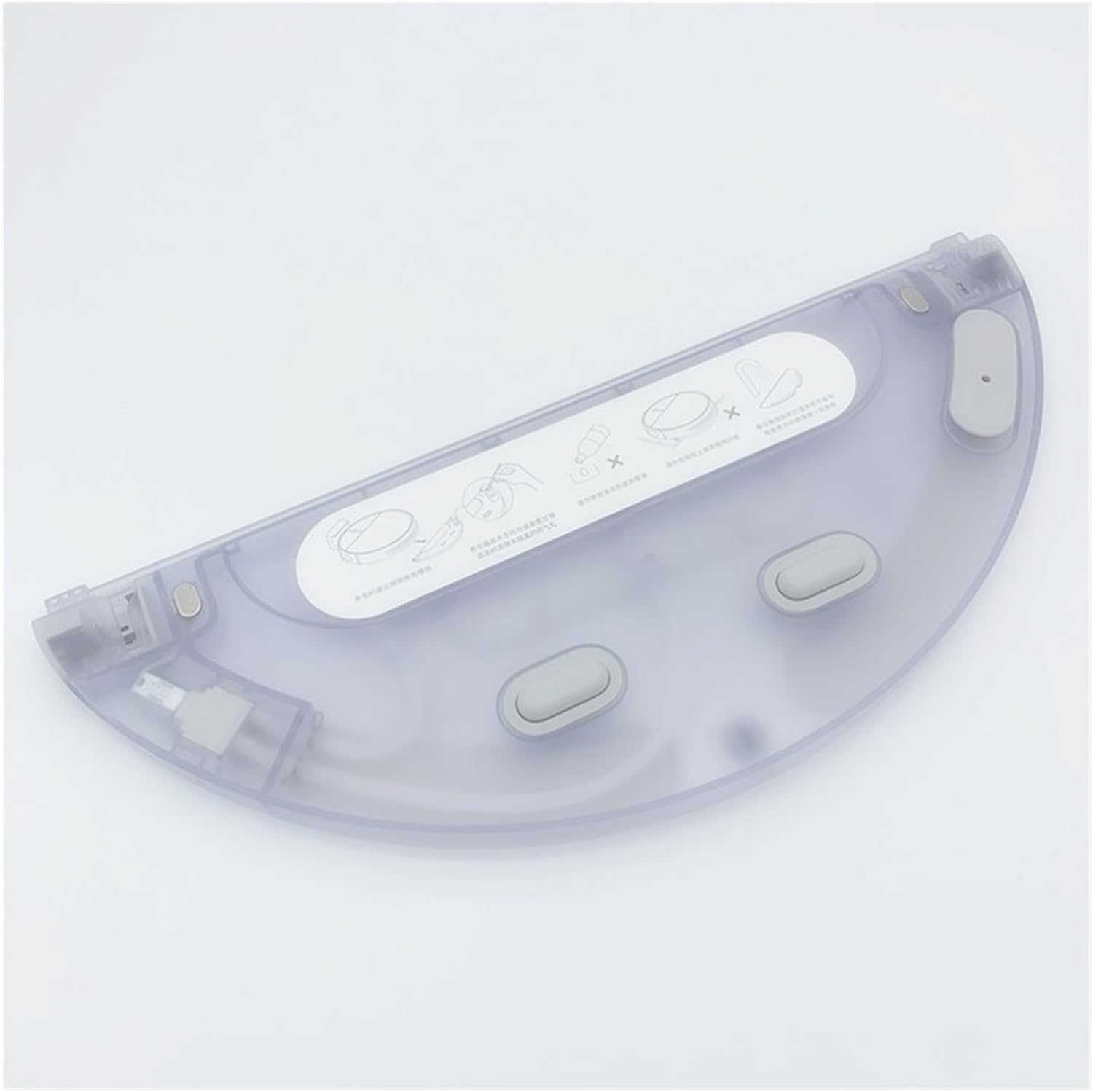
Image 1: Top view of the McbeAn replacement water tank, showing the water inlet and general shape.

Image 2: Top view of the water tank, illustrating the water filling and mop attachment points with visual cues.
3. Compatibility
This replacement water tank is specifically designed for use with the following robot vacuum cleaner models:
- Xiaomi Mijia Global Vacuum Mop 2
- Xiaomi Mijia Global Vacuum Mop 2C
- Model Number: STYTJ03ZHM
Ensure your robot vacuum model matches one of the listed compatible models before installation.
4. Setup and Installation
Follow these steps to properly install the water tank onto your robot vacuum cleaner.
- Prepare the Robot: Turn off your Xiaomi robot vacuum cleaner and place it on a flat, stable surface.
- Remove Old Tank (if applicable): If replacing an existing water tank, gently press the release buttons or tabs on the old tank and slide it out from the robot's underside or rear.
- Attach Mop Pad: Secure a clean mop pad to the designated attachment area on the underside of the new water tank. Ensure it is firmly attached.
- Fill Water Tank: Open the water inlet cover on the tank. Carefully fill the tank with clean tap water. Do not overfill. Close the cover securely to prevent leaks.
- Insert New Tank: Align the new water tank with the corresponding slot on your robot vacuum. Gently slide it into place until you hear a click, indicating it is securely locked.

Image 3: The water tank shown with a mop pad correctly attached to its underside.

Image 4: A detailed view of the water tank's connection points, which interface with the robot vacuum.

Image 5: An alternative close-up showing the intricate details of the water tank's connection mechanism.
5. Operating Instructions
Once the water tank is installed and filled, you can operate your robot vacuum's mopping function as usual. Refer to your robot vacuum's original instruction manual for specific operating modes and app controls.
- Ensure the water tank is always filled with clean water before starting a mopping cycle.
- Do not use cleaning solutions or detergents in the water tank unless explicitly approved by the robot vacuum manufacturer, as this may damage the internal components or leave residue.
- Remove the water tank and empty any remaining water after each mopping session to prevent stagnant water and odors.
6. Maintenance
Regular maintenance of the water tank ensures optimal performance and extends its lifespan.
- Empty and Clean After Use: After each mopping cycle, remove the water tank, empty any remaining water, and rinse it thoroughly with clean water.
- Clean Mop Pad: Detach the mop pad and wash it according to its care instructions. Allow it to air dry completely before reattaching or storing.
- Inspect for Clogs: Periodically check the water outlet nozzles on the tank for any blockages. Use a small brush or toothpick to clear any debris if necessary.
- Storage: When not in use for extended periods, ensure the water tank is completely dry before storing it in a cool, dry place.
7. Troubleshooting
If you encounter issues with your water tank, refer to the following common problems and solutions:
| Problem | Possible Cause | Solution |
|---|---|---|
| No water dispensing / Dry mop pad |
|
|
| Water leakage |
|
|
| Robot not recognizing tank |
|
|
If the problem persists, consult your robot vacuum's original manual or contact the manufacturer of your robot vacuum for further assistance.
8. Specifications
| Feature | Detail |
|---|---|
| Brand | McbeAn |
| Compatible Models | Xiaomi Mijia Global Vacuum Mop 2 / 2C (STYTJ03ZHM) |
| Color | Transparent (Tank) |
| Item Weight | 1.76 ounces (approximately 50 grams) |
| Package Dimensions | 1.18 x 0.79 x 0.39 inches (approximately 3 x 2 x 1 cm) |
| Material | High-quality plastic |
9. Warranty and Support
For information regarding warranty coverage or product support for this McbeAn replacement part, please refer to the seller's policies on the platform where the purchase was made. For issues related to the operation of your Xiaomi robot vacuum cleaner, please consult the original manufacturer's support channels.